




New Trade Zone
Trade Zone is now live
Use the new Trade Zone for auctions and instant-price trades so Pokemon and item offers are easy to find.

Hamim008
Suspended
-
Joined
-
Last visited
-
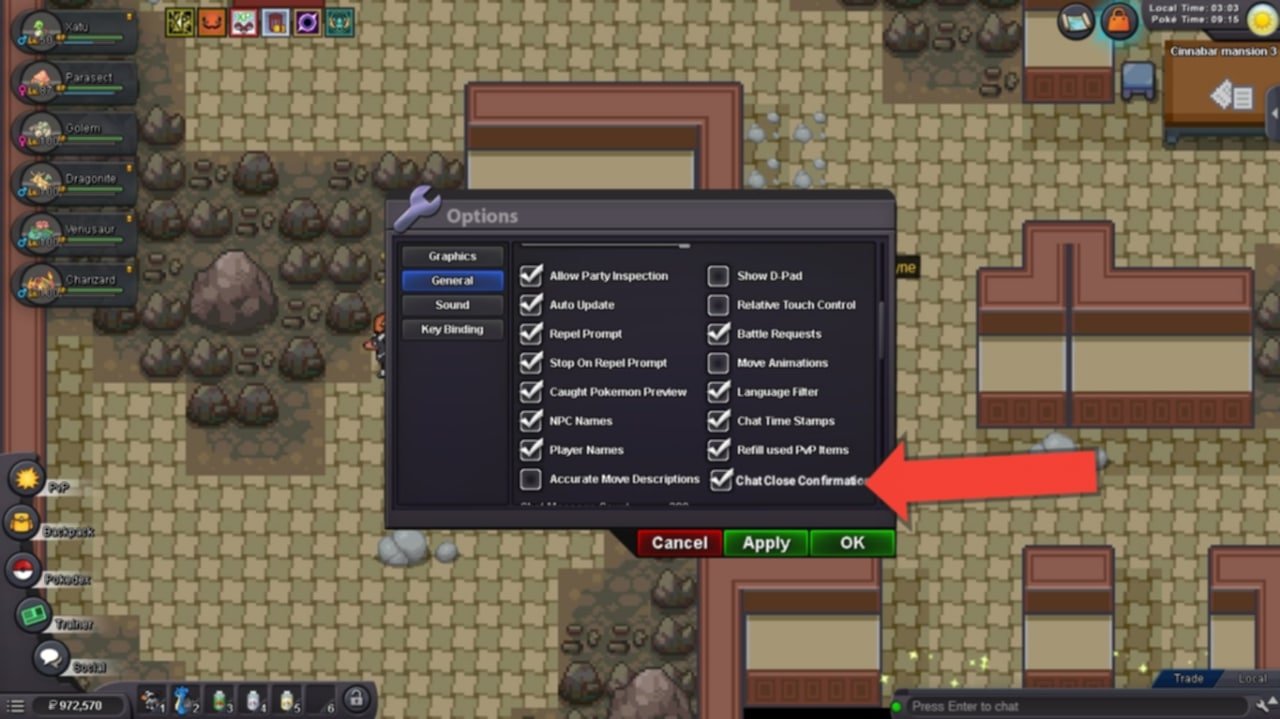
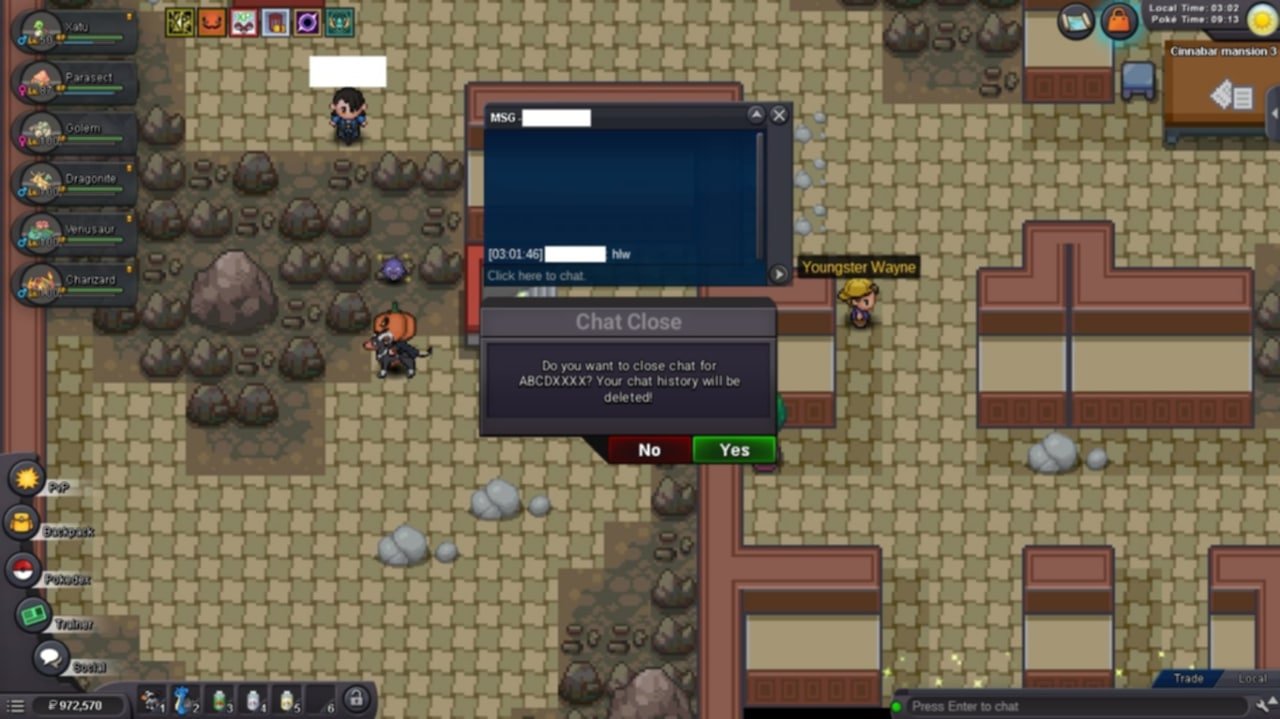
Hey PRO Devs, I’d like to suggest a small but really useful feature for the game. Recently, I was selling EV services to someone, and the buyer gave me all the details before going offline. While that happened, I got a phone call and wasn’t paying attention to the chat. When I came back, I saw the buyer was offline, and I accidentally closed the chat. Later, I realized I lost all the important details. It would be great if the chat system could save recent messages or chat history for at least 24 hours. Since PRO is an online game, this small improvement would really help players manage trades and conversations better. Also an option to enable or disable this feature. Thanks for considering this update!
-
1. What's your Player Name (IGN)? Hamim008 2. Number of hours played: 141 Hours 47 Min 3. What's your favorite Pokémon? Charizard X 4. What do you enjoy doing the most in PRO? Hunting 5. Screenshot of your Trainer Card: SS attached 6. How long have you been playing Pokémon? I’ve played other Pokémon games too, and I’ve been playing for about 5 years. I really love Pokémon games. 7. Favorite ice cream flavor: Chocolate ice cream 😄
.png.1574b4b8e6a39857d798116b36bcf1f9.png)
-
I solved the problem. Thank you! Here's what I found: I went to the Windows volume mixer while the client app was running, and then I found that the client app was muted in the volume mixer. I clicked it, and the lovely music played... hehe, but I don't know how that happened. I deleted and reinstalled files. Still, why it was muted, I have no idea. But I am good now. Thanks anyways."
-
My game has no sound. I have done everything I could. I uninstalled everything, every single file, and then I downloaded the latest client from your official site. I also tried muting and unmuting several times. I checked my headphones many times and rebooted my PC several times. But I think the issue is with the game. Something is wrong, but why? I played this game 3 days ago, and it was working fine. I took a break from the game, and when I tried to play today, the game had no sound. Trust me, I have done everything I possibly could, but now I really need help from someone. Is there anything I can do to fix it? It’s really annoying to play without sound—a game is literally dead without audio. Sorry if I made any mistakes, but I need help.
