




New Trade Zone
Trade Zone is now live
Use the new Trade Zone for auctions and instant-price trades so Pokemon and item offers are easy to find.

Ogkattappa
Registered User
-
Joined
-
Last visited
Everything posted by Ogkattappa
-
Good luck dude.Really wish u can get the smeargle back
-
sold bbrave bb greninbumpAm online rn we can meet lilycove?I wtb calm one for 700k
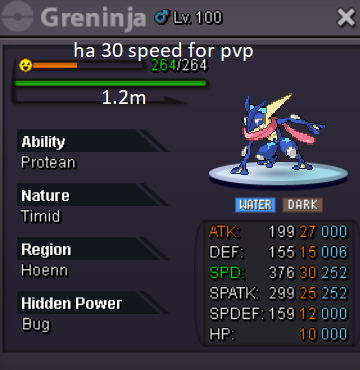
 Wtb a good froakie or evo protean only and timid 25 plus speed 25 plus spa need decent bulk Can pm me in game post poke here or pm me in forum. Please do not overprice your pokes. TYsold 1 samurai set red1st customer ty
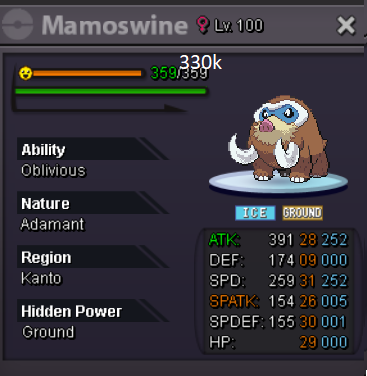
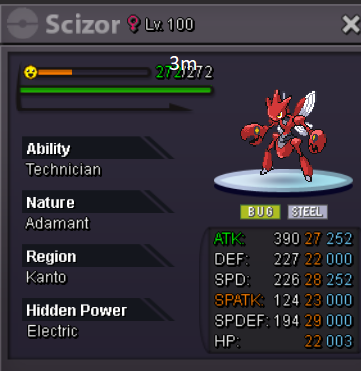
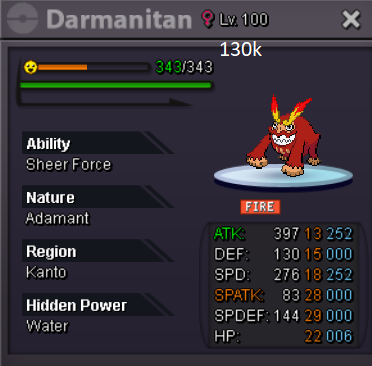
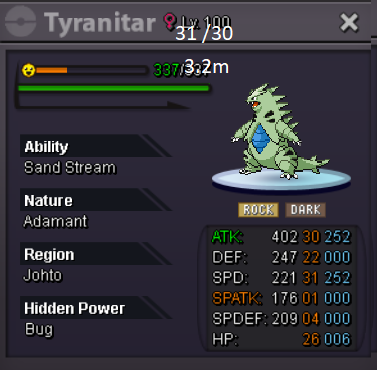
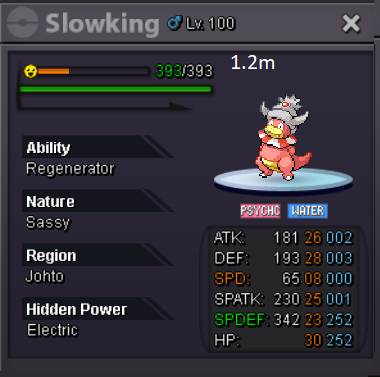
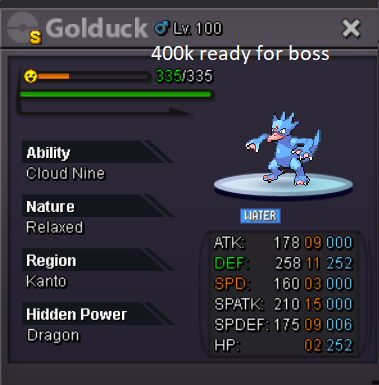
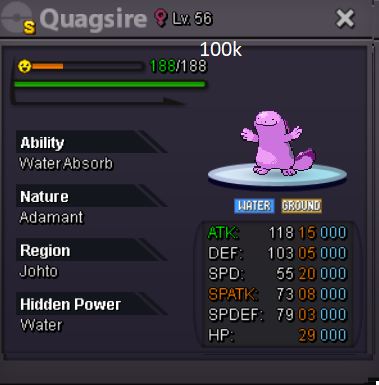
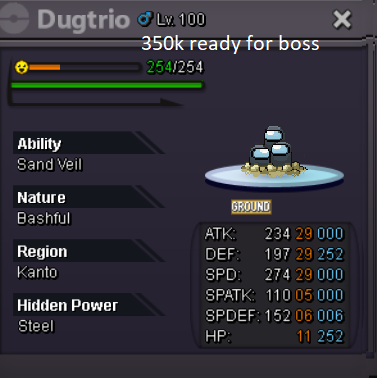
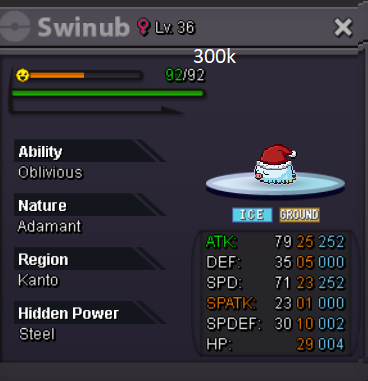
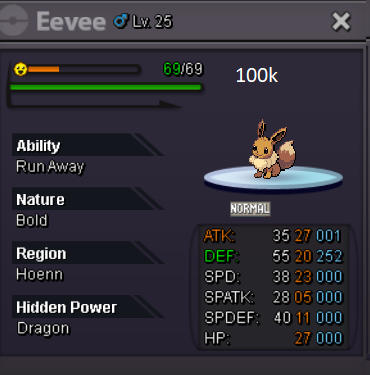
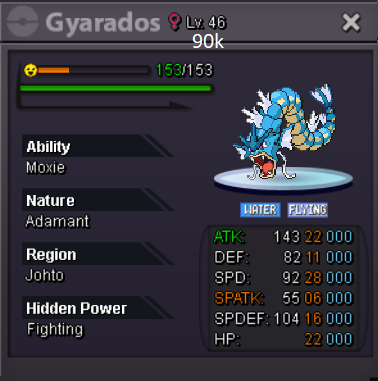
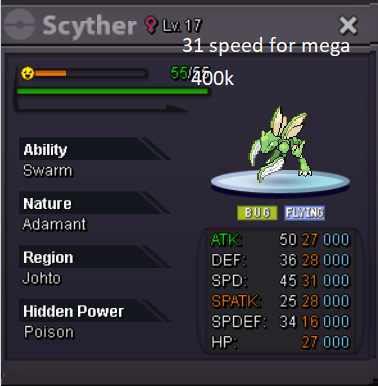
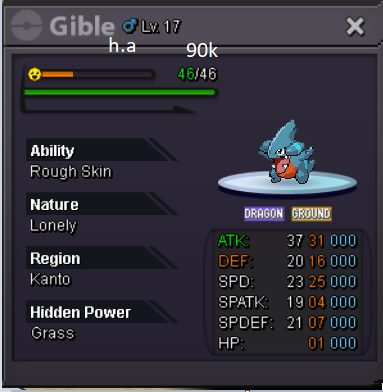
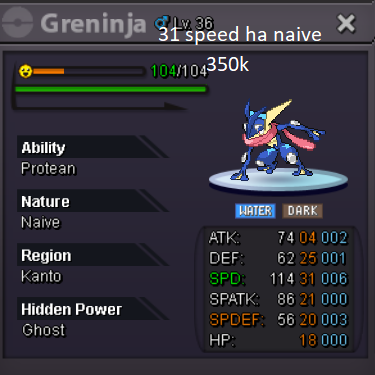
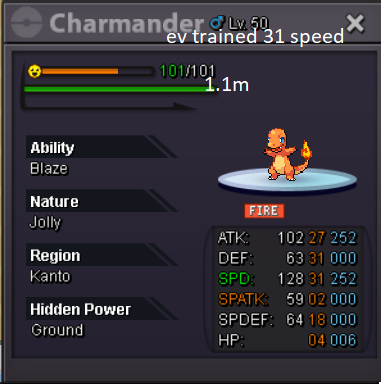
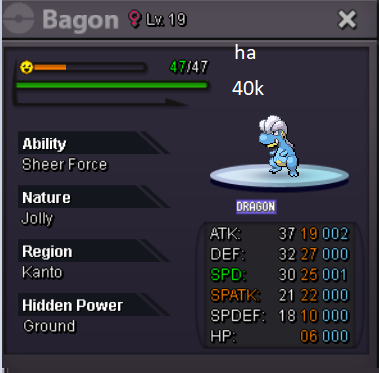
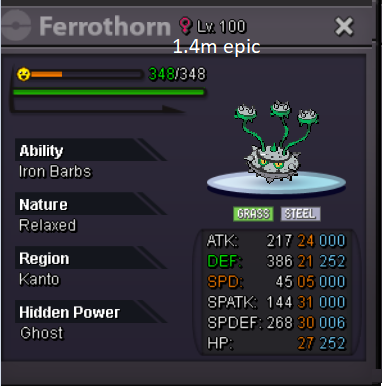
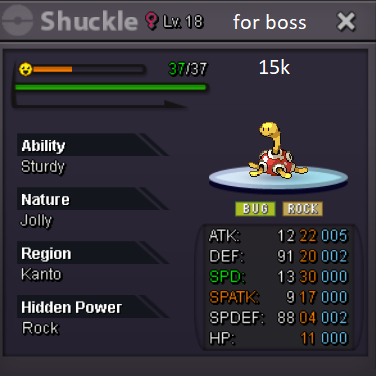
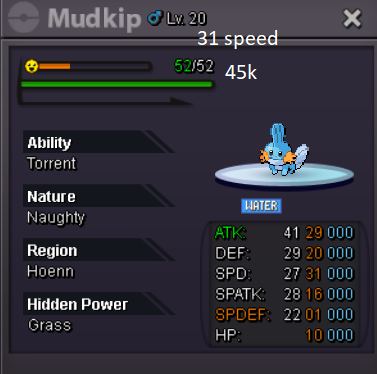
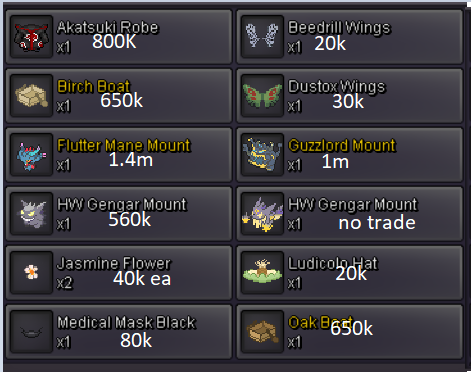
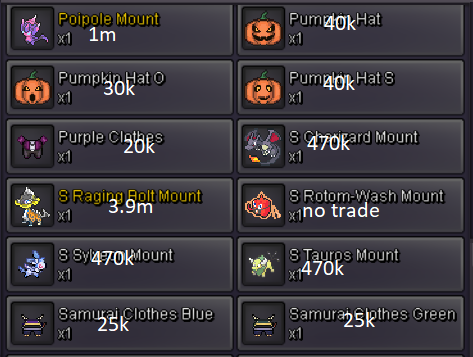
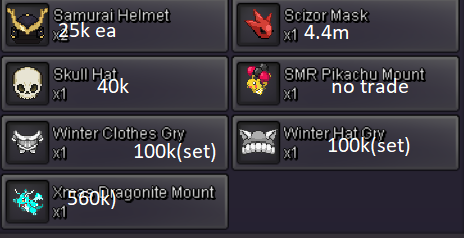
 ⚔️Welcome to my shop⚔️ 📲contact information📞 Discord:theoneandonlyllawliet In-Game:Ogkattappa 1)Contact me in discord or in-game for faster trade. 2)All prices are negotiable to an extent. 3)Price can be reduced if more pokes are bought. 4)Once an offer has been made it cant be taken back. 5)Open to trades. Accepted payments: Pokedollars Coin capsules =500k ea Nat rr=305k ea Iv rr=610k ea Rc=5k ea Untrained Pokemon: Spoiler Trained Pokemon: Spoiler Event forms and Shinies: Spoiler Cosmetics: Spoiler Items and tms: Spoiler TY for purchasing from us.🥰



Account
Navigation
Search
Configure browser push notifications
Chrome (Android)
- Tap the lock icon next to the address bar.
- Tap Permissions → Notifications.
- Adjust your preference.
Chrome (Desktop)
- Click the padlock icon in the address bar.
- Select Site settings.
- Find Notifications and adjust your preference.
Safari (iOS 16.4+)
- Ensure the site is installed via Add to Home Screen.
- Open Settings App → Notifications.
- Find your app name and adjust your preference.
Safari (macOS)
- Go to Safari → Preferences.
- Click the Websites tab.
- Select Notifications in the sidebar.
- Find this website and adjust your preference.
Edge (Android)
- Tap the lock icon next to the address bar.
- Tap Permissions.
- Find Notifications and adjust your preference.
Edge (Desktop)
- Click the padlock icon in the address bar.
- Click Permissions for this site.
- Find Notifications and adjust your preference.
Firefox (Android)
- Go to Settings → Site permissions.
- Tap Notifications.
- Find this site in the list and adjust your preference.
Firefox (Desktop)
- Open Firefox Settings.
- Search for Notifications.
- Find this site in the list and adjust your preference.


