




New Trade Zone
Trade Zone is now live
Use the new Trade Zone for auctions and instant-price trades so Pokemon and item offers are easy to find.

Leon215
Registered User
-
Joined
-
Last visited
-
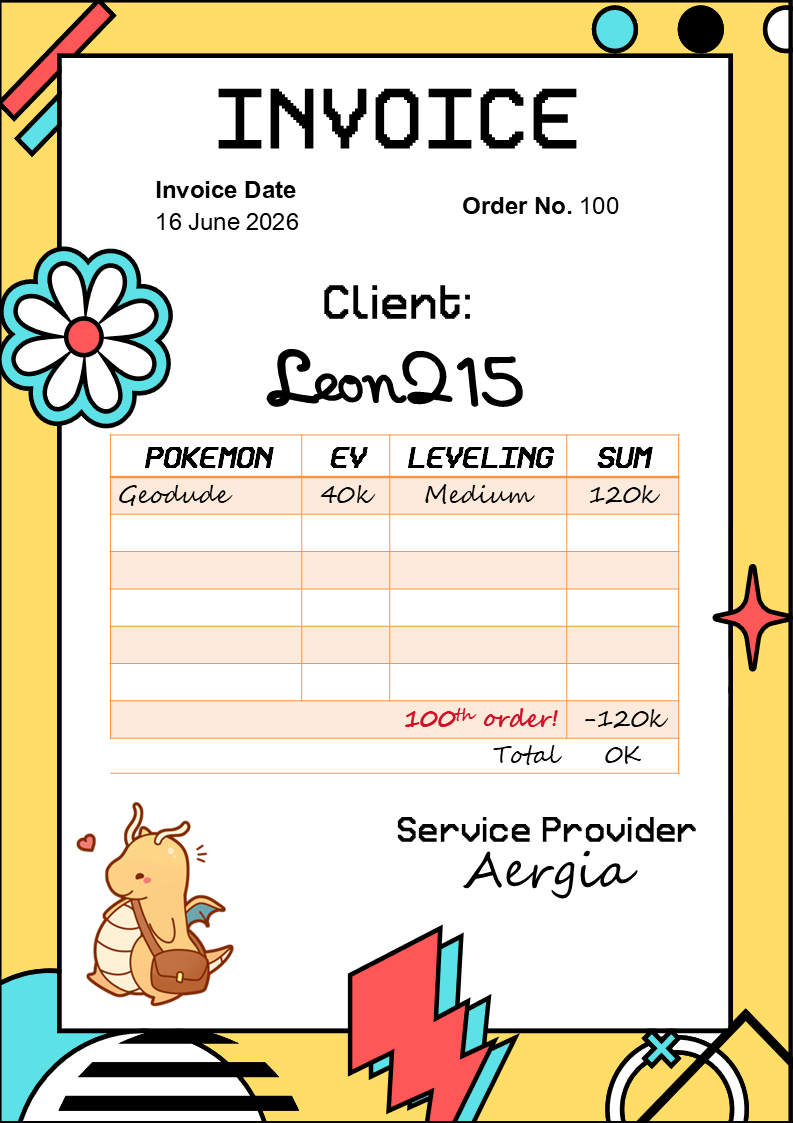
This is one of the most legit and best PKM training services on the Silver server. I will visit your shop next time. Wishing your shop continued growth and success.
-
Hello Doakes, Thank for your comment. In this case, if I want to s.o 18m, is it legal or not?.
-
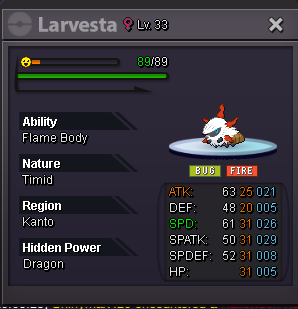
Start offer: 18m Min raise: 200k Insta: 25m 24h from starting bid Coin capsule = 500k, Reroll iv = 750k Happy bidding
-
18m
-
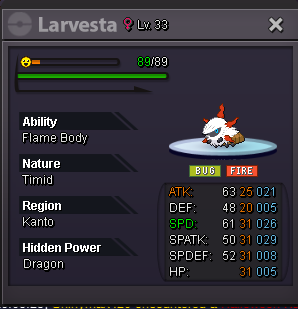
I want to sell this Larvesta with 20m poke$ (accept cc=500k).
-
Closed
-
Alt account: Leon215 (Gold Server) Auction Details: Start Price: 22m End Point: 48 hours GMT+7. Insta Price: N/A Minimum Raise: 500k Accepted Payments: Pokedollars, Coin Capsules (x1 Coin Capsule = 500k), IV Reroll Tickets (x1 IV Reroll Ticket = 700k) Important Reminders: This is a Cross Server auction. You may bid from any server, and I will transfer to your preferred server upon winning. If you intend to purchase with an alt account, specify the account alongside your bid. If a bid is received in the final 15 minutes of the auction, the end point will be delayed by 15 minutes from that bid, and will be delayed by 15 minutes for each new bid thereafter, until the current offer has been held for a full 15 minutes. Happy Bidding!

