New Trade Zone
Trade Zone is now live
Use the new Trade Zone for auctions and instant-price trades so Pokemon and item offers are easy to find.

Banbiko
Registered User
-
Joined
-
Last visited
Everything posted by Banbiko
-
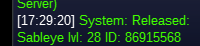
I have released the Sableye. Thank you for answering my question and fulfilling my request. Thank you Bitterblade.
-
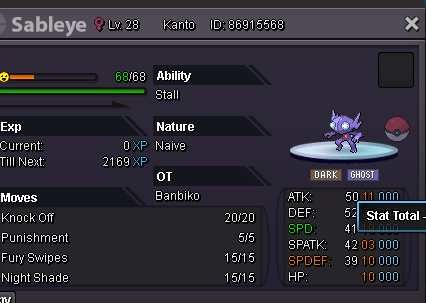
Hi bitterblade, Is there any way to retrieve my Sableye? This Pokémon has quite high stats and has been trained. I hope you can help me get it back. Looking forward to your reply. Thank you and good luck.
-
Hello, I seem to have accidentally given away my lv. 100 PvP Sableye that I just bought to the gem collector. I don't have any pictures of that Pokémon, but the Pokémon with the OT is owned by Banbiko. ID: 86404960 I really hope this would return.. I promise to be more careful next time. Follow this, I caught a new Pokémon. This is the new Pokémon I just caught to replace the one I accidentally submitted.