New Trade Zone
Trade Zone is now live
Use the new Trade Zone for auctions and instant-price trades so Pokemon and item offers are easy to find.


Yoshikoamachiyo
Registered User
-
Joined
-
Last visited
-
Can be closed
-
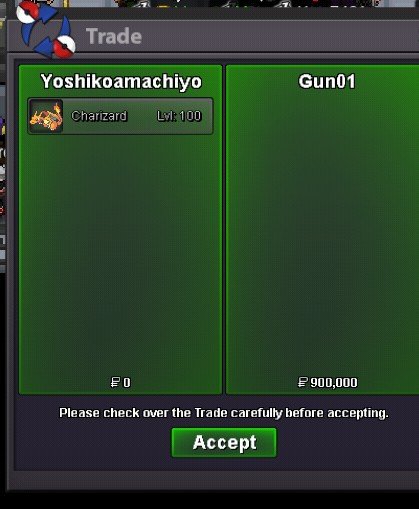
"My sincere apologies for the delay in responding. I encountered some unexpected personal issues that kept me away from the game. I am ready to complete the trade now and will be monitoring the thread/game closelyTysmCharizard C.O 900k by Gun01
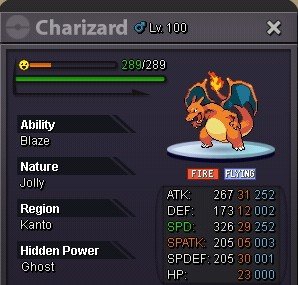
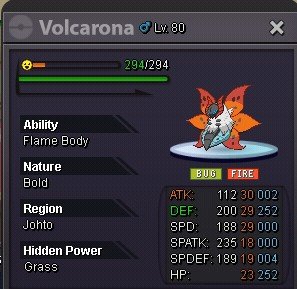
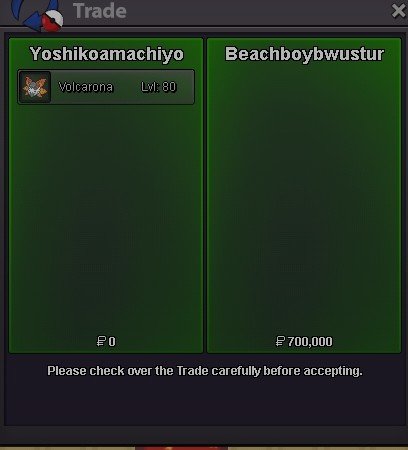
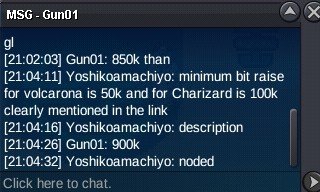 BumpHello everyone! Welcome to my auction. Today I am offering two battle-ready Pokémon for the Silver Server. Both are EV trained and ready for PvP or high-level PvE. In-Game Name: [Yoshikoamachiyo] Discord: [amanochiyo] Pokemon 1: Charizard Level: 100 | Nature: Jolly | Ability: Blaze Stats: 31 ATK / 29 SPD (Maxed Attack/Speed EVs) S.O.: 700k Min Bid: 100k Insta: None End Time: 48 Hours after first bid Pokemon 2: Volcarona Level: 80 | Nature: Bold | Ability: Flame Body Stats: 29 DEF / 29 SPD S.O.: 500k Min Bid: 50k Insta: None End Time: 48 Hours after first bid Payment & Rules Accepted Payments: Pokedollars Coin Capsule (CC): 500k IV Reroll Ticket: 750k Nature Reroll Ticket (NRR): 350k Rules: 15-minute anti-snipe rule applies. No bid r etractions or cancellations. Thank you for taking the time to look at my auction! Good luck to everyone participating. Winning: I will contact the winner via Forum PM or In-game to arrange the trade as soon as the timer expires. Bidding: Please keep all bids clear. If you bid using items (CC/IVRR/NRR), please specify the total value in Pokedollars as well to avoid confusion. Happy Bidding!