




New Trade Zone
Trade Zone is now live
Use the new Trade Zone for auctions and instant-price trades so Pokemon and item offers are easy to find.

Yungzozi
Registered User
-
Joined
-
Last visited
-
Hi, please update me about this, what details should I add more to restore all of my pokemon in the screenshot above, is there anything that can help to restore my pokemon back
-
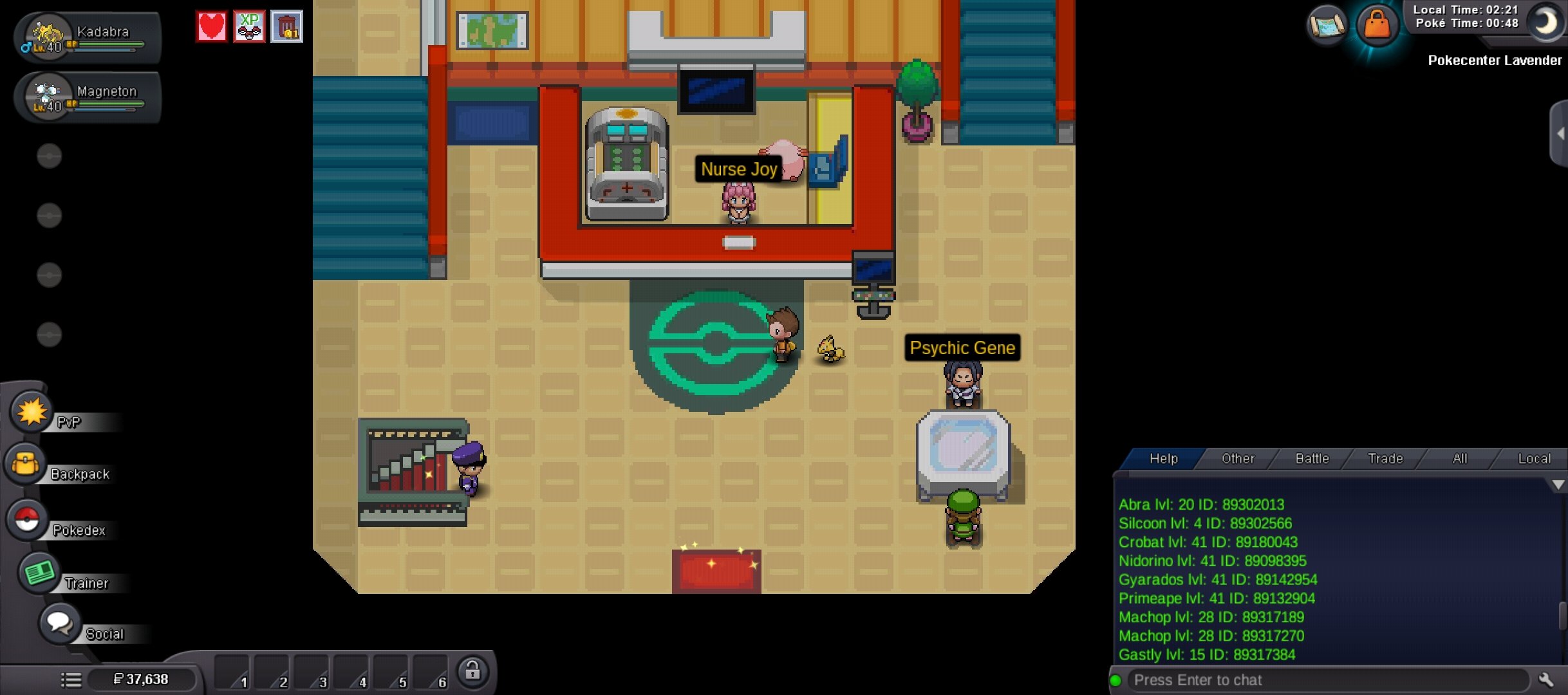
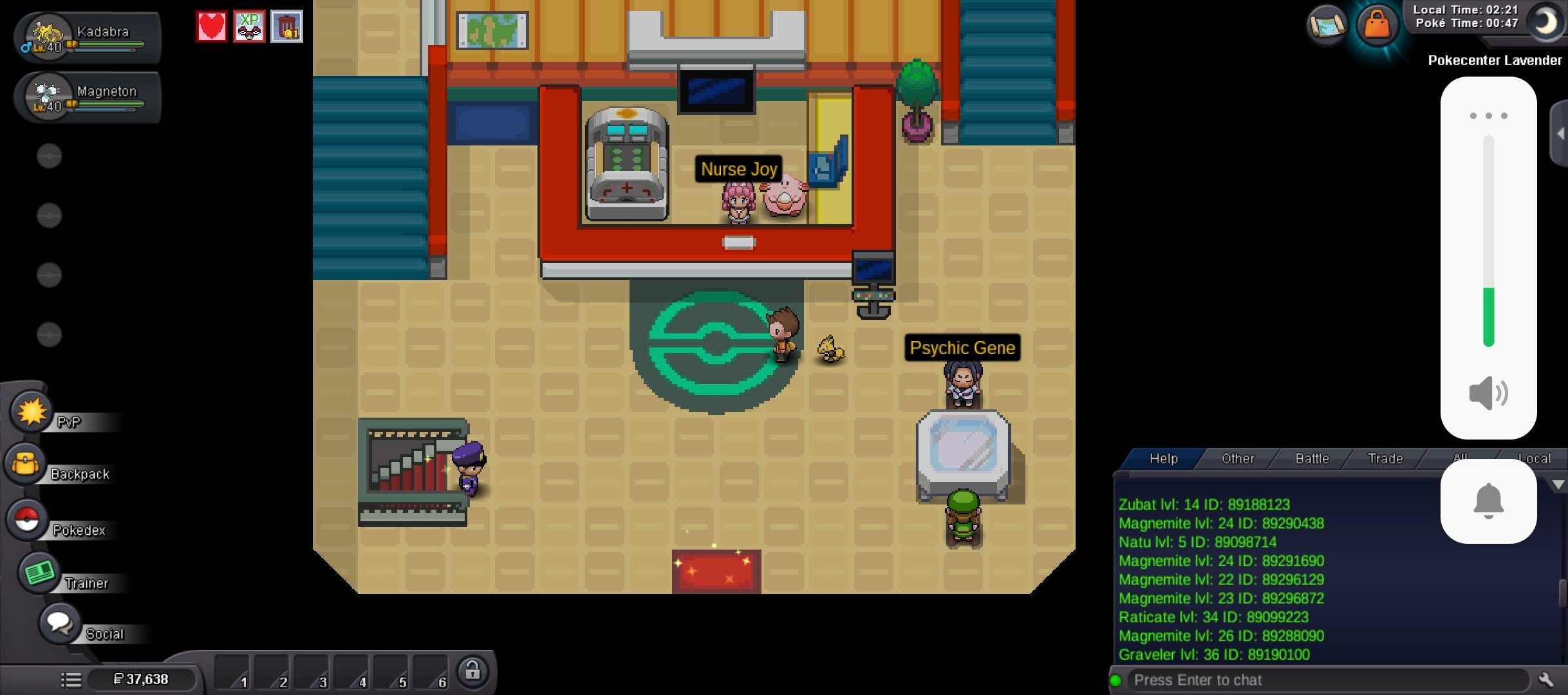
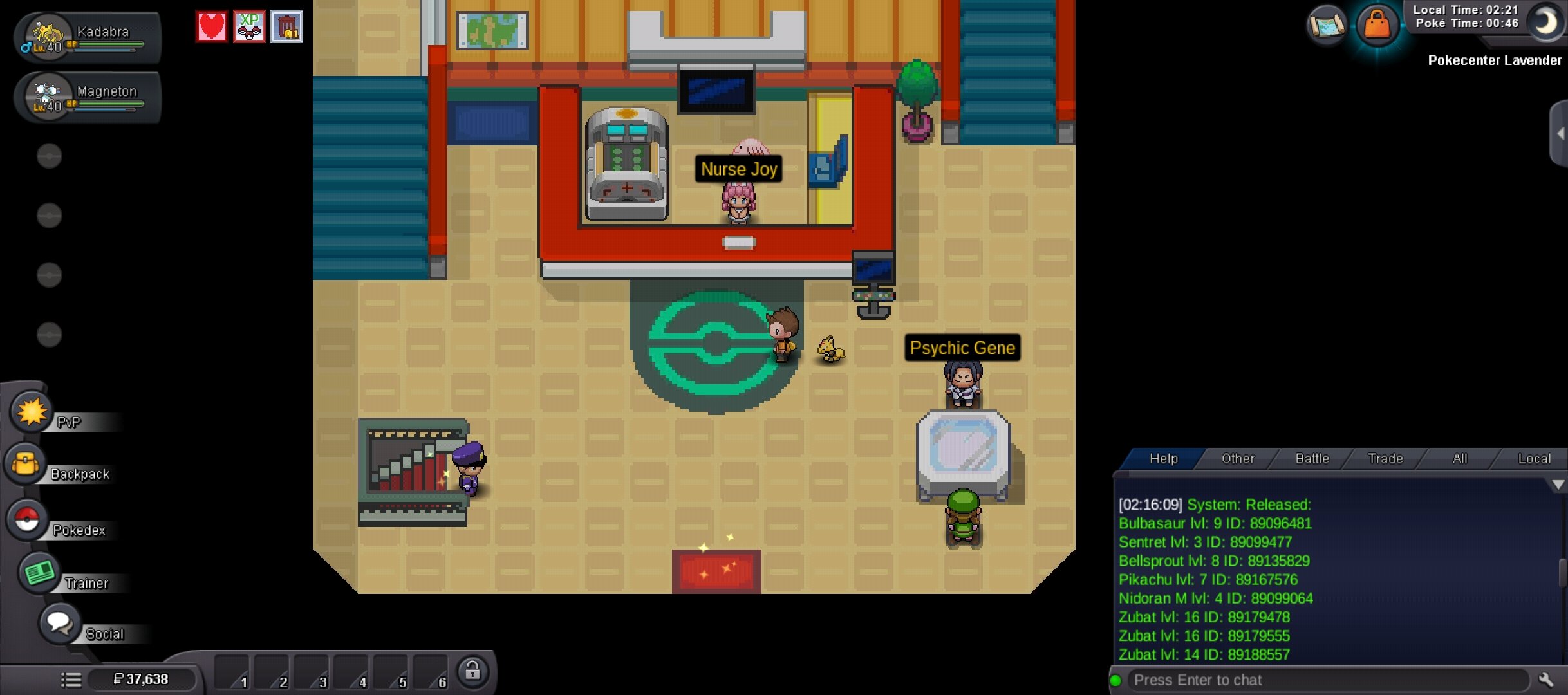
ID/Screenshot: [Yungzuzi] Server: [Gold] Description of Incident: Hello, I accidentally released a large number of Pokémon (approx. 35) and would like to request a restoration. According to my chat logs, these were released between 02:16:09 and 02:18:24 local game time. Released at [02:16:09]: Bulbasaur lvl 9 (ID: 89096481) Sentret lvl 3 (ID: 89099477) Bellsprout lvl 8 (ID: 89135829) Pikachu lvl 7 (ID: 89167578) Nidoran M lvl 4 (ID: 89099064) Zubat lvl 16 (ID: 89179478) Zubat lvl 16 (ID: 89179555) Zubat lvl 14 (ID: 89188557) Released between [02:17:13] and [02:17:51]: Abra lvl 20 (ID: 89302013) Silcoon lvl 4 (ID: 89302566) Crobat lvl 41 (ID: 89180043) Nidorino lvl 41 (ID: 89098395) Gyarados lvl 41 (ID: 89142954) Primeape lvl 41 (ID: 89132904) Machop lvl 28 (ID: 89317189) Machop lvl 28 (ID: 89317270) Gastly lvl 15 (ID: 89317384) Released between [02:17:57] and [02:18:24]: Zubat lvl 14 (ID: 89188123) Magnemite lvl 24 (ID: 89290438) Natu lvl 5 (ID: 89098714) Magnemite lvl 24 (ID: 89291590) Magnemite lvl 22 (ID: 89296129) Magnemite lvl 23 (ID: 89296872) Raticate lvl 34 (ID: 89099223) Magnemite lvl 26 (ID: 89288090) Graveler lvl 36 (ID: 89190100) I have roughly 9-10 more Pokémon that were released during this same window that didn't fit in the screenshots. Please check my logs for the full restoration if possible. Thank you!
