




New Trade Zone
Trade Zone is now live
Use the new Trade Zone for auctions and instant-price trades so Pokemon and item offers are easy to find.


Fazko91
Registered User
-
Joined
-
Last visited
-
Ok ty @Mysticwind
-
Hi do they all need ms?
-
Hi do they all need ms?
-
Is there a list of all new mons added ?
-
Im online too
-
Yes tell me when you online
-
-
Wtb timid/modest/naive guzzlord 800k budget
-
The shittiest show ever*
-
Are you online?
-
Bump
-
WORLD QUEST : WE WOULD LIKE TO CHOOSE THE MON WE WANT FOR THE WQ MONEY TOWER : IT WILL WORK LIKE TRAINERS TOWER BUT INSTEAD OF GAINING XP WE GET MONEY BUILDING : LET US CREATE LIKE A MINI HOUSE THAT WE CAN OWN (I TOOK THIS IDEA FROM POKEMMO) AND IT WILL LET US TELEPORT LEGENDARY POKEMON : SOME LEGENDARY POKEMON SHOULD BE CATCHABLE DURING STORY EXEMPLE: RAYQUAZA CATCHABLE IN SKY PILLAR OUTBREAKS / ULTRA BEAST : OUTBREAKS SHOULD SPAWN MORE OFTEN AND WE NEED MORE ULTRA BEASTS
-
Accepting Coin Capsule= 500k Reroll Ticket= 700k Nature Reroll= 350k Rare Candy= 6k 300K 1m 300k 250k 100k 500k 300k 800k 300k 500k 350k 200k 200k 500k 200k 200k 1m 250k 200k 350k 500k 200k 250k
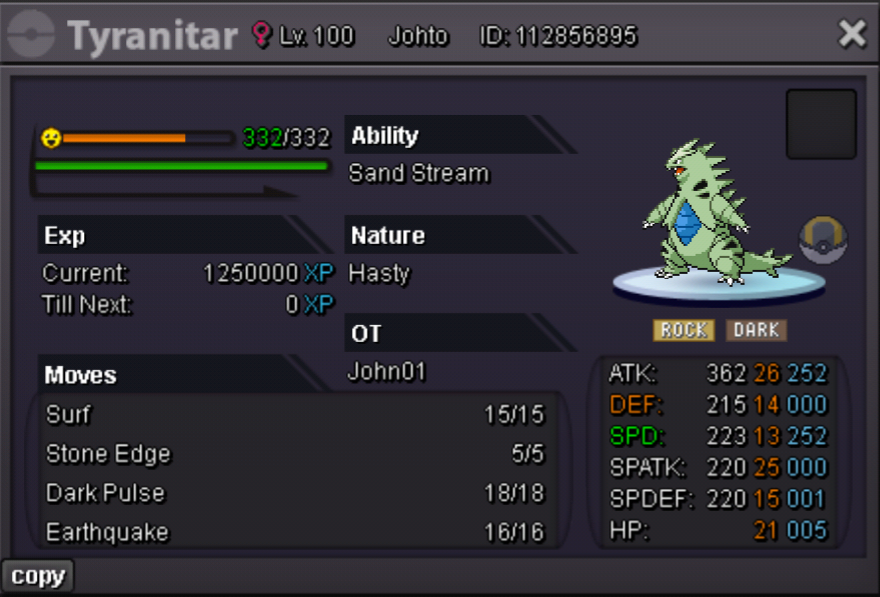
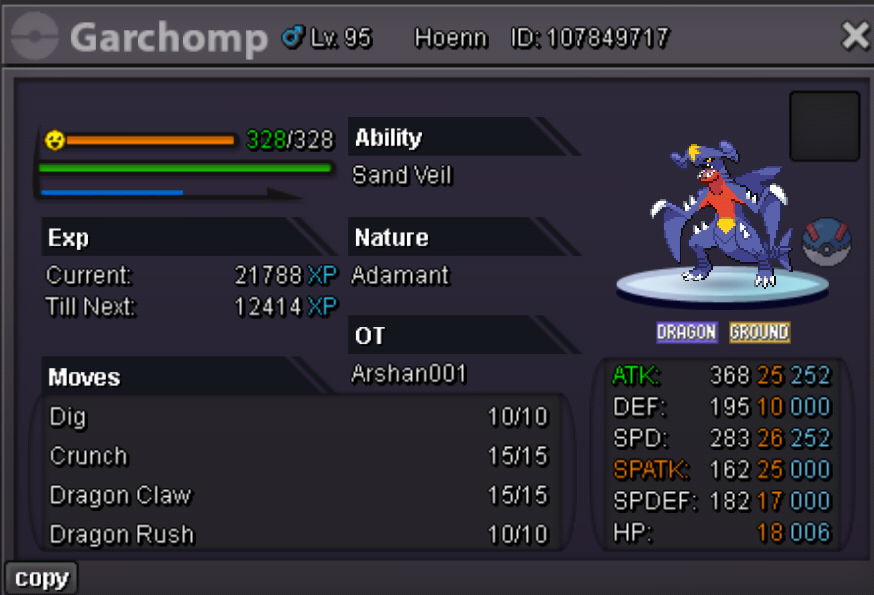
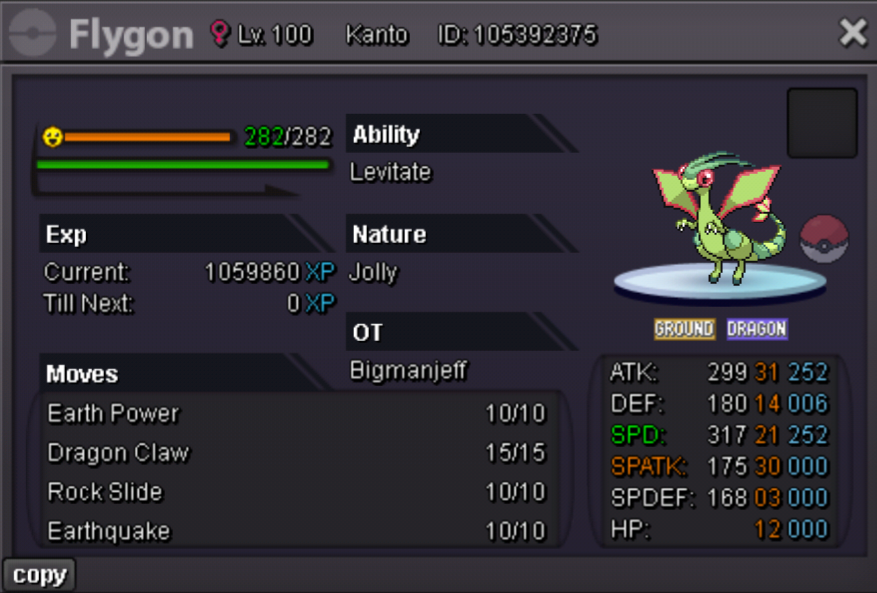
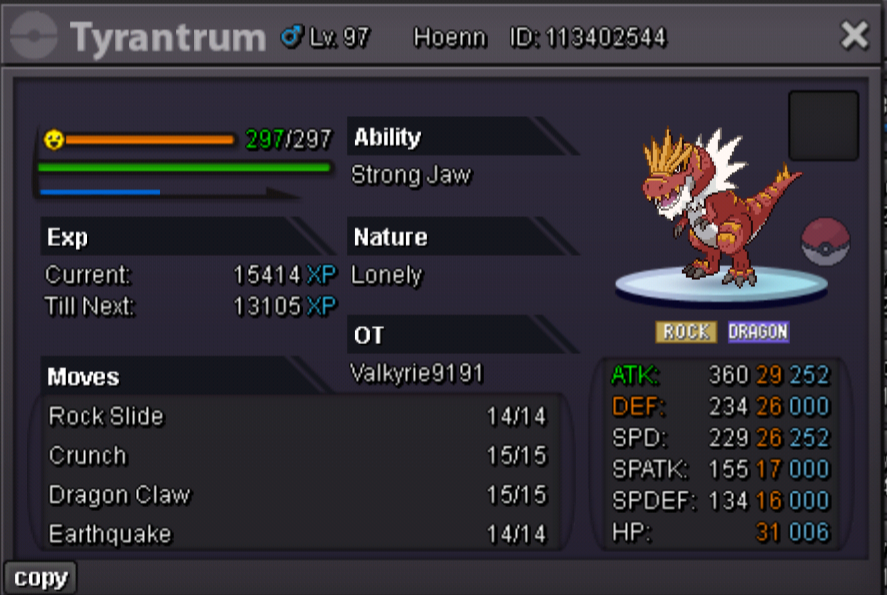
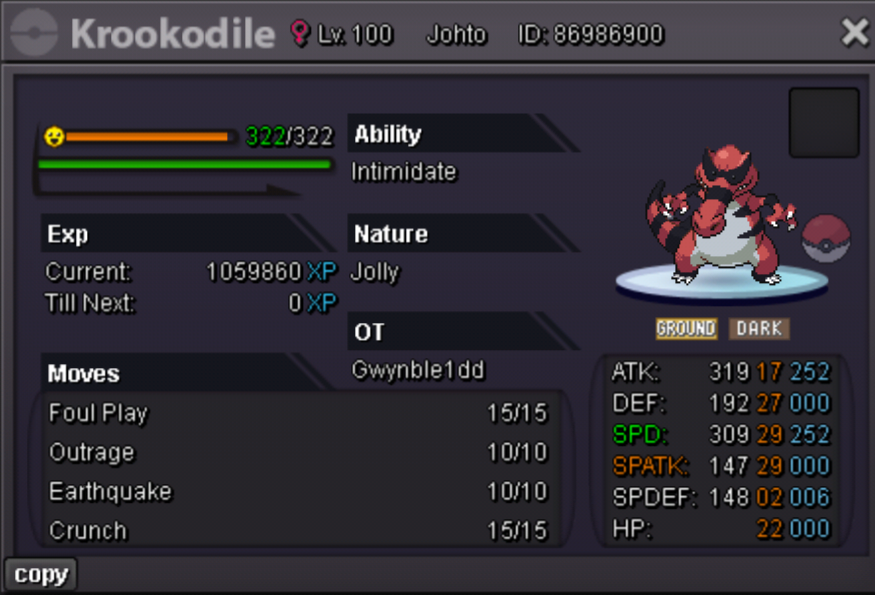
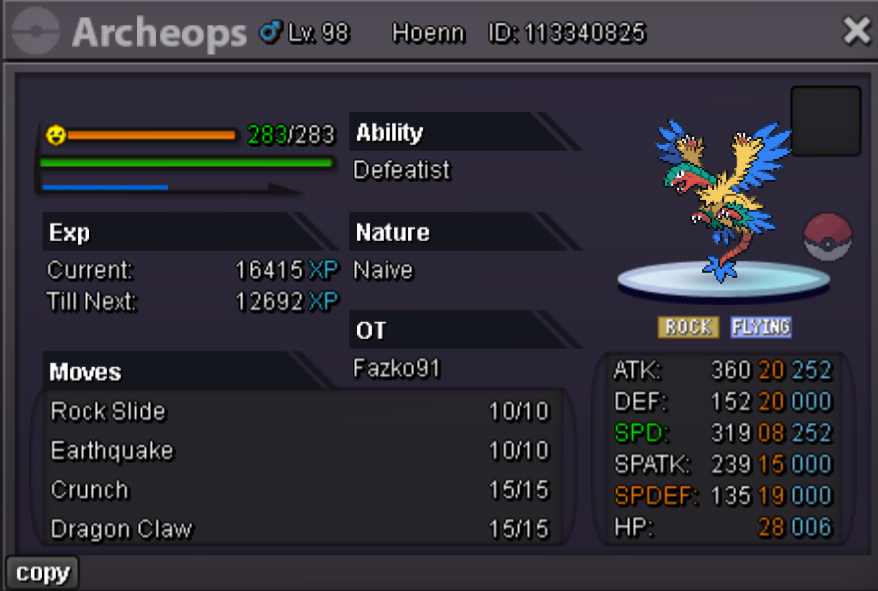
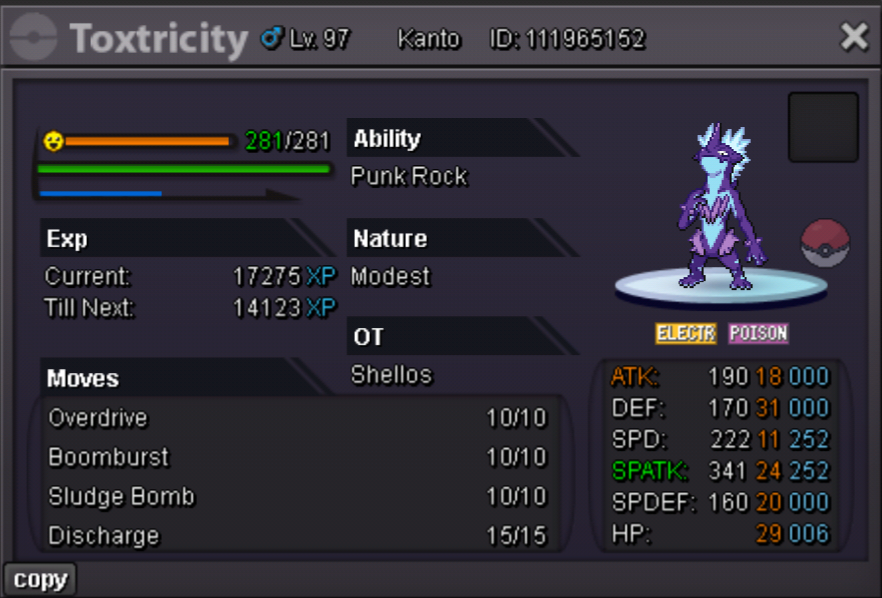
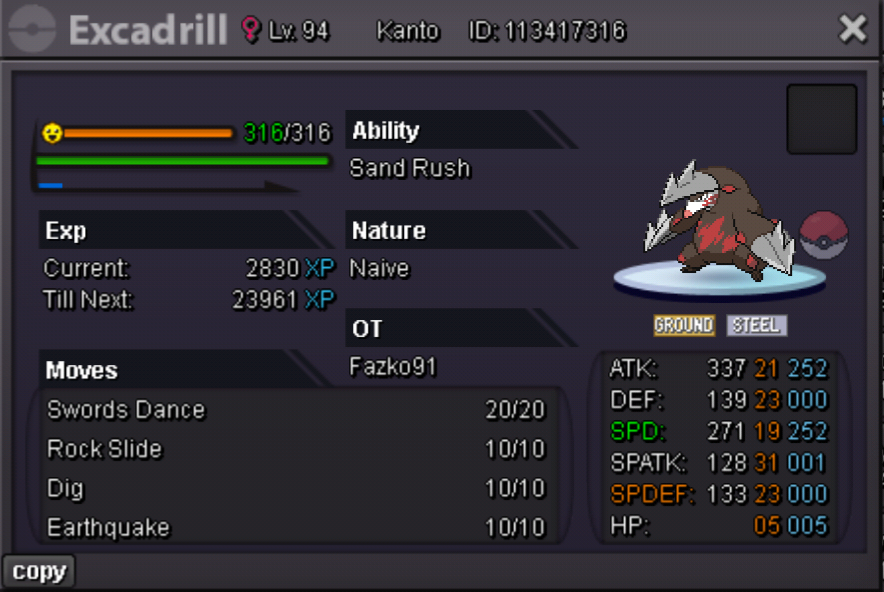
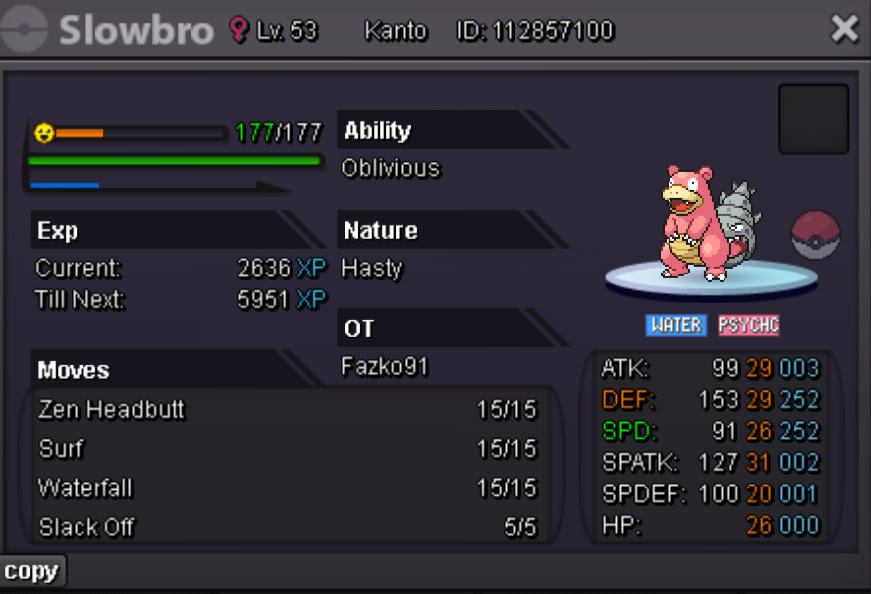
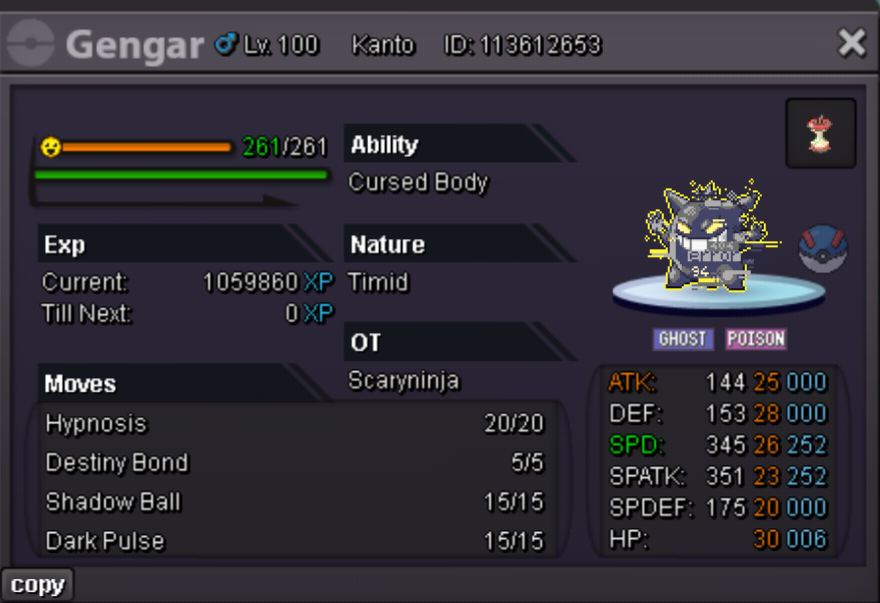


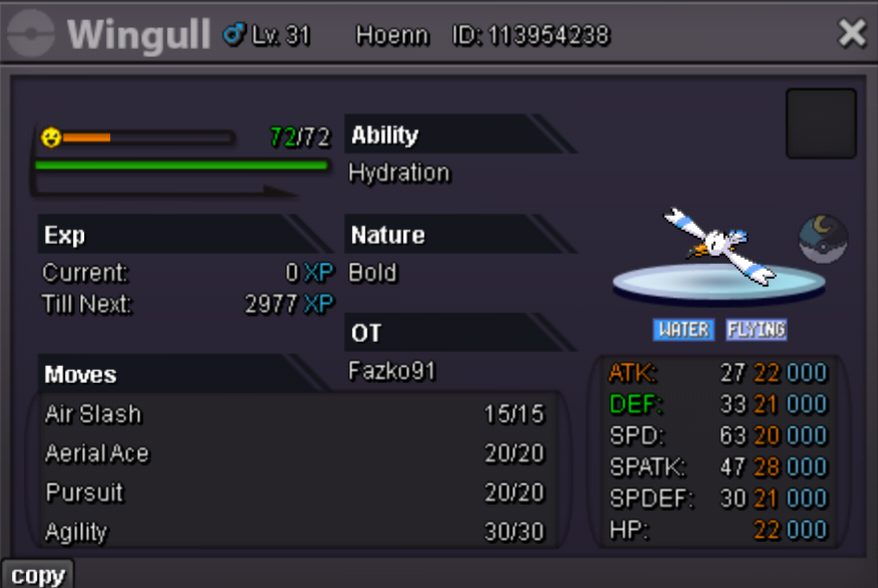
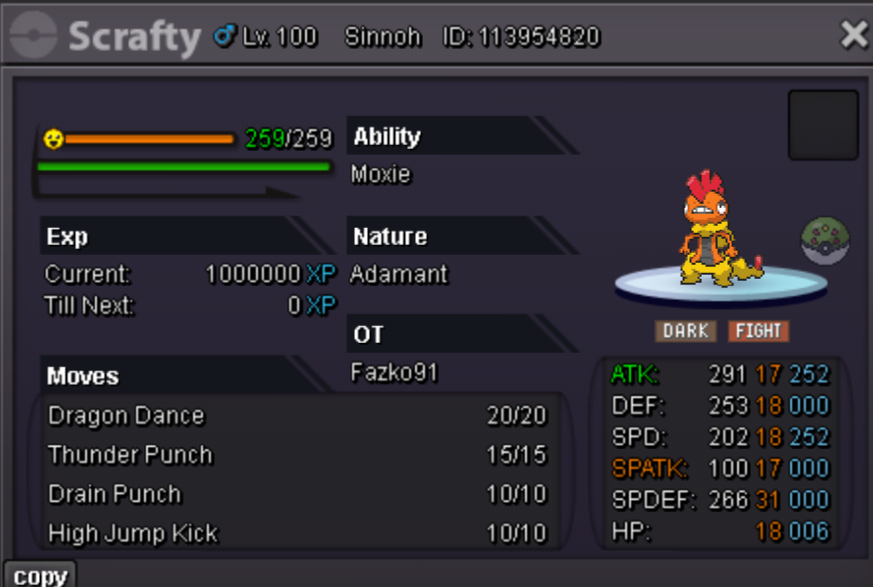
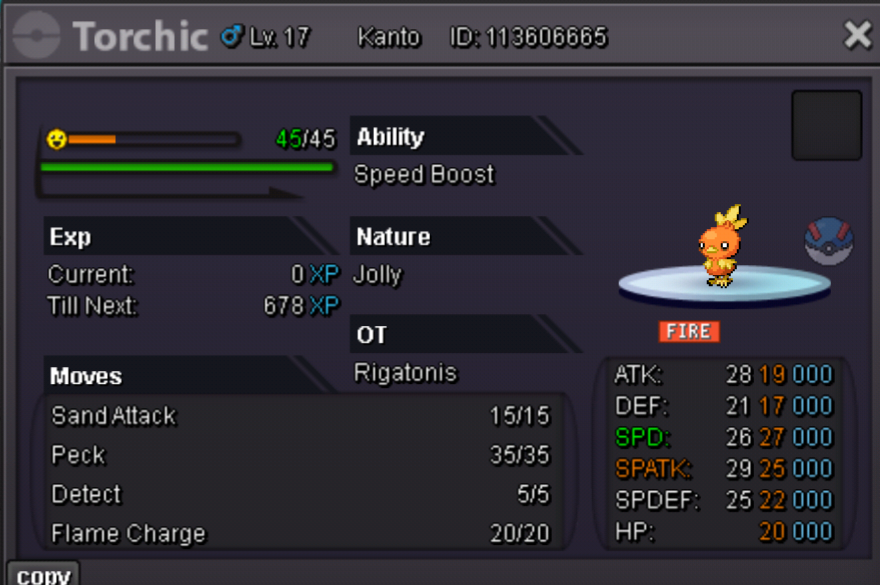
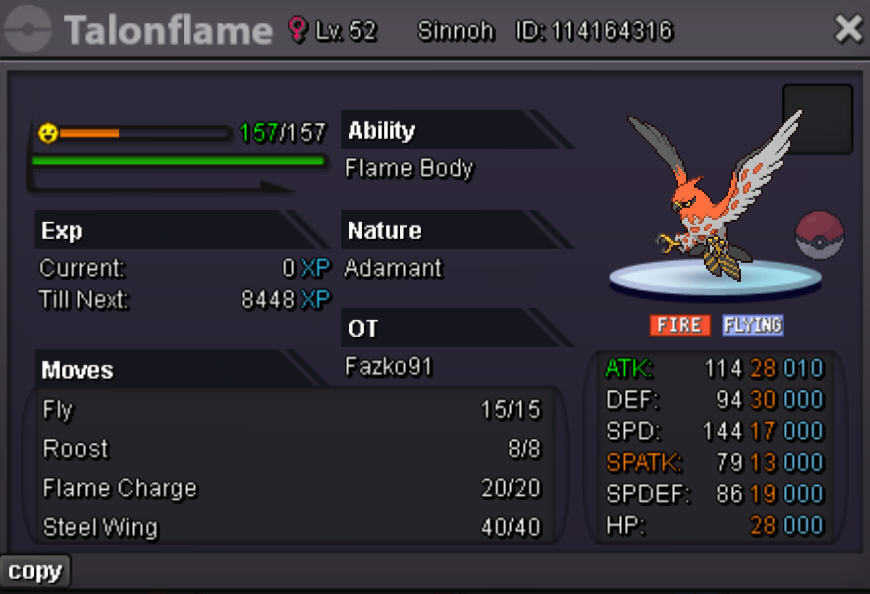
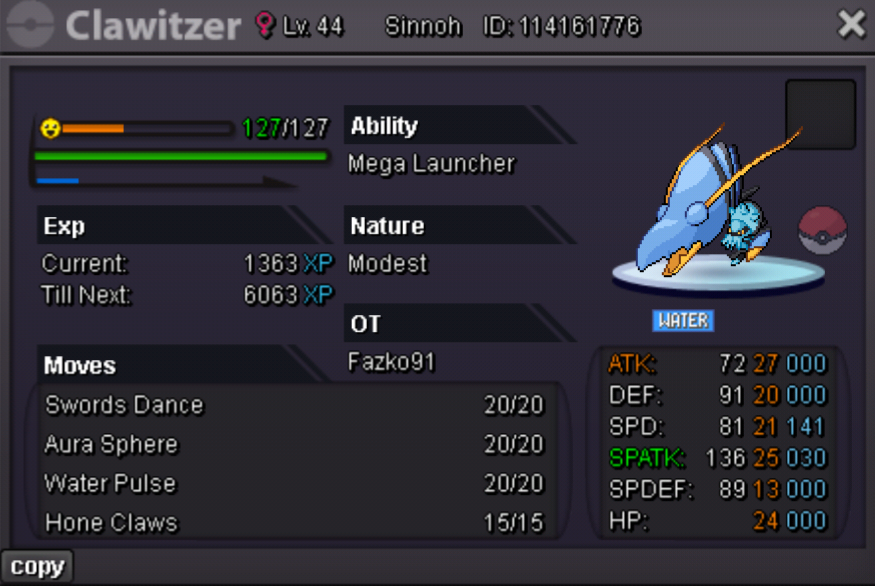
-
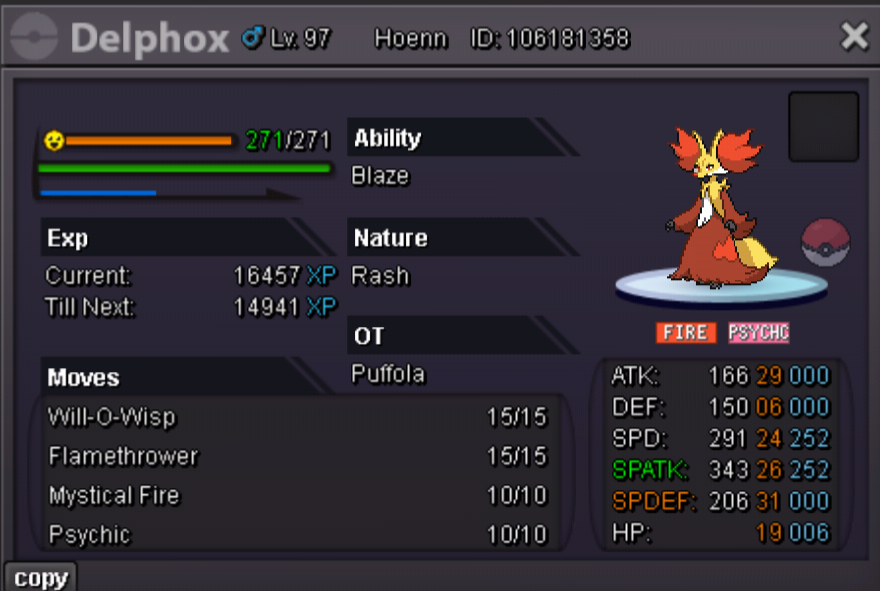
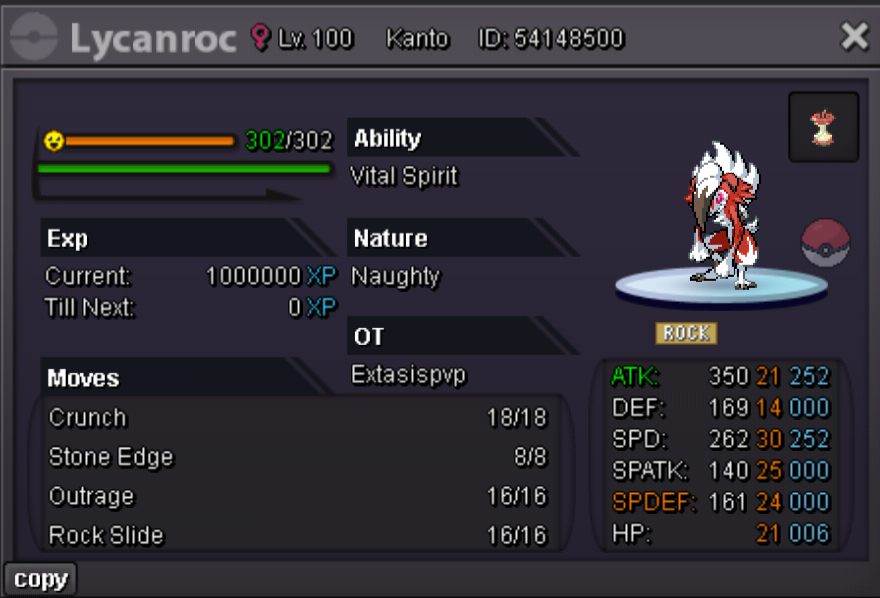
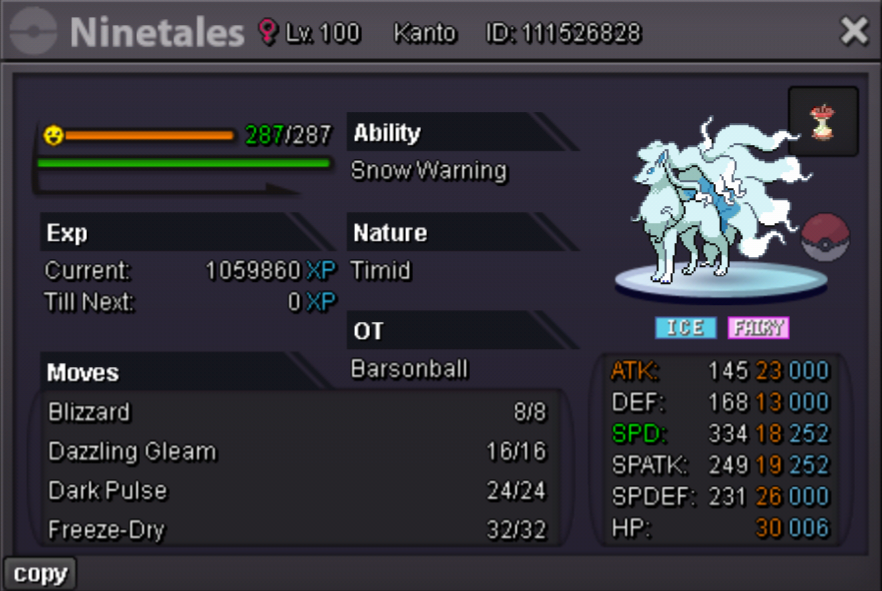
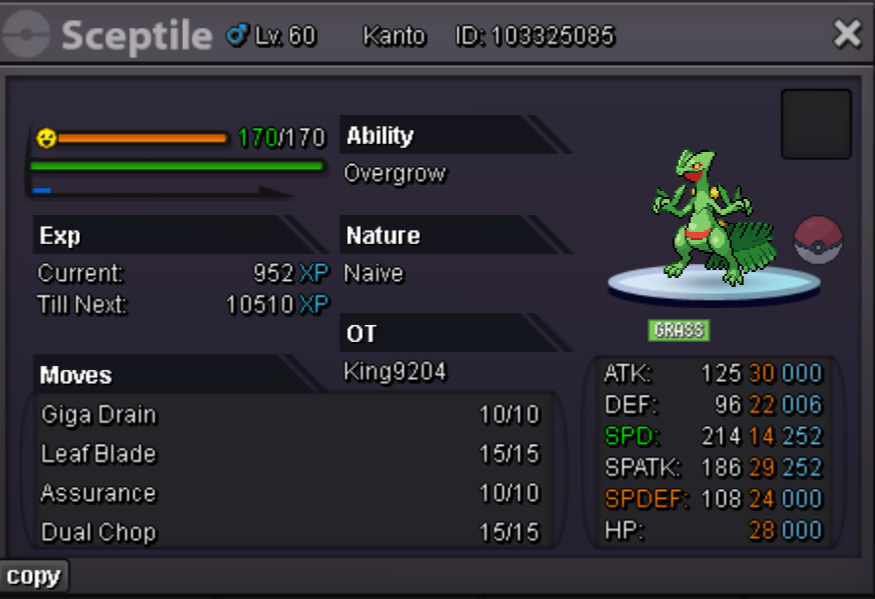
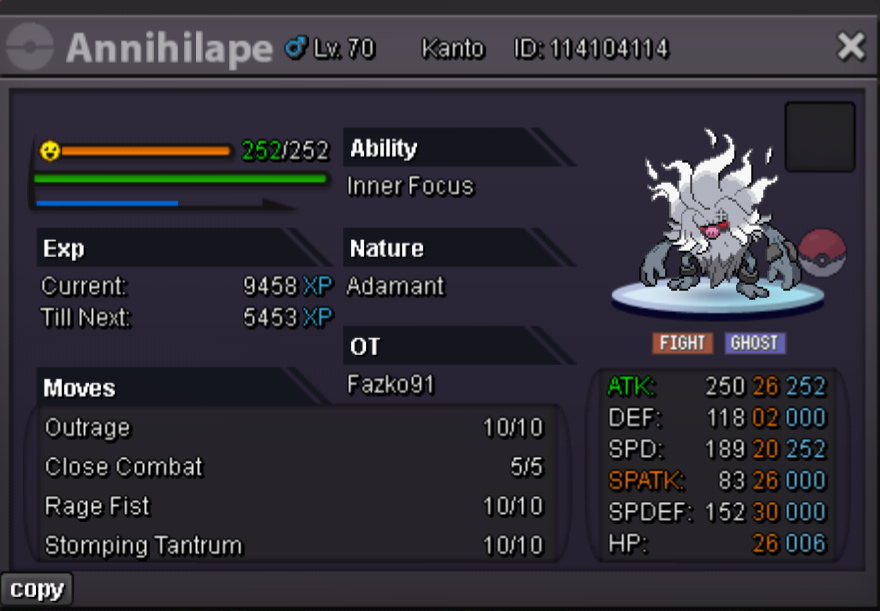
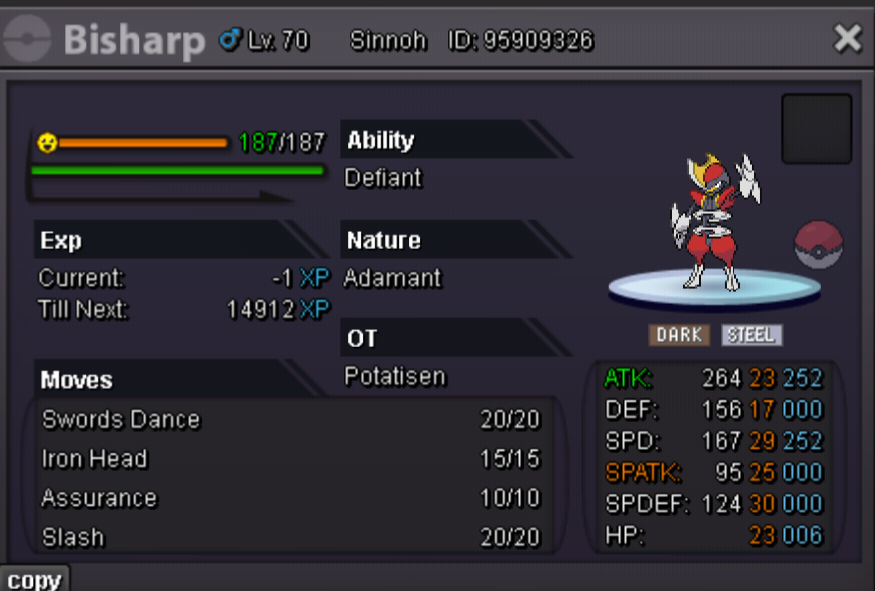
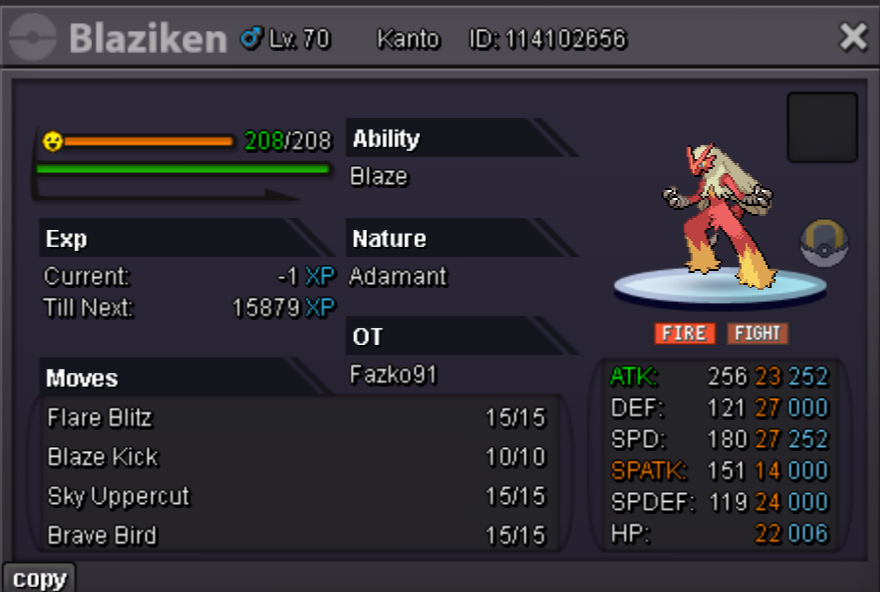
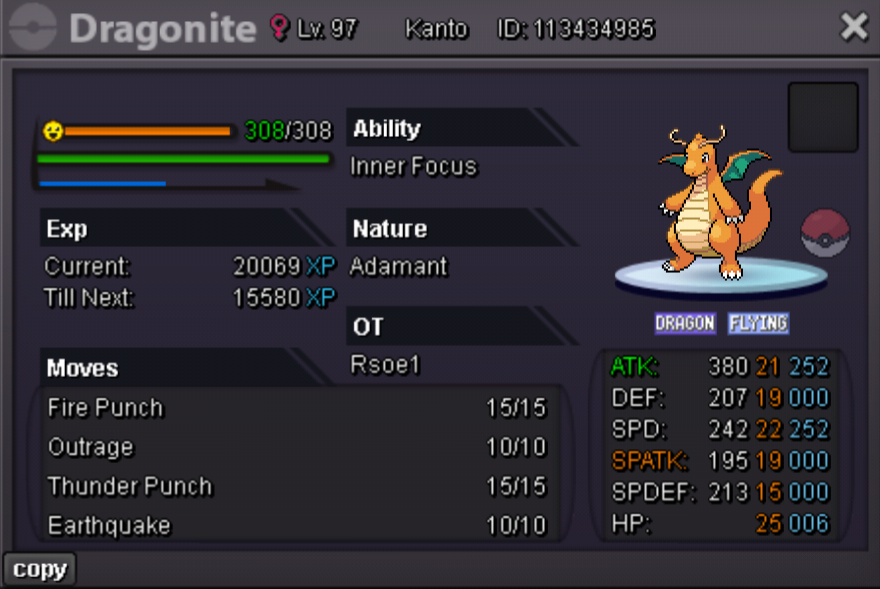
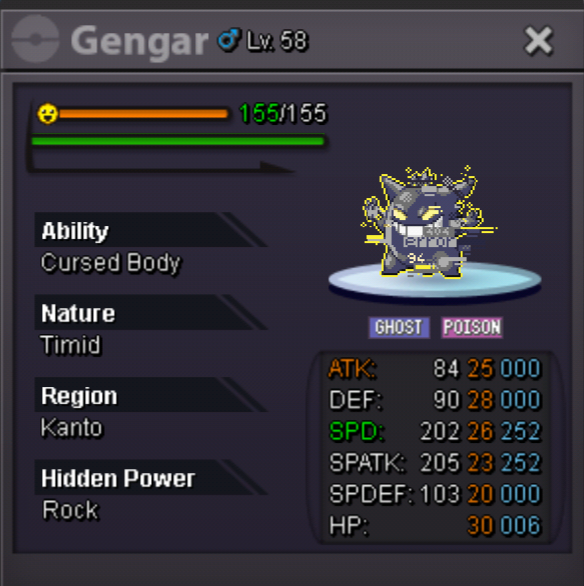
- Starting Offer: 1m - Minimum Raise: 100k - Starts after first bid - End In 48 hours after the start Accepted Payment Methods: PokeDollars Coin Capsule = 480k Iv Reroll Ticket = 700k
-
Fazko91 changed their profile photo
-