New Trade Zone
Trade Zone is now live
Use the new Trade Zone for auctions and instant-price trades so Pokemon and item offers are easy to find.


Indomaret
Registered User
-
Joined
-
Last visited
-
Agree about trade history, +1 from me We need to check this cause i saw some player make alternate account or using his community to raise price or post auction event the pokemon not they have, and then when its sold cheapest than they want, they will leave the account and can make other post again and i hate this when i won auction but not get what i won beacuse the seller never online or ready my message, already report to admin only says wait and wait till the world end still nothing happen I hope one days we have system can register pokemon before sell it in auction and the player wanna bid must have pokedollar or item like CC to doing bid, so the fake bid will gone, no more game of raising price in auction anymore
-
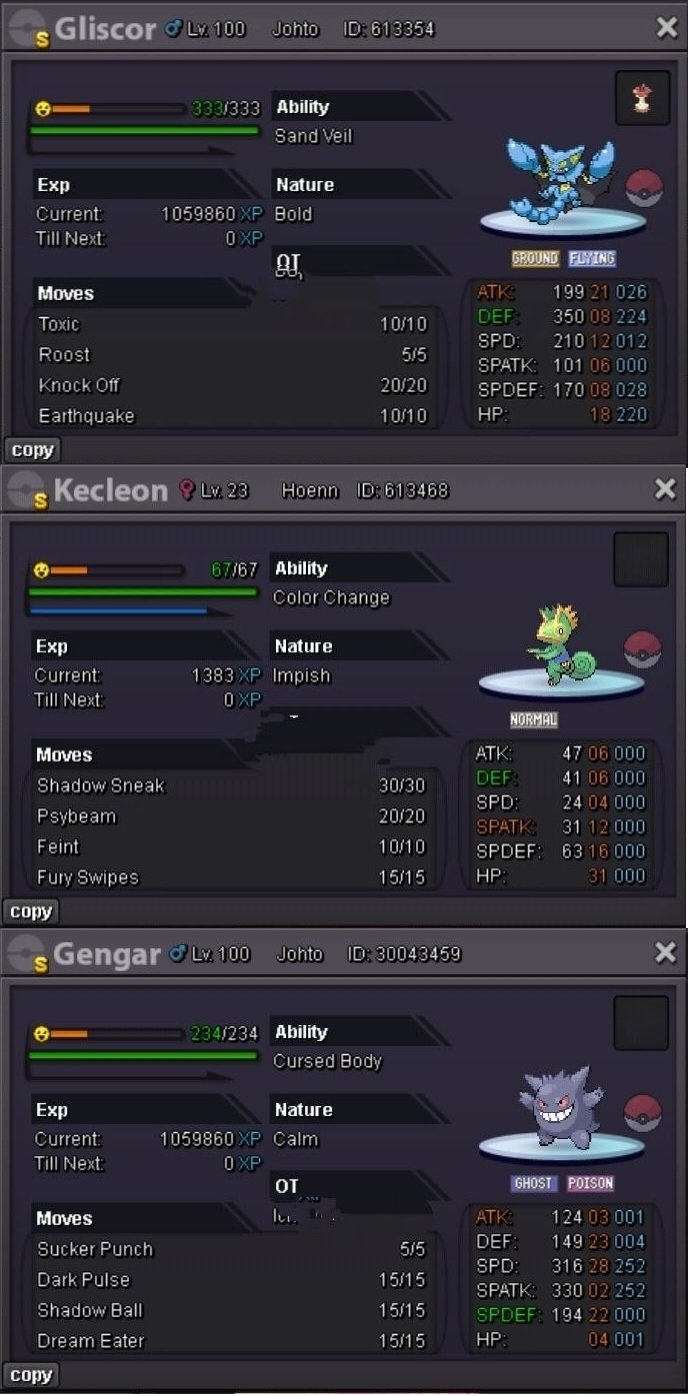
Klecon and Gengar already sold, thats why im post its Sold in text, please give back his money, and takeout penalty, im already close post Sold from 5 July and he says start at 7 July when it already sold
-
Hello, im already close the post from 5 july since no one open it and my gliscor already sold, why im got penalty from this? im already sold klecon form other, im already post sold on text topic

-
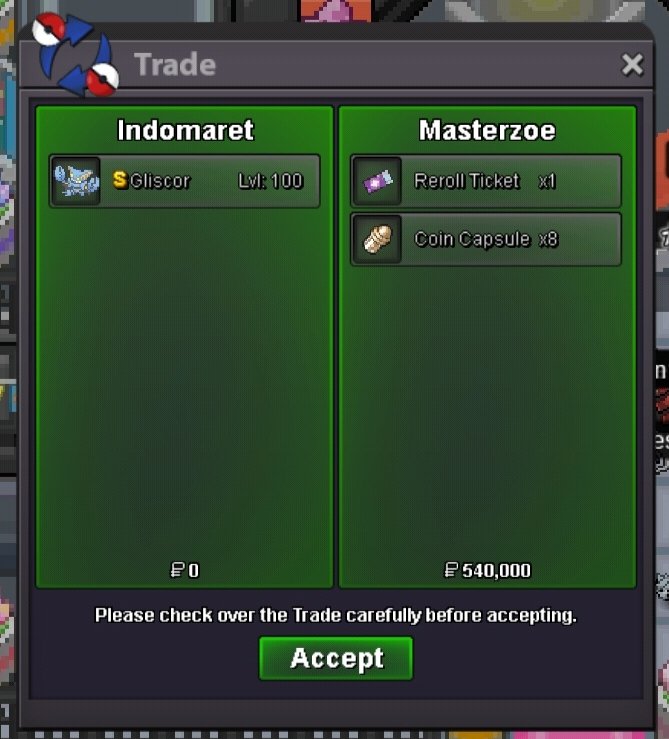
Done trade
-
Insta gliscord sold to Masterzoe

-
Indomaret changed their profile photo
-
Its not bundle, Accept Pokedollar and Payment CC 470k, Reroll 700k Shiny Gliscor Start 0 Minimal Bid 100k Instant Win : 5m Shiny Gengar Start 150k Minimal Bid 50k Instant Win : 500k Shiny Kecleon Start 250k Minimal Bid 50k Instant Win : 1m Time Auction 24 hours since have first offer in