




New Trade Zone
Trade Zone is now live
Use the new Trade Zone for auctions and instant-price trades so Pokemon and item offers are easy to find.

Ancientfarmer
Registered User
-
Joined
-
Last visited
-
-
No interest. Closing auction
-
Start Offer : 100k Min Bid : 25k Auction end 3hours after first bid Start Offer : 100k Min Bid : 25k Auction end 3hours after first bid Start Offer : 50k Min Bid : 25k Auction end 3hours after first bid
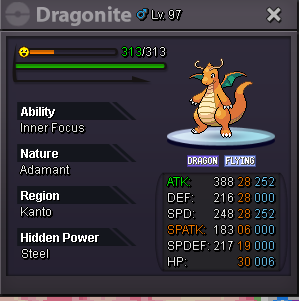
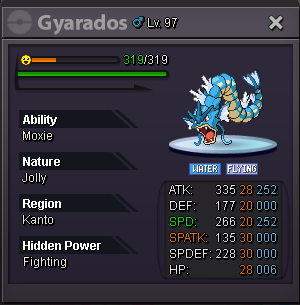
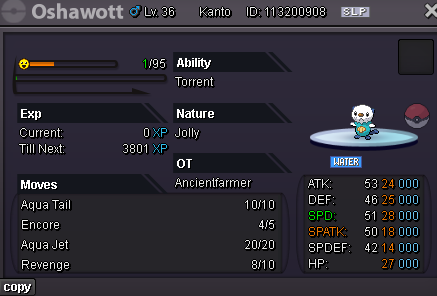
-
Type: Revert Evolution Username: Ancientfarmer Server: Silver Pokemon : Samurott -> Dewott ID 113033166 Wanted to evolve for the form version of Samurott. Is it possible to revert the evolution?
-
This is perfect. You are amazing. Thank you sooooo much! Have a great day! @Zarachi
-
Hello, The thing is I'm not 100% sure. The ones I'm worried about are the lvl97's in my box that I deleted. There was a Dragonite with marvel scale and adamant nature. There were a few gyarados with moxie and adamant as well. The rest I don't know but those are the ones I care about. I believe it was 1 Dragonite and 5 or 6 gyarados. all were lvl 97 but not EV trained. I did it a few hours ago so I'm hoping it's possible to just restore them somehow?
-
Hello, I accidently deleted a bunch of my Pokémon i didn't mean to from my pc. Is there any way to restore them if I don't have their ID numbers?
-
@nobito wins the auction. Please message me to collect
-
Bump
-
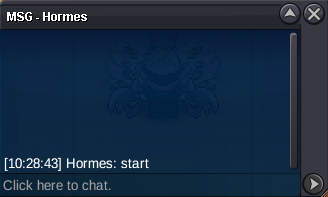
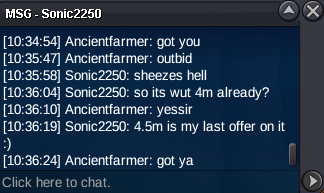
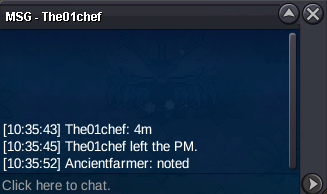
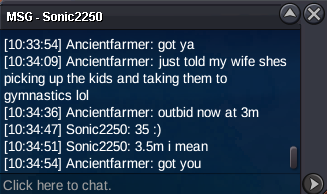
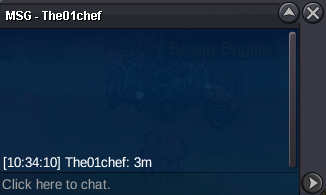
Auction started 10:29 GMT-7
Account
Navigation
Search
Configure browser push notifications
Chrome (Android)
- Tap the lock icon next to the address bar.
- Tap Permissions → Notifications.
- Adjust your preference.
Chrome (Desktop)
- Click the padlock icon in the address bar.
- Select Site settings.
- Find Notifications and adjust your preference.
Safari (iOS 16.4+)
- Ensure the site is installed via Add to Home Screen.
- Open Settings App → Notifications.
- Find your app name and adjust your preference.
Safari (macOS)
- Go to Safari → Preferences.
- Click the Websites tab.
- Select Notifications in the sidebar.
- Find this website and adjust your preference.
Edge (Android)
- Tap the lock icon next to the address bar.
- Tap Permissions.
- Find Notifications and adjust your preference.
Edge (Desktop)
- Click the padlock icon in the address bar.
- Click Permissions for this site.
- Find Notifications and adjust your preference.
Firefox (Android)
- Go to Settings → Site permissions.
- Tap Notifications.
- Find this site in the list and adjust your preference.
Firefox (Desktop)
- Open Firefox Settings.
- Search for Notifications.
- Find this site in the list and adjust your preference.