New Trade Zone
Trade Zone is now live
Use the new Trade Zone for auctions and instant-price trades so Pokemon and item offers are easy to find.

Awootism
Registered User
-
Joined
-
Last visited
Everything posted by Awootism
-
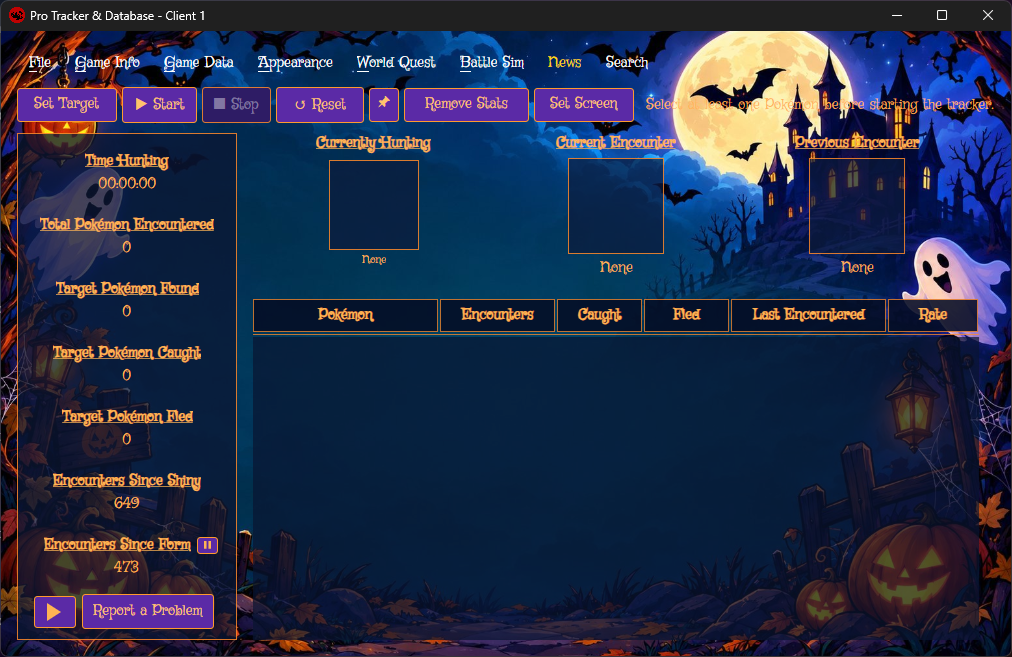
After coming back from a long break I am still getting hang of the all new stuff PRO has added in my... 8year absence? Maybe 9. I have seen folks talking about pokemon tracker but I wasn't certain, yeeet I gave it a shot. Last few hours of summer events I could at least have data of how often I am not lucky. And that mt. summer needed rat extermination. Tracker is easy to use, you get pretty cool backgrounds (still debating if I prefer the ninja-chu or halloween stuff) but decided to go with spooky theme, since it's about spooky season. Would be nice to have just "general" track of pokemon you see while you play, without setting a particular one to hunt, but maybe... I haven't figured this one out yet. If you're debating, this stuff is cool. Try.