Skip to content
View in the app

A better way to browse. Learn more.

Pokemon Revolution Online

A full-screen app on your home screen with push notifications, badges and more.

To install this app on iOS and iPadOS
  1. Tap the Share icon in Safari
  2. Scroll the menu and tap Add to Home Screen.
  3. Tap Add in the top-right corner.
To install this app on Android
  1. Tap the 3-dot menu (⋮) in the top-right corner of the browser.
  2. Tap Add to Home screen or Install app.
  3. Confirm by tapping Install.

Rainion

Registered User
  • Joined

  • Last visited

Everything posted by Rainion

  1. 450k on tang
  2. auction over winning bid 750k by @Nycto gratz.. msg me here, in gmae name is ~ rainion or on discord ~ #0543
  3. 1 hour 10 mins remaining
  4. 1.7m
  5. 12 hours left
  6. 1.3m
  7. 1.1m
  8. 18 hours left
  9. b.o 750k by @Nycto GL !
  10. b.o 700k by @mitesx21 GL !!
  11. b.o 650k by @Jdude GL!
  12. b.o 600k by @mitesx21 gl
  13. b.o 550k by @COLDSPLAY gl
  14. b.o 500k by @Jdude gl
  15. bo @COLDSPLAY gl
  16. b.o 400k by @Jdude 47hr reamin gl
  17. auction started @ 9:30am gmt0 b.o 300k by @Nandeeshakantli gl
  18. looking to buy : epic ada max atk 20+ steadfast or justified lucari - 2m budget epic ha rash 20+ rash/mild naive dnite - 4m budget contact detail: pm in game - rainion discord - #0543 or on forums
  19. still available tbh i had forgotten about it
  20. still showing 90 ill just stop selling them until it catches up i just sold another 12 as well.
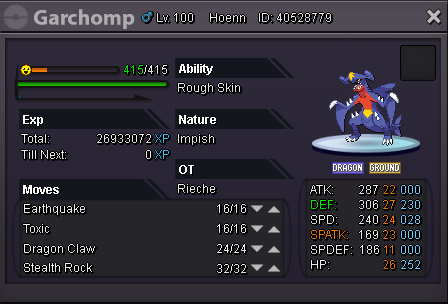
  21. hi, I have been selling rare candies and I have noticed that although the persons cash is being added to mine the amount of rare candies in my bag remains the same, I have logged in and out to see if the rare candy stack decreases it dose not. thought this needed reporting asap. also i have tried using rare candy on a pokemon to see what happens, the rare candy works the pokemon gains a level however the stack of rare candy's dose not decrease.

Account

Navigation

Search

Search

Configure browser push notifications

Chrome (Android)
  1. Tap the lock icon next to the address bar.
  2. Tap Permissions → Notifications.
  3. Adjust your preference.
Chrome (Desktop)
  1. Click the padlock icon in the address bar.
  2. Select Site settings.
  3. Find Notifications and adjust your preference.