




New Trade Zone
Trade Zone is now live
Use the new Trade Zone for auctions and instant-price trades so Pokemon and item offers are easy to find.

Foreverbog
Registered User
-
Joined
-
Last visited
Everything posted by Foreverbog
-
-
I want to buy the following: Christmas/Vday Shuckle Christmas Cottone or evo Christmas Blaziken or evo(H.A) Halloween Pancham or evo Halloween Ninjask or evo Shiny Clamperl or evo Let me know if u have any of the following TIA.
-
@Zenaclan u Won the HLW duskull aswell
-
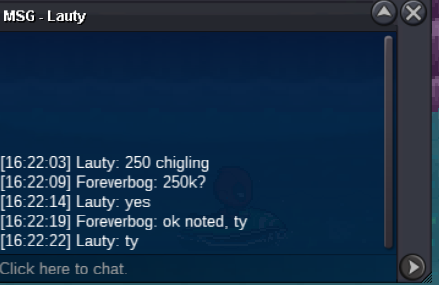
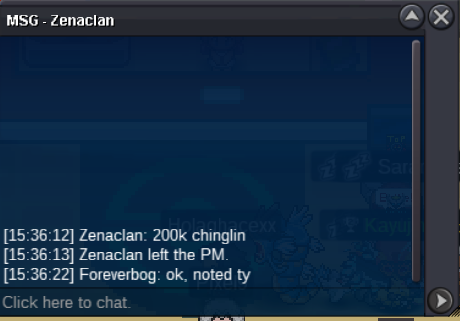
@Zenacian u won the S Chingling
-
ok cool, let me know when we can trade
-
CD Link added Noted
-
bumpOk, CD link postedI am very happy, thanks, enjoy it and let me know if you guys think of any new addition or any horrible bug/bugs thanks and enjoy itI am happy that you guys like it, dont forget to share it with your friends/guildmates so that everyone can use itHi everyone, I ve been practicing my html css skills, and i made a project with the Boss Path and the team that i am using and for every boss individually, if u use this u should win 20/20 bosses weekly. !!Remeber this is my Boss path, that i am using, there can be others better, faster and so on, but it am using this one!! It is just a personal project that i made for myself and maybe you guys find it usefull To use it efficient, use PRO offical discord channel -> bot commands with the command " ^cooldown boss yourname yourserver " and find your last boss defeatead, from there on navigate through my site and from there on you will automatically know wich boss is the best to do next. ctrl+F can be used to navigate through the page. If u find it usefull dont forget to save in bookmark list and use it weekly. Thank you in advance, im open to suggestions, new ideas etc. Here is the link: https://foreverbog.github.io/bosspath/ Hope it will help you guys and you will enjoy it!@Lordcj u won the bunneary auction with 800k !yes still availabelPokemons for 20k each Shiny/forms PVP Open to negotiatons aswell. GL
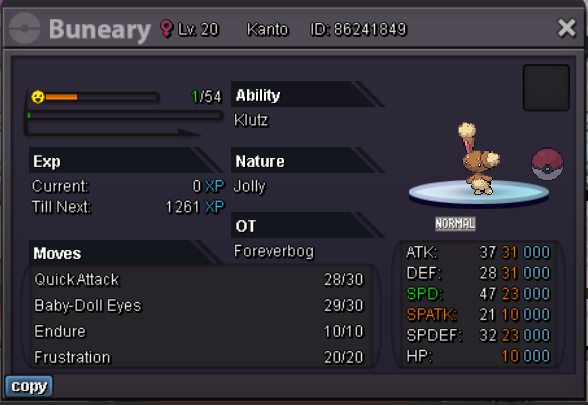


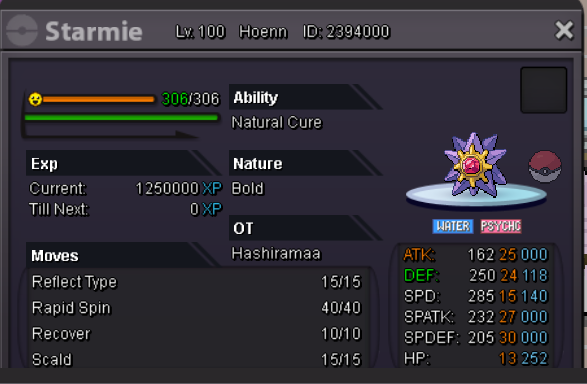


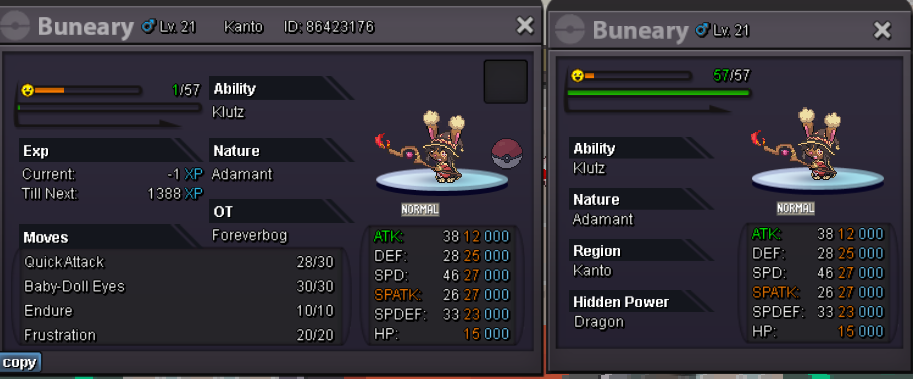

 @Losmatador won the auction for buneary with 550k @Laklakyapma won the auction for bronzor with 1m . the 15 mins rule: - In-game: End points cannot be extended for any reason, and must be accurate to the second that the auction is set to end. It is recommended to use timestamps to manage your auction correctly. › e.g. If the auction ends at 15:00:00, bids are valid until 14:59:59 and no later. - Forum: If a bid is received in the final 15 minutes of the auction, the end point will be delayed by 15 minutes from that bid, and will be delayed by 15 minutes for each new bid thereafter, until the current offer has been held for a full 15 minutes. Must be accurate to the minute that the auction is set to end. › e.g. If the auction ends at 15:00, it will end at 15:00:00. If a late bid is received in the final 15 minutes, at 14:46, the auction will end at 15:01. If another user bids at 15:00, the auction will be extended again, and will end at 15:15, this will be repeated until the current offer has been held for a full 15 minutes.



Account
Navigation
Search
Configure browser push notifications
Chrome (Android)
- Tap the lock icon next to the address bar.
- Tap Permissions → Notifications.
- Adjust your preference.
Chrome (Desktop)
- Click the padlock icon in the address bar.
- Select Site settings.
- Find Notifications and adjust your preference.
Safari (iOS 16.4+)
- Ensure the site is installed via Add to Home Screen.
- Open Settings App → Notifications.
- Find your app name and adjust your preference.
Safari (macOS)
- Go to Safari → Preferences.
- Click the Websites tab.
- Select Notifications in the sidebar.
- Find this website and adjust your preference.
Edge (Android)
- Tap the lock icon next to the address bar.
- Tap Permissions.
- Find Notifications and adjust your preference.
Edge (Desktop)
- Click the padlock icon in the address bar.
- Click Permissions for this site.
- Find Notifications and adjust your preference.
Firefox (Android)
- Go to Settings → Site permissions.
- Tap Notifications.
- Find this site in the list and adjust your preference.
Firefox (Desktop)
- Open Firefox Settings.
- Search for Notifications.
- Find this site in the list and adjust your preference.