




New Trade Zone
Trade Zone is now live
Use the new Trade Zone for auctions and instant-price trades so Pokemon and item offers are easy to find.

Sniperomicron
Suspended
-
Joined
-
Last visited
-
What is your Discord tag? [Example @DiscordTag#1234] My Discord tag is: Omicron#0001 How often do you use Discord? I use Discord daily. If you could improve PRO's Discord with one suggestion, what would it be? Get rid of the Mee6bot limitations it puts on members. (New) Players are limited in sharing images in other channel which they end up solving by linking to an image provider like prntscr or gyazo.
-
Hi, Currently you can interact with the number keys but unfortunately the numlock keys dont work. I suggest supporting these as well. (Should be relatively easy to add)
-
Hi, with my tired head I forget to evolve my Bronzor at level 100. Is it possible to still get it evolved? In-game name: Sniperomicron Server: Red GMT Timezone: GMT +1 (Netherlands) Discord: Omicron#0001

-
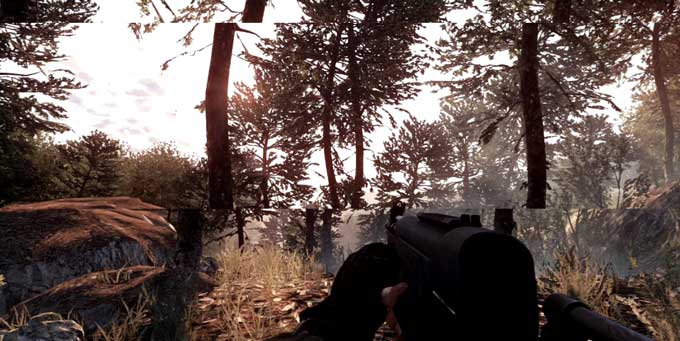
If it is something like this: then enable VSync
-
The menu item on the website still redirects to the old domain. https://image.prntscr.com/image/pRwdng3JSGOrQO3BZF4v8w.png
-
Re: Memoire [international guild] Red and Blue server! <r><QUOTE author="Sebo64"><s> </e></QUOTE> You just have to answer the few questions :)</r>