




New Trade Zone
Trade Zone is now live
Use the new Trade Zone for auctions and instant-price trades so Pokemon and item offers are easy to find.

Eclipse420
Registered User
-
Joined
-
Last visited
-
Online?
-
Why do you feel you'd be a good fit for Toxicity?: I feel like I would be good fit for Toxicity because I am very dedicated to the game. I have only recently gotten back into the game, so I am not as familiar with the nuances of PvP and such, but I have been watching videos and learning from other players in the discord regarding what to do. In addition, since summer is coming up, I will be playing a lot more :-) Thank you so much for reading my application! Have you read our rules and eligibility, and can confirm you meet the criteria?: Yep! What is your Discord Tag? (Ex: Name#0000): 110110101110111#9858 Please attach your trainer card:
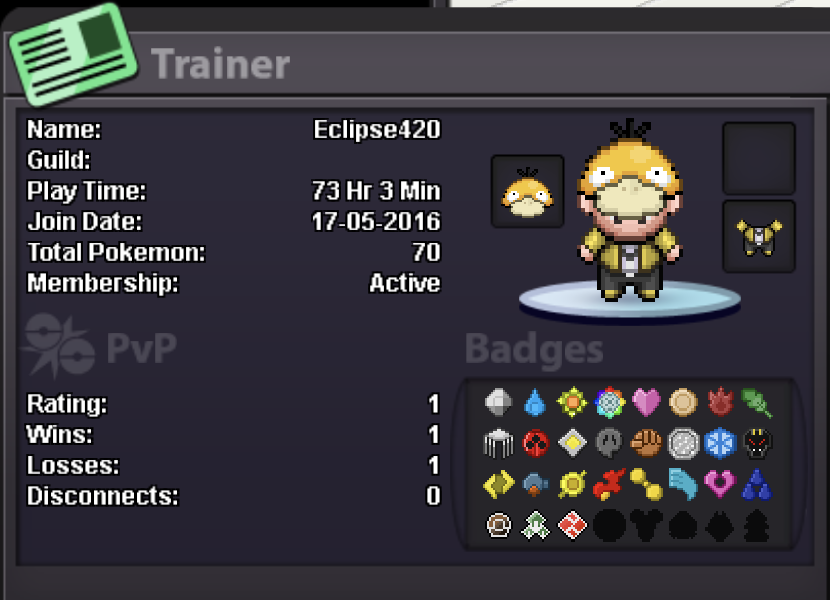
-
Re: Akatsuki ☁ [Recruiting from Red Server] <t>1. What is your IGN? Eclipse420<br/> 2. Why should we accept you? No special reason to accept me; I just want to see the guild grow! Even though, I'm a relatively new player, I think I will be able to grind it out and become powerful. <br/> 3. Do you vow to to place your loyalty upon this guild, even when things go wrong? Yes, for sure. <br/> <br/> Thanks so much for this opportunity!</t>