




New Trade Zone
Trade Zone is now live
Use the new Trade Zone for auctions and instant-price trades so Pokemon and item offers are easy to find.


Byreallive
Registered User
-
Joined
-
Last visited
-
After several years of breaks and comebacks, I’m finally returning to the world of Pokémon Revolution Online! I first started playing back in 2016, and over the years, I’ve taken long breaks. Despite that, I’ve now accumulated nearly 1,000 hours of playtime and have built up a solid general understanding of the game. When it comes to PvP, I have only basic knowledge, but I’m highly motivated to improve. My most intense PvP experience was in Pokémon Sword & Shield. Now, I’m looking for a PvP-focused guild where I can learn from experienced players and grow stronger together. Besides PvP, I also love hunting and collecting event Pokémon. It’s one of my favorite aspects of the game, and I always enjoy tracking down rare and limited-time Pokémon. If any guild is currently recruiting and is looking for a dedicated player who wants to improve in PvP while also enjoying the thrill of event Pokémon hunting, feel free to reach out to me! (i play on Silver)
-
Congratz @Azubike you Won
-
yeah why?
-
bump24 hrs leftauction start by mob97
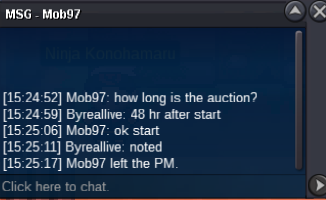 S.o. - 100k Min bid - 50k No Insta Auction ends 48hr after first bid https://www.webcountdown.de/?a=m3Amdsy&k=yQPw Timer cc = 450k
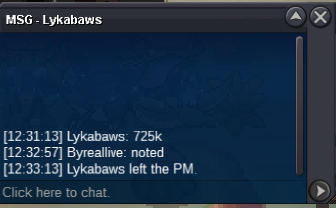
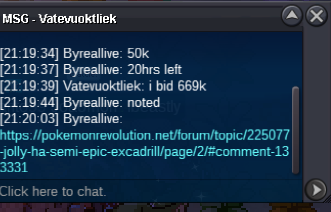
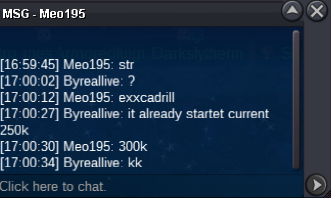
 Byreallive 620hr 100hr since Event start Sceptile Hunting and trading (want to start PvP Startet the game 2016 but never catched me hard until now


Account
Navigation
Search
Configure browser push notifications
Chrome (Android)
- Tap the lock icon next to the address bar.
- Tap Permissions → Notifications.
- Adjust your preference.
Chrome (Desktop)
- Click the padlock icon in the address bar.
- Select Site settings.
- Find Notifications and adjust your preference.
Safari (iOS 16.4+)
- Ensure the site is installed via Add to Home Screen.
- Open Settings App → Notifications.
- Find your app name and adjust your preference.
Safari (macOS)
- Go to Safari → Preferences.
- Click the Websites tab.
- Select Notifications in the sidebar.
- Find this website and adjust your preference.
Edge (Android)
- Tap the lock icon next to the address bar.
- Tap Permissions.
- Find Notifications and adjust your preference.
Edge (Desktop)
- Click the padlock icon in the address bar.
- Click Permissions for this site.
- Find Notifications and adjust your preference.
Firefox (Android)
- Go to Settings → Site permissions.
- Tap Notifications.
- Find this site in the list and adjust your preference.
Firefox (Desktop)
- Open Firefox Settings.
- Search for Notifications.
- Find this site in the list and adjust your preference.