




New Trade Zone
Trade Zone is now live
Use the new Trade Zone for auctions and instant-price trades so Pokemon and item offers are easy to find.

Meocoquai
Registered User
-
Joined
-
Last visited
-
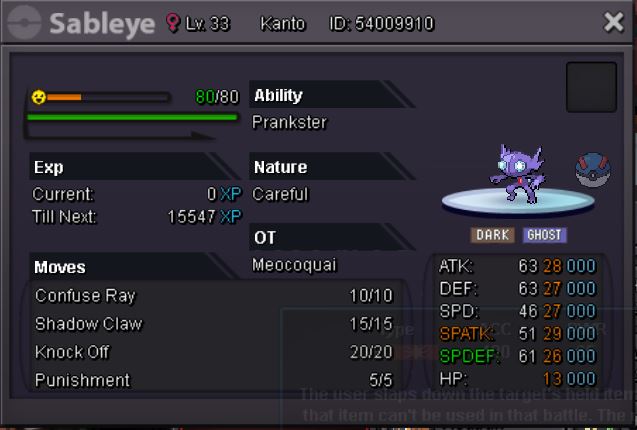
I have a mistake when giving my sableye (catch before) to npc in sableye megastone quest and lost after that. I do not think he take away my sableye (old sableye I catch before). Please help me to restore my sableye. It is a good pokemon and I took a long time to catch her. I can trade other sableye for her. Please help!!! Server: gold
-
3.75m
-
3,25m
-
The Pro64 can not start when I double click on it. This happen this morning, please help. Thank you.

-
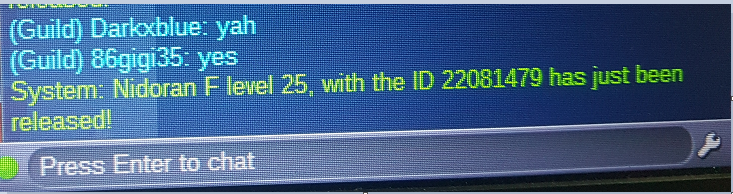
I deleted my poke Nidoran F event valentine with a mistake, could you please restore. Thank you so much. ID 22081479 meocoquai server: blue
-
Re: GODLY GENGAR 4*31 <t>1000k</t>
-
Please help, I can not fight elf Patricia to enter the house
-
1: What is the pokemon that is really 108 entities? - Spiritomb 2: Where did halloween orginated from? - Ancient Celtic festival of Samhain 3: What ghost is immune to tynamo? - Golett, Golurk, Alolan Marowak (lightning rod ability), Sandygast, Palossand, Shedinja 4: What type has ghost not yet been paired? - Normal and Rock type 5 How many Ghost Type pokemon were introduced in generation 5? - 9, those nine are Golett, Golurk, Litwick, Lampent, Chandelure, Frillish, Jellicent, Yamask, Cofagrigus Sever: blue In game name: meocoquai