New Trade Zone
Trade Zone is now live
Use the new Trade Zone for auctions and instant-price trades so Pokemon and item offers are easy to find.

Horiski
Registered User
-
Joined
-
Last visited
-
Ok thank you for your answer that's clear to me now !
-
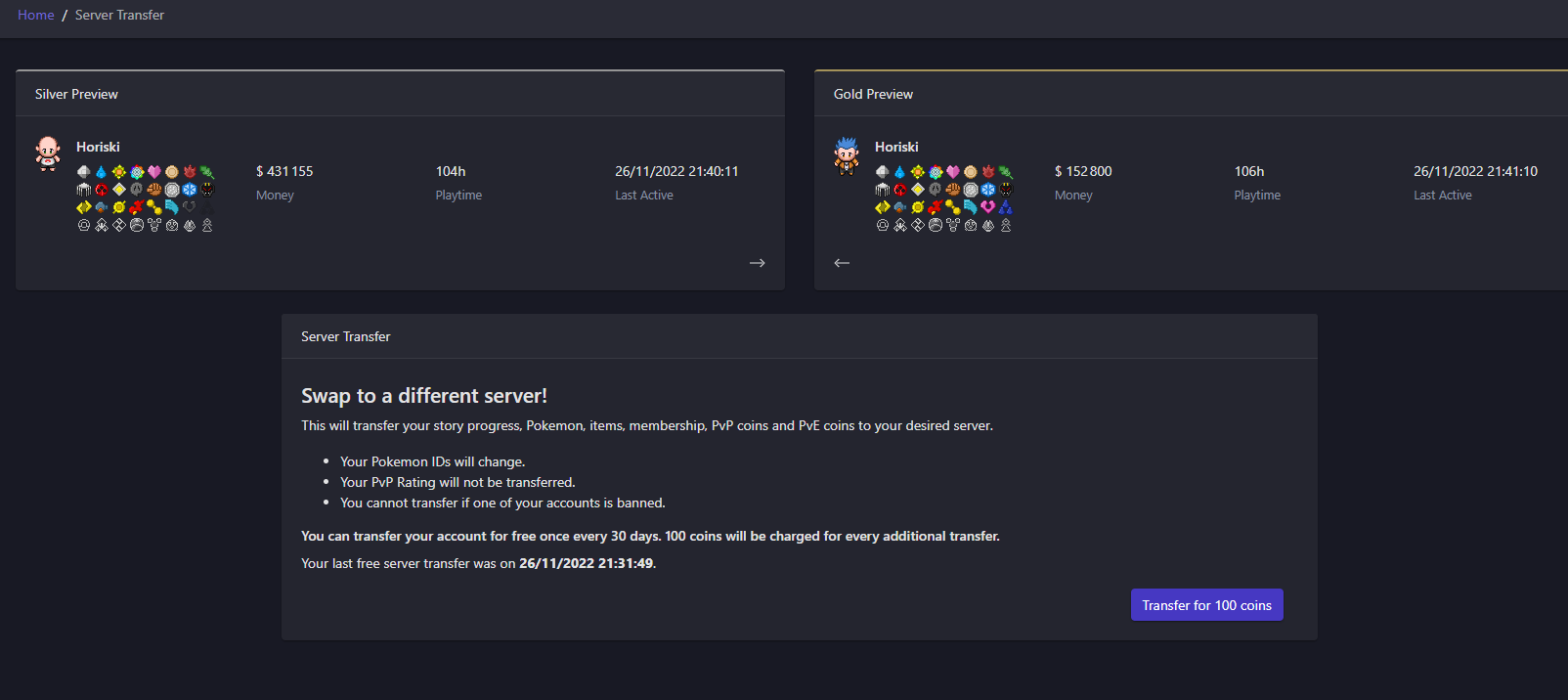
Hello @Yverneas and thank you for your answer and this precision. The last thing that i dont understand then why the swap didnt work then ? Is it possible to transfert my Silver account to the Gold server then, since you can see on the screenshoot that it didnt work ^^. PS: I tried the SWAP again right now but it didnt do anything again. Best regards, Horiski
-
Hello, firstly i have read this topic https://pokemonrevolution.net/forum/topic/90465-everything-about-the-merge-general-faq-issue-faq-read-before-making-a-merge-issue-thread/ and i dont see my problem in this list ^^. So i "converted" my old blue and red account into a silver one and i wanted to merge the one i have on silver to gold. I went to my dashboard and i started the process it showed that it was made but actually it failed and didnt merge anything. Is it because i have the same name ? =====)Could a staff member merge my silver account TO my gold account please ? This is a screenshot that shows that i have tried because making this post ^^. Thank you for your help.