




New Trade Zone
Trade Zone is now live
Use the new Trade Zone for auctions and instant-price trades so Pokemon and item offers are easy to find.

Drakecp9
Registered User
-
Joined
-
Last visited
-
1.120k
-
2.4m
-
Damn, I'm late
-
-
I had the same problem when watching them on my phone. but when i watch them on pc everything is normal
-
I need: Shuckle impish or relax, abi sturdy Golduck timid Pangoro adam, abi mold breaker Gorebyss bold
-
I need: Shuckle impish or relax, abi sturdy Golduck timid Pangoro adam, abi mold breaker Gorebyss bold
-
Can anyone trade rn?
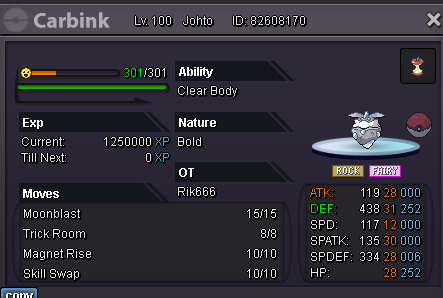
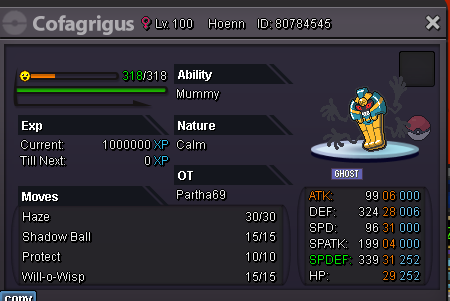
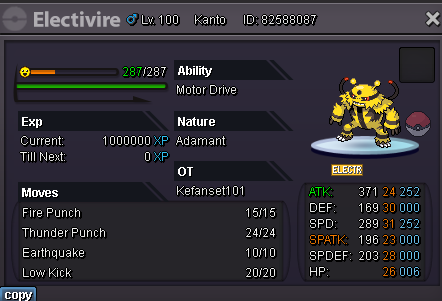
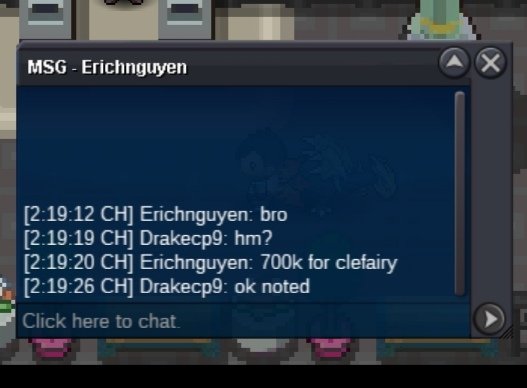
 Welcome to my Shop Contact IGN: drakecp9, rik666 Discord: drakecp9 Accepted Payments Pokedollar $$$ Coin Capsule = 400k Reroll Ticket = 500k Trained Pokemon Untrained Pokemon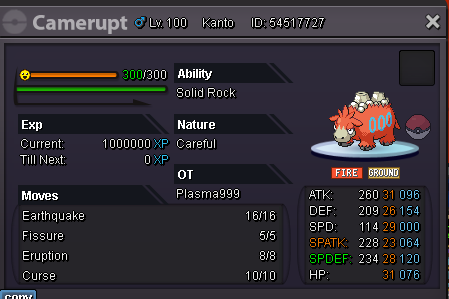


.png.0aec3d337bd4fd8709bcabb744d847d8.png)
.png.acef3f540fa6b071c05dfc02ff9b2c02.png)


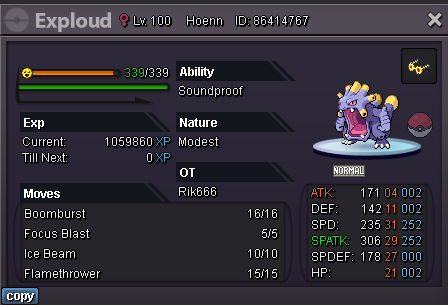

.png.37c739433982599c3f4da7fdcb32720f.png)
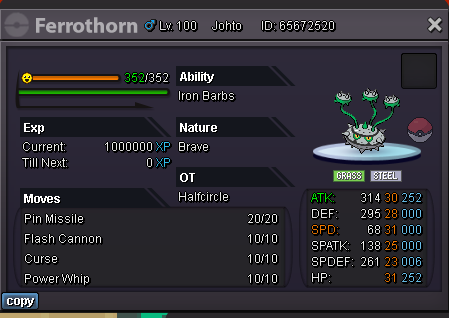
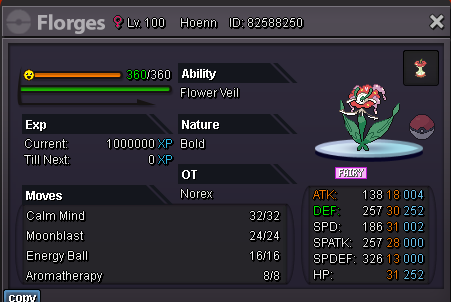
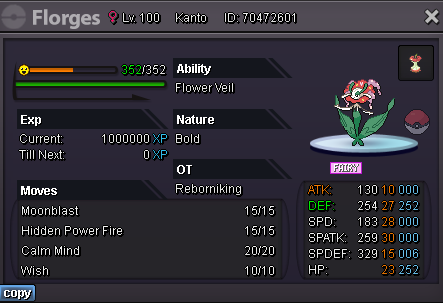
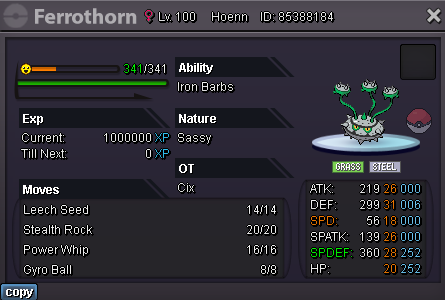
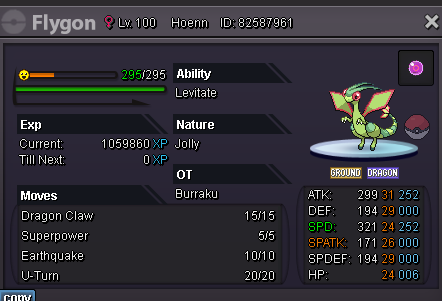
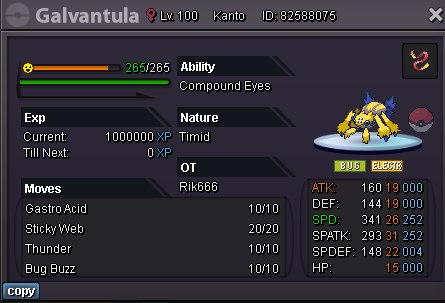
.png.eaf10417f53c7bde56932dcdf0583657.png)
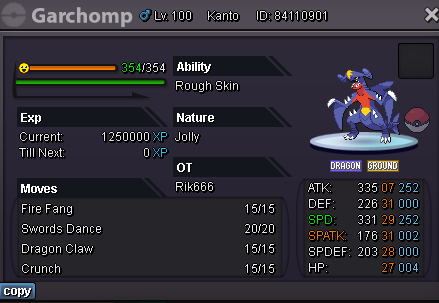
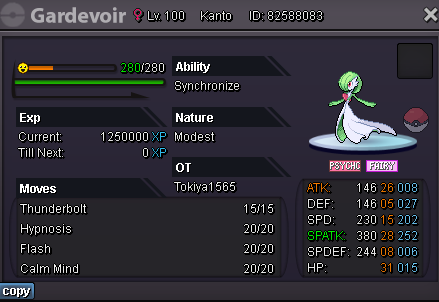
.png.84ddcd8d59d97a6471d26c5a5e1a832d.png)
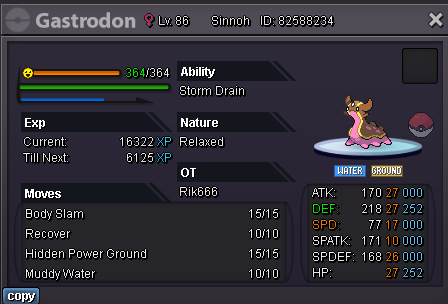
.png.185b485a7b50aa41076cfdd7176a4120.png)
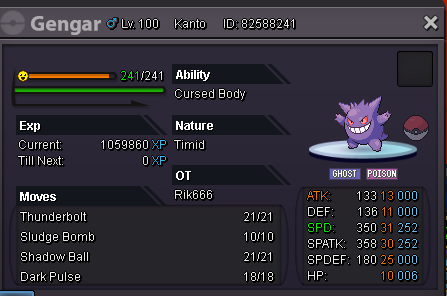
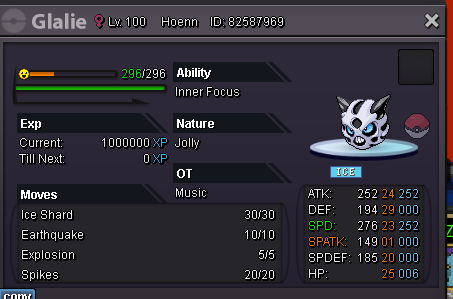
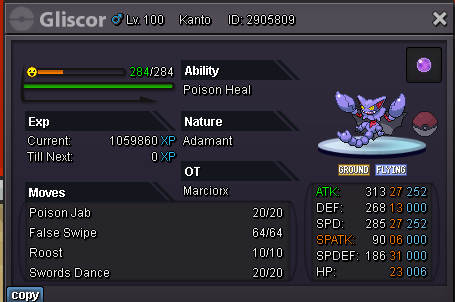

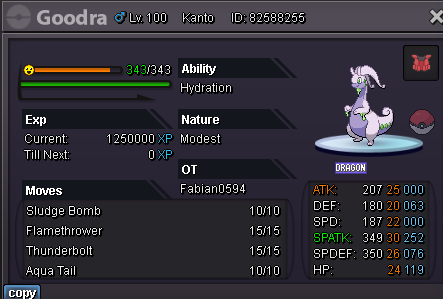
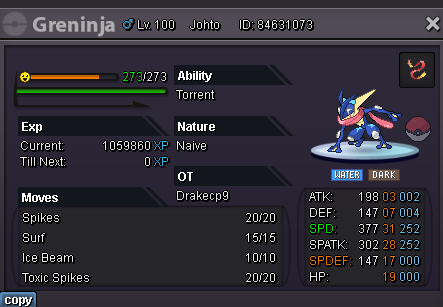


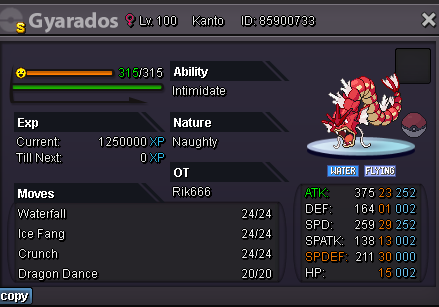

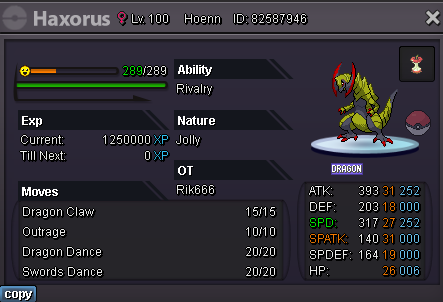
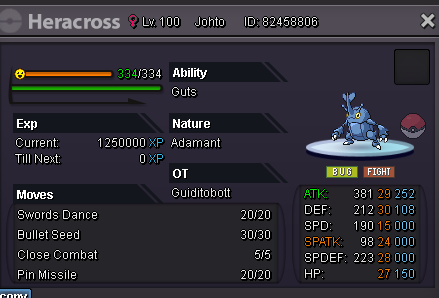
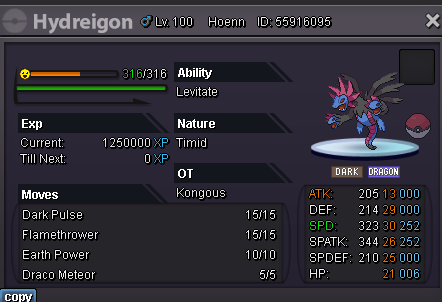

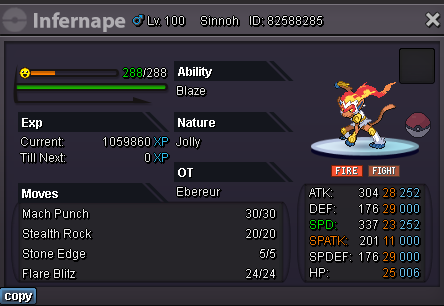
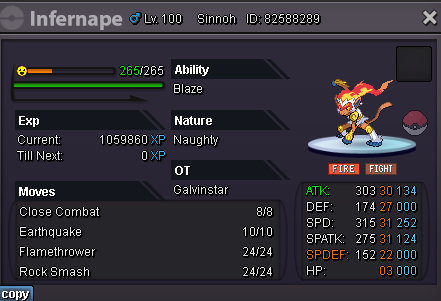
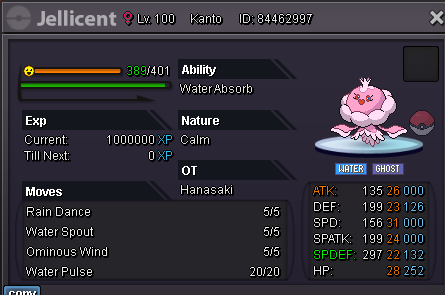
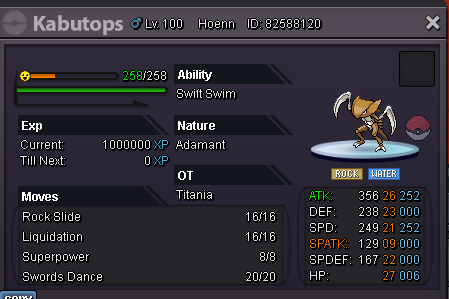
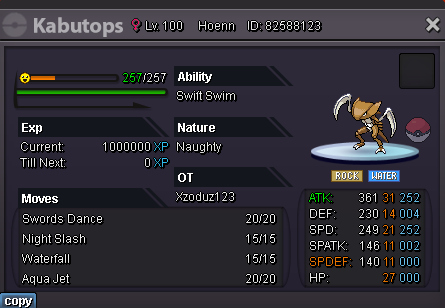
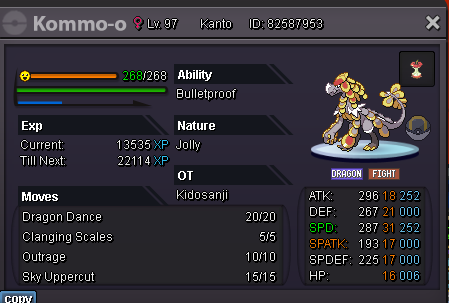
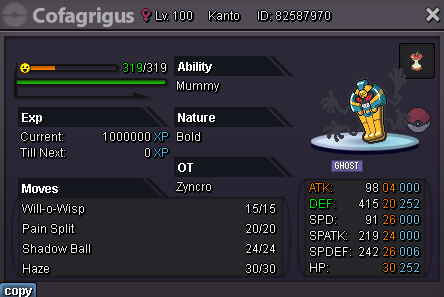
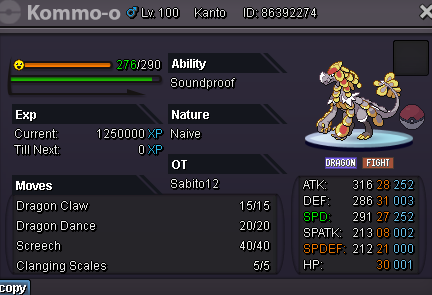
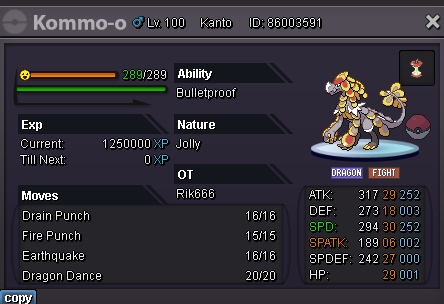
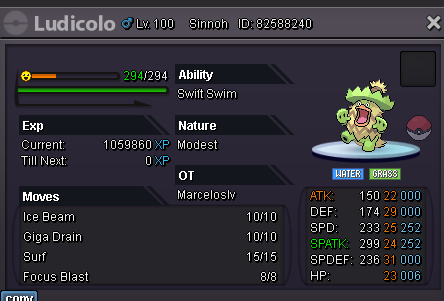
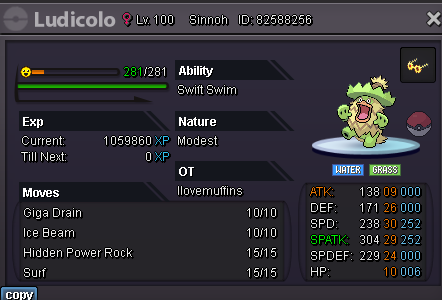
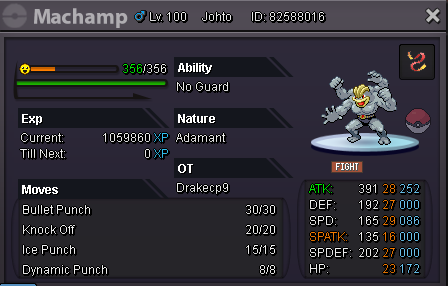
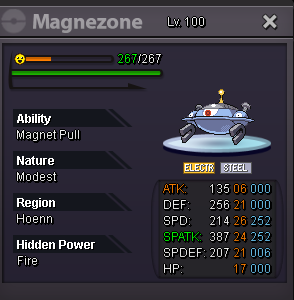

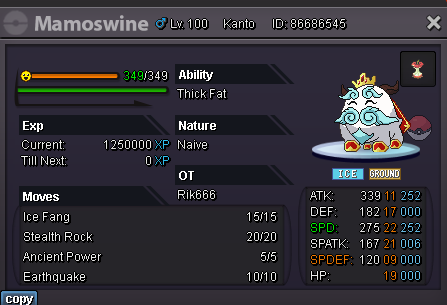
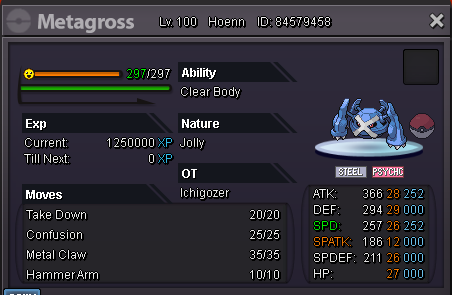


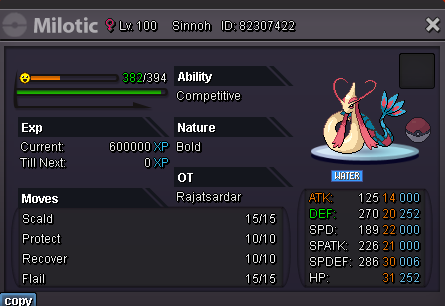
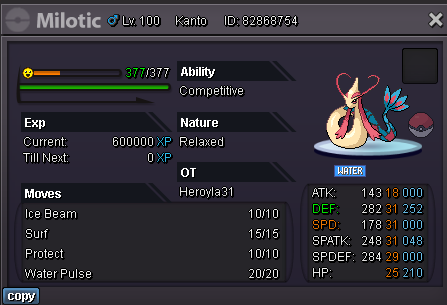
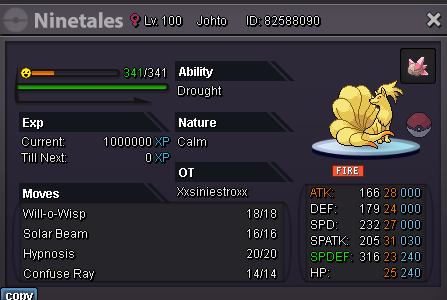
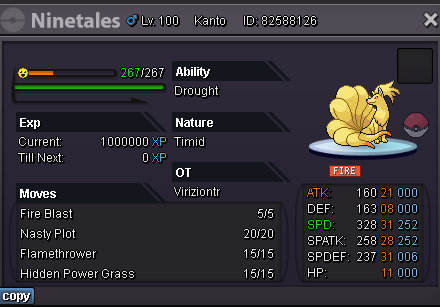

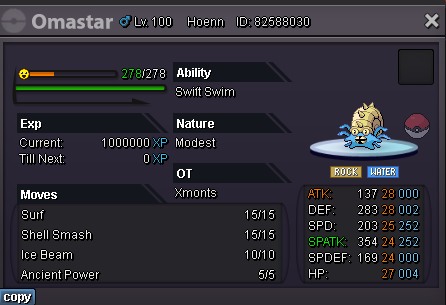
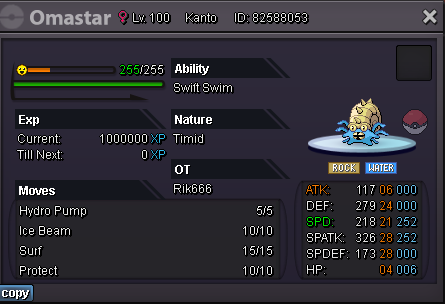
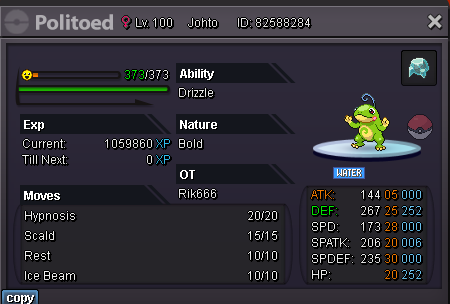
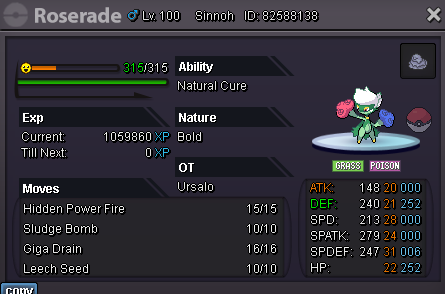
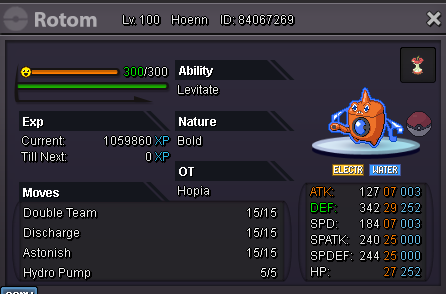
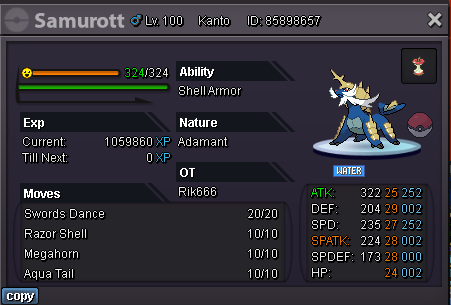
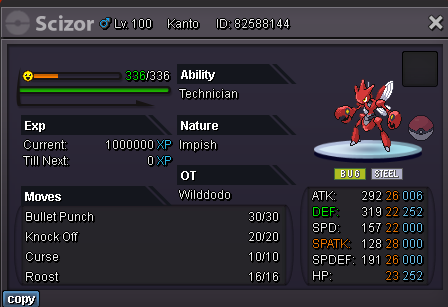
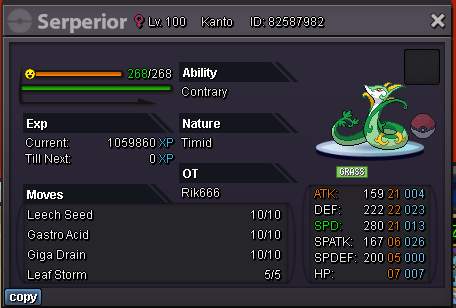
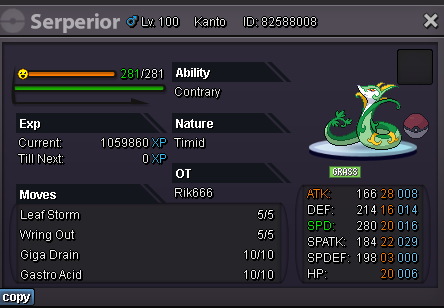
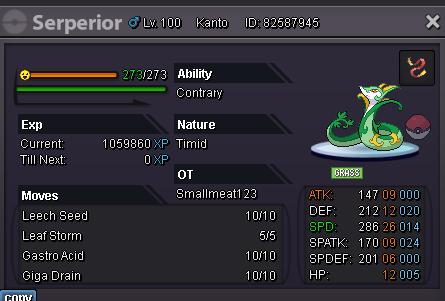

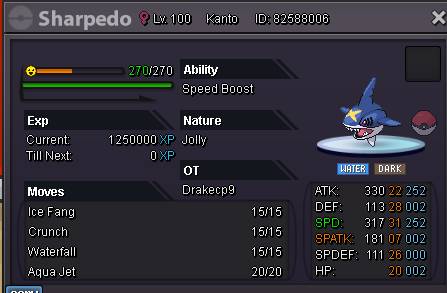
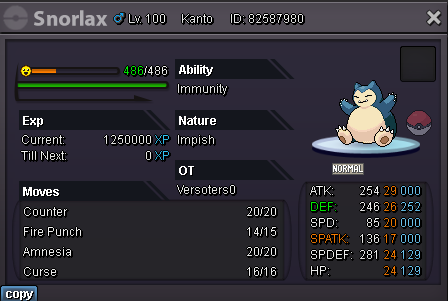
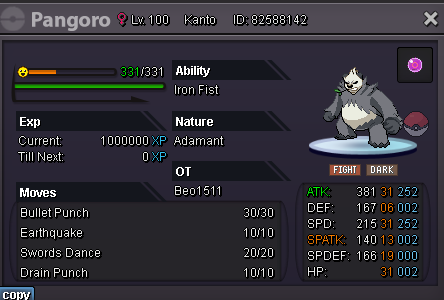
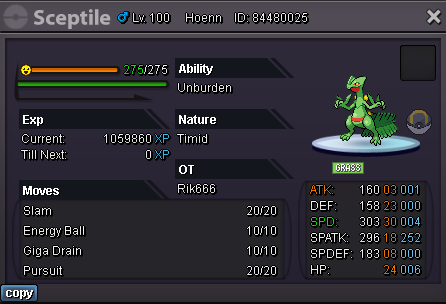
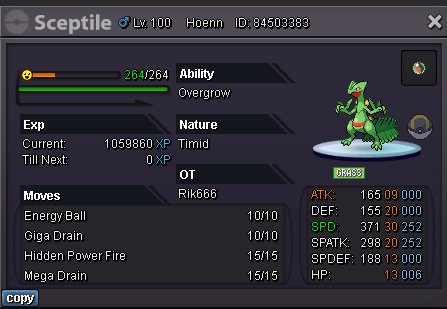
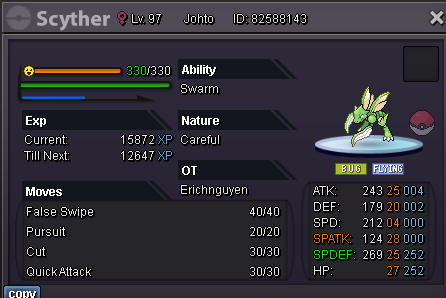
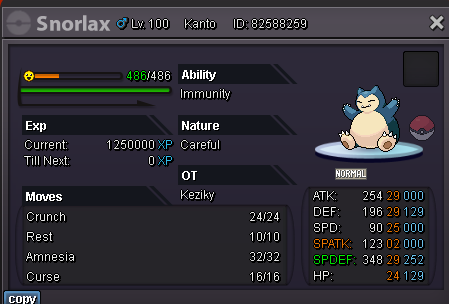
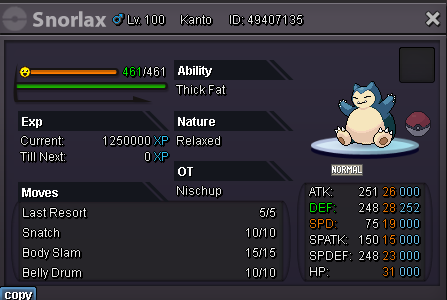
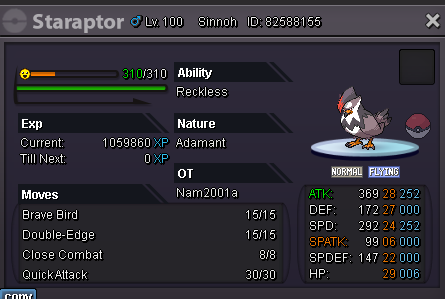
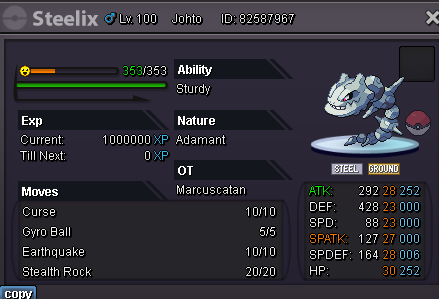
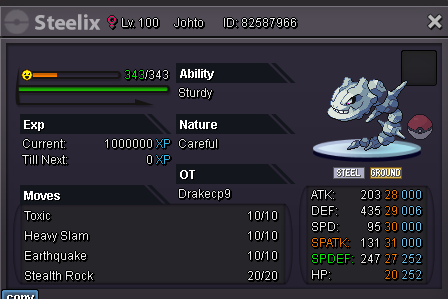

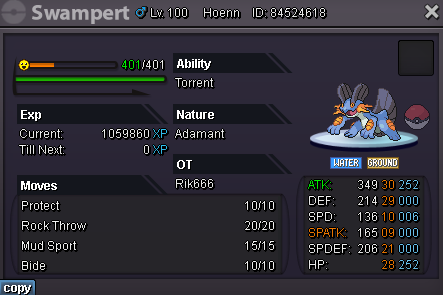


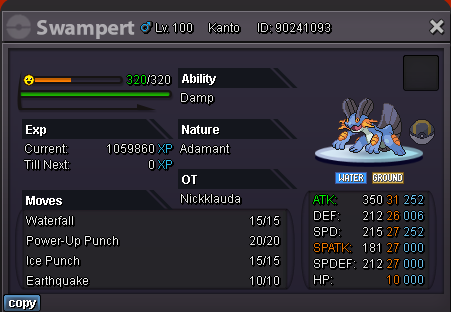
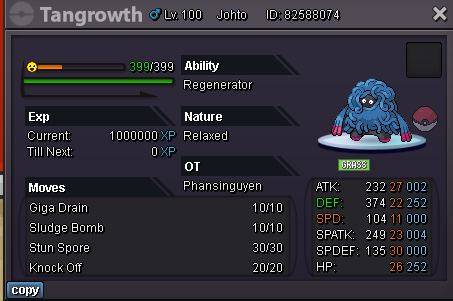
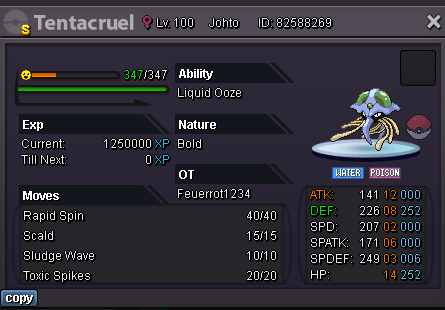
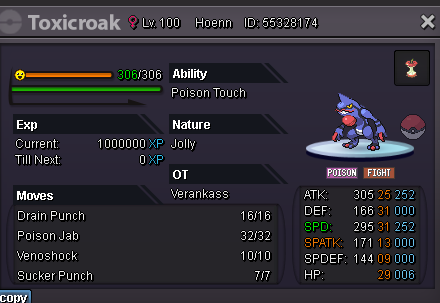

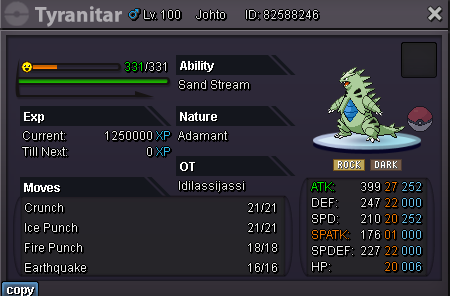
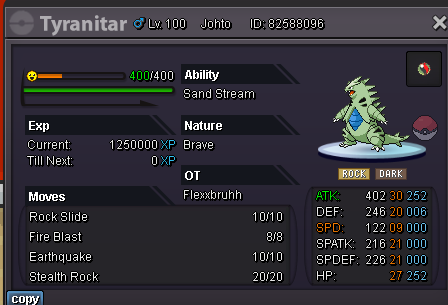

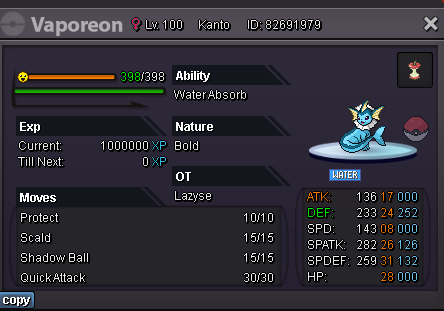
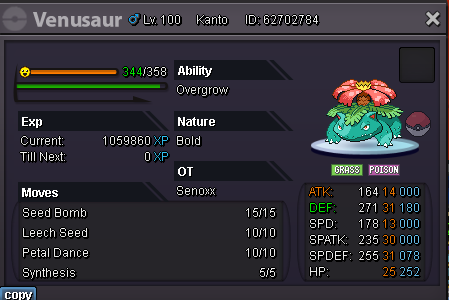
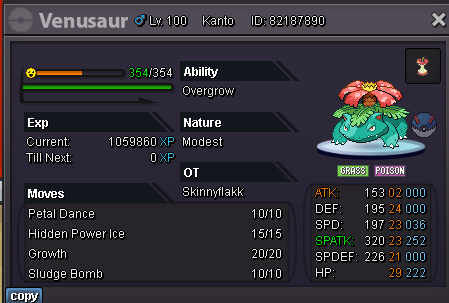
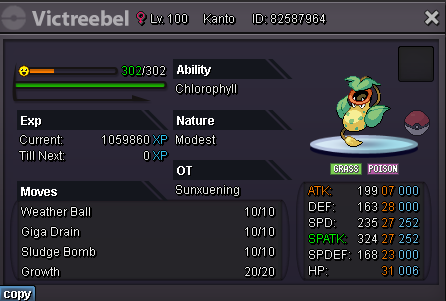

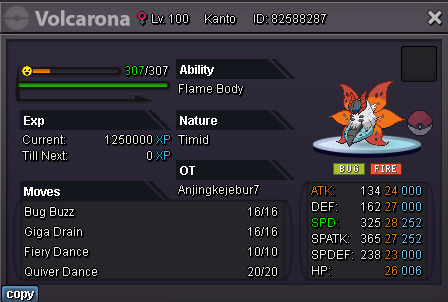
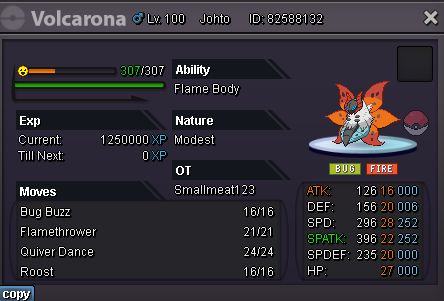

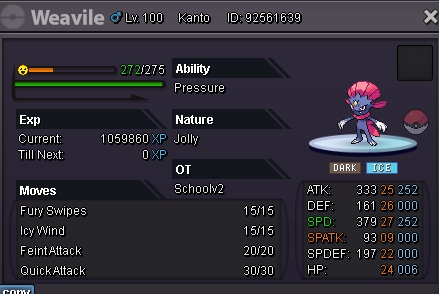
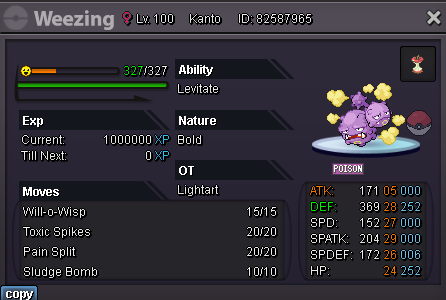
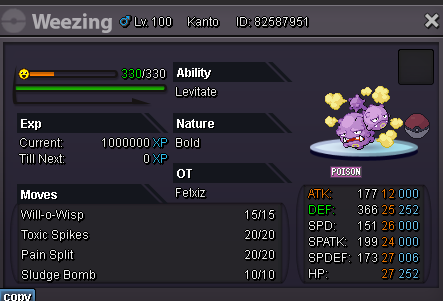

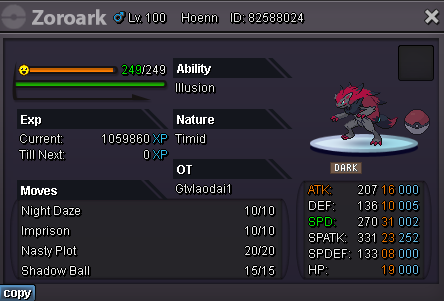
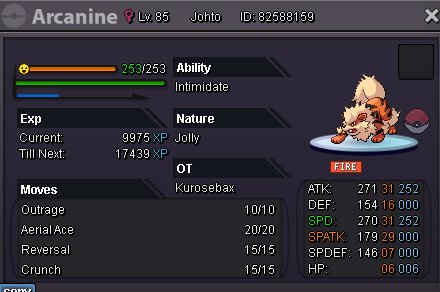 There really was a mistake here, haha. And my shop is still in the development stage so it hasn't come into operation yet, I'm really sorry everyone.
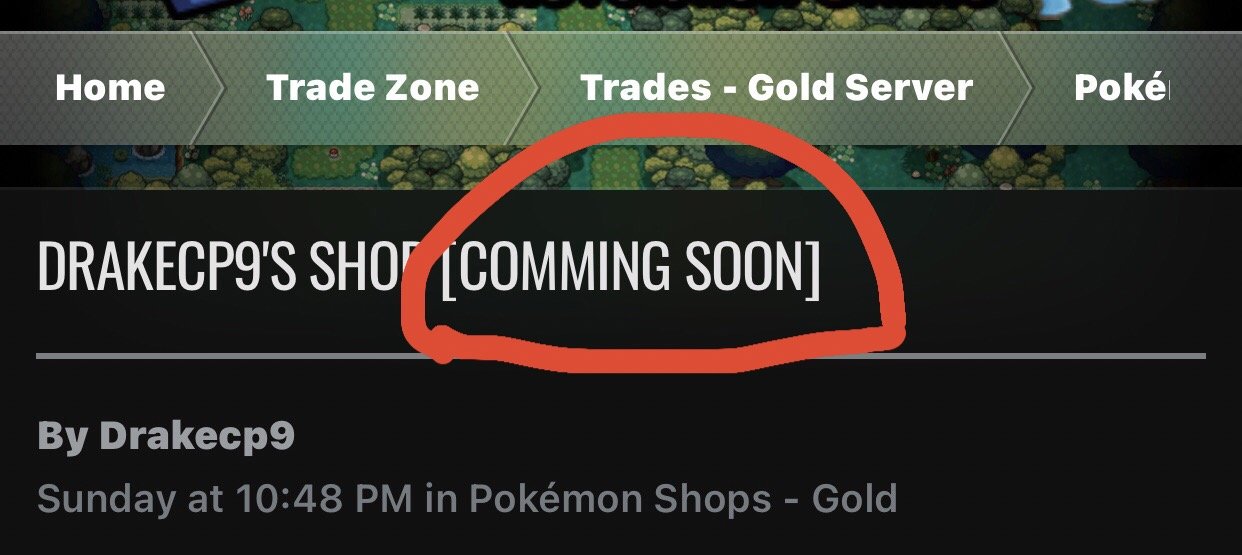 Impish lar 310k

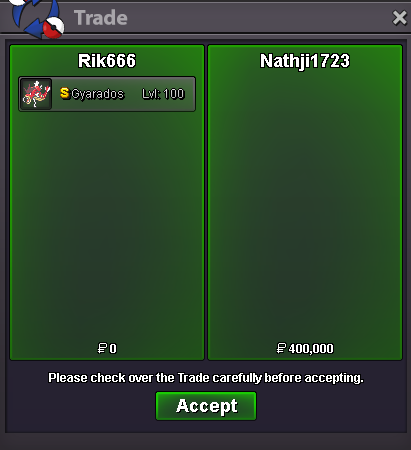

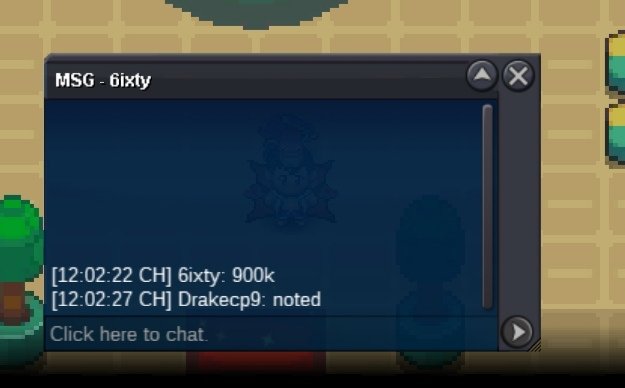
Account
Navigation
Search
Configure browser push notifications
Chrome (Android)
- Tap the lock icon next to the address bar.
- Tap Permissions → Notifications.
- Adjust your preference.
Chrome (Desktop)
- Click the padlock icon in the address bar.
- Select Site settings.
- Find Notifications and adjust your preference.
Safari (iOS 16.4+)
- Ensure the site is installed via Add to Home Screen.
- Open Settings App → Notifications.
- Find your app name and adjust your preference.
Safari (macOS)
- Go to Safari → Preferences.
- Click the Websites tab.
- Select Notifications in the sidebar.
- Find this website and adjust your preference.
Edge (Android)
- Tap the lock icon next to the address bar.
- Tap Permissions.
- Find Notifications and adjust your preference.
Edge (Desktop)
- Click the padlock icon in the address bar.
- Click Permissions for this site.
- Find Notifications and adjust your preference.
Firefox (Android)
- Go to Settings → Site permissions.
- Tap Notifications.
- Find this site in the list and adjust your preference.
Firefox (Desktop)
- Open Firefox Settings.
- Search for Notifications.
- Find this site in the list and adjust your preference.