




New Trade Zone
Trade Zone is now live
Use the new Trade Zone for auctions and instant-price trades so Pokemon and item offers are easy to find.

Nhnam
Registered User
-
Joined
-
Last visited
-
auction end, sold 730k to Hohlyeraser75, winner please contact me. Will attach screen shot later
-
bump
-
Nhnam changed their profile photo
-
c.o. 730k by Hohlyeraser75 ingame
.png.d069d3005d8a6d997c2a4bf89972d652.png)
-
c.o. 630k by Kikupc ingame
.png.a398fa91ee7635ded296492db6a7a250.png)
-
c.o. 530k by Jadeash ingame
.png.fc8f76c3d4b6df831980791923d86515.png)
-
c.o. 430k by Aniketsk181 ingame
.png.fdb50bacbe63bb79629c71fc1e981a6b.png)
-
c.o. 300k by Daonedestroyer
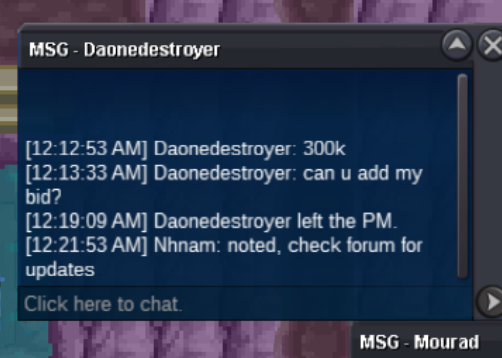
-
200k started by Hvh265 ingame
.png.e451094f2c0f1447bcb3b94527607edc.png)
-
AUCTION Starting offer: 200k min bid: 100k NO insta SOLD 730K to Hohlyeraser75 Duration: 48hours after first bid Start time: 10Nov 23:53 (UTC+8) End time: 12Nov 23:53 (UTC+8) Offer below//ingame: nhnam Discord: nhnam#3239 Thanks and good luck >.<
.png.f177e53c160ef8a078d0897c187d11ff.png)
.png.6b82a205525a72e5815c16ec1774e7bd.png)
-
start
-
https://prnt.sc/1w6a3rr https://prnt.sc/1w69pku Hi I will take these 2 pokes, please pm me or on discord nhnam3239
-
1. What is your nickname in PRO? My ingame name is nhnam 2. Which one is your favorite Pokemon and why? I like most of the Pokemon and it is hard to choose one!! Probably Dialga although it is not possible ingame. I liked it since pokemon Diamond in the NDS was my first pokemon game. It was memorable cos I couldn't catch it back then when I was small and couldn't read japanese. 3. What is your final objective in PRO? collect all pokemon and get epics OT pokes. Then build as many pvp team as I could using OT pokes 4. How many hours did you play on Silver? around 1090hours 5. Age? 19 6. Do you have a PVP Team? (its ok if you don't have one) still trying to get some legenaries to build the team. There are still tons of untrained Pokes ready to be in the pvp team.
-
Sure thanks bro, just msg u
-
sorry asking, but is the bid still available. It wasn't closed originally
-
@taskiner
