New Trade Zone
Trade Zone is now live
Use the new Trade Zone for auctions and instant-price trades so Pokemon and item offers are easy to find.

Buyshinynair
Registered User
-
Joined
-
Last visited
Everything posted by Buyshinynair
-
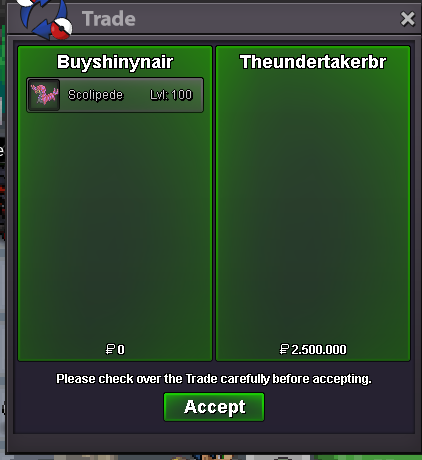
insta will be added in 1 hourhi. selling this start is 1.2m 3 days from first offer insta 2.5m 100k minimum bid increase cc=330k
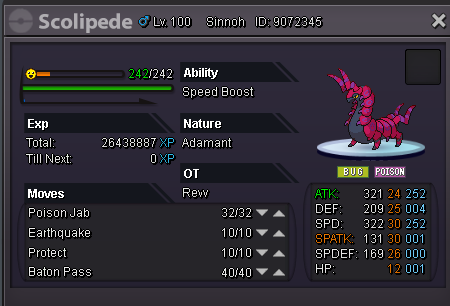 Yes, contact me on discord buyshinynair#7175 so we can meet somewhere to trade.bump!Bump!start: 600k bid raise: 100k duration: 3 days from first offer. insta: not yet.
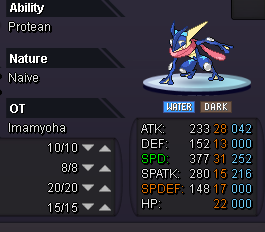 The winner is @imhanjoo . @Solidbullet even thou your offer is higher, you offered after the end of the auction. Can be closed.bump, a few hours leftselling this 3 days from first offer start 1.750m bid increase 250k cc 330k insta: not yet
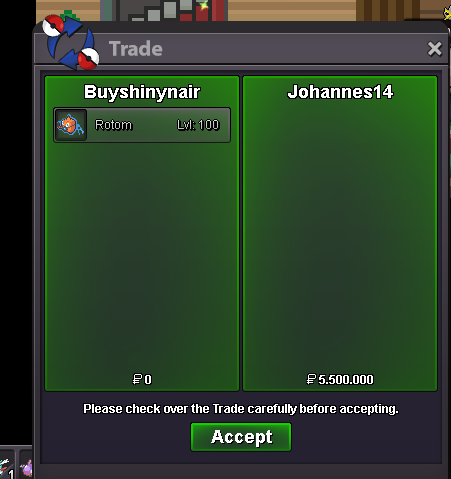
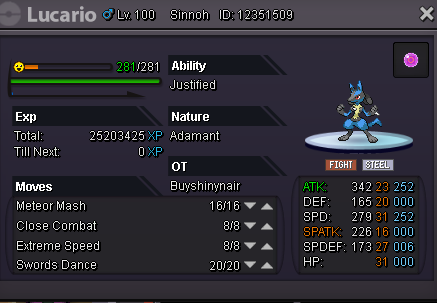 Sold to @Johann14 . Contact me in-game or discord (buyshinynair#7175) so we can trade it.2hrs and 20mins left. bumpbumpInsta updatedBump. Insta will be added in 1 hour.selling this 3 days from first offer start 2.5m bid increase 500k cc 330k insta: 8m
 Sold. Will be selling more epics these days. Good luck everyone.
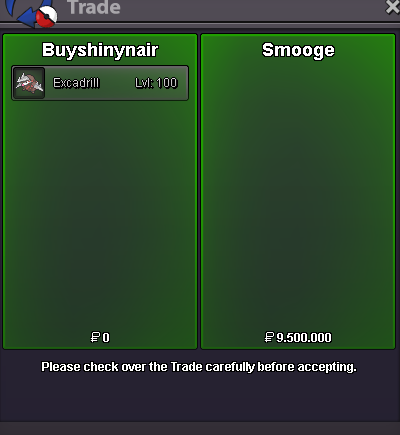 Insta updated.Insta will be added in 2 hours.BUMP BEST OFFER SO FAR: 5M BY SMOGE TIME LEFT: A BIT MORE THAN 2 DAYS.Start: 4m Minimum bid increase: 500k Insta: 9.5m CC = 330k. auction lasts 3 days after the first bid. (obs: leftovers not included)
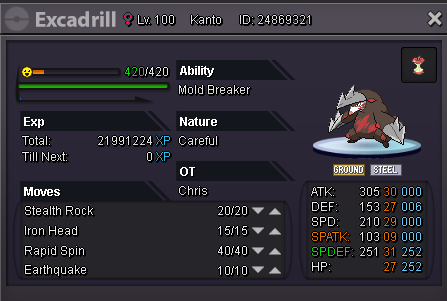 Player name: buyshinynair Showdown name: buyshinynair Server: Silver Rank on ladder: 20Greeting, I am pleased to announce a Tournament that will take place on Chaos from now on, till forever. The Chaos Tournament! Every three months a PvP Tournament will happen for all Chaos Members. The format will vary, may being Normal, Monotype, with banned pokémons, Little cup, with a specific Pokémon, with a specific Weather, with a limited number of pokémons on party. The format will be announced 1 month before the start of the Tournament, so the members can gather the necessary pokémons to join. Also, it will be Single-Elimination Tournament, WITHOUT Loser's Bracket. Contact a Moderator or Leader whenever the subscriptions are opened. There will be a 30k entrance fee to avoid "AFK" and forfeiting players during the Tournament. For the Third place, the prize will be 500 thousand pokédollars For the Second place, 1 million pokédollars And for the Champion, 3 M as prize. The first tournament will start on September, 8th. And the format will be specified on Discord soon. None, yet. THIS IS A CHAOS ONLY FEATURE! If you liked, and want to join us, submit your answer here: Chaos Guild Page (Click Here)Greetings. I am pleased to announce a PvP Incentive that will be forever, from now on, for all Chaos Members. Every month, a few Coin Capsules will be raffled between all Members who got more than a determinated amount of Rating Points. Starting on 50 Rating Points, then every 100 points, you will get 1 raffle entry. By the end of the season, all the names will be in a pool, where a few will be drawn. For example, if you have 383 rating, you will have a total of 4 entries. If you have 138, you will have 1 entrie. 5 x to the raffle. Bonus if we get 1st at the end of guild ladder: more 5 x to the raffle. If a member manages to stay on TOP 1 at the end of the player's ladder, he will be rewarded with 5M cash. THIS IS A CHAOS ONLY FEATURE! If you liked, and want to join us, submit your answer here: Chaos Guild Page (Click Here)