New Trade Zone
Trade Zone is now live
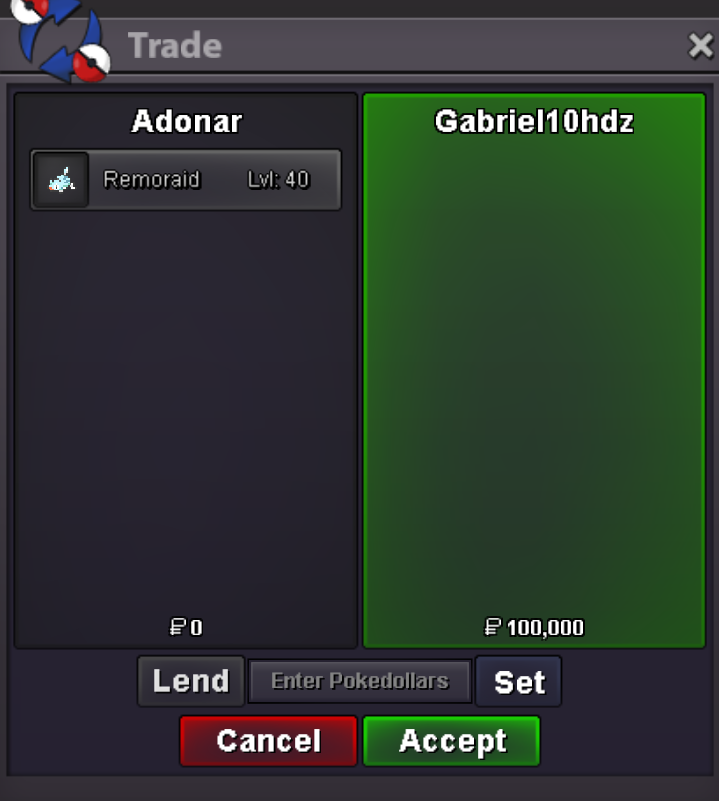
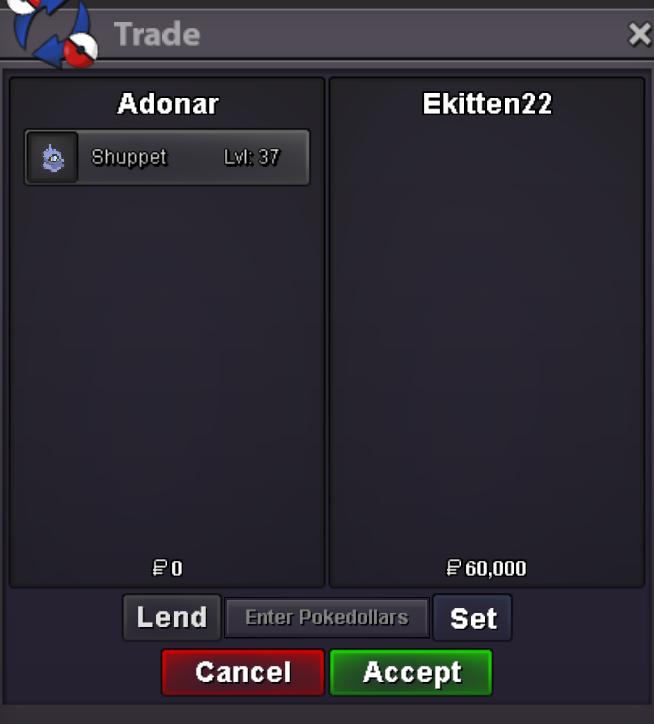
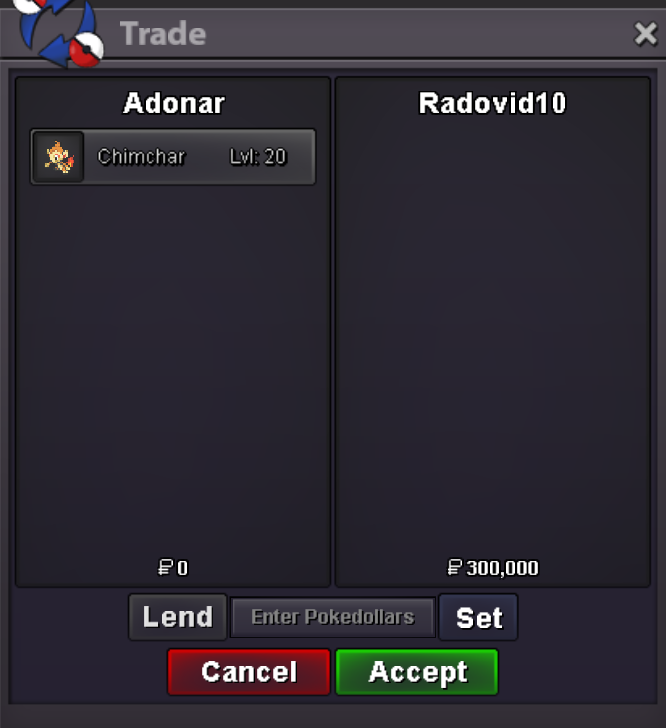
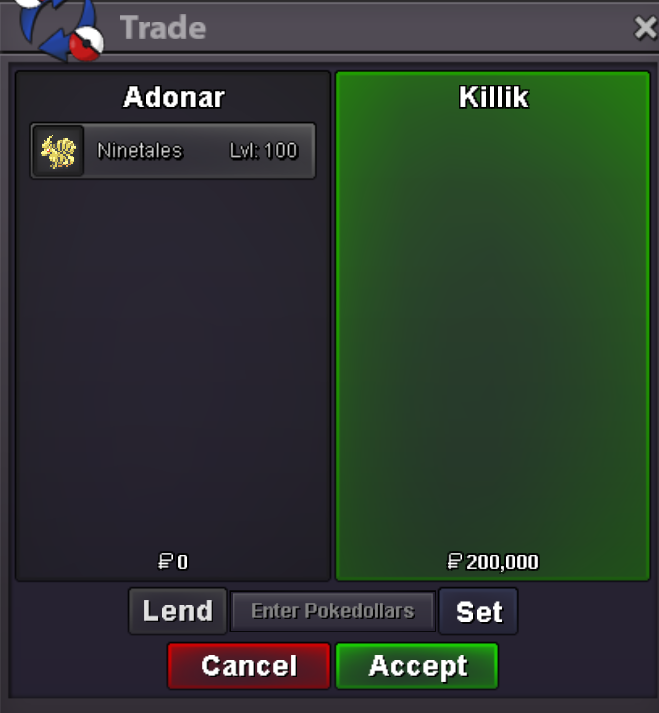
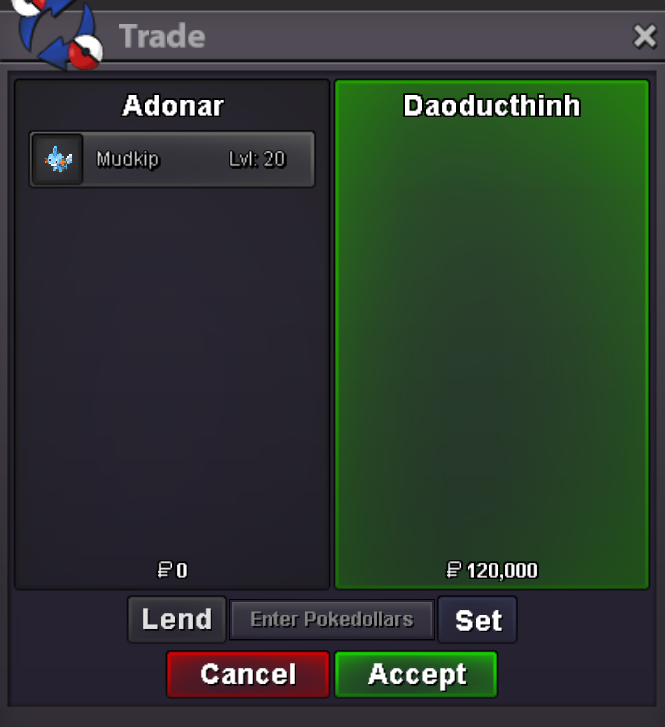
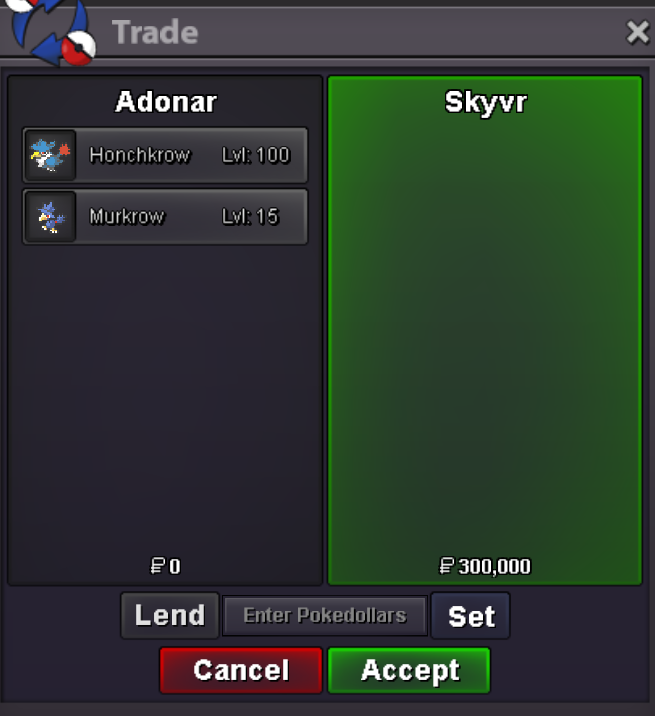
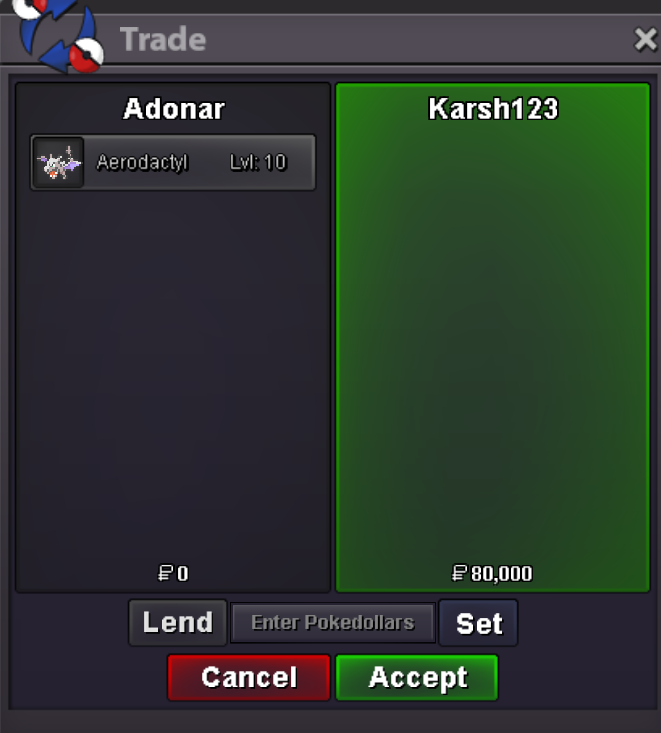
Use the new Trade Zone for auctions and instant-price trades so Pokemon and item offers are easy to find.

Adonar
Registered User
-
Joined
-
Last visited
Everything posted by Adonar
-
Username: AdonaR Server: Silver Country/Timezone: France +1
-
Dragonite => 7 days, available 12/04/24.
-
bump
-
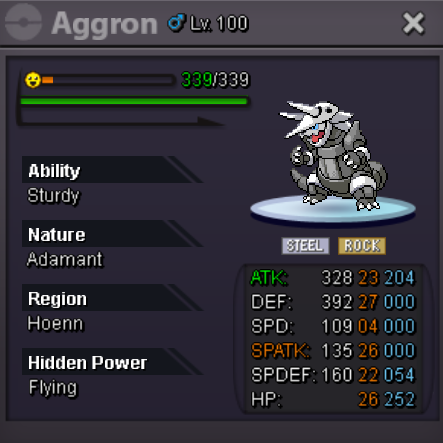
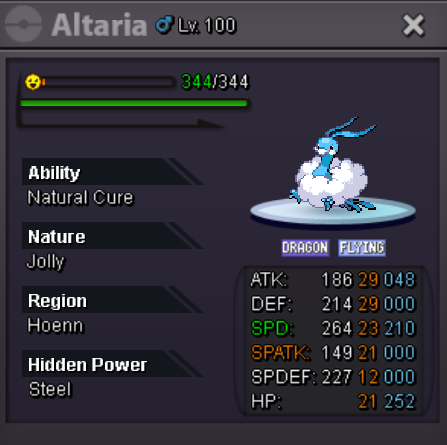
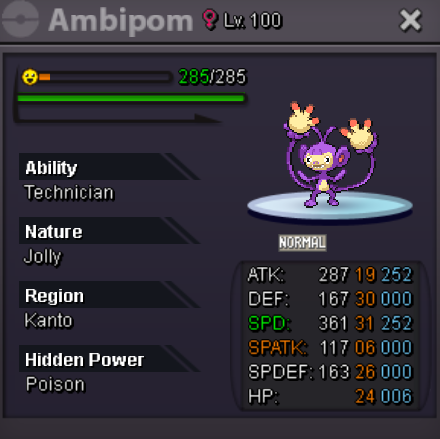
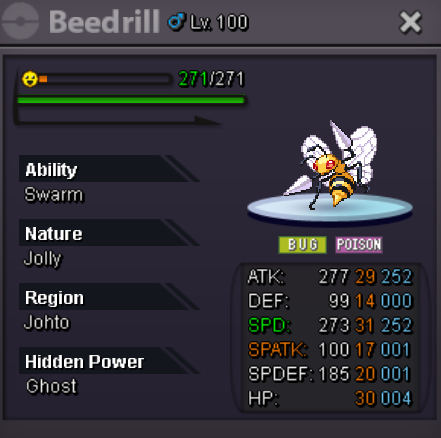
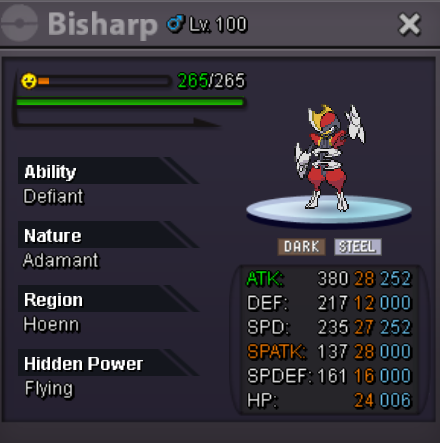
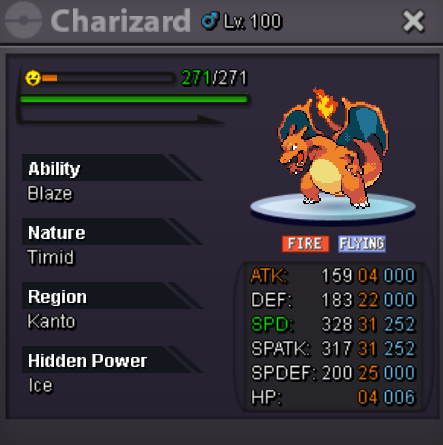
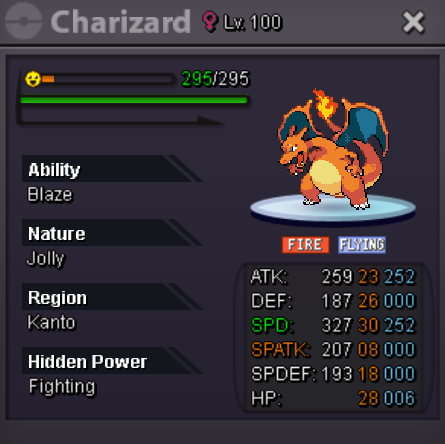
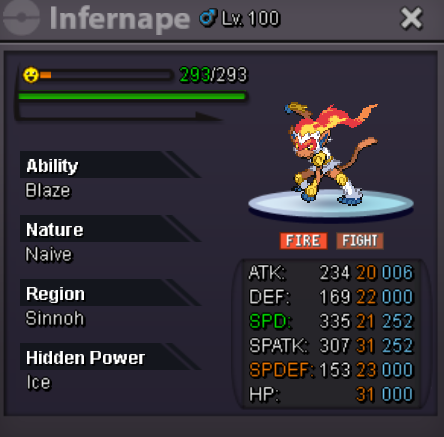
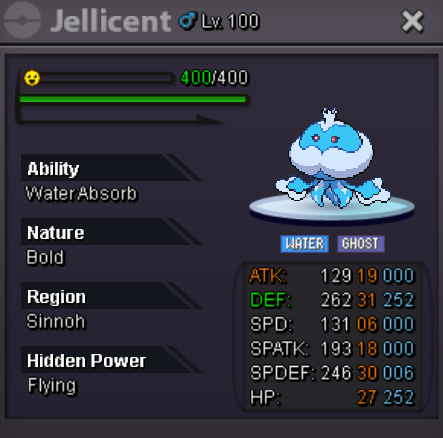
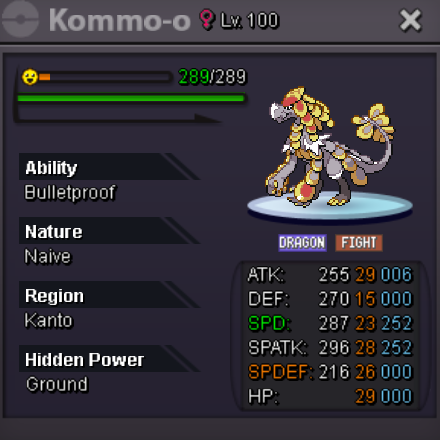
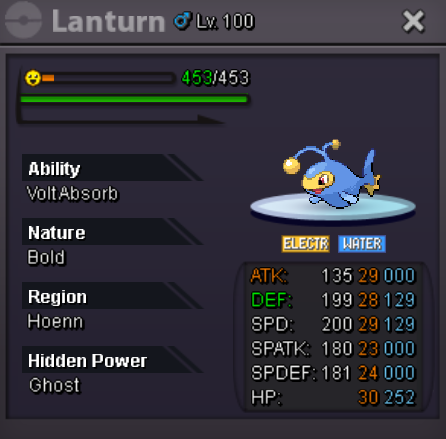
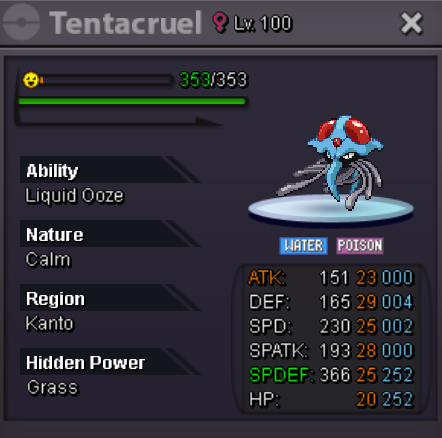
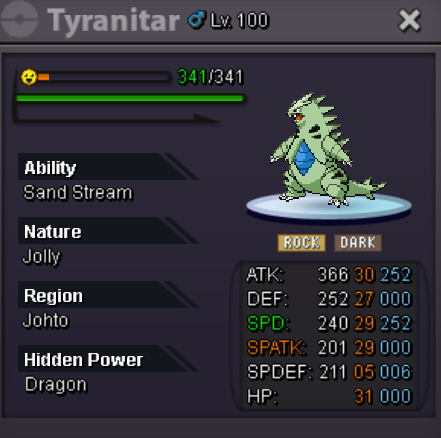
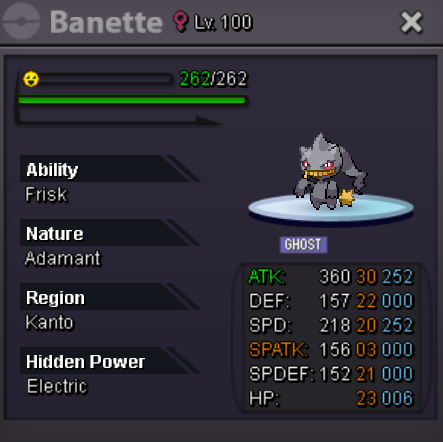
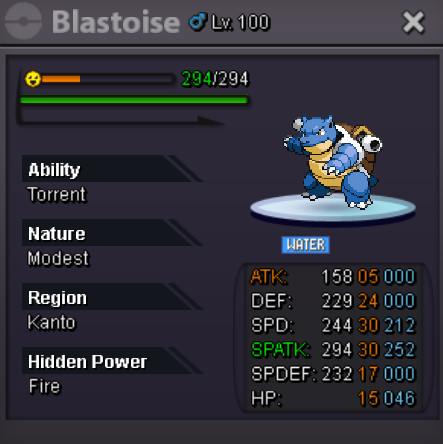
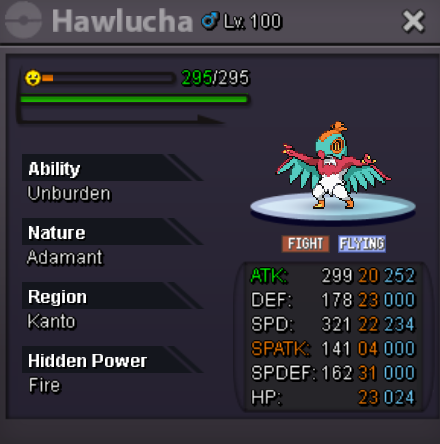
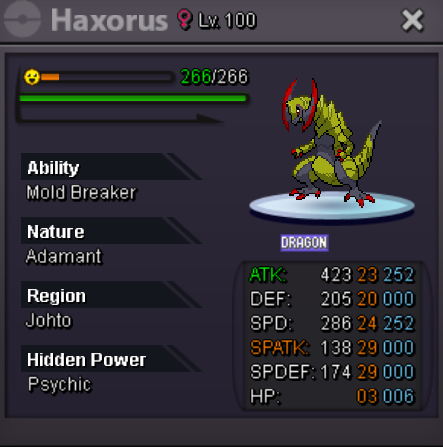
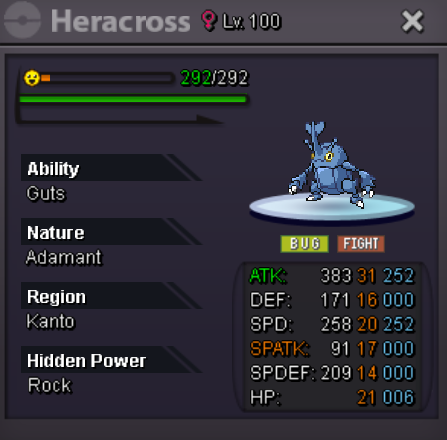
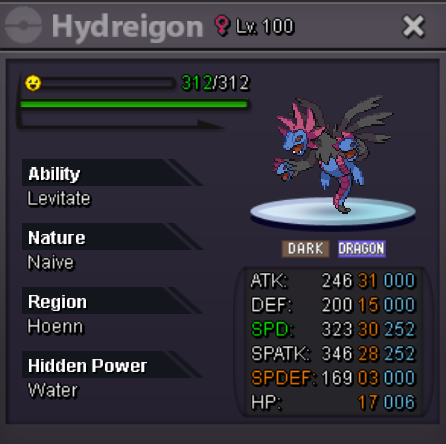
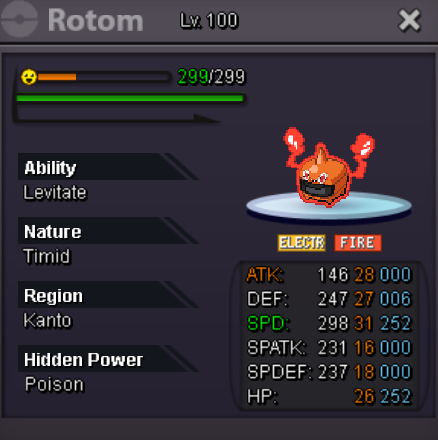
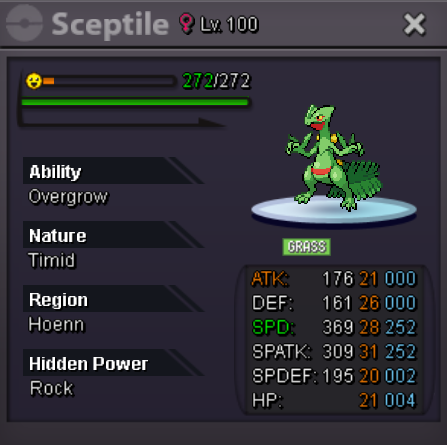
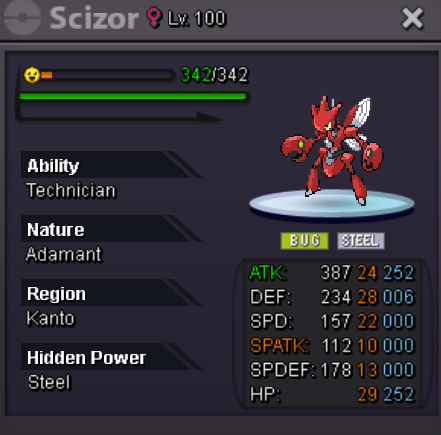
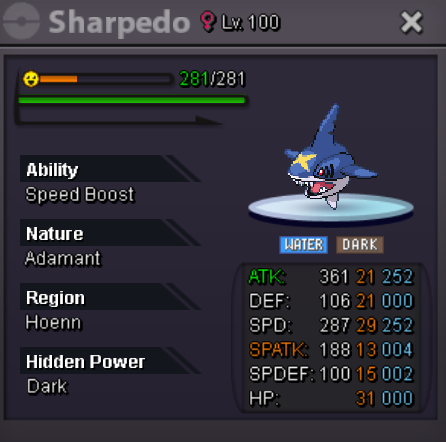
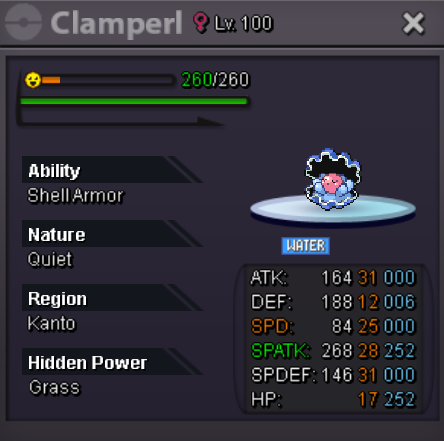
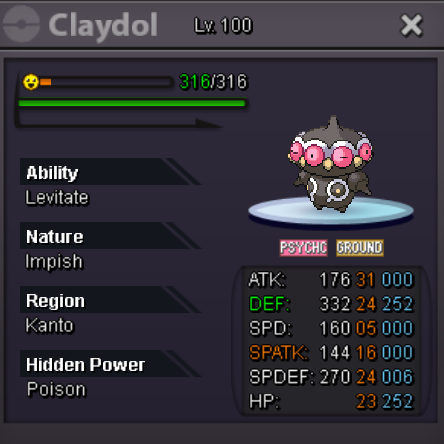
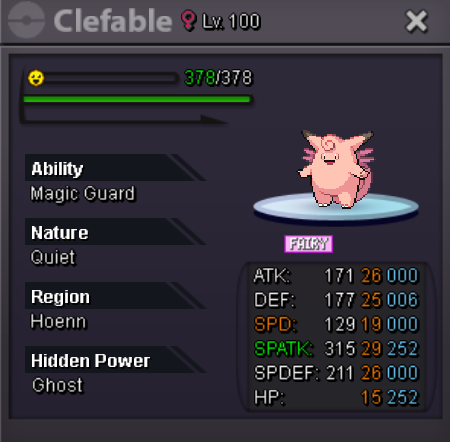
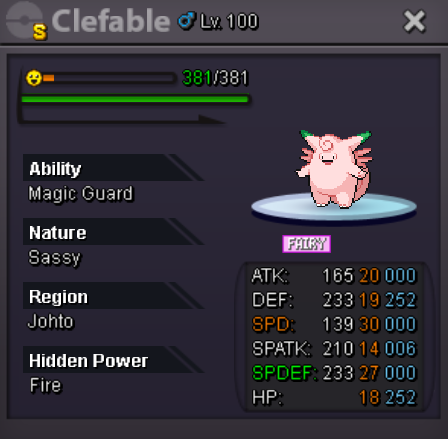
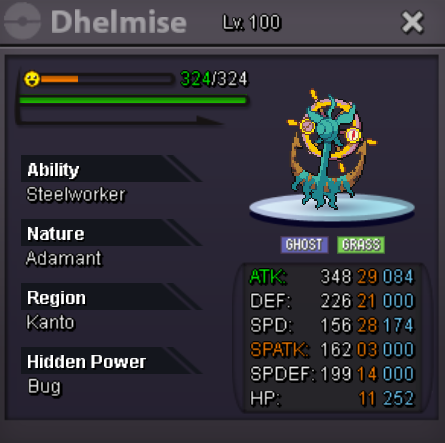
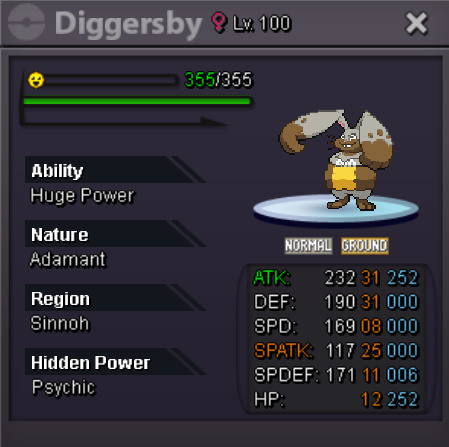
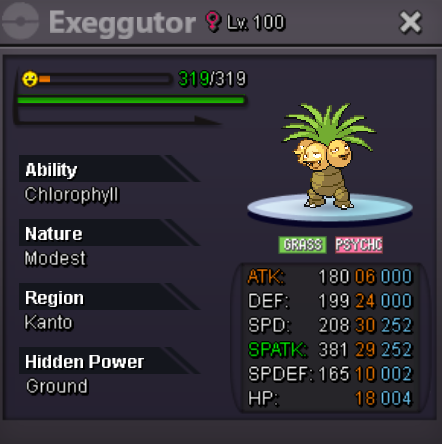
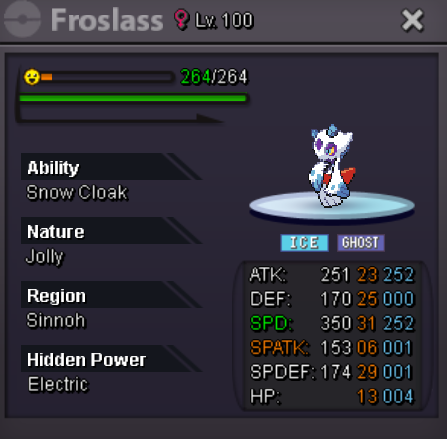
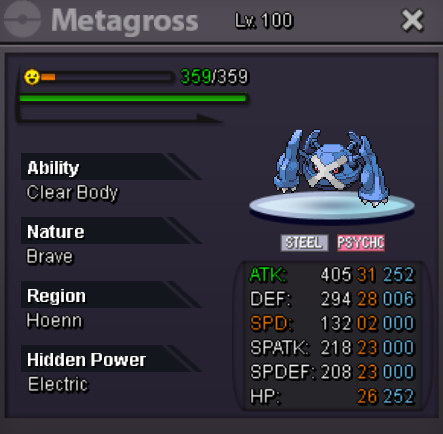
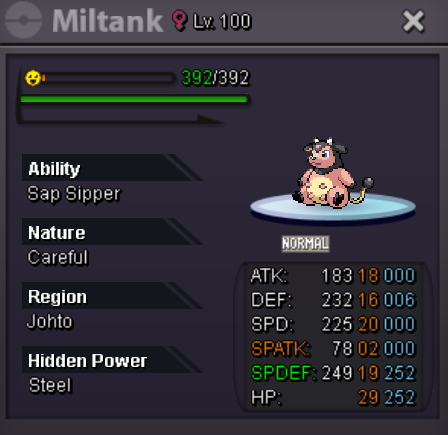
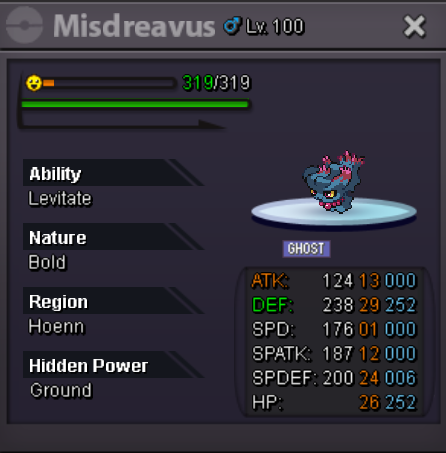
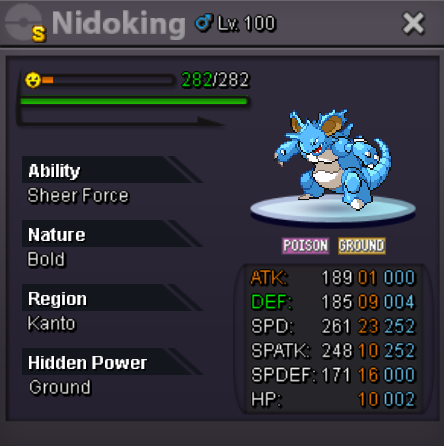
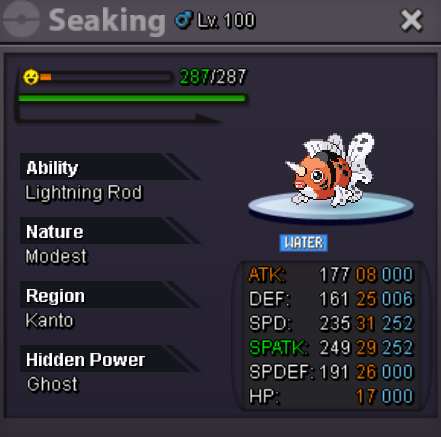
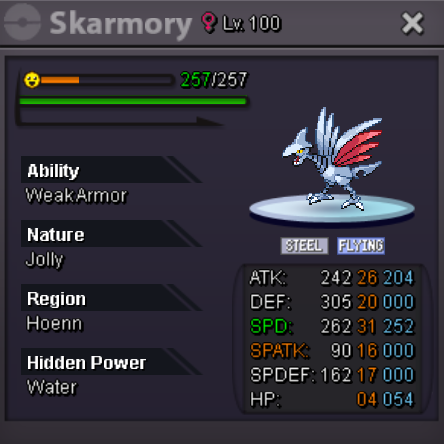
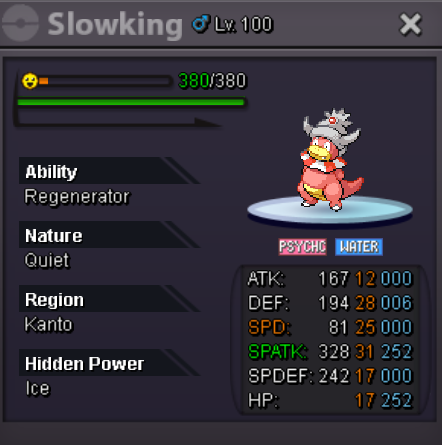
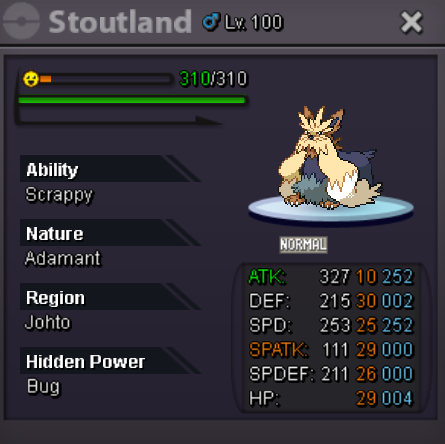
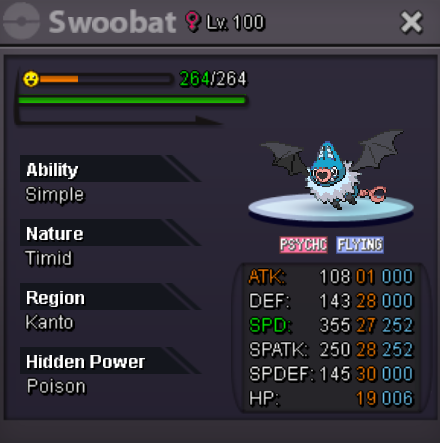
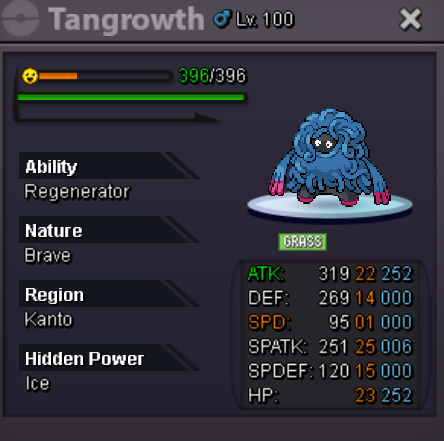
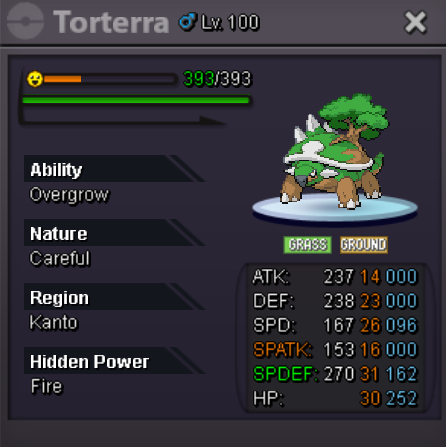
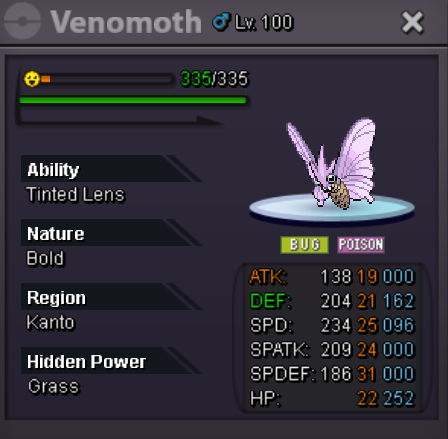
Welcome to the WonderLend ! I lend some Pokemons, all playable in PVP. It's quite varied : Serious pokémons playable, with high iv. Medium ones, average iv, can be playable. Trolls, for fun. The Formula : 7 days : 50 k 14 days : 100 k 21 days : 150 k 30 days : 200 k Rules : - You can change moveset. - Payment will be made at the start of the trade, only poke$. - Be careful to the region of the Pokemon before. - You cannot order the same pokemon twice in a row during the term the lend (Ex : you have Dragonite for 7 days, you can't order him before the end of the lend. But if no one asks for it until the end of the lend, you can order it again). - If several people want the same Pokémon, a waiting list is created. First come, first served ! - Pokemon trade with no items. - Reservations can be made here, Ingame : Adonar, or Discord : adonar. GMT +1. LIST (in alphabetical order) SERIOUS : MEDIUM : TROLLS :




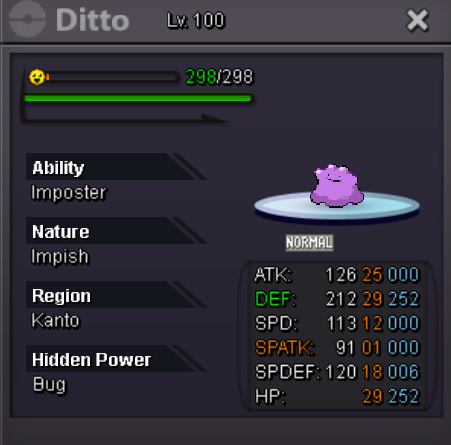
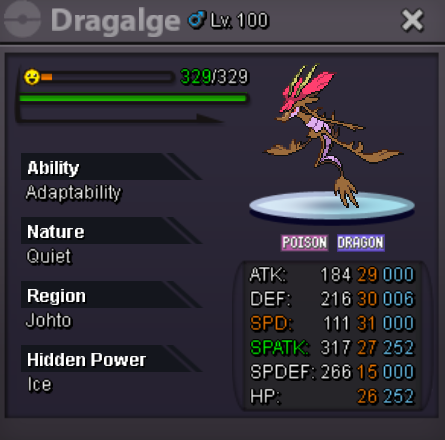

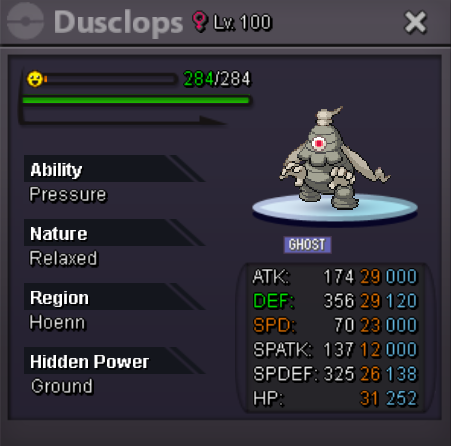
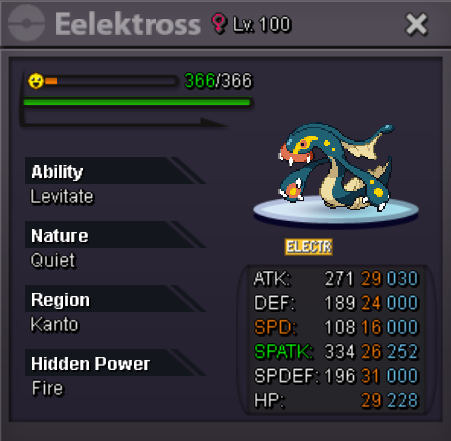
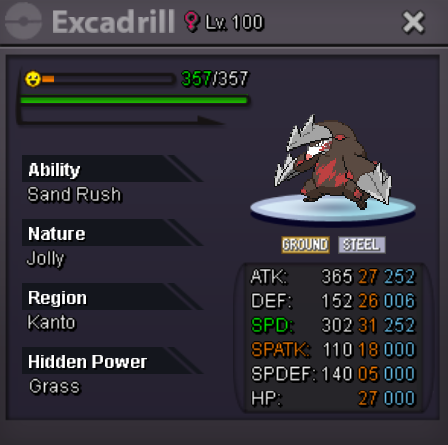
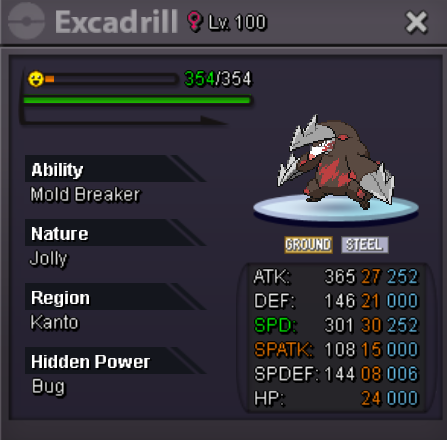
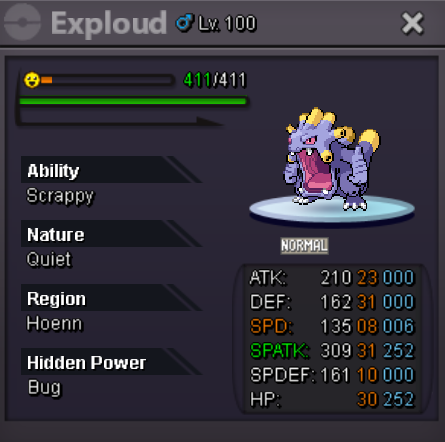
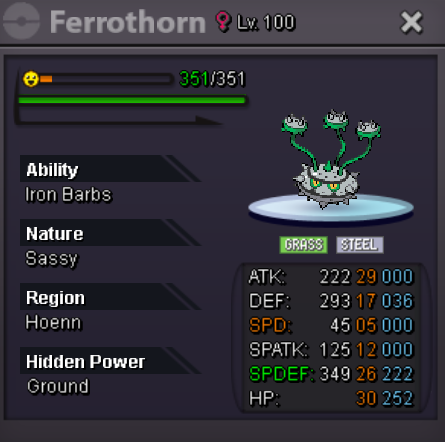
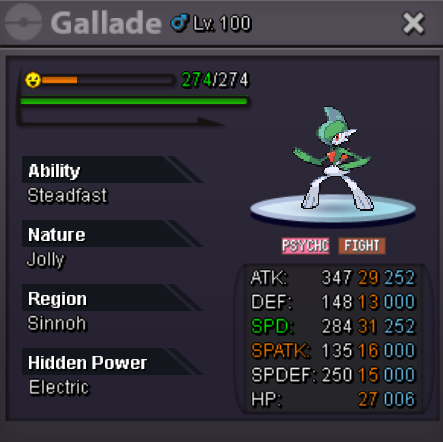
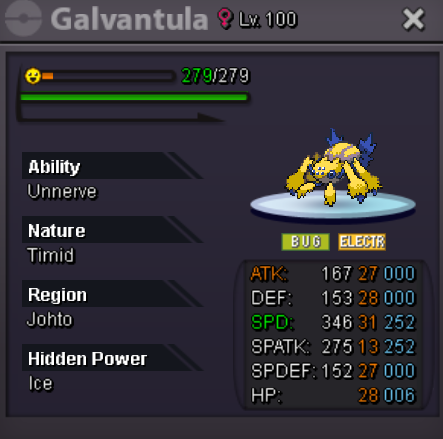
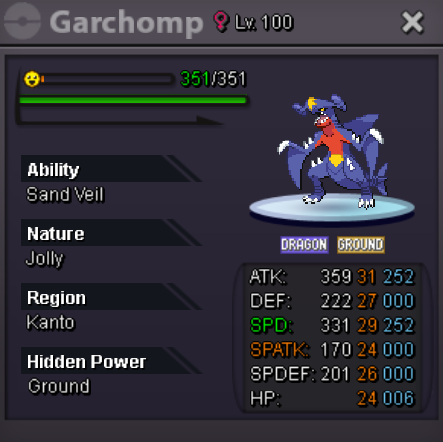
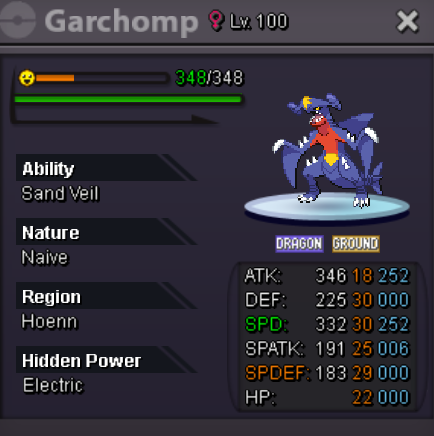
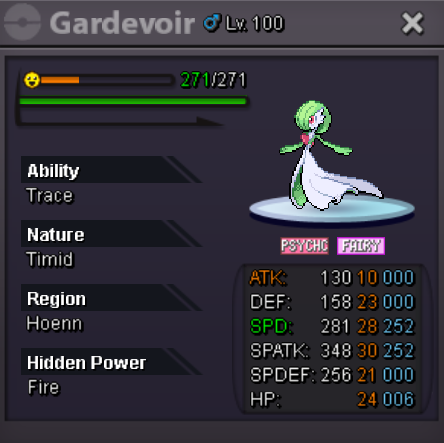

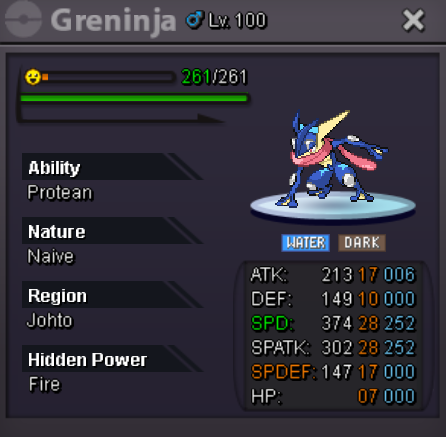
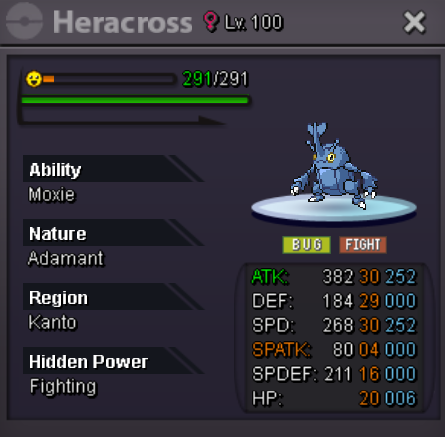
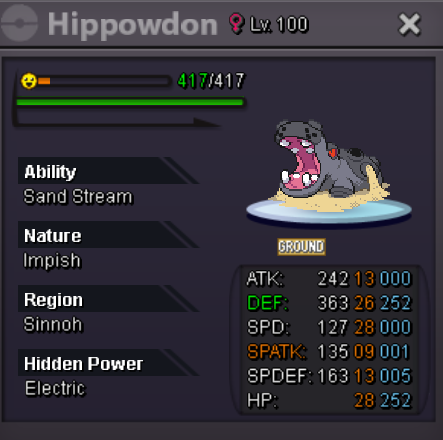


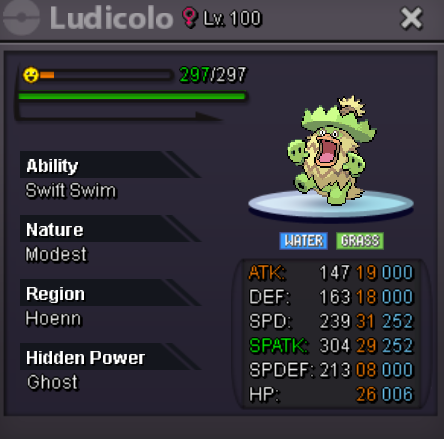

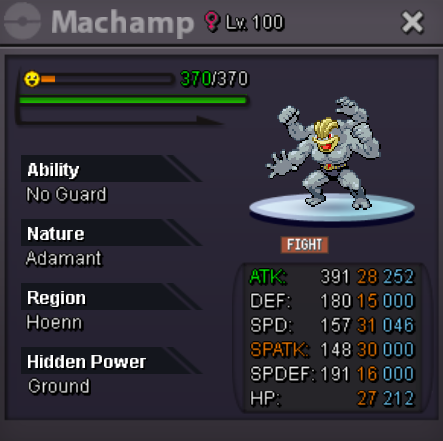


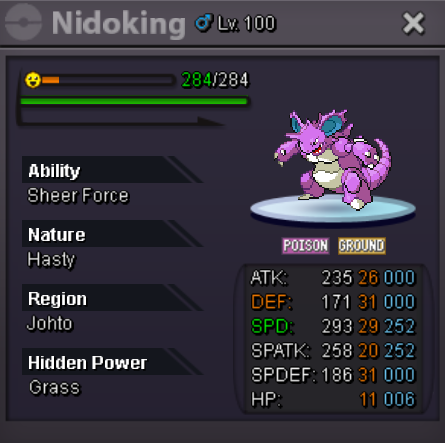

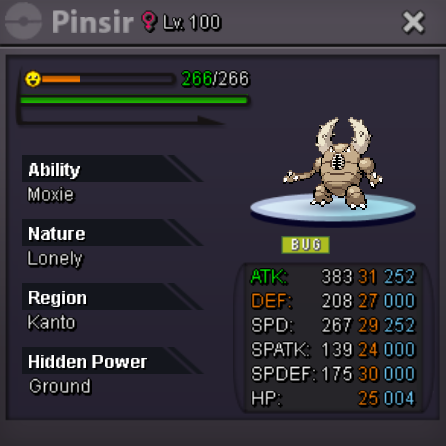
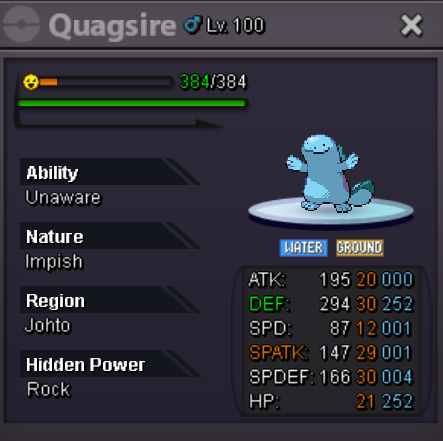
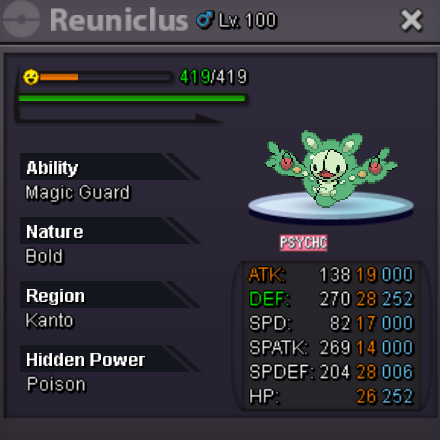
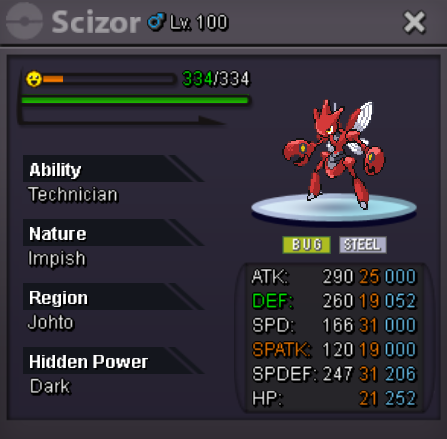

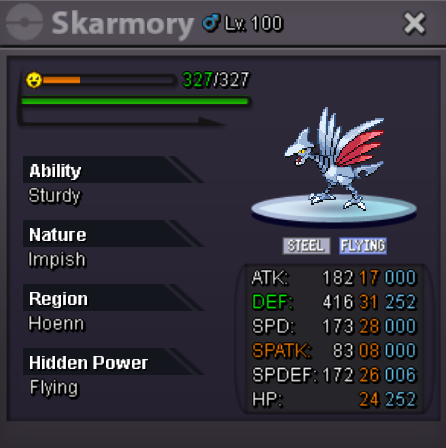
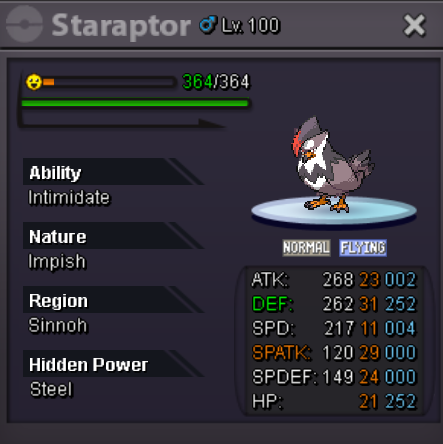
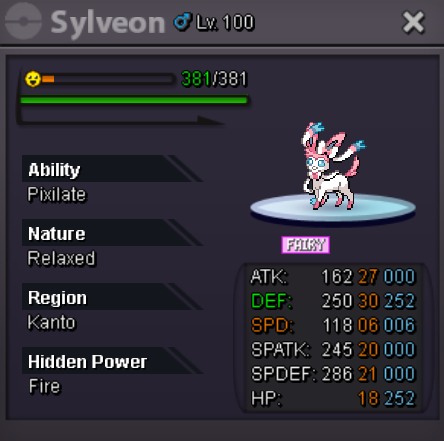
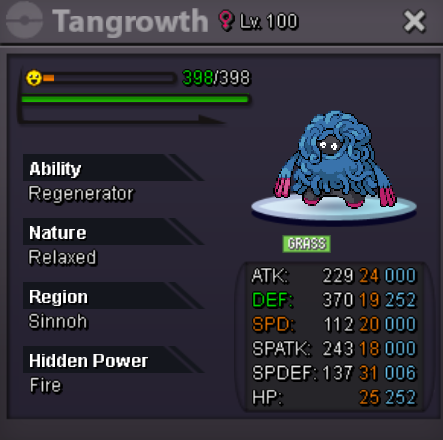
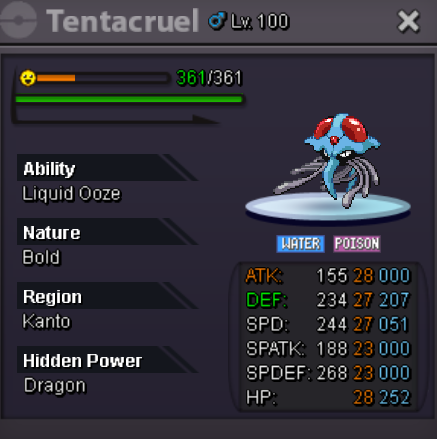




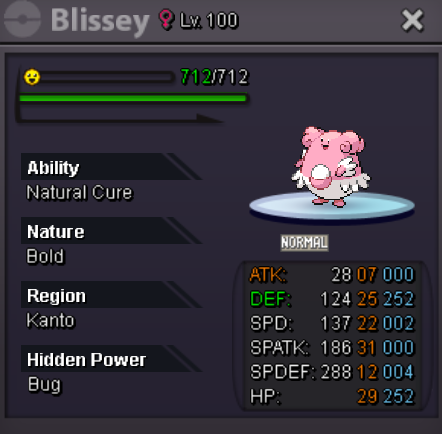
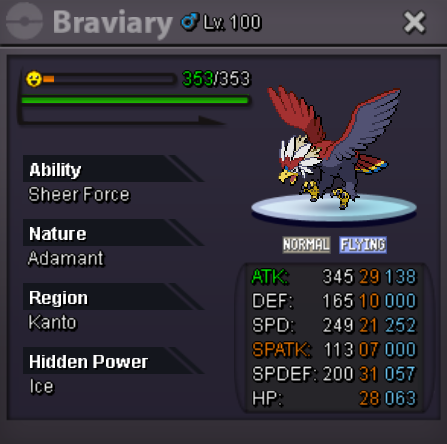
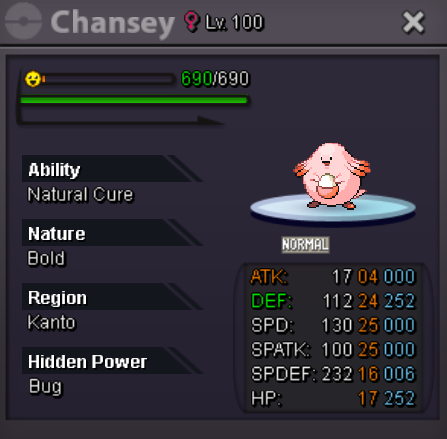
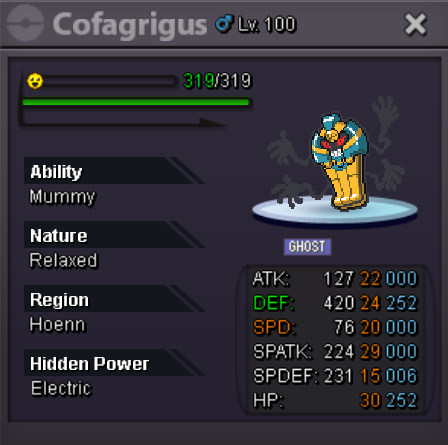
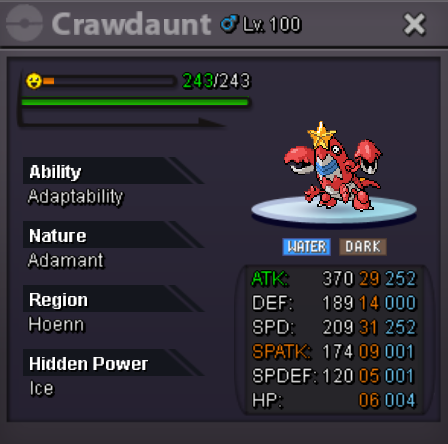
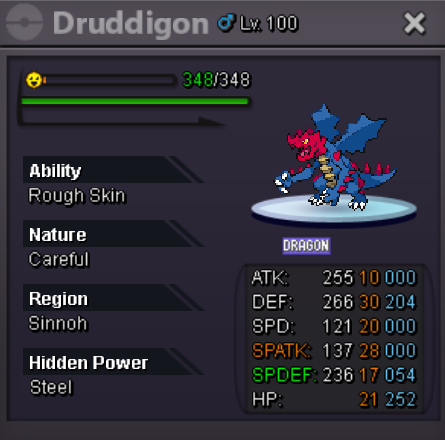
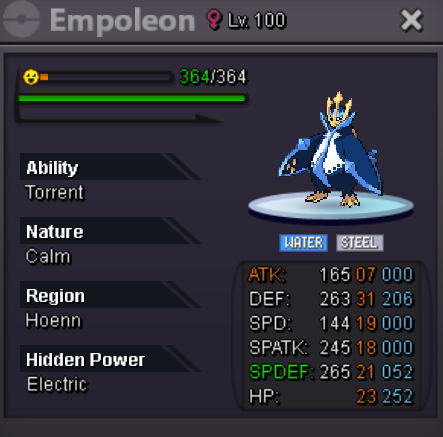
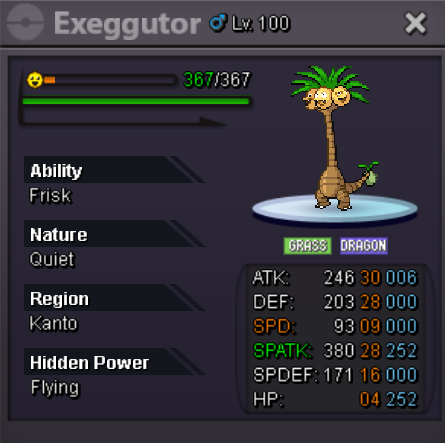



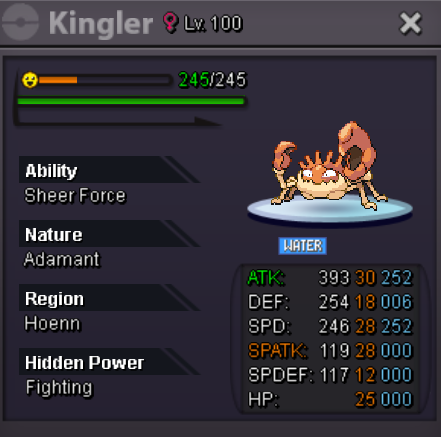
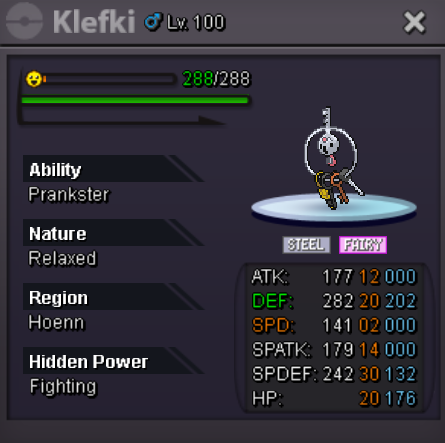
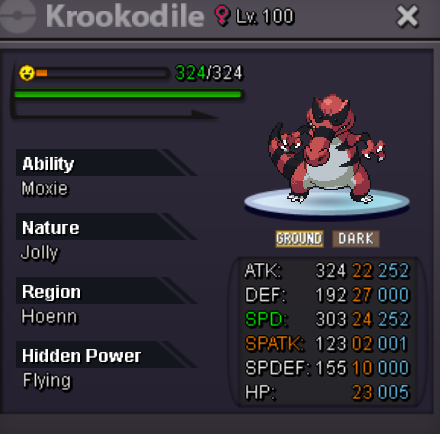
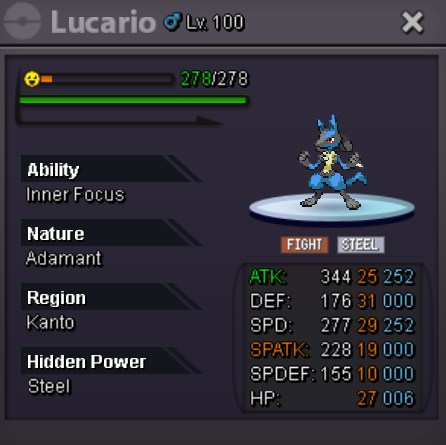
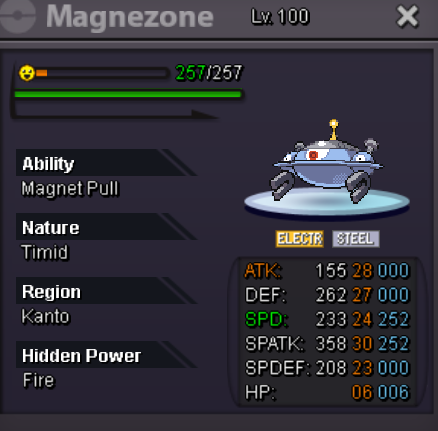
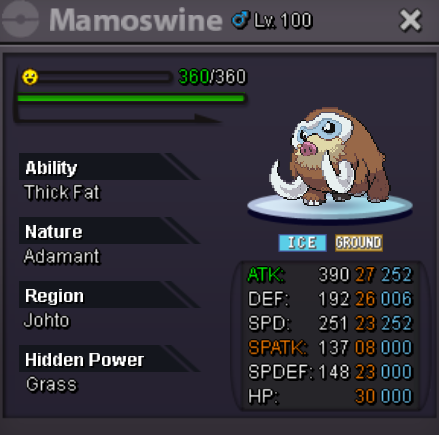

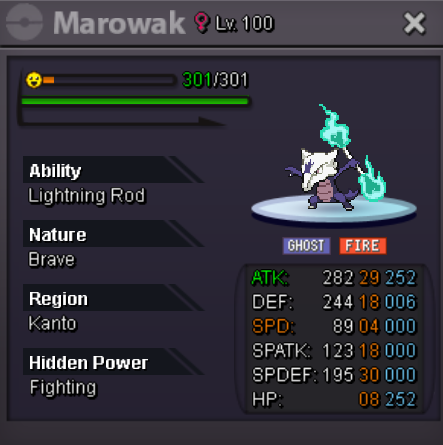
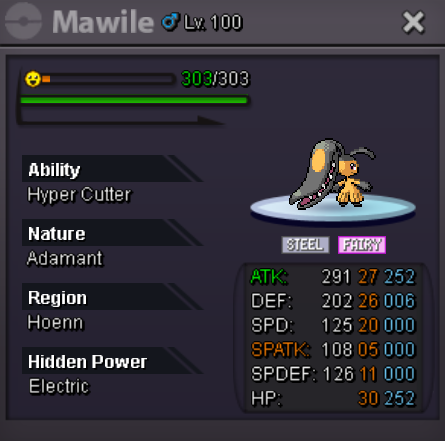
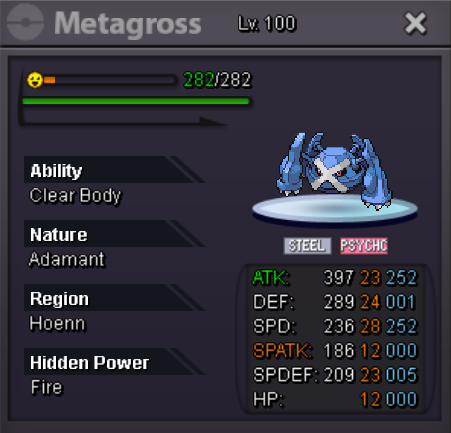

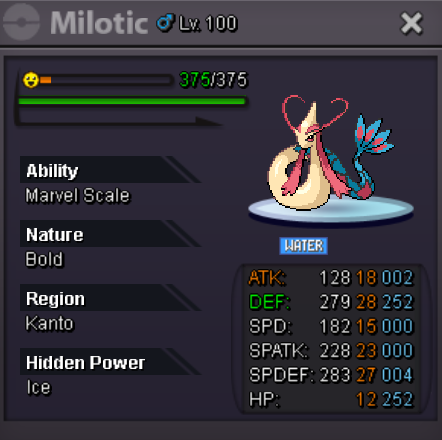
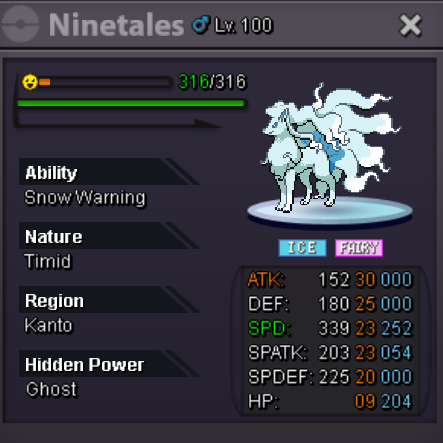


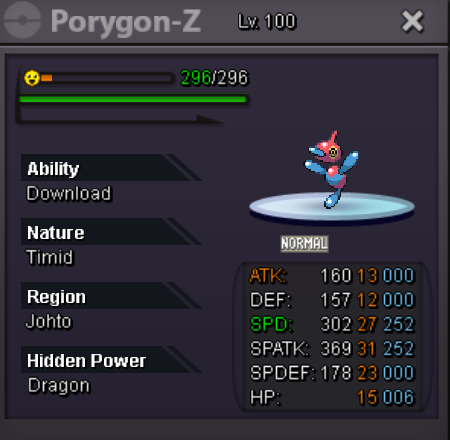

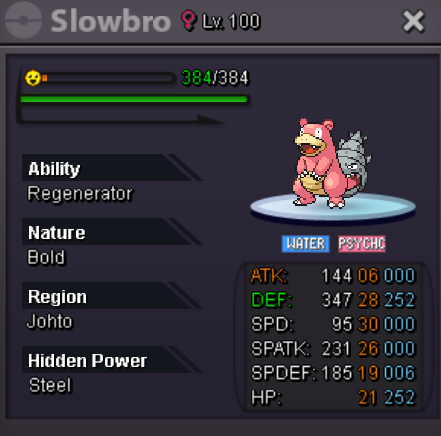
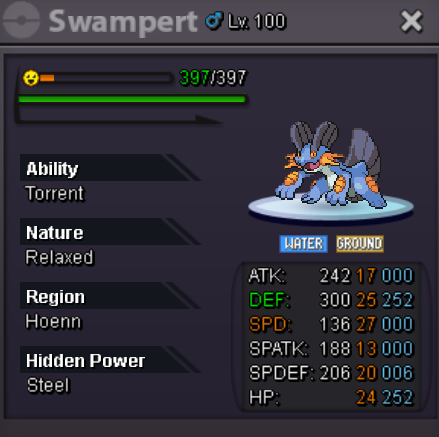
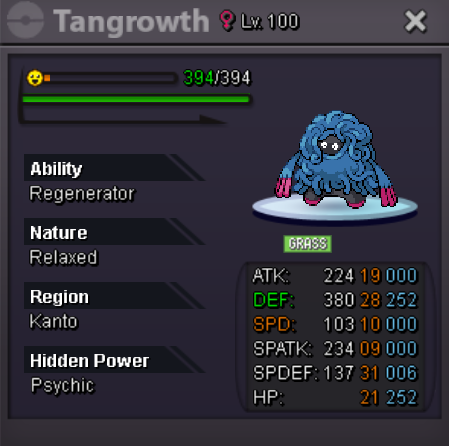
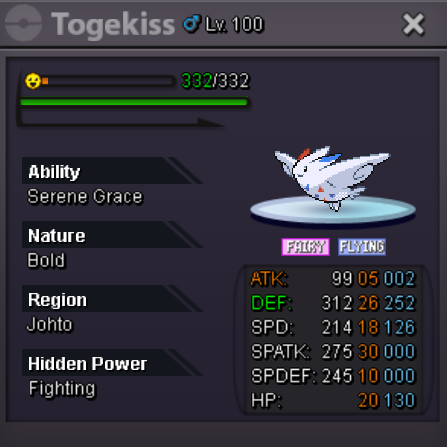


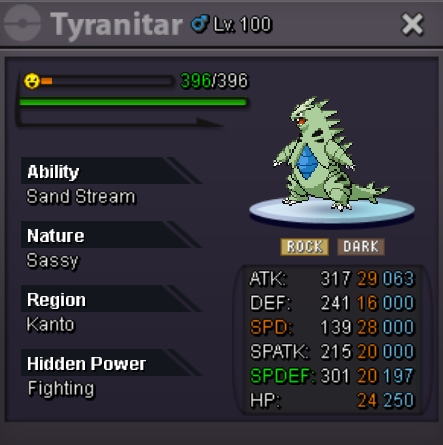
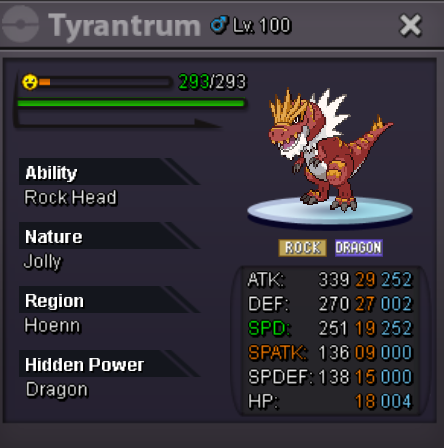
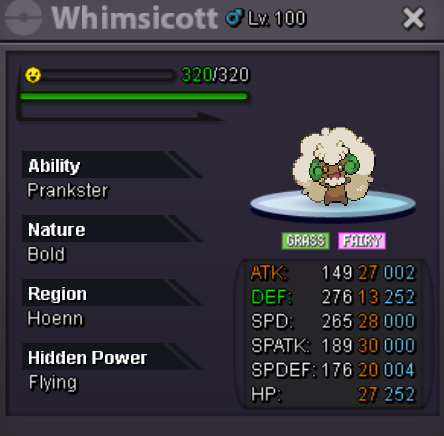
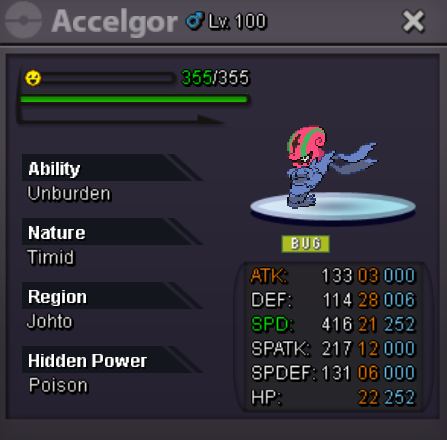
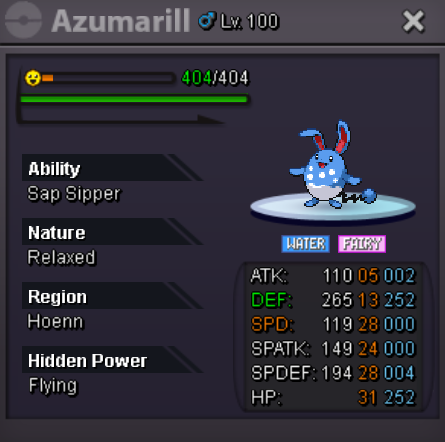
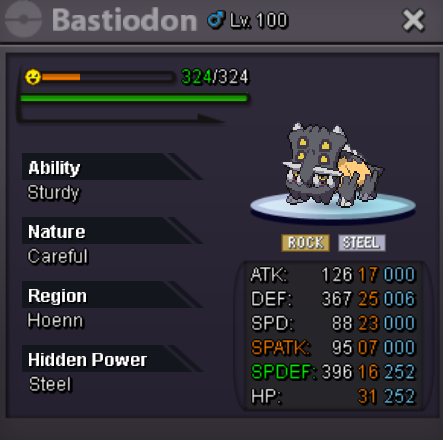
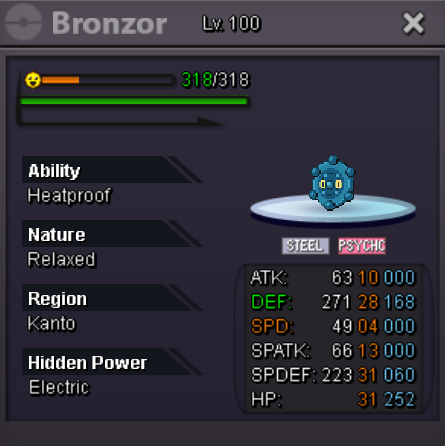

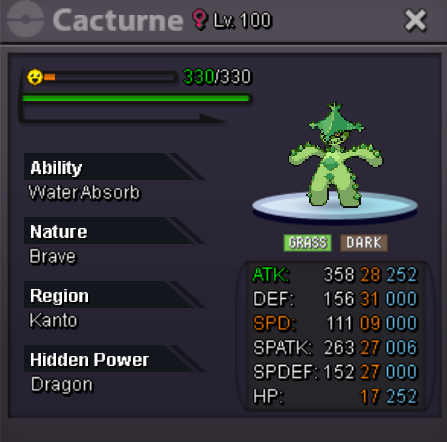



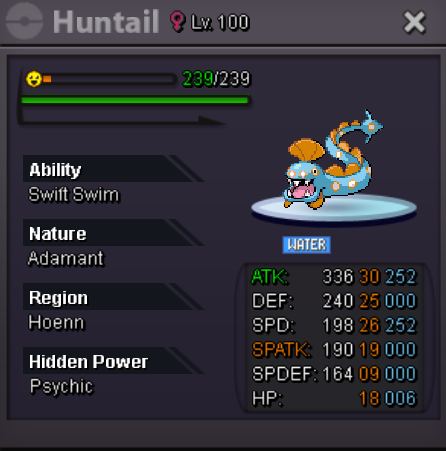
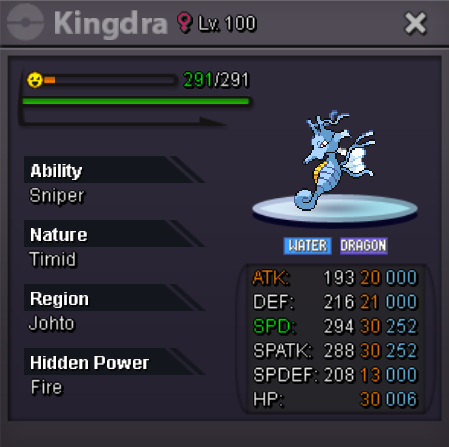
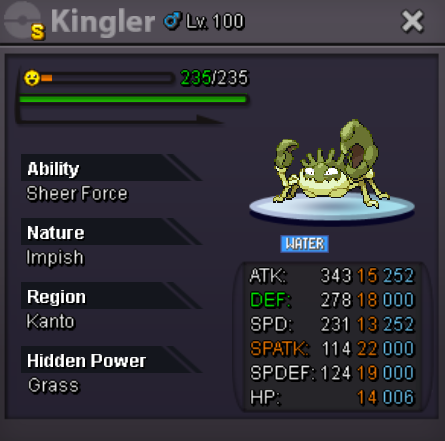
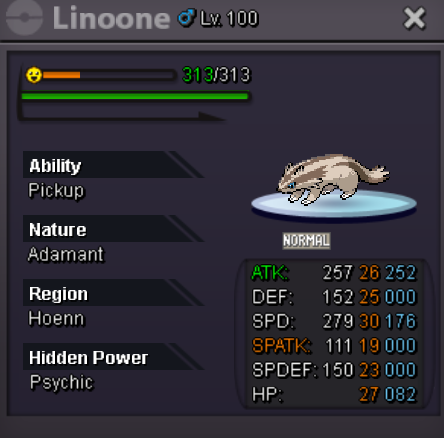

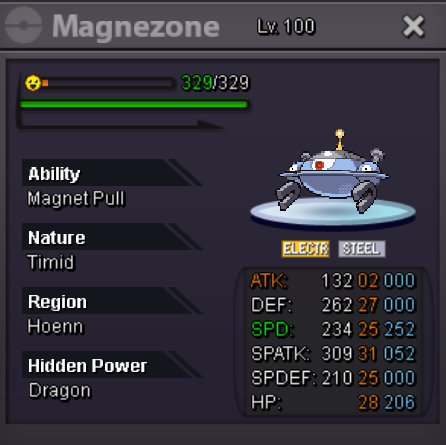
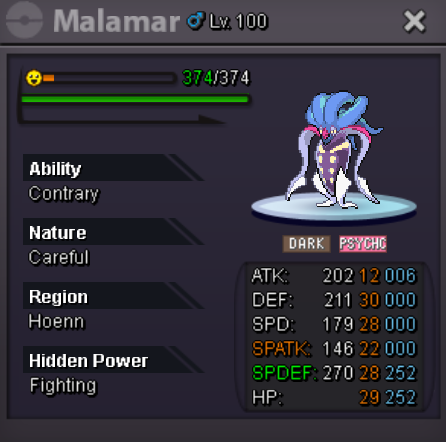
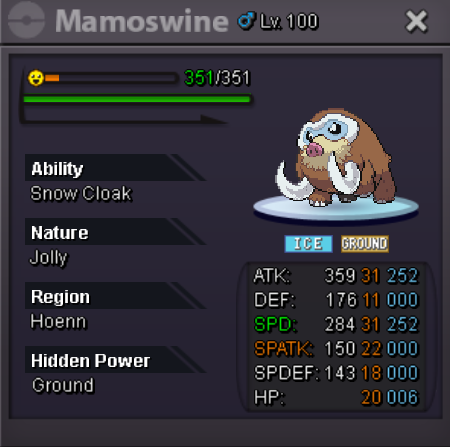
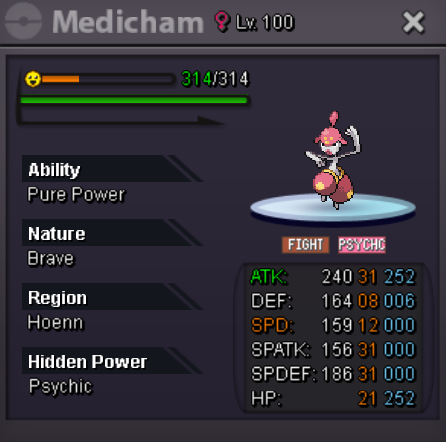
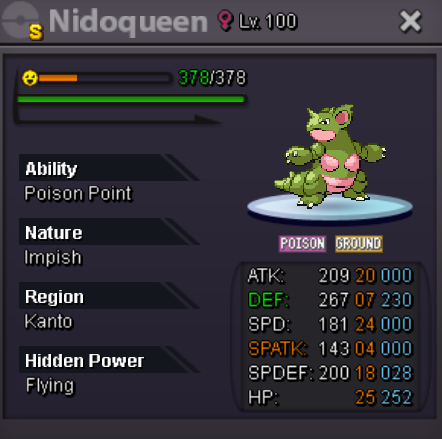
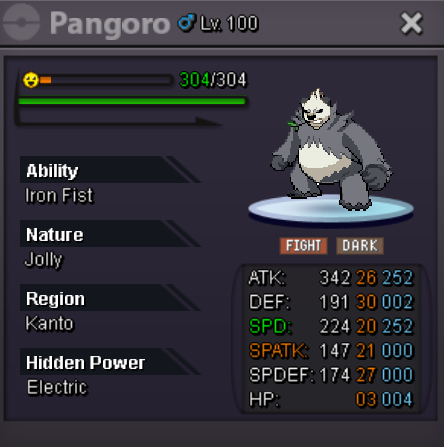
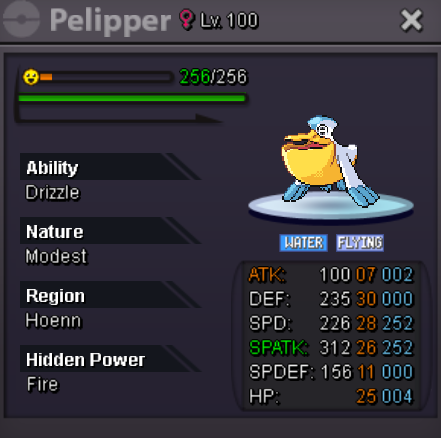

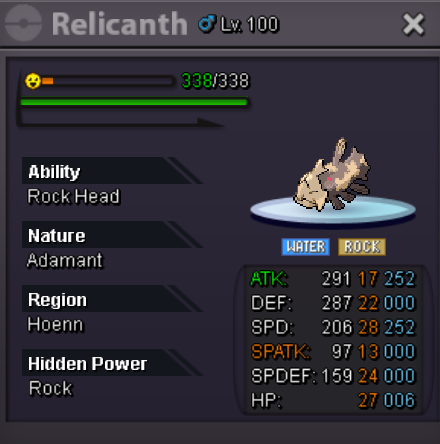
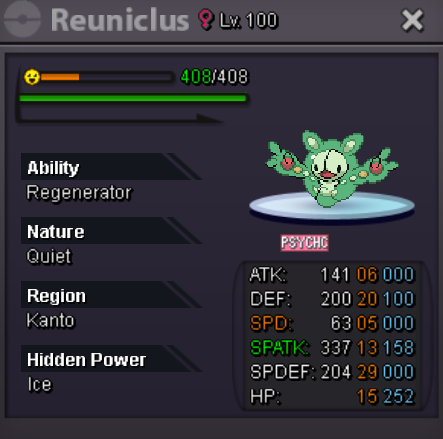
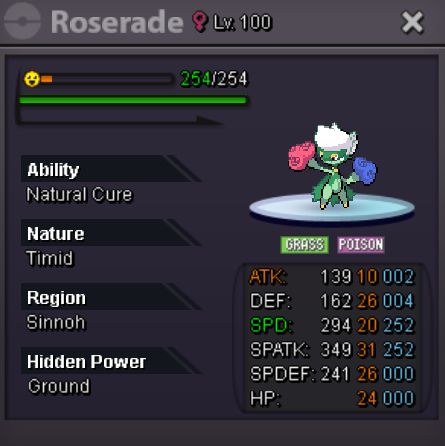
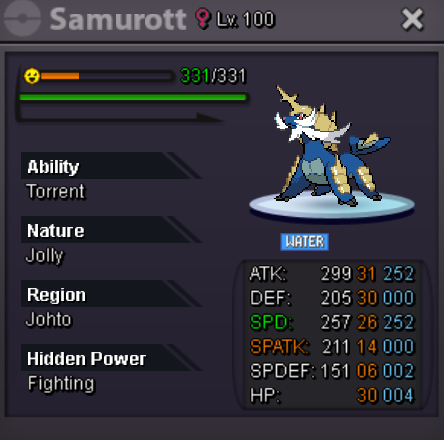
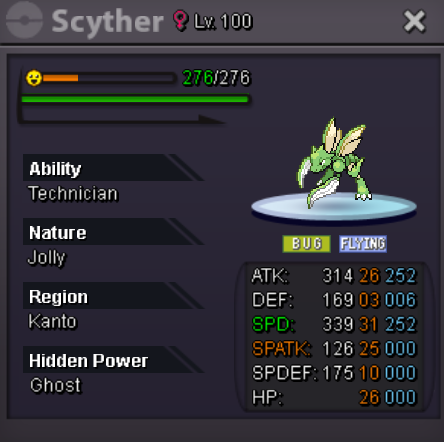



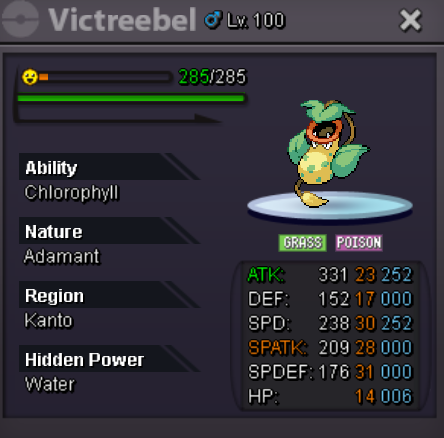
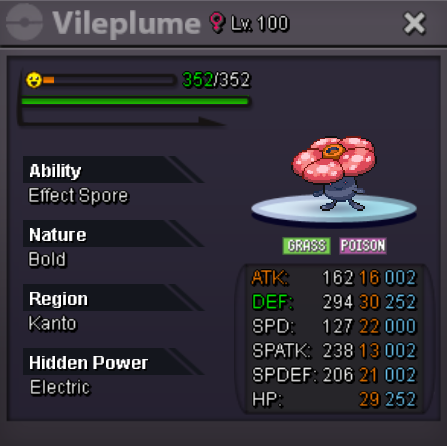
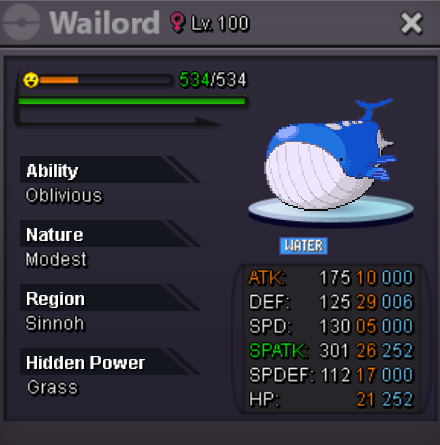
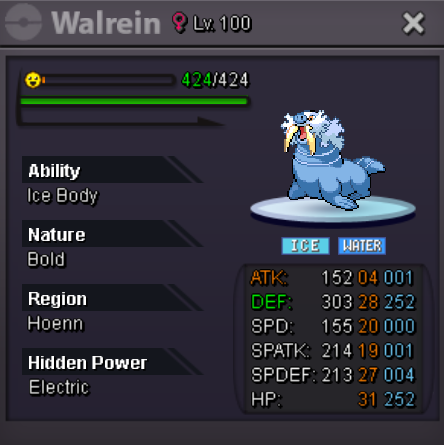
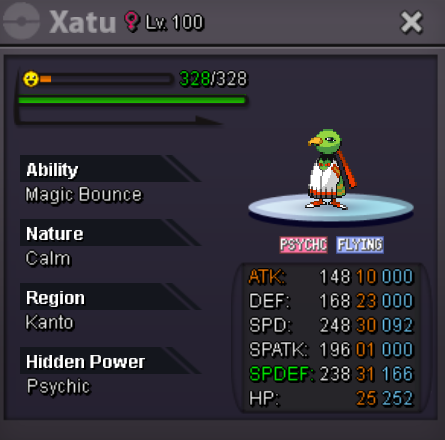

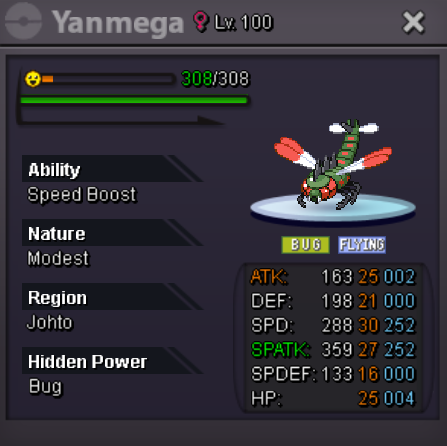

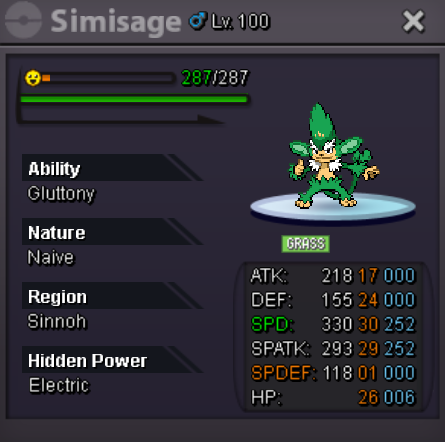
-
Good for pvp, with more people, we will finally have a UU ladder (🤡)
-
Start
-
2m5
-
2m100
-
700
-
bump3,4 m
Account
Navigation
Search
Configure browser push notifications
Chrome (Android)
- Tap the lock icon next to the address bar.
- Tap Permissions → Notifications.
- Adjust your preference.
Chrome (Desktop)
- Click the padlock icon in the address bar.
- Select Site settings.
- Find Notifications and adjust your preference.
Safari (iOS 16.4+)
- Ensure the site is installed via Add to Home Screen.
- Open Settings App → Notifications.
- Find your app name and adjust your preference.
Safari (macOS)
- Go to Safari → Preferences.
- Click the Websites tab.
- Select Notifications in the sidebar.
- Find this website and adjust your preference.
Edge (Android)
- Tap the lock icon next to the address bar.
- Tap Permissions.
- Find Notifications and adjust your preference.
Edge (Desktop)
- Click the padlock icon in the address bar.
- Click Permissions for this site.
- Find Notifications and adjust your preference.
Firefox (Android)
- Go to Settings → Site permissions.
- Tap Notifications.
- Find this site in the list and adjust your preference.
Firefox (Desktop)
- Open Firefox Settings.
- Search for Notifications.
- Find this site in the list and adjust your preference.