




New Trade Zone
Trade Zone is now live
Use the new Trade Zone for auctions and instant-price trades so Pokemon and item offers are easy to find.

Sowilo
Registered User
-
Joined
-
Last visited
Everything posted by Sowilo
-
850k
-
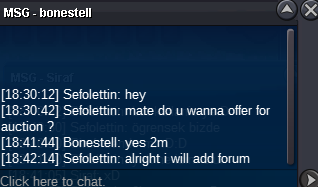
auction starts 2m min raise 200k insta . auction ends in 3 days after first bid thanks.
 sorry my badcontact me in game pleasewhen you gave me insta, u didnt have silver account. therefor, i thought its right thing to ignore your insta cause due to 27 minutes cant even trade in that account. when i got another offer, i accepted. sorryyou dont have acount on silver. sorrystart for gardeviorsold to another person
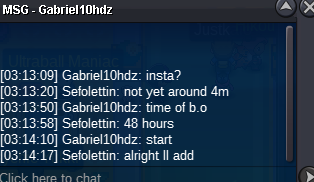
 congrats. contact me in game or discord thanks. Sefolettin#5043Auction starts: 800k Min bid: 200k Instant: 1.6m Auction ends in 48 hours after first bid. Thanks.
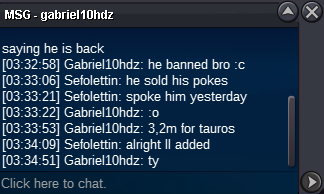
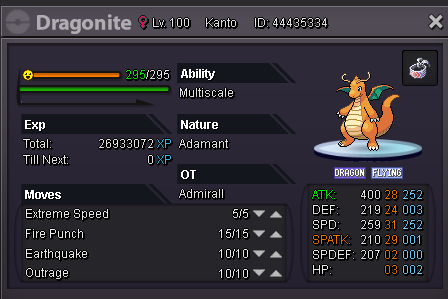 hello, still noone back to me. thanks.time would be cancel if someone insta it that means its already sold.already sold dont u read?Auction starts: 2m Min. bid: 200k Insta: 3m Auction ends in 48 hours after first bid thank you.
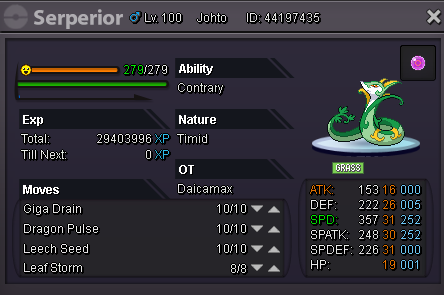 sold insta.
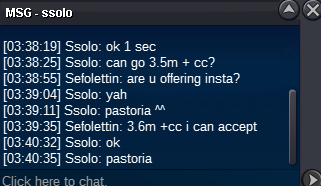 s.o reduced to 2.5m insta ll added soonauction starts: 2.5m min bid: 200k insta: 4m Auction ends in 48 hours after first bid thank you.
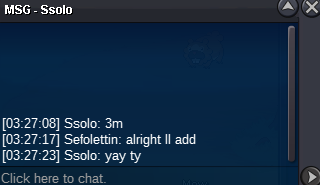
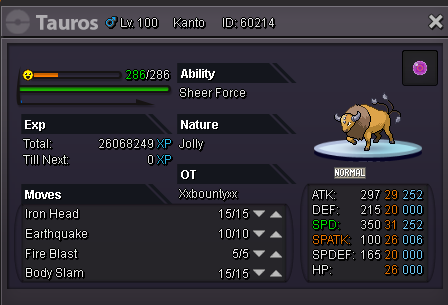 congrats contact me in gameinsta added 7m. thank you guys.

Account
Navigation
Search
Configure browser push notifications
Chrome (Android)
- Tap the lock icon next to the address bar.
- Tap Permissions → Notifications.
- Adjust your preference.
Chrome (Desktop)
- Click the padlock icon in the address bar.
- Select Site settings.
- Find Notifications and adjust your preference.
Safari (iOS 16.4+)
- Ensure the site is installed via Add to Home Screen.
- Open Settings App → Notifications.
- Find your app name and adjust your preference.
Safari (macOS)
- Go to Safari → Preferences.
- Click the Websites tab.
- Select Notifications in the sidebar.
- Find this website and adjust your preference.
Edge (Android)
- Tap the lock icon next to the address bar.
- Tap Permissions.
- Find Notifications and adjust your preference.
Edge (Desktop)
- Click the padlock icon in the address bar.
- Click Permissions for this site.
- Find Notifications and adjust your preference.
Firefox (Android)
- Go to Settings → Site permissions.
- Tap Notifications.
- Find this site in the list and adjust your preference.
Firefox (Desktop)
- Open Firefox Settings.
- Search for Notifications.
- Find this site in the list and adjust your preference.