




New Trade Zone
Trade Zone is now live
Use the new Trade Zone for auctions and instant-price trades so Pokemon and item offers are easy to find.

Ortegajd
Registered User
-
Joined
-
Last visited
Everything posted by Ortegajd
-
@MasterJedi You won, mate. Let me know when you can enter
-
Bump. Ends today at 9:21 pm gmt-4
-
-
-
-
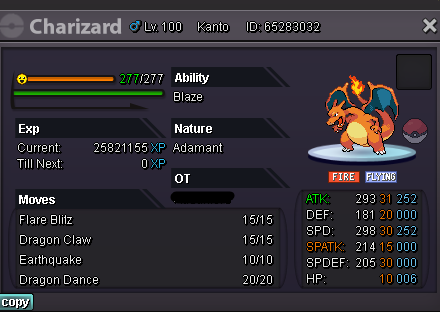
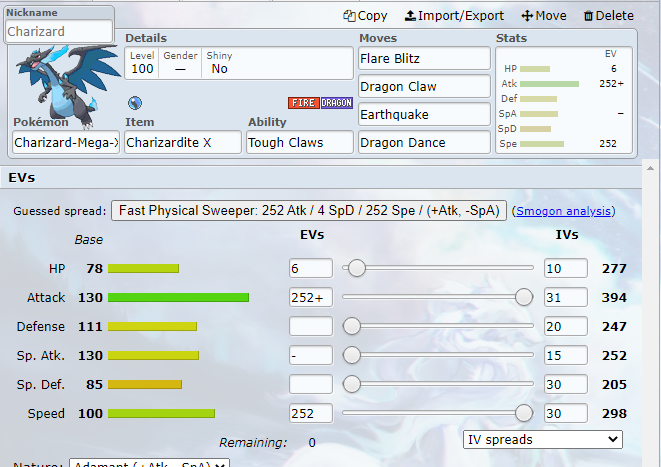
Stats in initial form Stats in mega S.o: 1m C.o: 1,2m by MasterJedi Insta: 5m Min raise: 200k Ends three days after the first offer. Accept consumables: Reroll ticket: 700k Natu reroll: 350k Cc: 400k
-
I got everything I needed thanks to you, I was wrong. I really apologize for the inconvenience and thank you again.
-
Hello, good afternoon and sorry for the inconvenience. Is there any way to restart the halloween quest? Since I fought all the npcs, went through all the houses, collected the blue balls and the counter never passed 1. I mean, I am blocked without being able to go from there. Thanks in avance!
-
14,5m
-
13,5m
-
12,5m
-
start 10m + Iv rr + cc
-
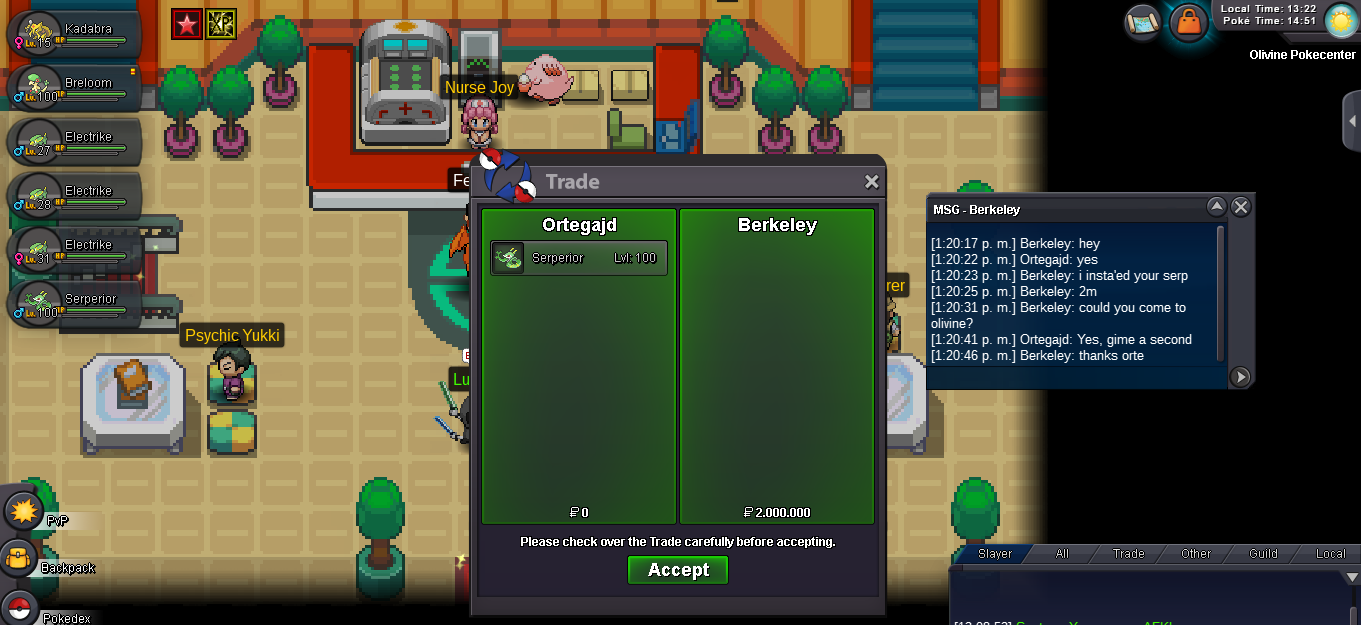
Sold insta to Berkeley. Thanks all for you participation, i really appreciate it
-
Noted
-
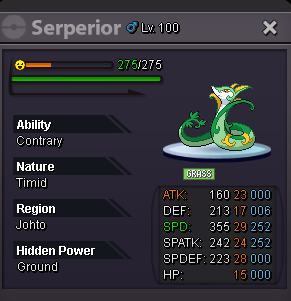
S.o: 800k C.o: ----------- Insta: 2m Min raise 100k Accept consumables Iv rr 720k Cc 380K It ends exactly 3 days after the first offer.
-
Buy 150k klefki
-
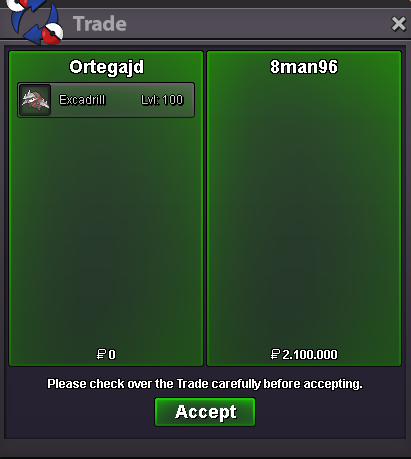
Sold to Araragikun, Thank you all for your participation.
-
Noted . 4h left right now.
-
Noted
-
Exactly 5h left. In relation to Norex Reply
-
Noted
-
Noted
-
Bump
-
Noted
-
Noted
