




New Trade Zone
Trade Zone is now live
Use the new Trade Zone for auctions and instant-price trades so Pokemon and item offers are easy to find.

Ortegajd
Registered User
-
Joined
-
Last visited
Everything posted by Ortegajd
-
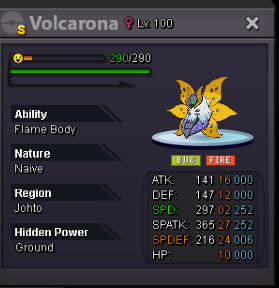
S.o: 10m Min raise: 1m C.o: 13m by Saykaa Ends 48h after first bid. Payment methods: - Cash - Ccs = 400k - Iv reroll = 500k Countdown: https://www.timeanddate.com/counters/fullscreen.html?mode=a&year=2024&month=2&day=18&hour=14&min=25&sec=0&p0=58&msg=Volcarona
-
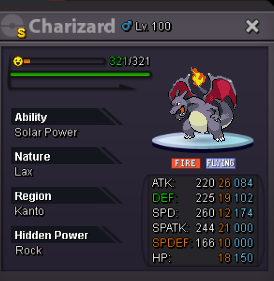
Less than 24h left.1m.S.o: 10m. C.o: 34m by Pokemonking44 Min raise: 1m. No insta Ends 3d after first bid. Countdown: https://www.timeanddate.com/counters/fullscreen.html?mode=a&year=2024&month=2&day=13&hour=16&min=55&sec=0&p0=58&msg=Charizard
 2m money on alt.S.o: 1k. Min raise: 50k. Insta: No insta. It ends 2d (48h) after first bid. Cash only. Good luck to everyone! Remaining time: https://www.timeanddate.com/countdown/generic?iso=20230822T1736&p0=58&font=cursive&csz=1#
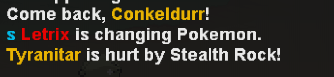
 If still available, 1m impish (money on alt)Hi , hope u're having a good day. Today i did some bosses and found this. Don't know if only me or general bug. Pd: I saw the last post about someone using batton pass and then just switching to klefki after pressing pangoro. It happened to me too.
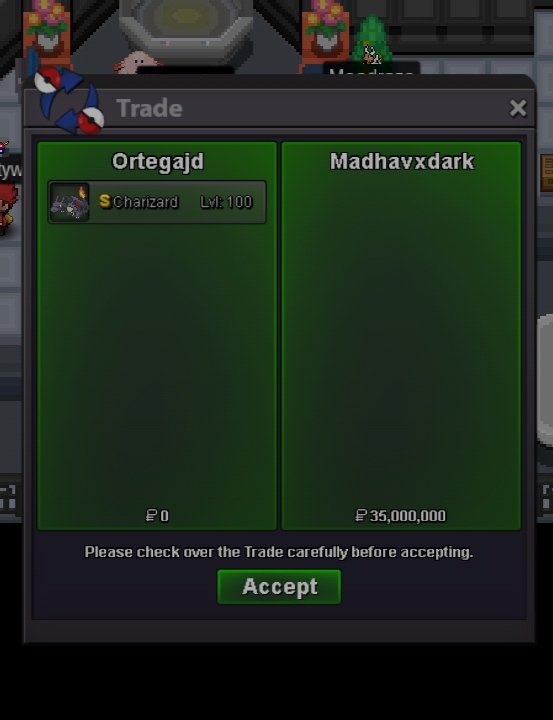
 3.5 Chomp.3m Chomp.2,61,8mBuy 600k Roserade






Account
Navigation
Search
Configure browser push notifications
Chrome (Android)
- Tap the lock icon next to the address bar.
- Tap Permissions → Notifications.
- Adjust your preference.
Chrome (Desktop)
- Click the padlock icon in the address bar.
- Select Site settings.
- Find Notifications and adjust your preference.
Safari (iOS 16.4+)
- Ensure the site is installed via Add to Home Screen.
- Open Settings App → Notifications.
- Find your app name and adjust your preference.
Safari (macOS)
- Go to Safari → Preferences.
- Click the Websites tab.
- Select Notifications in the sidebar.
- Find this website and adjust your preference.
Edge (Android)
- Tap the lock icon next to the address bar.
- Tap Permissions.
- Find Notifications and adjust your preference.
Edge (Desktop)
- Click the padlock icon in the address bar.
- Click Permissions for this site.
- Find Notifications and adjust your preference.
Firefox (Android)
- Go to Settings → Site permissions.
- Tap Notifications.
- Find this site in the list and adjust your preference.
Firefox (Desktop)
- Open Firefox Settings.
- Search for Notifications.
- Find this site in the list and adjust your preference.