




New Trade Zone
Trade Zone is now live
Use the new Trade Zone for auctions and instant-price trades so Pokemon and item offers are easy to find.

Phantom
Registered User
-
Joined
-
Last visited
-
yes its work now thnk you
-
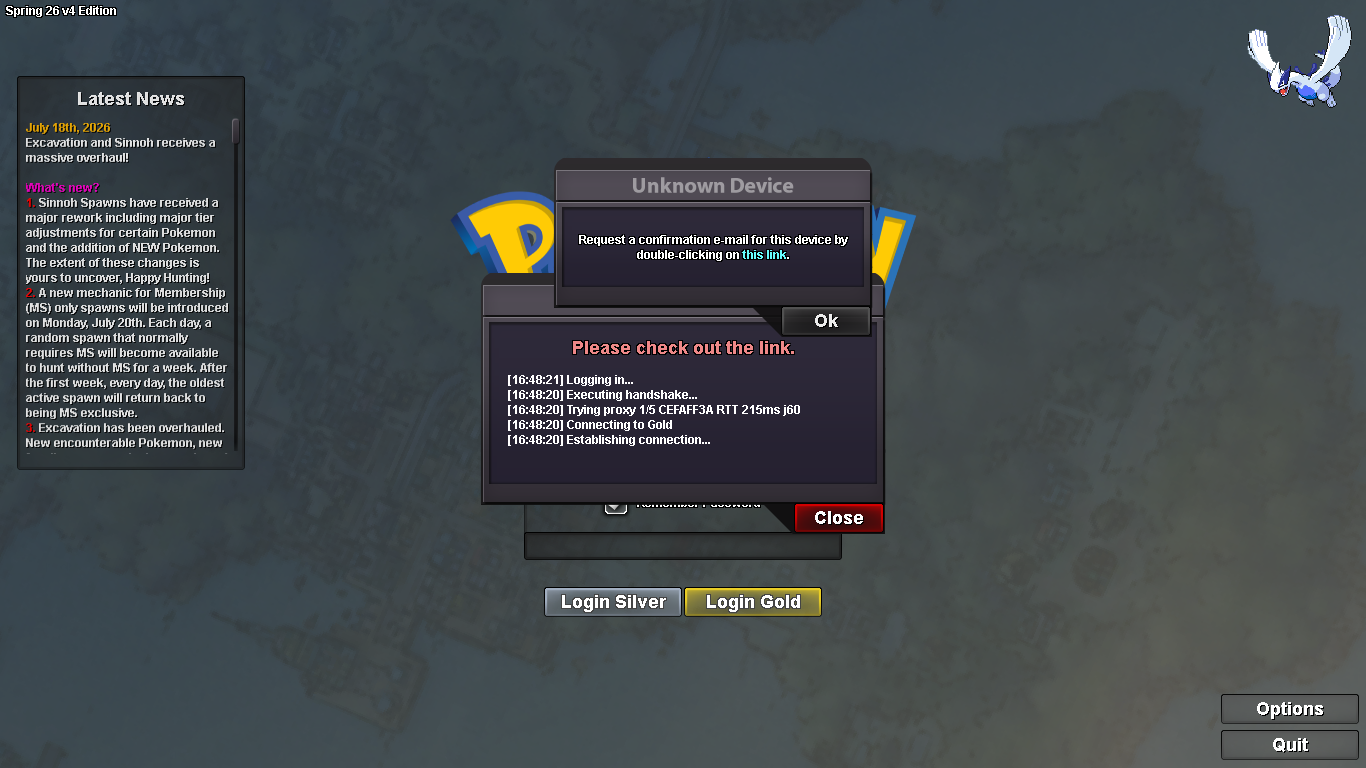
yes my email address is correct,,but i cant double click "here" button
-
Hello, So I have an account and i want playing again, but I am unable to log in to either server on my pc. I keep getting a message popup that says Unknown Device Please confirm your device by following the instructions that have been sent to your E-mail. Double click here to resend. I never received the e-mail. So I KNOW the email is input correctly, I have double clicked on the here 'button' to pull up the captcha and gotten the msg saying the email 'sent successfully', but still have yet to be sent an email. And I Alredy Checked spam thank you
-
tes
-
absen dulu :D
-
Re: Chronos Guild (We're indONEsia) <r><QUOTE author="daenerys"><s> </e></QUOTE> mohon isi data dengan format sbb:<br/> <IMG src="https://s9.postimg.org/72v4u2vhb/format_data_guild.png"><s></e></IMG><br/> <br/> <br/> <E>:thanks:</E><e> </e></QUOTE> IGN : Phantom<br/> Play Hours : 398<br/> Total badge : 16<br/> Reason To Join : Ingin bermain bersama ^^</r>
-
Re: Chronos Guild (We're indONEsia) <r>gbung donk kk <E>:Heart:</E> <E>:Heart:</E></r>