




New Trade Zone
Trade Zone is now live
Use the new Trade Zone for auctions and instant-price trades so Pokemon and item offers are easy to find.


Hastecali
Registered User
-
Joined
-
Last visited
-
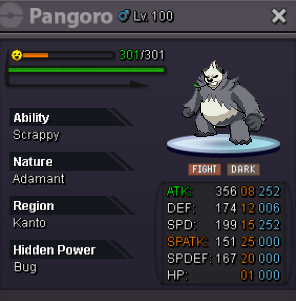
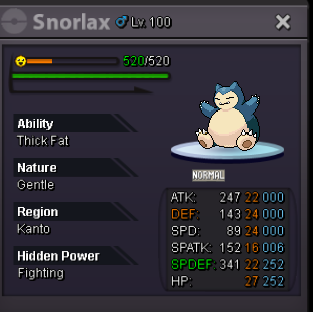
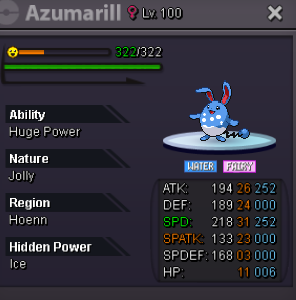
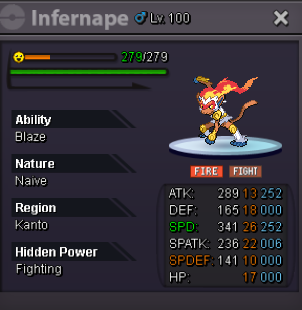
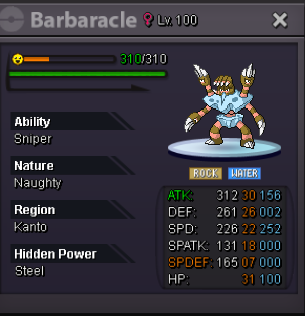
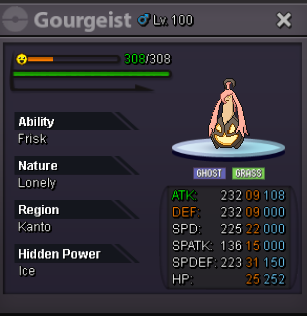
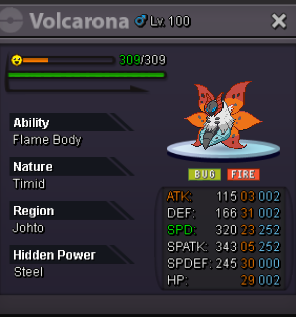
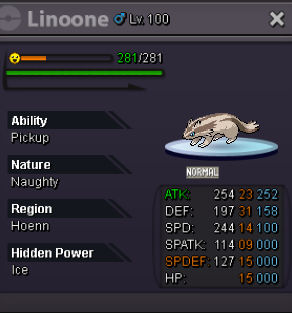
soldupPosted December 9, 2025 (edited) Hey Guys Welcome to my Shop Shop Rules Negotiation Negotiations are possible via Discord or In game. False Offers Any false or fake offers or purchases are reportable. Trading Process All offers and purchases are made via Forum, Discord (preferred) or Ingame. How can you contact? Discord: Gaabo or Gabriel10hdz#3463 InGame: Hastecali Payment: Pokedollar Coin Capsule /CC= 450k Reroll Ticket /RR= 700k Nature Reroll Ticket /NRR= 350k Rare Candy /RC= 5k 150k 50k 50k 200k 150k 100k 150k 70k 50k 50k 100k 200k 70k 150k 100k 120k 150k 150k 200k 100k 100k 150k 150k 100k 100k 100k 300k 100k 100k 100k 150k 150k 100k 150k 100k 100k 300k 300k 150k 100k 100k 100k 100k 100k 100k 100k 100k 100k 100k 50k 150k 150k 150k 100k 100k 100k 100k 100k 150k 50k 100k 250k 100k 100k 150k 100k 300k 200k 100k 150k 100k 100k 100k 200k 50k 150k 100k 100k 100k 150k 100k 100k 100k 100k 100k 250k 100k 100k 100k 100k 100k 100k 50k 80k 100k 100k 50k 100k 100k 100k 50k 100k 100k 50k 100k 300k 150k 150k 100k 150k 100k 100k 250k 100k 150k 100k 200k 200k 250k 300k 100k 50k 150k 150k 150k 100k 100k 250k 100k 150k 50k 70k 80k 100k 150k 100k 100k 100k 200k 100k 70k 80k 150k 150k 250k 200k 150k 200k 250k 200k 100k 200k 400k 100k 300k 150k 50k 150k 100k 150k 80k 100k 100k 300k 300k 300k 800k 200k 50k 100k 70k 50k 150k 150k 150k 300k 300k 300k 800k 500k 60k 150k 200k 300k 100k 150k 250k 100k 150k 150k
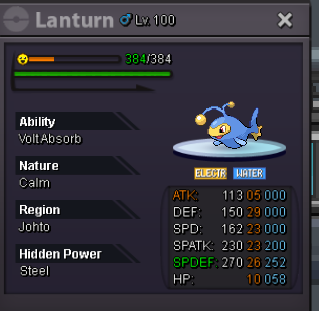
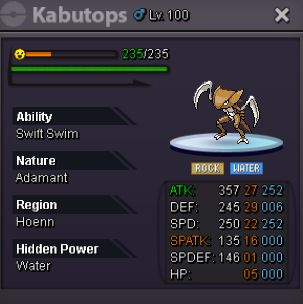
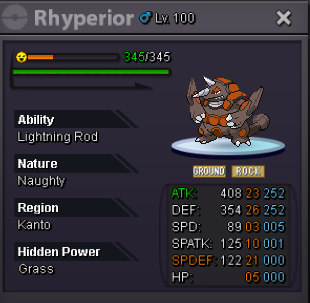
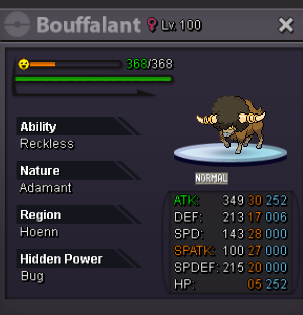
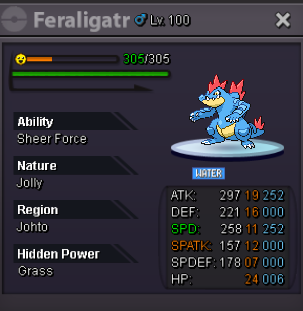
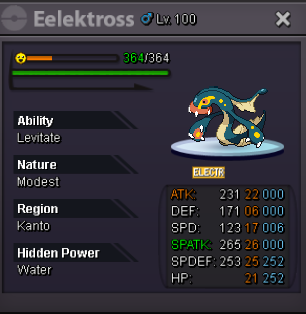
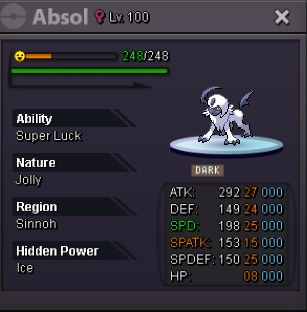
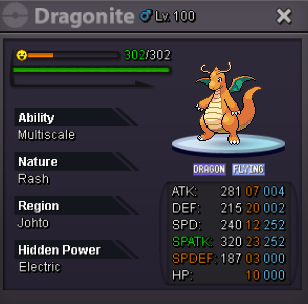
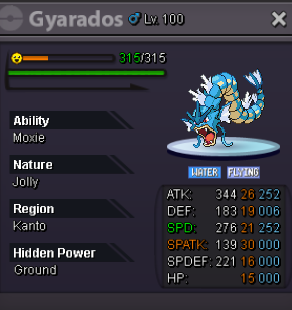
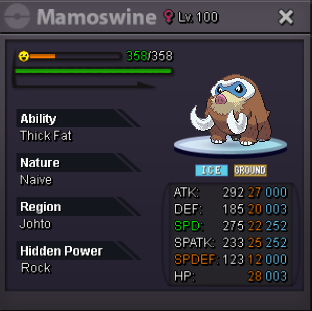
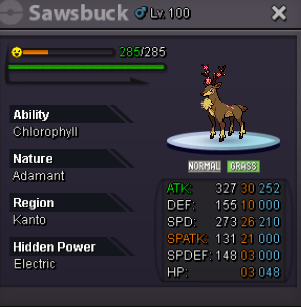
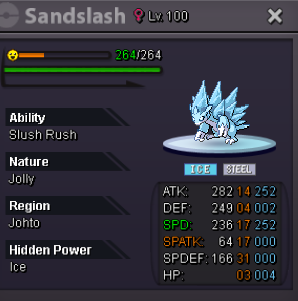
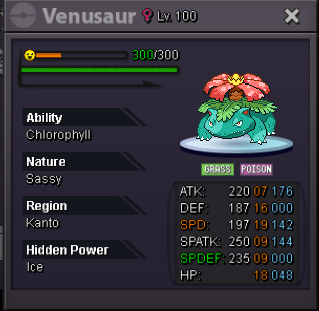
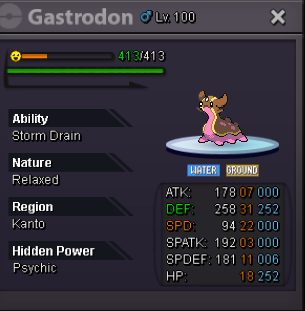
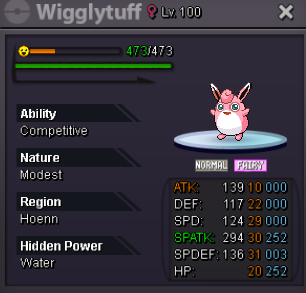
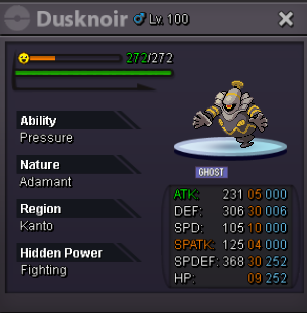
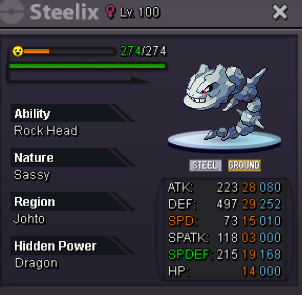
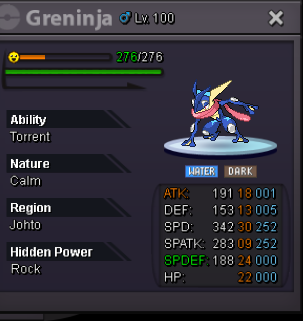
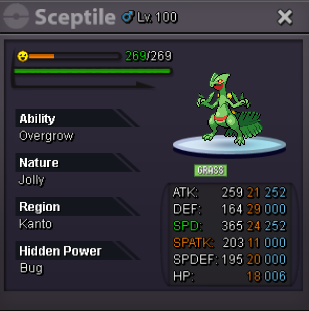
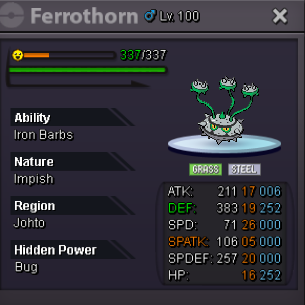
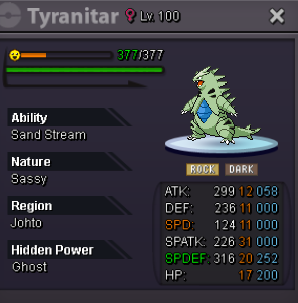
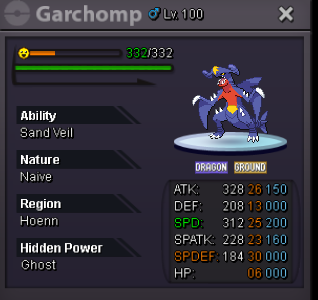
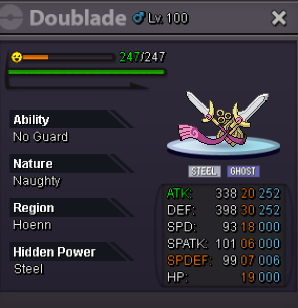
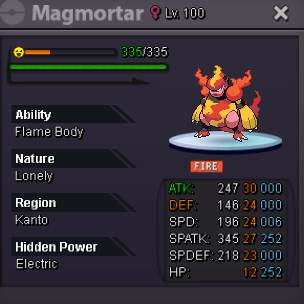
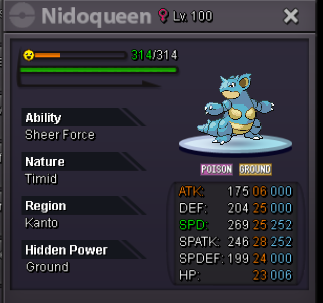
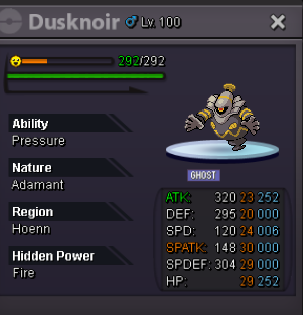
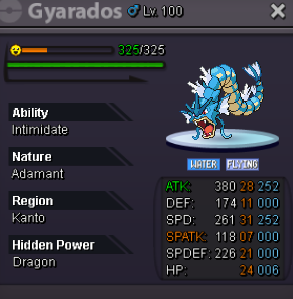
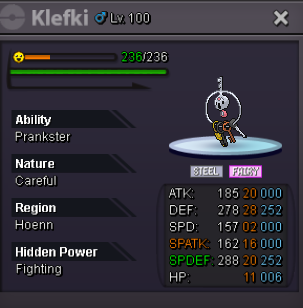
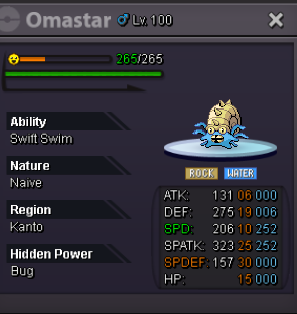
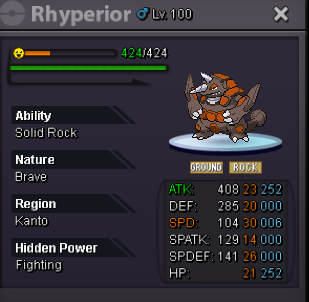

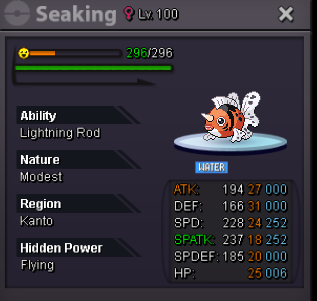
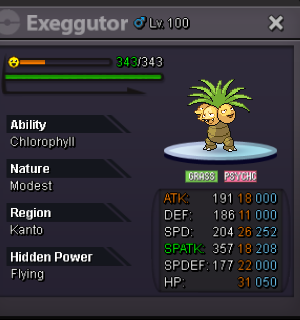
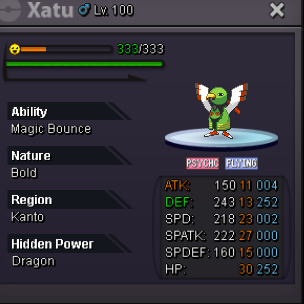
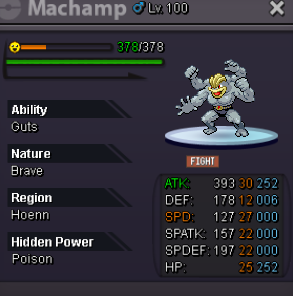
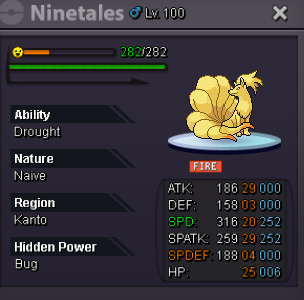
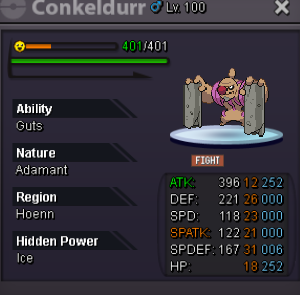
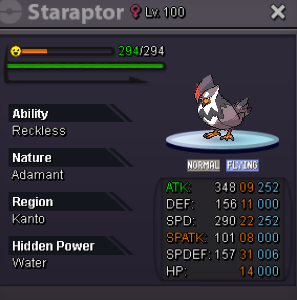
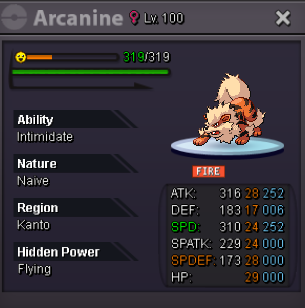
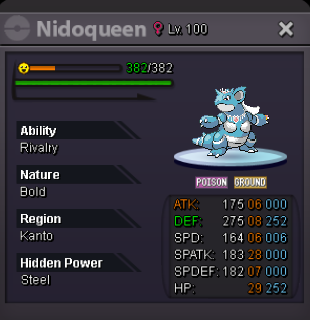
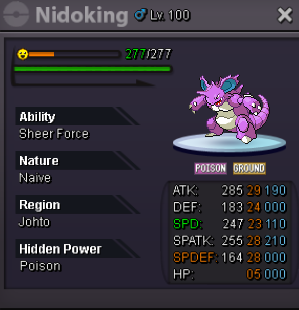
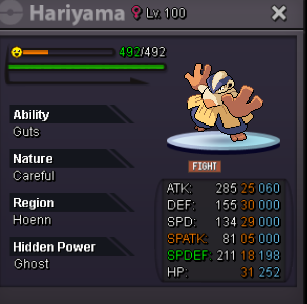
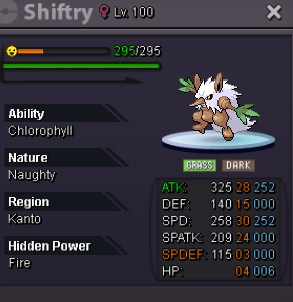
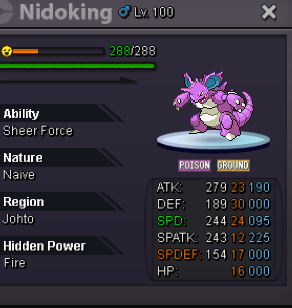
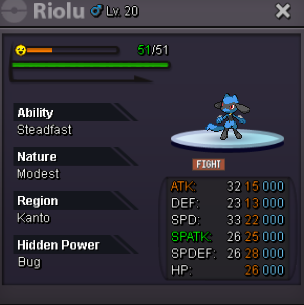
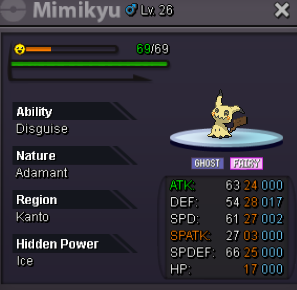
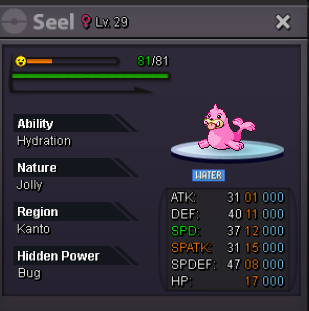
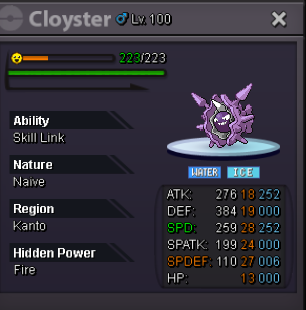
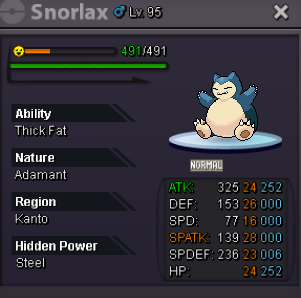
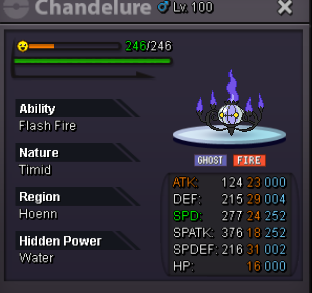
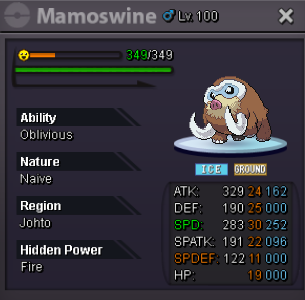
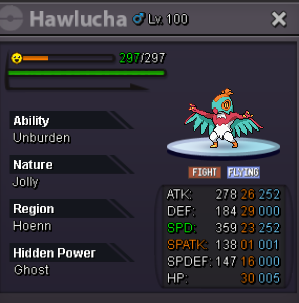
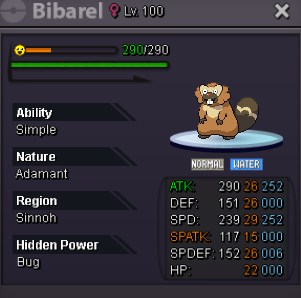
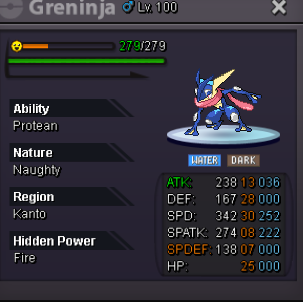
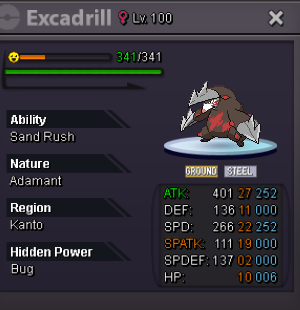
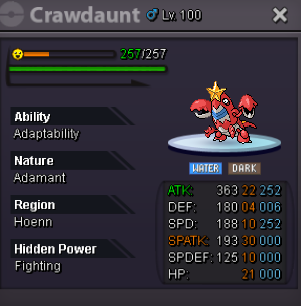
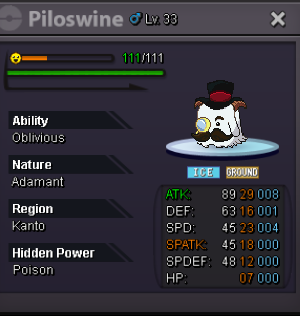
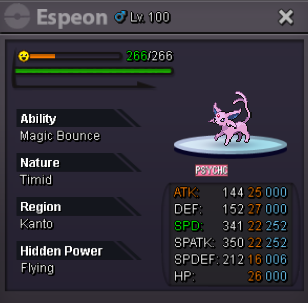
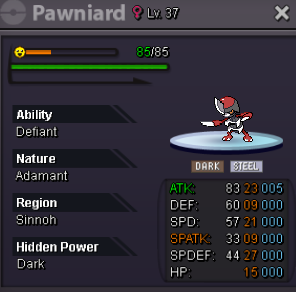
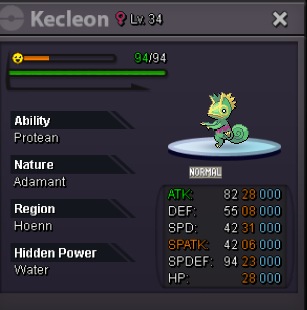
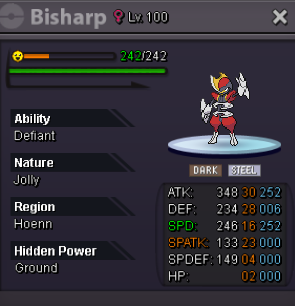
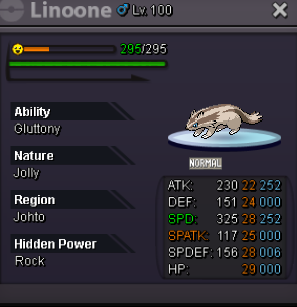
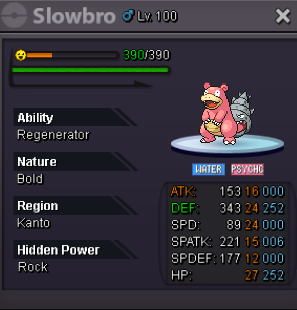
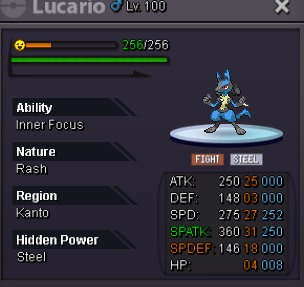
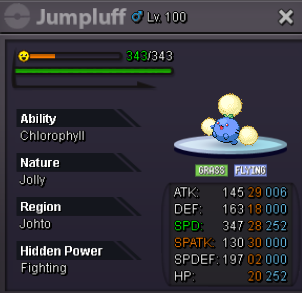
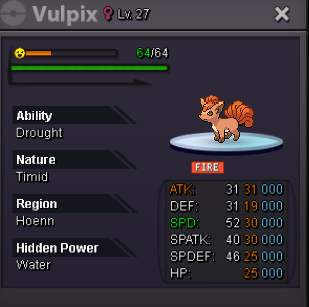
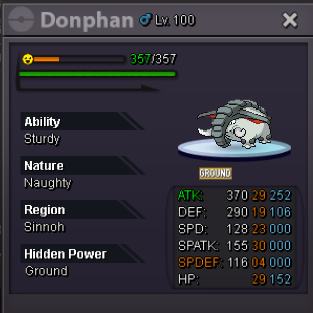
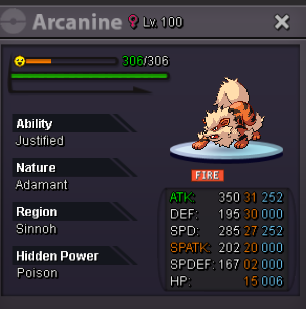
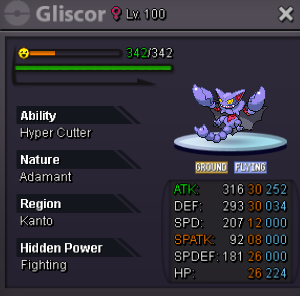
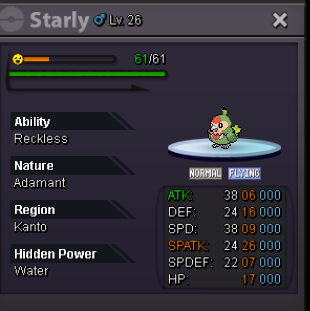
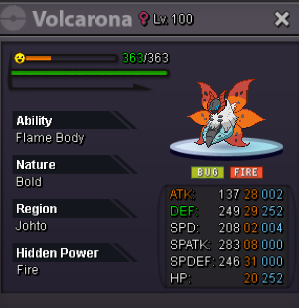
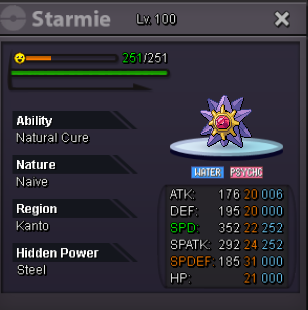
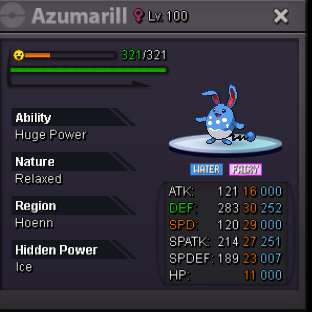
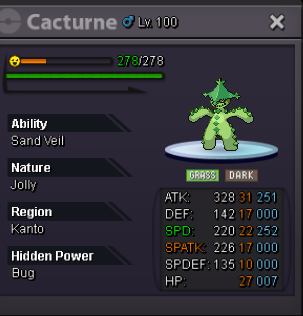
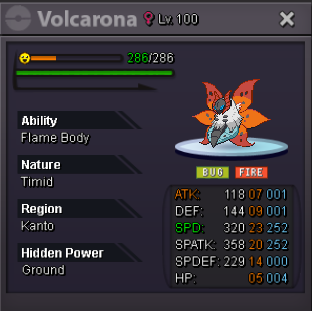
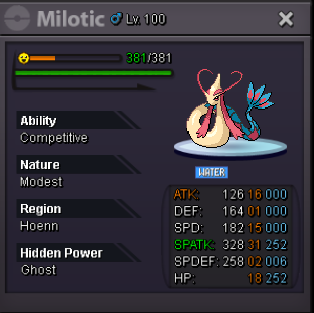
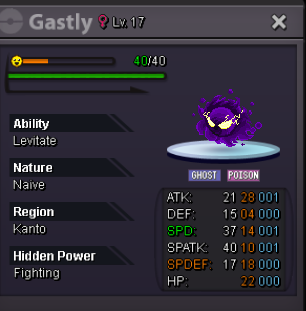
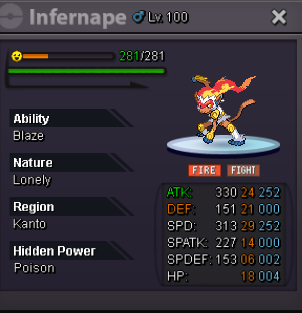
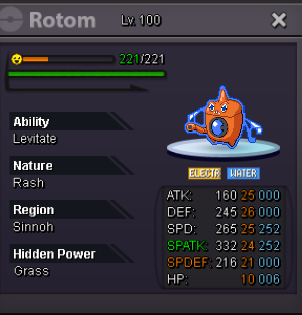
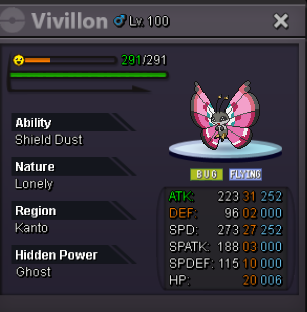
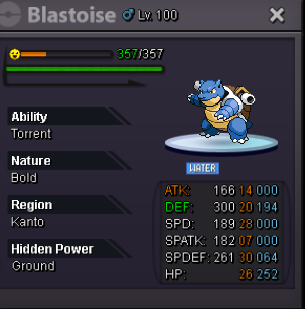
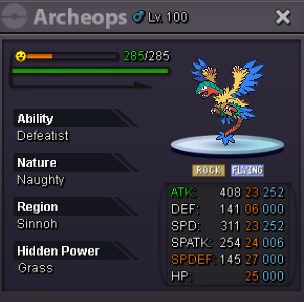
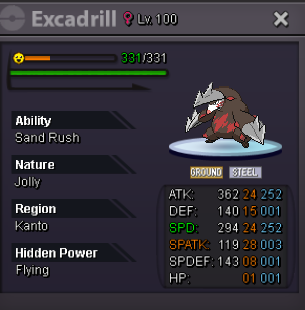
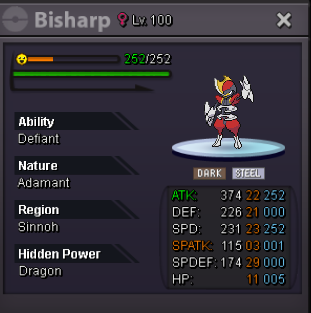
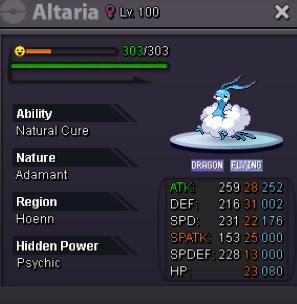
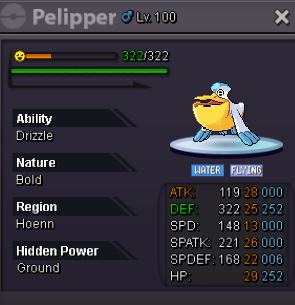
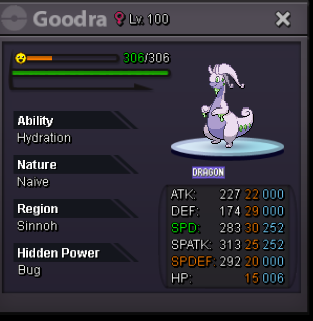
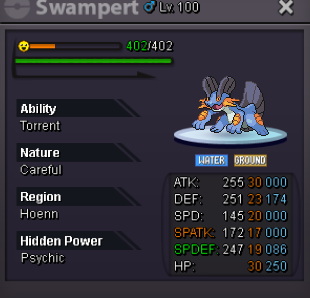
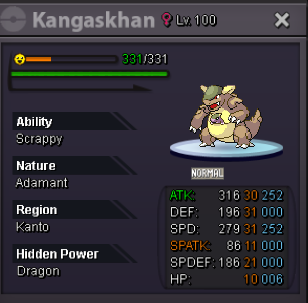
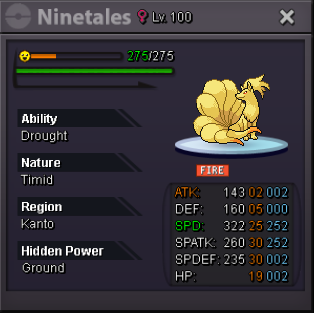
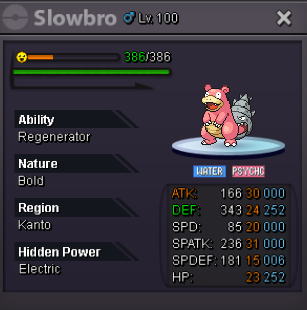
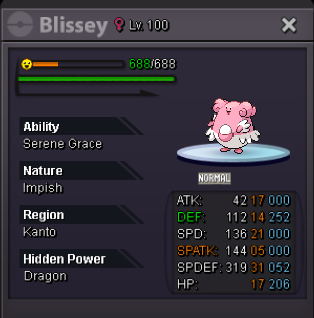
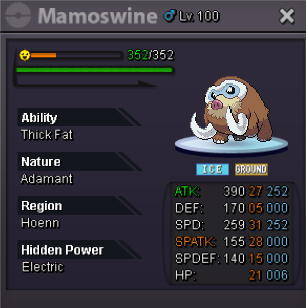
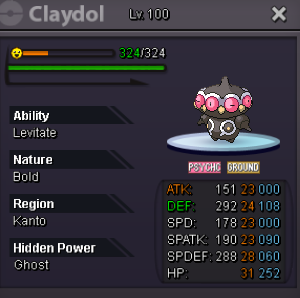
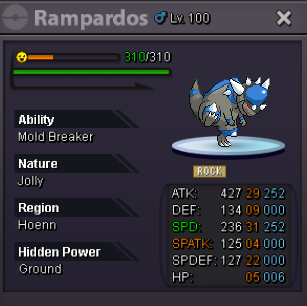
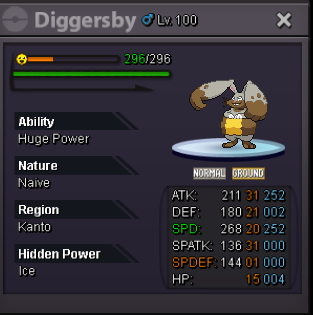
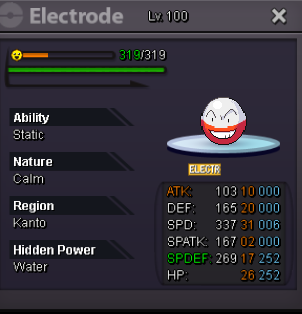
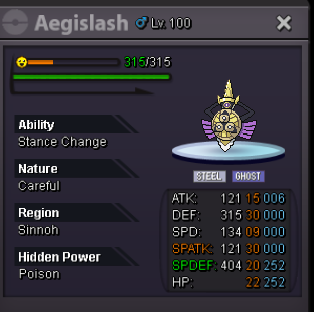
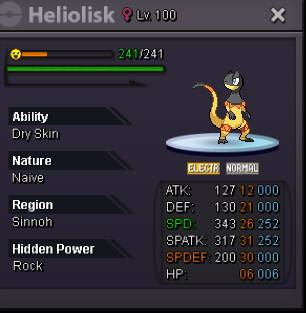
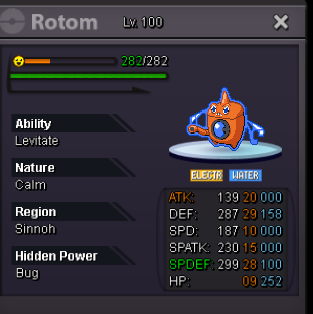
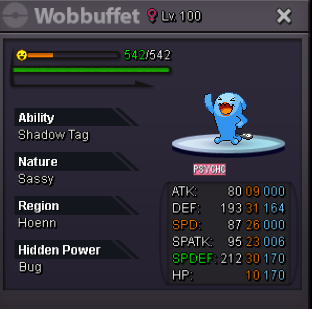
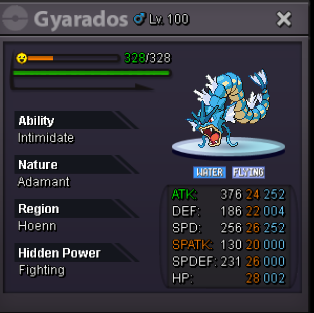
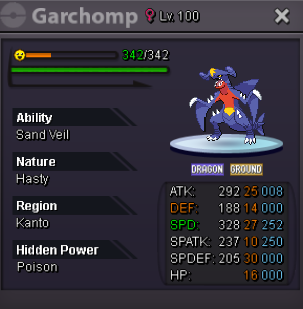
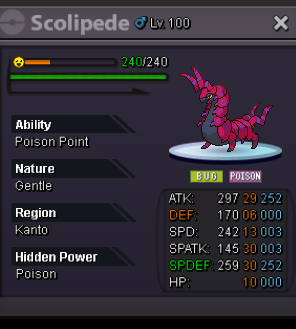
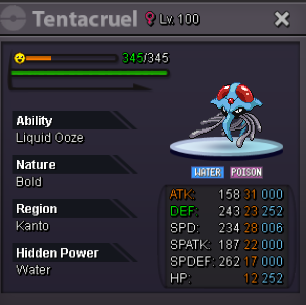
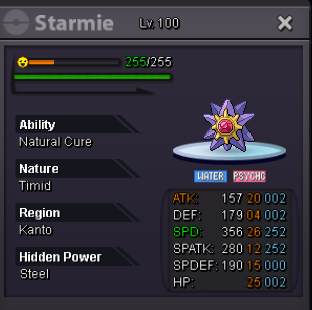
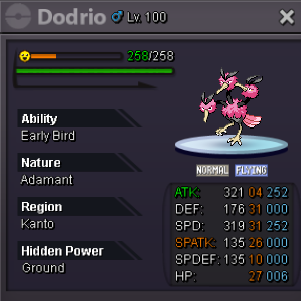
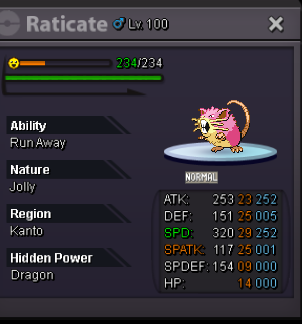
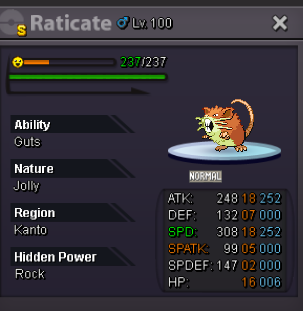
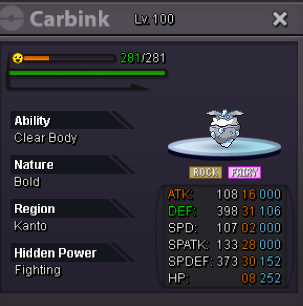
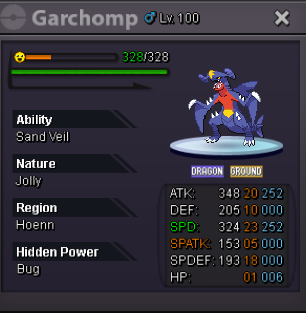
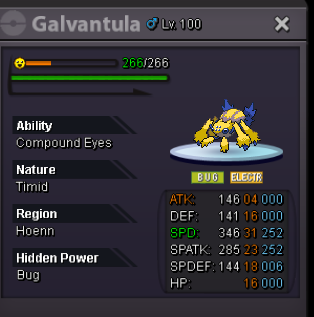
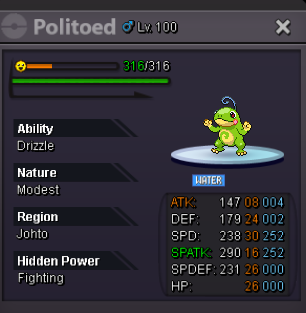
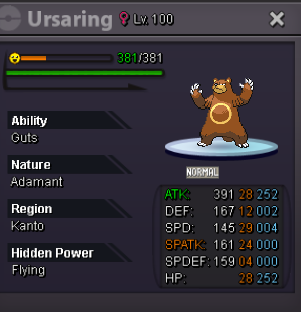
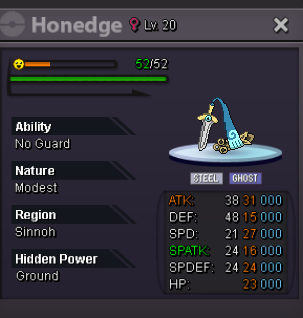
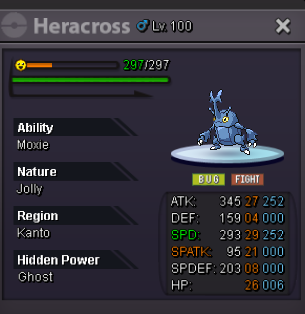
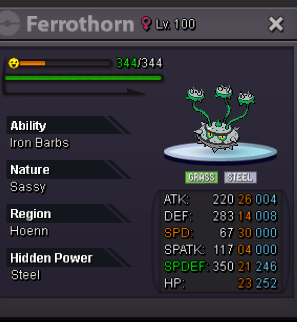
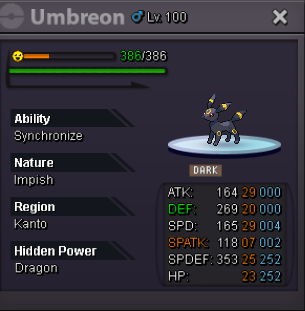
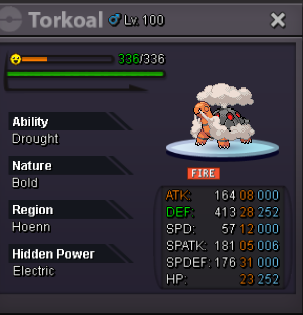
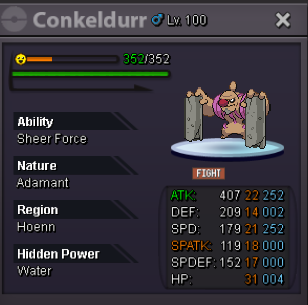
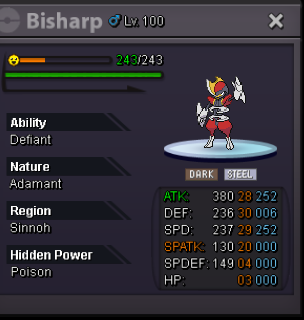
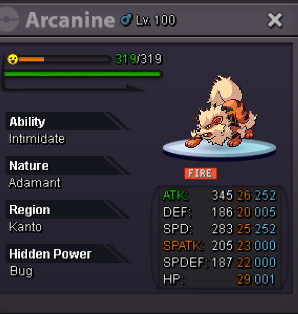
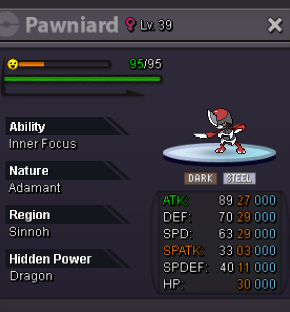
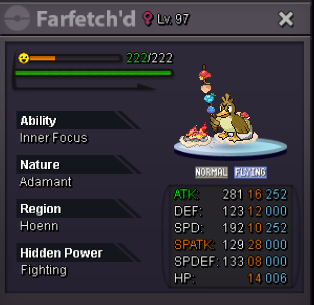
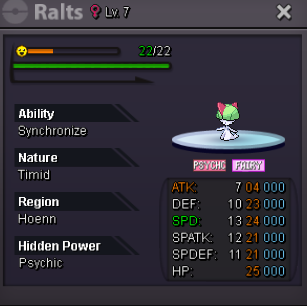
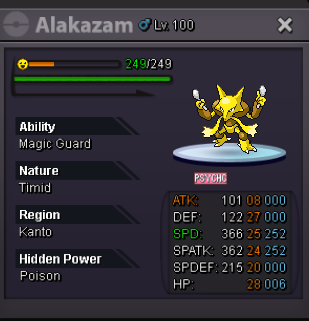
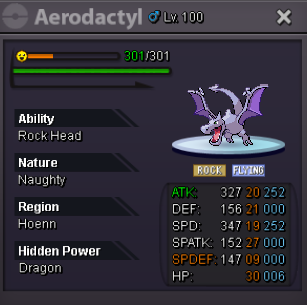
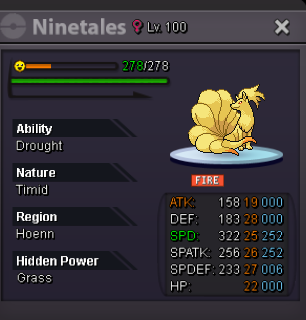
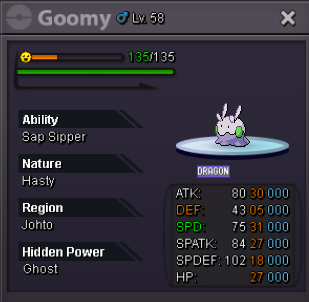
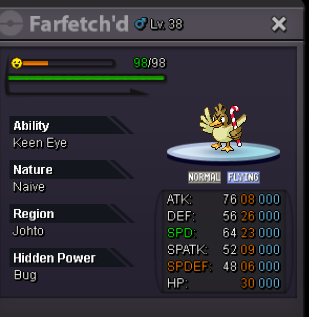
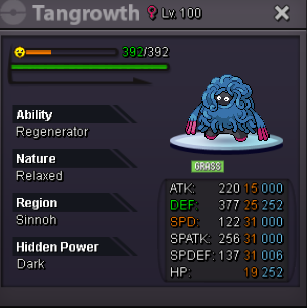
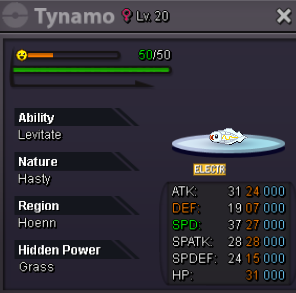
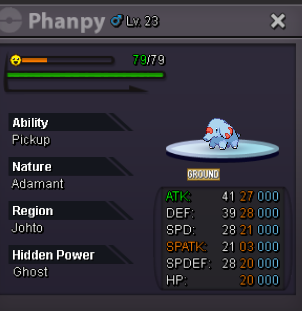
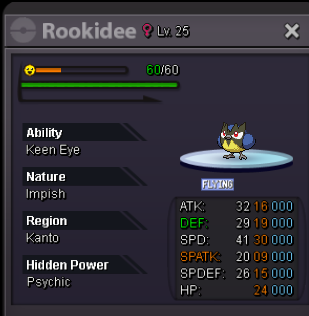
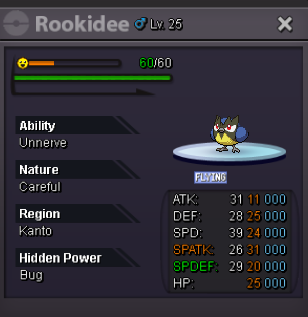
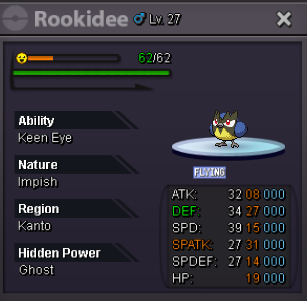
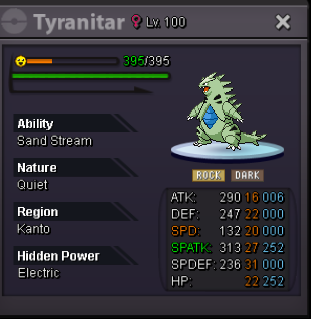
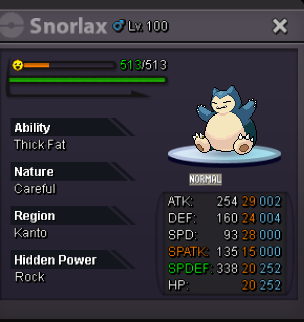
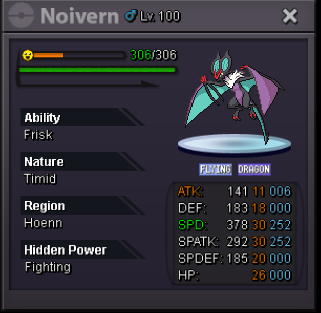
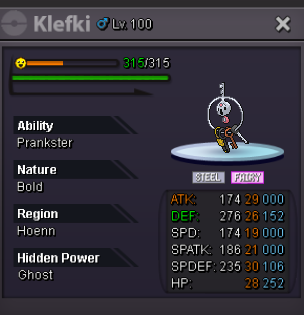
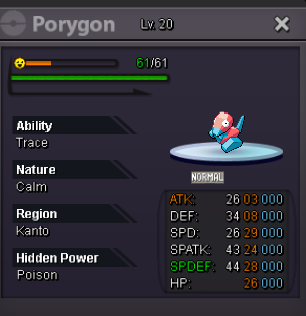
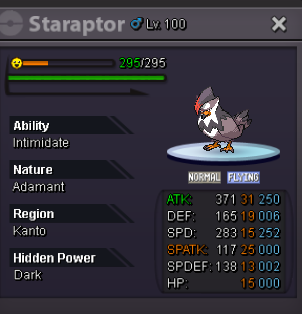
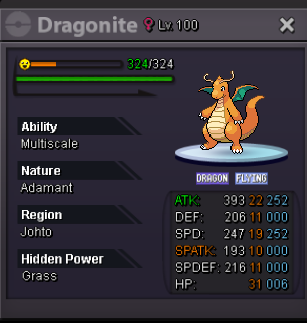
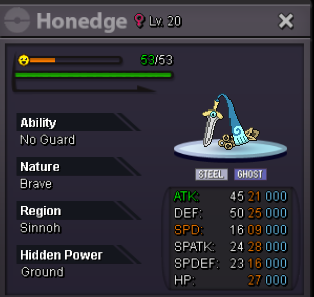

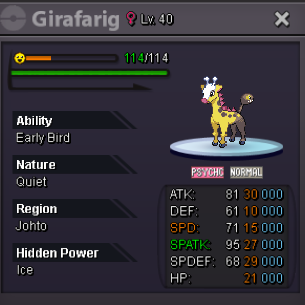
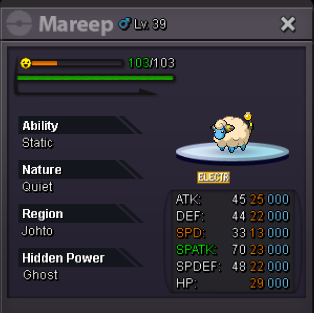
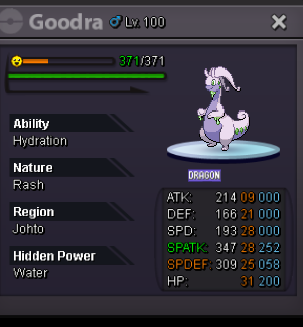
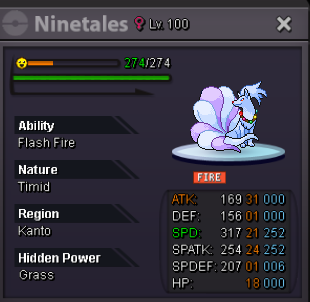
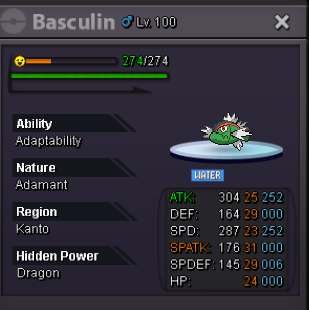
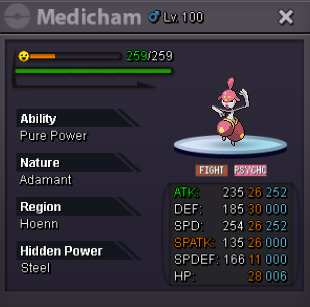
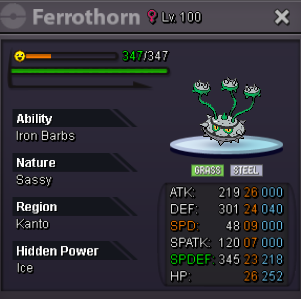
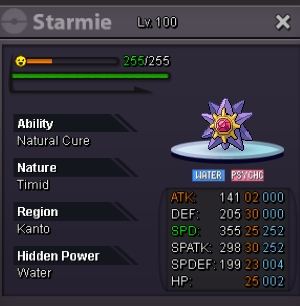
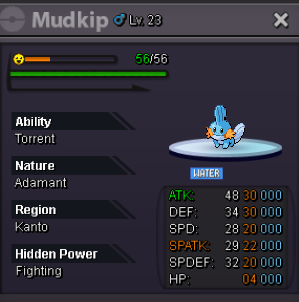
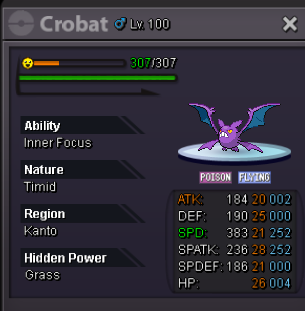
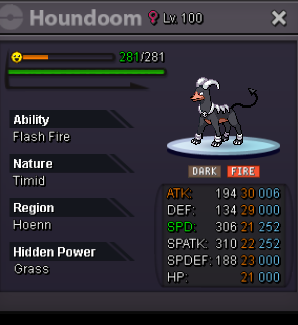
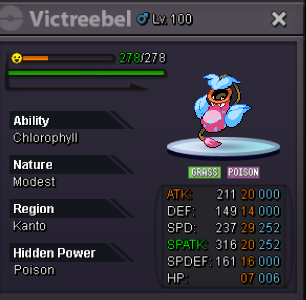
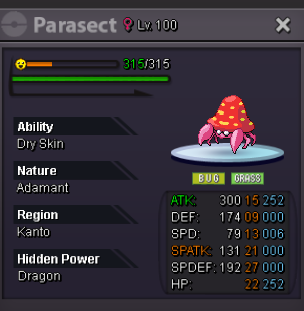
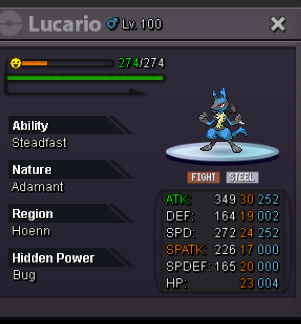
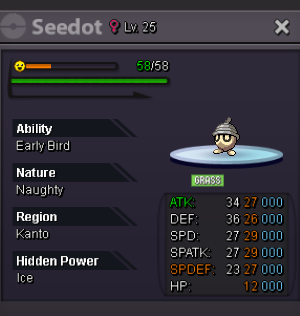
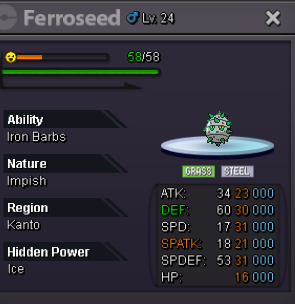
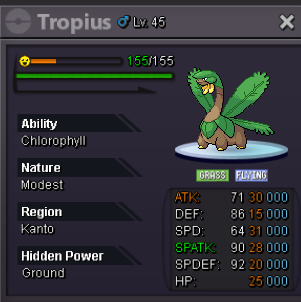
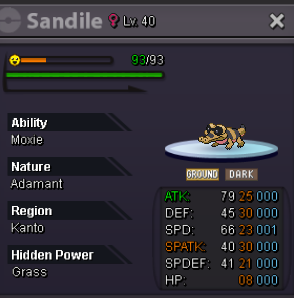
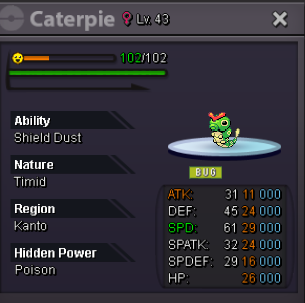
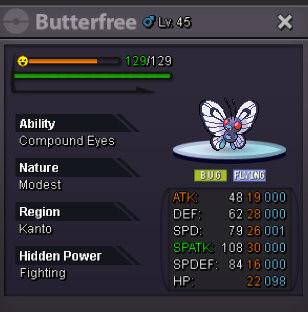
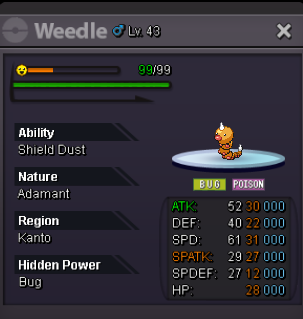
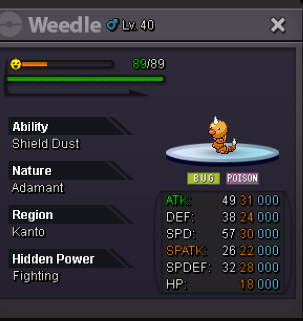
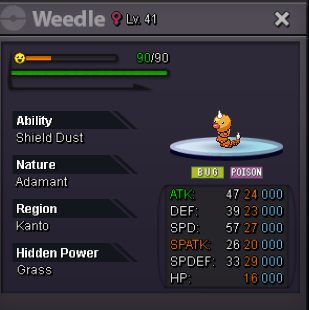
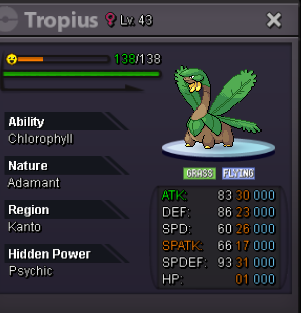
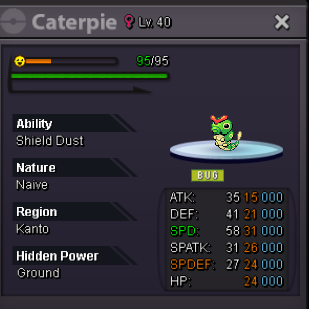
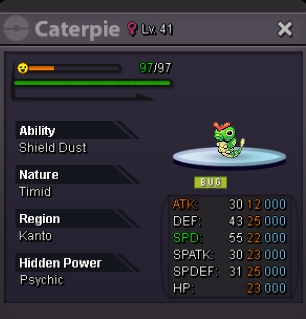
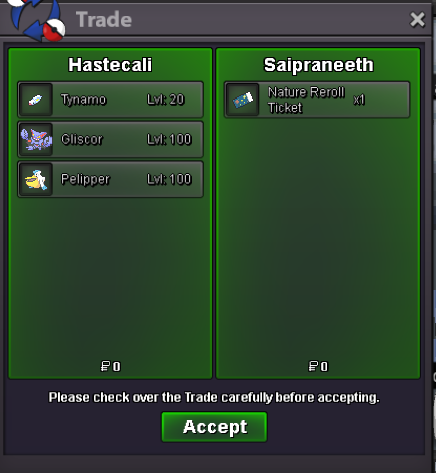
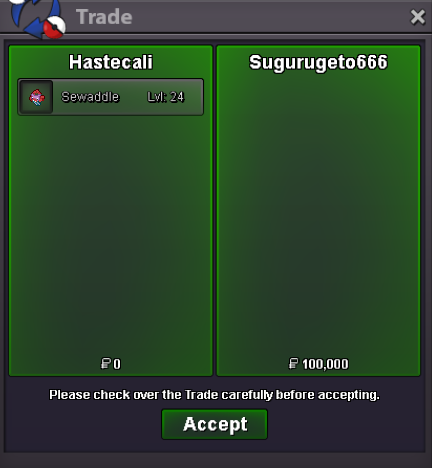
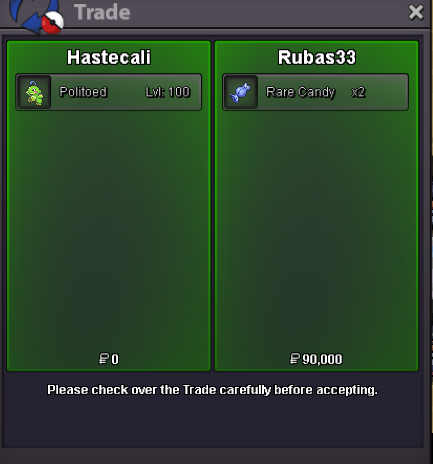
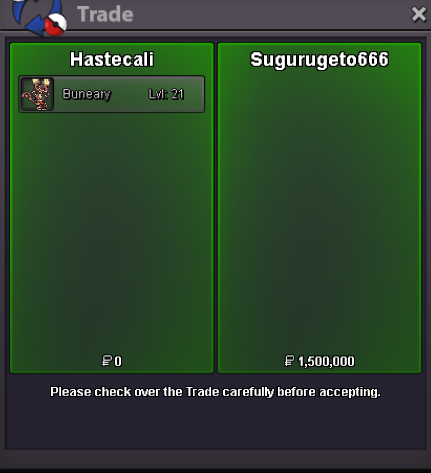
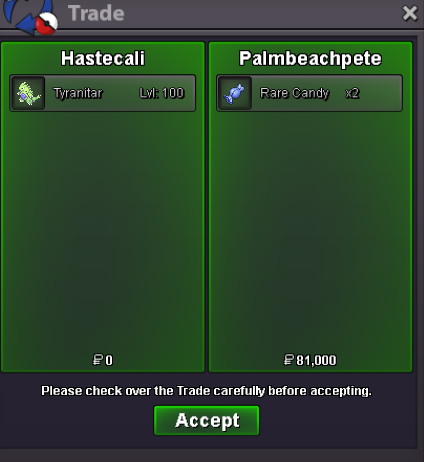
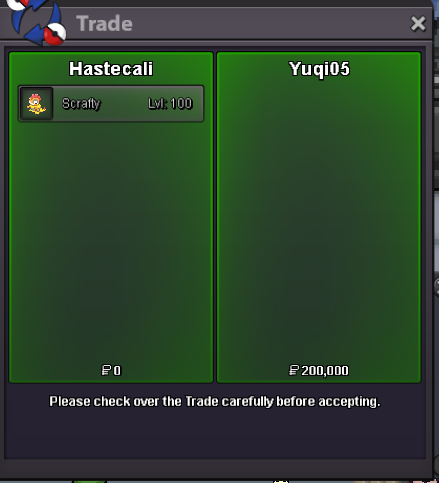
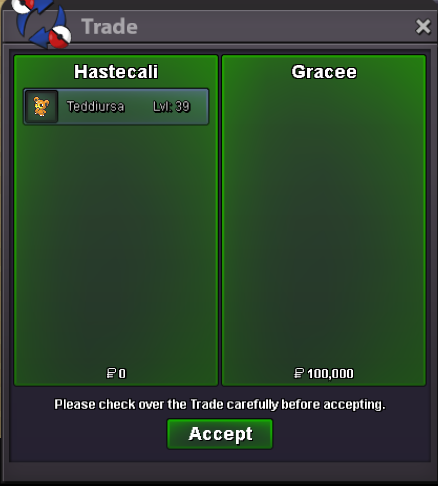
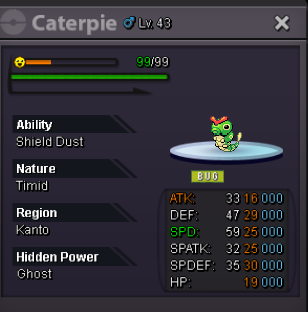 win me to who paidHastecali changed their profile photoI won the auction to whoever paidmy offer is 3.1m
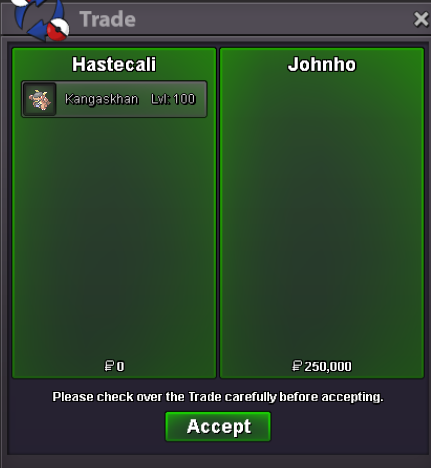
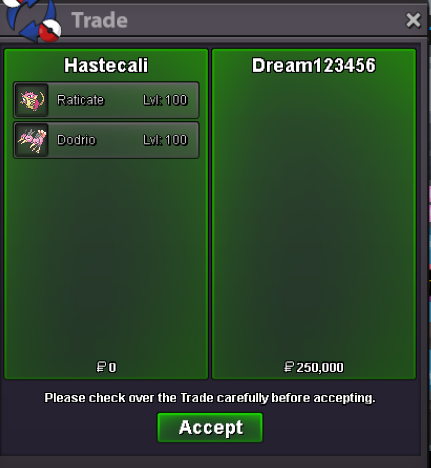
Account
Navigation
Search
Configure browser push notifications
Chrome (Android)
- Tap the lock icon next to the address bar.
- Tap Permissions → Notifications.
- Adjust your preference.
Chrome (Desktop)
- Click the padlock icon in the address bar.
- Select Site settings.
- Find Notifications and adjust your preference.
Safari (iOS 16.4+)
- Ensure the site is installed via Add to Home Screen.
- Open Settings App → Notifications.
- Find your app name and adjust your preference.
Safari (macOS)
- Go to Safari → Preferences.
- Click the Websites tab.
- Select Notifications in the sidebar.
- Find this website and adjust your preference.
Edge (Android)
- Tap the lock icon next to the address bar.
- Tap Permissions.
- Find Notifications and adjust your preference.
Edge (Desktop)
- Click the padlock icon in the address bar.
- Click Permissions for this site.
- Find Notifications and adjust your preference.
Firefox (Android)
- Go to Settings → Site permissions.
- Tap Notifications.
- Find this site in the list and adjust your preference.
Firefox (Desktop)
- Open Firefox Settings.
- Search for Notifications.
- Find this site in the list and adjust your preference.