




New Trade Zone
Trade Zone is now live
Use the new Trade Zone for auctions and instant-price trades so Pokemon and item offers are easy to find.


Seinaru
Registered User
-
Joined
-
Last visited
Everything posted by Seinaru
-
1.seinaru 2.12xx hours 3.marshadow XD 4.i would say training, hunting, and doing services 5.since 2016 i think 6.mint chocolate chip😋
-
Sadly I forgot to mention that im on silver guys so sorry my bad 😞
-
Got 1k playtime and pretty active in discord i can sometimes be helpfull thou ^^
-
Ill contact you in gameSold to @Lebram31(10.1m)Starting price: 3m Min raise: 100k Auction end 72 hours after start (4:55 a.m. GMT +8) No insta Accept cc: 360k each.
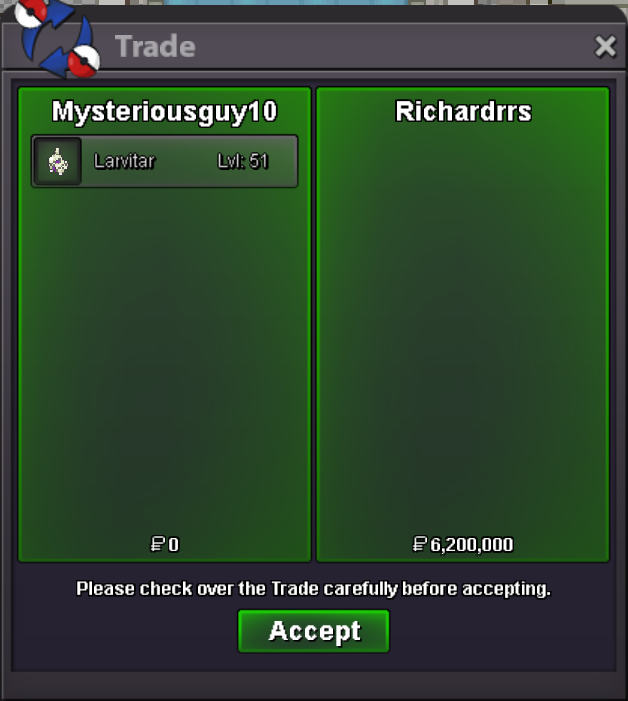
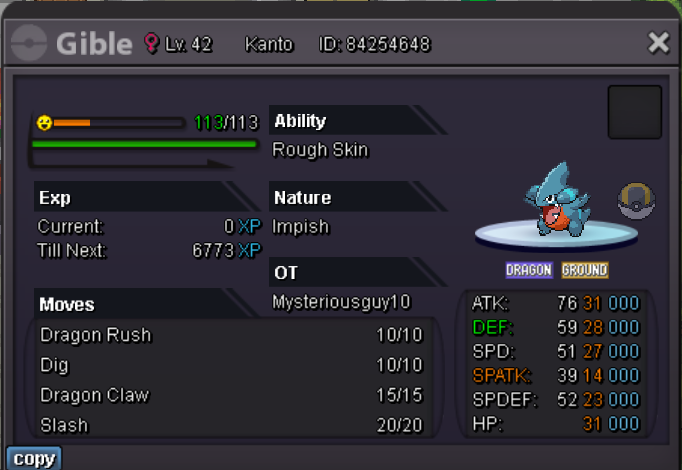 Sold to richardrrs (6.2m)alright my badSorry but ive already stated the endtime around 7:18 utc+8My badLast 5 mins9mins left30 mins left ^^Around 1 hour left!BumpBumpbumpcurrent offer
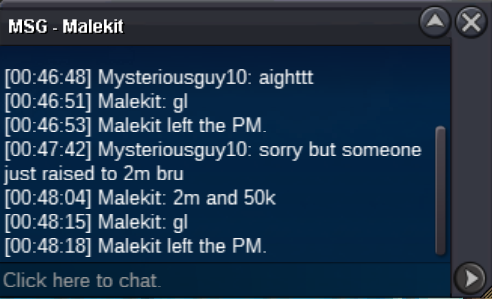 bump
bump


Account
Navigation
Search
Configure browser push notifications
Chrome (Android)
- Tap the lock icon next to the address bar.
- Tap Permissions → Notifications.
- Adjust your preference.
Chrome (Desktop)
- Click the padlock icon in the address bar.
- Select Site settings.
- Find Notifications and adjust your preference.
Safari (iOS 16.4+)
- Ensure the site is installed via Add to Home Screen.
- Open Settings App → Notifications.
- Find your app name and adjust your preference.
Safari (macOS)
- Go to Safari → Preferences.
- Click the Websites tab.
- Select Notifications in the sidebar.
- Find this website and adjust your preference.
Edge (Android)
- Tap the lock icon next to the address bar.
- Tap Permissions.
- Find Notifications and adjust your preference.
Edge (Desktop)
- Click the padlock icon in the address bar.
- Click Permissions for this site.
- Find Notifications and adjust your preference.
Firefox (Android)
- Go to Settings → Site permissions.
- Tap Notifications.
- Find this site in the list and adjust your preference.
Firefox (Desktop)
- Open Firefox Settings.
- Search for Notifications.
- Find this site in the list and adjust your preference.