




New Trade Zone
Trade Zone is now live
Use the new Trade Zone for auctions and instant-price trades so Pokemon and item offers are easy to find.

Proex
Suspended
-
Joined
-
Last visited
-
Poke sold Insta @ 3m

-
Ingame bid by TOmbishop for 2m Auction ends in 3 days
-
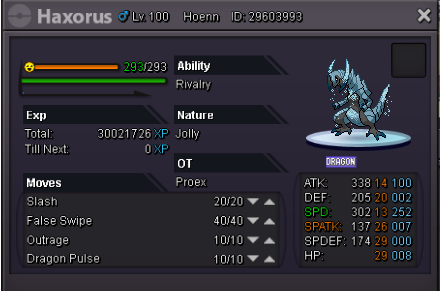
Hello everyone. Auctioning and selling this X-mas Haxorus Place your bid/offer here or pm me Ingame or Discord. Discord ID :- ProEx#1767 Auction will start once I acknowledge the bid.Time will be decided once I receive the bid and will be for 3 days from then. Accept CC @ 300k/piece. I am open to negotiate Insta deals but no lowering of S.O. will be accepted. SOLD INSTA - 3m
-
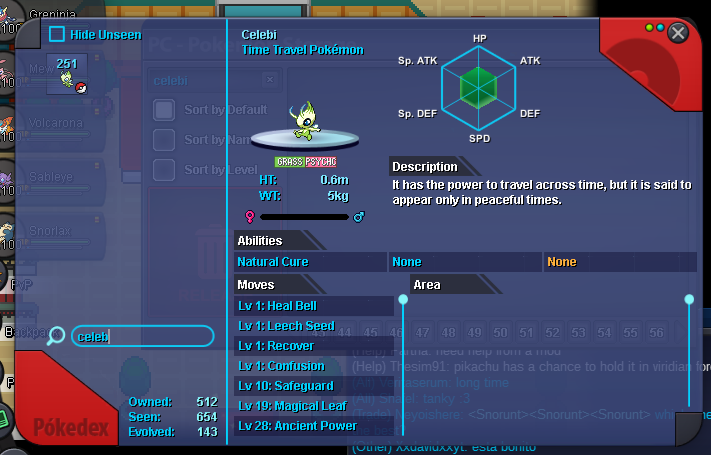
I am not sure whether this is bug or something, but, my pokedex is showing celebi as caught and also when i am interacting with the temple in llex forest its showing i have already caught celebi. But I havent caught it yet and also its not visible in my pc. Also the GS ball is still in my backpack. Any help will be appreciated. Thank you.
-
-
thank you for posting on my behalf...how much more time for auction to end?
-
start rotom also pls pm me on discord ign - ProEx#1767
-
can u accept 350k as starting offer?
-
3.5m
-
150k Please mention the auction period
-
Even i am facing same problems with the new client x64 windows version. I was able to play in prevous client yesterday but today this new client keeps force closing.
-
want to insta if still not sold
-
last bump...make ur offer u can get the pokes for s.o. if no one else bids on
-
bump
-
^up S.o. for vullaby reduced pm on discord to negotiate insta deals
