New Trade Zone
Trade Zone is now live
Use the new Trade Zone for auctions and instant-price trades so Pokemon and item offers are easy to find.

Wizardhungria
Registered User
-
Joined
-
Last visited
Everything posted by Wizardhungria
-
1. What's your Player name (IGN)? Wizardhungria 2. Number of hours played? 54 hours 3. What's your favorite Pokemon? Charmander because it was my first pokemon in the series and i love fire pokemons! 4. How old are you? (Optional) 28
-
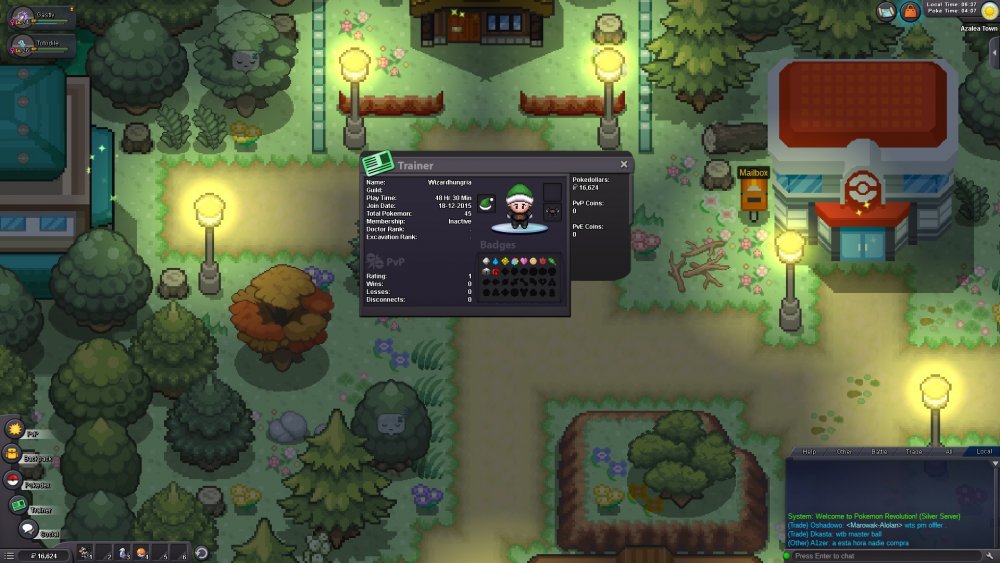
* What is your in game name - WizardHungria * How old are you - 28 * Do you use Discord often - everyday * Where are you from - Portugal * What is your goal in PRO - Enjoy myself by sharing the love for this game * Do you play any other game - Epic Seven/World of Warcraft * What is your favorite pokemon and why - i like them all but i'd say charmander because he was my chosen when i started playing the series * Show a picture of your trainercard