New Trade Zone
Trade Zone is now live
Use the new Trade Zone for auctions and instant-price trades so Pokemon and item offers are easy to find.

Khayzixx
Registered User
-
Joined
-
Last visited
-
Name Change Username: zeronix5 New Username: khayzixx Server to charge the money from: silver
-
When the server restart? When a event coming or maybe a week?
-
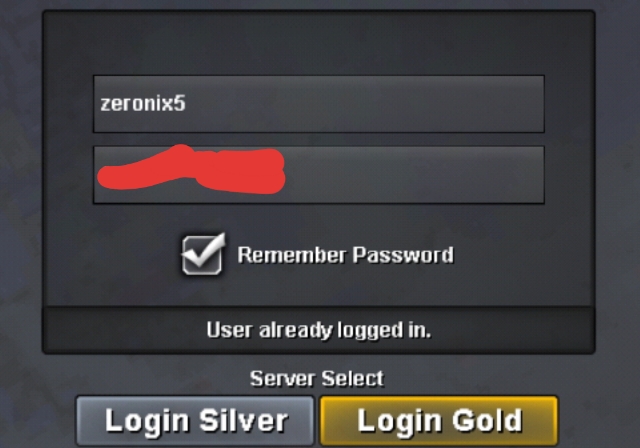
I logged out my account because i was stuck and can't go through portals but after that when I'm trying to log in again it says "user already logged in" I tried many times but I can't log in. I ask my friend if I'm online but they say I'm not. What should I do?

-
I log out my account because I was stuck and I can't go through portals after that when I'm trying to log in it says "User already logged in" I tried many times to log in but i can't. What should I do?Re: Origin guild -TOP 3- (Blue,Red and Yellow servers) recruiting active players! <t>Ign: zeronix5<br/> Hours of played?: 201hrs<br/> Favorite pokemon and why? : well my favorite pokemon is darkrai because darkrai so op and cool at the same time<br/> Are you able to visit our discord server? Sure i can join<br/> Why should we accept you to our guild? I want to socialize and have more friend in this game.<br/> Active player :)<br/> <br/> Blue server</t>IGN: Zeronix5 Hours Played: 118 hours, finish kanto and johto ^^ Why you should be recruited: I am friendly and I want to be in this guild to have fun Why i wanna join ?: Because I want to have friends in PRO ^^ Well lets have a good time at Blue-Server :) Team Aqua !!!