




New Trade Zone
Trade Zone is now live
Use the new Trade Zone for auctions and instant-price trades so Pokemon and item offers are easy to find.

Dragon73
Registered User
-
Joined
-
Last visited
-
-
600k beldum
-
700k
-
900k
-
1.2m
-
S.o 50k mid bin 50k Ends in 75hr Its not a bundle auction
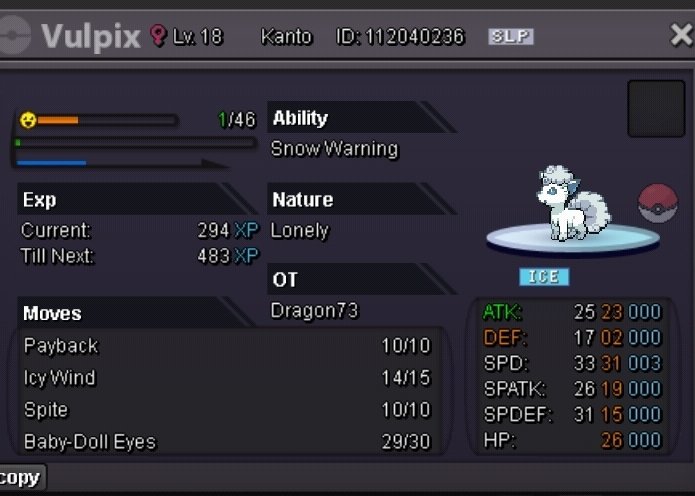
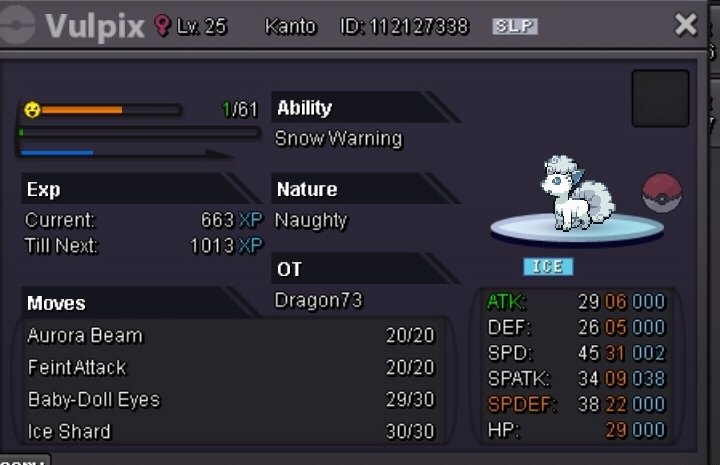
-
1.4m
-
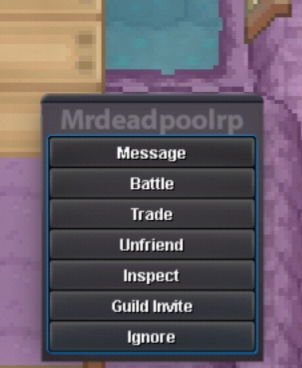
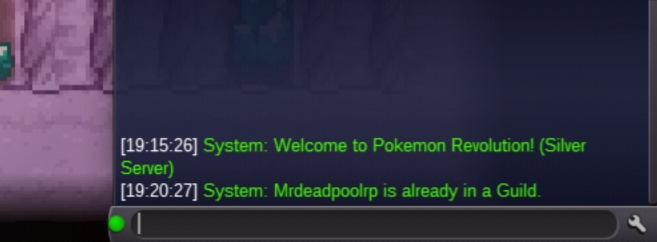
Good luckMy guild is kicking some of my member on their own som of them are my officer i have to kick and invite them again coz when im invite them it says its already on the guild but its not Guild name special forces silver server
 Hi i ben hunting Halloween seedot for 5hr today and didn't get even one and my friend got 6 3days ago i got 3 in 2 hr can this be a bug ?Any other offert or just meSpecial Forces is PVP focusing Guild Started by Dragon73 with the help of jcclemar23 stArt2Rule and TheCharly all the players are free to apply here By giving the all the information given at the end [spoiler=Staff] [spoiler=Staff] [spoiler=Staff] [spoiler=Staff] [spoiler=Staff] LEADERS : Dragon73 agon#3954 OFFICERS : stArt2Rule jccelmar23 Thecharly [spoiler=INFORMATION] [spoiler=INFORMATION] [spoiler=INFORMATION] [spoiler=INFORMATION] [spoiler=INFORMATION] You Need to answer the some question below 1.Why you want to join special forces ? 2. What is your aim in PRO? 3. Are you intrusted in PVP ? If yes then why or if no then why? 4. What's Your age ? Note : Please Provide the screenshot of your trainers card below Once you have given his information Officer or Leader will invite you Special Forces : https://discord.gg/yKgrNxE
.thumb.png.e7c4afb95cdcaaeb9321670771f53ef7.png)


.png.82fe4bc21470d85edb699fbbbbbf412b.png)