




New Trade Zone
Trade Zone is now live
Use the new Trade Zone for auctions and instant-price trades so Pokemon and item offers are easy to find.


Fabian0594
Registered User
-
Joined
-
Last visited
-
1.2m char, 1.6m alakazam
-
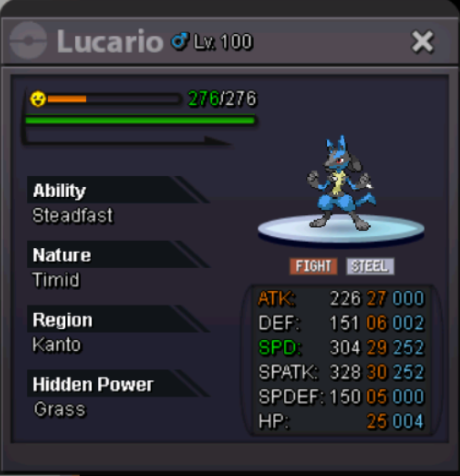
S.O = 200K MIN BID = N/A INSTA = N/A AUCTION END TIME = 72HRS AFTER FIRST BID Accepted Payments : • Coin Capsule : 380k/ea • IV Reroll : 450k/ea • Pokedollar : $$$
-
s
-
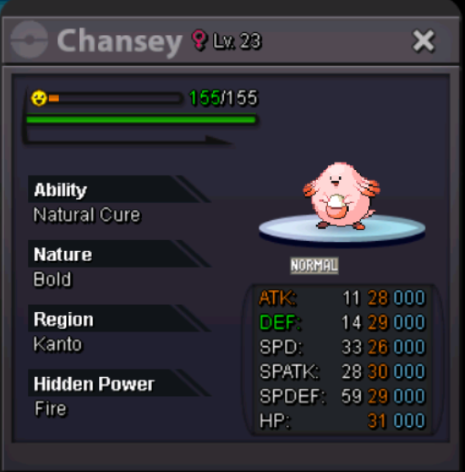
S.O = 4M MIN BID = 250K INSTA = N/A AUCTION END TIME = 72HRS AFTER FIRST BID Accepted Payments : • Coin Capsule : 380k/ea • IV Reroll : 450k/ea • Pokedollar : $$$
 Fabian0594 changed their profile photoStart all800kServer goldHello friends, Since I downloaded the latest version of the game (on android) I had a problem and that is when a battle ends I get out of the game and that did not happen before please I hope a solution, I like your game.


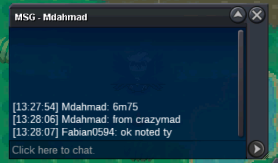

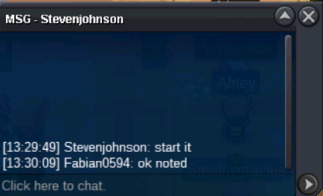
Account
Navigation
Search
Configure browser push notifications
Chrome (Android)
- Tap the lock icon next to the address bar.
- Tap Permissions → Notifications.
- Adjust your preference.
Chrome (Desktop)
- Click the padlock icon in the address bar.
- Select Site settings.
- Find Notifications and adjust your preference.
Safari (iOS 16.4+)
- Ensure the site is installed via Add to Home Screen.
- Open Settings App → Notifications.
- Find your app name and adjust your preference.
Safari (macOS)
- Go to Safari → Preferences.
- Click the Websites tab.
- Select Notifications in the sidebar.
- Find this website and adjust your preference.
Edge (Android)
- Tap the lock icon next to the address bar.
- Tap Permissions.
- Find Notifications and adjust your preference.
Edge (Desktop)
- Click the padlock icon in the address bar.
- Click Permissions for this site.
- Find Notifications and adjust your preference.
Firefox (Android)
- Go to Settings → Site permissions.
- Tap Notifications.
- Find this site in the list and adjust your preference.
Firefox (Desktop)
- Open Firefox Settings.
- Search for Notifications.
- Find this site in the list and adjust your preference.