




New Trade Zone
Trade Zone is now live
Use the new Trade Zone for auctions and instant-price trades so Pokemon and item offers are easy to find.

Krow24
Registered User
-
Joined
-
Last visited
Everything posted by Krow24
-
Bump
-
bump
-
bump
-
bump
-
start beldum 22spd
-
-
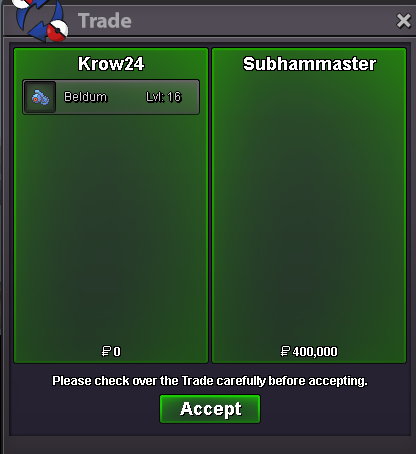
Any pictures ?startStarted on 09/03/2022 02:50 AM UTC+1 will end on 09/05/22 02:50AM UTC+1-Starting offer : 400k -Minimal raise : 50k -Insta : 800k -Starts after first bid -Ends in 48hours after the start ACCEPTED PAYMENT METHODS : - PokeDollars - Coin Capsule = 350.000 PokeDollars - IV Reroll Ticket = 650.000 PokeDollars - Nature Reroll Ticket = 320.000 PokeDollars In Game Name : Krow24

 Parage7 won the auction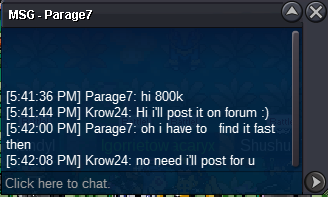
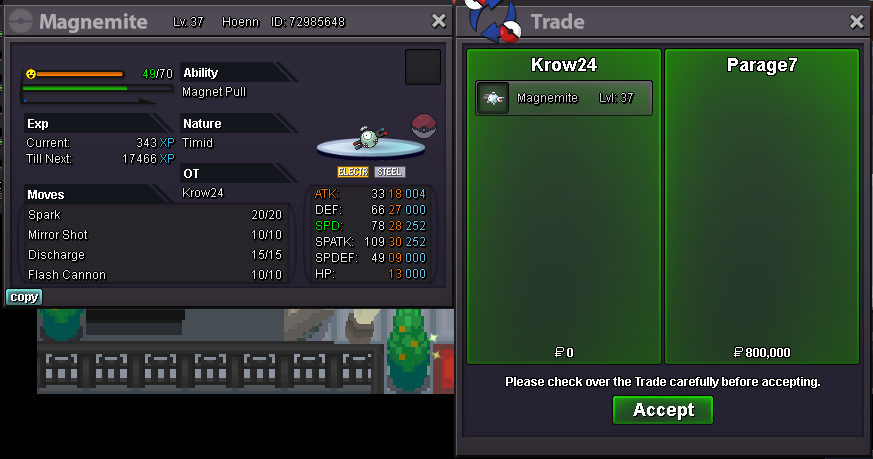 Bump my service shop is openbump2 pokedollarsStarted at 08/30/2022 5:51PM UTC+1 will end at 09/01/2022 5:51PM UTC+1
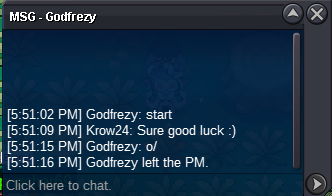 -Starting offer : 500k -Minimal raise : 1k -No insta -Starts after first bid -Ends in 48hours after the start ACCEPTED PAYMENT METHODS : - PokeDollars - Coin Capsule = 350.000 PokeDollars - IV Reroll Ticket = 650.000 PokeDollars - Nature Reroll Ticket = 320.000 PokeDollars In Game Name : Krow24

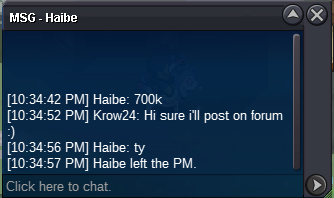
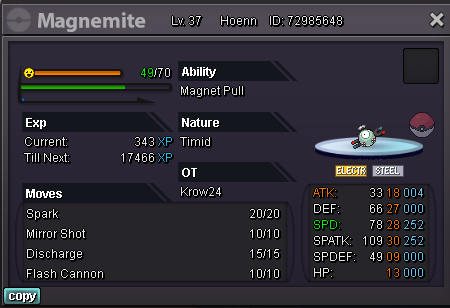 @RaikaCongratz you've won the auction lmk when you're in game Trade done i lost the ss unfortunately, raika can confirm that he got the pokemonDiscord : Crow24#6470 Everything is written in the post


Account
Navigation
Search
Configure browser push notifications
Chrome (Android)
- Tap the lock icon next to the address bar.
- Tap Permissions → Notifications.
- Adjust your preference.
Chrome (Desktop)
- Click the padlock icon in the address bar.
- Select Site settings.
- Find Notifications and adjust your preference.
Safari (iOS 16.4+)
- Ensure the site is installed via Add to Home Screen.
- Open Settings App → Notifications.
- Find your app name and adjust your preference.
Safari (macOS)
- Go to Safari → Preferences.
- Click the Websites tab.
- Select Notifications in the sidebar.
- Find this website and adjust your preference.
Edge (Android)
- Tap the lock icon next to the address bar.
- Tap Permissions.
- Find Notifications and adjust your preference.
Edge (Desktop)
- Click the padlock icon in the address bar.
- Click Permissions for this site.
- Find Notifications and adjust your preference.
Firefox (Android)
- Go to Settings → Site permissions.
- Tap Notifications.
- Find this site in the list and adjust your preference.
Firefox (Desktop)
- Open Firefox Settings.
- Search for Notifications.
- Find this site in the list and adjust your preference.