




New Trade Zone
Trade Zone is now live
Use the new Trade Zone for auctions and instant-price trades so Pokemon and item offers are easy to find.

Cjuday
Registered User
-
Joined
-
Last visited
Everything posted by Cjuday
-
I am back again. Hope i can help you guys 🙂
-
if so, 1. What's your Player name (IGN)? = cjuday 2. Number of hours played? = 1047 hours, 37 minutes 3. What's your favorite Pokemon? = Garchomp 4. What country are you from? = Bangladesh 5. How old are you? = 20 6. When's your Birthday? (Optional) = 13th February, 1998 haven't played pvp in this season, will continue from next season.
-
still recruiting?
-
Sold to Moethchdn for 1.65m. Thank you :)
-
67 hours gone. 53 hours left. :)
-
Almost 19 hours passed after first bid. 101 hours left for bidding.
-
Name: Vulpix OT: CJUday Region: kanto Hidden Power: bug Auction start at 300k, minimum raise 50k. Auction will end in 5 days (120 hours) after first bid. Thank you :)
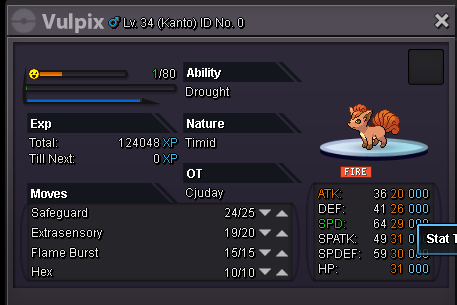
-
Auction ended
-
Auction ends in 2 hours!
-
Auction ends in 30hours!
-
Current Bid: Hunzer - 800k Time Left: 66 Hours Thank YOu
-
Search on gold server trade forum, not on silver's. Thank you :)
-
It's a hoenn poke. Untrained. Start Bid: 800k Minimum raise: 100k Insta: 4M Auction ends: 72 hours from first bid. Thank you :)
.png.6ef3657058a55237dc53f7050225bfdf.png)
-
Trainer id :) List of pokes:
.png.45163849c69f9f0cae74d1ef7126720a.png)
.png.f20dfffd81958825ea5ee481bc5e1a85.png)
.png.787942c68b523f3a92c30f2173bf4a2c.png)
.png.2e7114ebd2b20ea939d7f5b53708e1db.png)
.png.2ce851a4fa88936c2cd496aa7a652f7e.png)
.png.d2d78fa8504bb2ebc25b762d0cd01d73.png)
.png.d5e6f2587016d40f4f94dc6154a221b7.png)
.png.fe07e4061b57a22106300e38138a01e3.png)
.png.79b20fc01bc193ef7cc0fb4c097473ee.png)
.png.51dd42434f221750def01814b8a941b5.png)
.png.11518693731c2a98f4ac7bedc44b3714.png)
.png.08e49d071314f91e83876e21b6a888ed.png)
.png.68e8f3d53aa787a7b810f304b678bbcb.png)
.png.c76a8c08b1181356f5af8dec6ce8b94c.png)
.png.7580b1951e68b3bca3b96abc9f573a94.png)
.png.59857c03b0312beff474e1db3b839e19.png)
.png.90ec44e8e42bedfc603795b7c8823bf0.png)
-
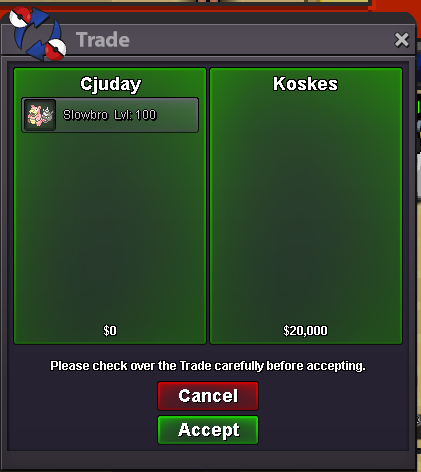
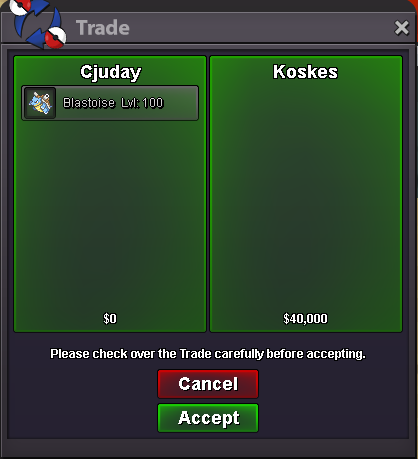
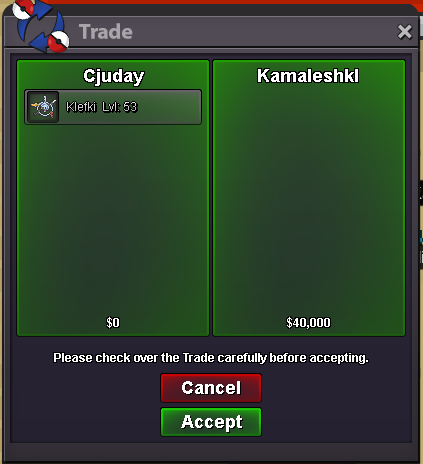
[ATTACH=full]7321[/ATTACH]Sorry mates, I was unavailable due to server problems. Because I don't want you guys to worry about your pokemons :) as the server is stable, I am available from now on. Rate will be the same.Sorry mates, was very busy for last few days. I am available from now on :)





Account
Navigation
Search
Configure browser push notifications
Chrome (Android)
- Tap the lock icon next to the address bar.
- Tap Permissions → Notifications.
- Adjust your preference.
Chrome (Desktop)
- Click the padlock icon in the address bar.
- Select Site settings.
- Find Notifications and adjust your preference.
Safari (iOS 16.4+)
- Ensure the site is installed via Add to Home Screen.
- Open Settings App → Notifications.
- Find your app name and adjust your preference.
Safari (macOS)
- Go to Safari → Preferences.
- Click the Websites tab.
- Select Notifications in the sidebar.
- Find this website and adjust your preference.
Edge (Android)
- Tap the lock icon next to the address bar.
- Tap Permissions.
- Find Notifications and adjust your preference.
Edge (Desktop)
- Click the padlock icon in the address bar.
- Click Permissions for this site.
- Find Notifications and adjust your preference.
Firefox (Android)
- Go to Settings → Site permissions.
- Tap Notifications.
- Find this site in the list and adjust your preference.
Firefox (Desktop)
- Open Firefox Settings.
- Search for Notifications.
- Find this site in the list and adjust your preference.