




Skip to content
View in the app

A better way to browse. Learn more.

Pokemon Revolution Online

A full-screen app on your home screen with push notifications, badges and more.

To install this app on iOS and iPadOS
  1. Tap the Share icon in Safari
  2. Scroll the menu and tap Add to Home Screen.
  3. Tap Add in the top-right corner.
To install this app on Android
  1. Tap the 3-dot menu (⋮) in the top-right corner of the browser.
  2. Tap Add to Home screen or Install app.
  3. Confirm by tapping Install.
New Trade Zone
Trade Zone is now live
Use the new Trade Zone for auctions and instant-price trades so Pokemon and item offers are easy to find.
Open Trade Zone

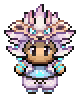
Munchlax (Snorlax) 31 2x30 ; Ability Thick Fat
Featured Replies

9 hours ago, Plasmaleon said:

Winner can not pay it xD RESET!

I didn't say i couldn't pay it, i said will you wait for money to be transferred to my account. It was a 48 hour auction and after you didn't contact me in 48 hours, i thought there was a different winner so I didn't bother to keep money on me anymore. Now I have the money and you decided to restart auction without even bothering me to see if i can obtain the required funds? 

Edited by Vatevuoktliek

  WE WERE HERE! 

IGN Silver: Vatevuoktliek

IGN Gold: Dakrakboy 

Discord: dakrakboy


1 hour ago, Plasmaleon said:

350k c.o.

What is going on? I said i have the money

I just didn't have it on me when you contacted me. 

  WE WERE HERE! 

IGN Silver: Vatevuoktliek

IGN Gold: Dakrakboy 

Discord: dakrakboy

  • Author
15 hours ago, Vatevuoktliek said:


What is going on? I said i have the money

I just didn't have it on me when you contacted me. 

Yea weird that u didnt have the money. I am not home maybe we can talk later?

Get a mod. 

  WE WERE HERE! 

IGN Silver: Vatevuoktliek

IGN Gold: Dakrakboy 

Discord: dakrakboy

  • Author

I am sick rn. I go to sleep and get a mod after I wake up!

  • Doakes locked this topic
Guest
This topic is now closed to further replies.

Account

Navigation

Search

Search

Configure browser push notifications

Chrome (Android)
  1. Tap the lock icon next to the address bar.
  2. Tap Permissions → Notifications.
  3. Adjust your preference.
Chrome (Desktop)
  1. Click the padlock icon in the address bar.
  2. Select Site settings.
  3. Find Notifications and adjust your preference.