New Trade Zone
Trade Zone is now live
Use the new Trade Zone for auctions and instant-price trades so Pokemon and item offers are easy to find.
All Activity
Past hour
-
Hect joined the community
-
fianlly working now thnx very much @Divinegold 💓
-
Ricerino joined the community
-
no worries man atlest u trying to help
-
Even that doesnt work one way is to wait for a staff response sorry dude i cant give you an answer which helps..
-
oh yea i can try and let u know
-
You can try 32-bit version
-
on mobile silver working too
-
but i can join gold normally and instanty
-
I have a story service need to done but cant becuase of this problem
-
👍
-
Please wait for a staff response they would give an accurate answer
-
nope still not workingIt may fix sometimesYes you can tryi will disable that?Here is the screenshot
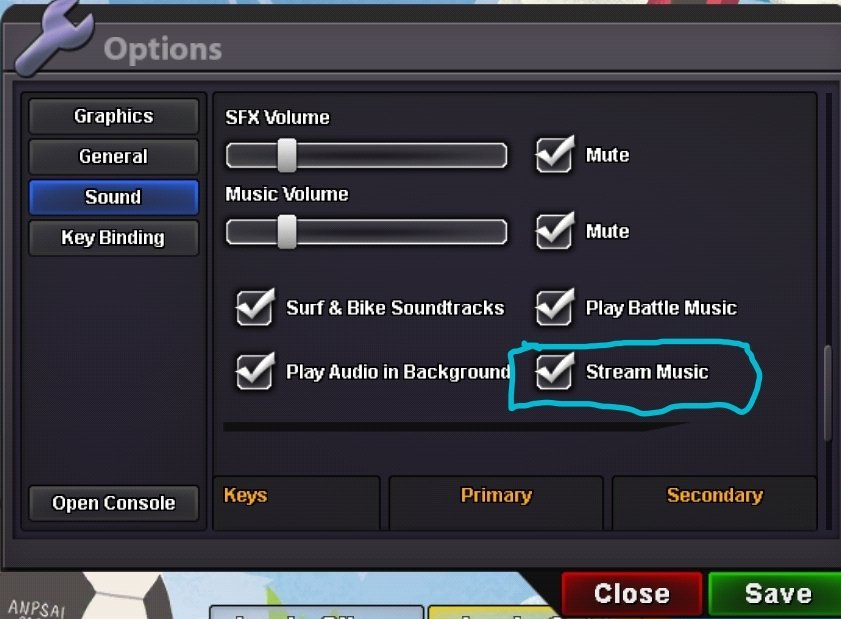 what is that?stream music?Disabled the stream music too?I'm on my 7th Day and they're asking me for cubchoo I have done keldeo quest and kyurem quest Still I'm not able to access areas for huntingtriedHello there, Could you try using VPN, connecting to wifi or data vice versa also disabiling the stream music?Bboi joined the communityis blindfold available?Cloysterking joined the communityHey PRO Team, I cant join silver in my computer using vpn also i cant . But in gold i can joinm instantly and in my mobile i can join silver.
.png.362c12a8e143caa45d5768cdb2183bbe.png) ^bump
^bump