




All Activity
- Past hour
-
The Random Battle Tournament returns for its Second Edition – 2026! After an exciting first edition, it's time to battle once again and prove your skills. Prepare for unpredictable matchups where strategy, adaptability, and a bit of luck will decide the champion. Registrations are now open! Sign up, sharpen your strategy, and get ready to battle for glory. Tournament Information: Format: Tournament will consist of 2 Stages - Group Stage and Final Stage. Group Stage will be Single Elimination Format. Each Player will play 1 Match. Winners advance to Final Stage and Losers are eliminated. Final Stage will be Double Elimination Format. Players will continue until they are eliminated twice. Depending on the total number of players, Some Players may automatically qualify for the Final stage to ensure Bracket Balance (e.g., in the case of an odd number of participants). The Bracket will be randomly seeded. Group Stage will consist of 1 Round and will last 3-Days only. Each Round in Final Stage will last 4-Days. All Matches will be Best of 3 except Finals. Finals and Semi Finals will be Best of 5. Winner's Bracket Finals, Losers' Bracket Finals, and Grand Finals will be Best of 5. If the Loser Bracket Finalist wins the first Grand Final Match, the bracket will be reset. Both Players will then have one loss each, and a Final Reset Match will be played to determine the tournament champion. Only One Account Per Player is allowed. You are required to join our Discord Server (https://discord.gg/6Pghc2CyQ6) before the start of the Tournament. Failing to join may result in disqualification, as it is difficult to schedule and communicate matches through the forums/in-game chats. Registrations will end on 25th July. Tournament is scheduled to start on 26th July. Track the Tournament and Make your Predictions here. Battles: All Battles will be played in PRO. Both Servers can participate. Silver Server players will have to login to Gold Server and play their Battles. Prizes can be delivered to Silver Server(Free of Cost). After Completion of Round, Players will have to Post SS of Battle Replays Section in #Battles Channel. If a Player is banned during the Tournament, their Opponent will automatically qualify for the next Round. If a Player disconnects during the game, the other Player may claim the victory or allow a rematch at their discretion. All Final Decision rests with tournament host. Prizes: 1st Place: 6.9M 2nd Place: 3.7M 3rd Place: 2.1M 4th Place: 1.2M 5th Place: 100 Rare Candies Prediction Game: A Prediction Game will be held alongside the main tournament for Spectators and Participants. Player with highest accuracy in Predictions will get 1M Pokedollars.
-
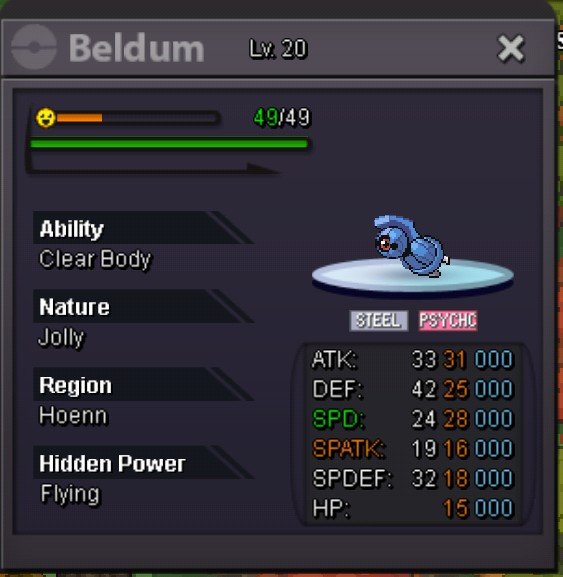
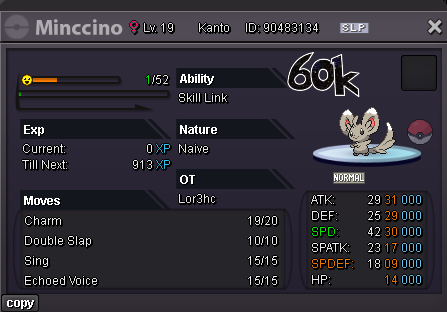
start 28/31 beldum 200k
-
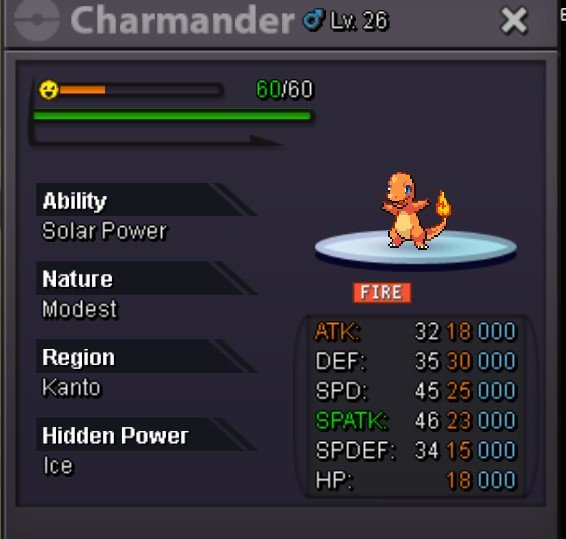
📦 Charmander (HA) & Beldum 🔥 Charmander SB: 200k Modest | Solar Power (HA) | HP Ice ⚙️ Beldum SB: 200k Jolly | 28 ATK | 31 Spe Min Raise: 100k Duration: 48h
-
First of all, welcome back, @Phuprika! It's nice to have you back. You can use given link from initial post, or follow this link to join Trailblaze. Ping me there (Jafila) and I will give you your roles and add you in the in-game guild.for sell : Preview of the mount in game : https://gyazo.com/dc5eeca64f828ae9e88f2db17bb799d9 S.o : 15m min bid : 200k auction end 3 days after first bid . Accepte reroll tickets = 700k and coin capsules = 500k
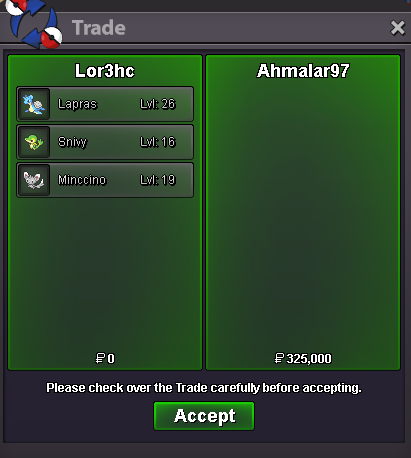
 hey bro i wtb elegant wings 400k , garden wings 400k , espeon ears 200k , flower crown 200k___________ IGN: Mochi00 Discord: mochi_tvDoz1 changed their profile photoGopxo joined the communityWTB these 3 pokes. Discord: ahmalar97Geronimooo joined the communityBumpPokemon = 6 EV red. berries Pokemon = 10 EV red. berries Pokemon = 15 red. berries !!!Disclaimer: If the Pokemon is high level(e.g: 70-100) then it's 8 EV red. berries. 1p2p3p4p5p6p@Metalhead2309 will be online in a hrAsyouwish joined the communityThe auction ends in 27 hours, to any of those following after the downtimeUpPhuprika changed their profile photopink magikarp start 500k MIN RAISE 100k insta no ACCEPTED CURRENCY - CC-450K,RR-700K,RC-5K end 48hr if start the bid REMINDER 🢒 if a bid is received in the final 15 minutes of the auction, the end point will be delayed by 15 minutes from that bid, and will be delayed by 15 minutes for each new bid thereafter, until the current offer has been held for a full 15 minutes
.png.fa05e685dcaafdc266d1a998517f0eaf.png) I have decided to extend the auction by 24 hours due to the downtime, meaning it will end tomorrow at 2:30 GMT+2 (With the 15 minute rule being taken into account)I have decided to extend the auction by 24 hours due to the downtime, meaning it will end tomorrow at 2:30 GMT+2 (With the 15 minute rule being taken into account)Liran29 joined the communityHellooo, i am a "returning player". I used to play the game a few years ago but didn't touch it much. As of right now i'm currently hooked. I spent hours and hours finishing everything & really enjoying the process. As i said earlier, hours. Depends on the day & work schedule but i always find time even if it's a little bit. Quite. A lot. Lol.I finally merge my red and blue account with the update ! So I can transfer my account to silver thank you 😃
I have decided to extend the auction by 24 hours due to the downtime, meaning it will end tomorrow at 2:30 GMT+2 (With the 15 minute rule being taken into account)I have decided to extend the auction by 24 hours due to the downtime, meaning it will end tomorrow at 2:30 GMT+2 (With the 15 minute rule being taken into account)Liran29 joined the communityHellooo, i am a "returning player". I used to play the game a few years ago but didn't touch it much. As of right now i'm currently hooked. I spent hours and hours finishing everything & really enjoying the process. As i said earlier, hours. Depends on the day & work schedule but i always find time even if it's a little bit. Quite. A lot. Lol.I finally merge my red and blue account with the update ! So I can transfer my account to silver thank you 😃- Today
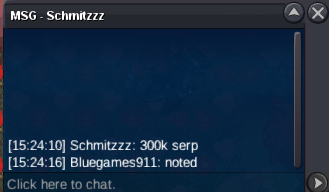
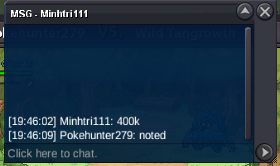
Rktech joined the communityCaptainforty joined the community1.7m600k. Nvm i see auction ended










.thumb.gif.9214578ca10a75720d259cbd2826fbb5.gif)











Account
Navigation
Search
Configure browser push notifications
Chrome (Android)
- Tap the lock icon next to the address bar.
- Tap Permissions → Notifications.
- Adjust your preference.
Chrome (Desktop)
- Click the padlock icon in the address bar.
- Select Site settings.
- Find Notifications and adjust your preference.
Safari (iOS 16.4+)
- Ensure the site is installed via Add to Home Screen.
- Open Settings App → Notifications.
- Find your app name and adjust your preference.
Safari (macOS)
- Go to Safari → Preferences.
- Click the Websites tab.
- Select Notifications in the sidebar.
- Find this website and adjust your preference.
Edge (Android)
- Tap the lock icon next to the address bar.
- Tap Permissions.
- Find Notifications and adjust your preference.
Edge (Desktop)
- Click the padlock icon in the address bar.
- Click Permissions for this site.
- Find Notifications and adjust your preference.
Firefox (Android)
- Go to Settings → Site permissions.
- Tap Notifications.
- Find this site in the list and adjust your preference.
Firefox (Desktop)
- Open Firefox Settings.
- Search for Notifications.
- Find this site in the list and adjust your preference.