




All Activity
- Past hour
-
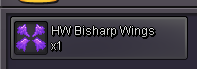
Im online now buddywts hw bisarf wing 600k //wts spuce boat c.o 500k Start Price: 500k End Point: 48 hours (after start price is met) Insta Price: n/a Minimum Raise: 50k Accepted Payments: Pokedollars. RR = 700K , CC = 460k or wtt all for hw volcarona wings




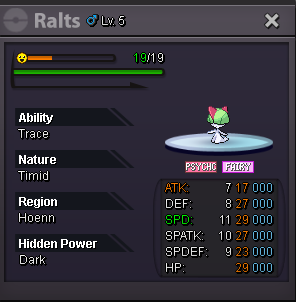
 s.o 300k will start after first bid min bid 50k insta 2m 24 hr auction 2:39 AM EST
 bumpDannysvard joined the community
- Today
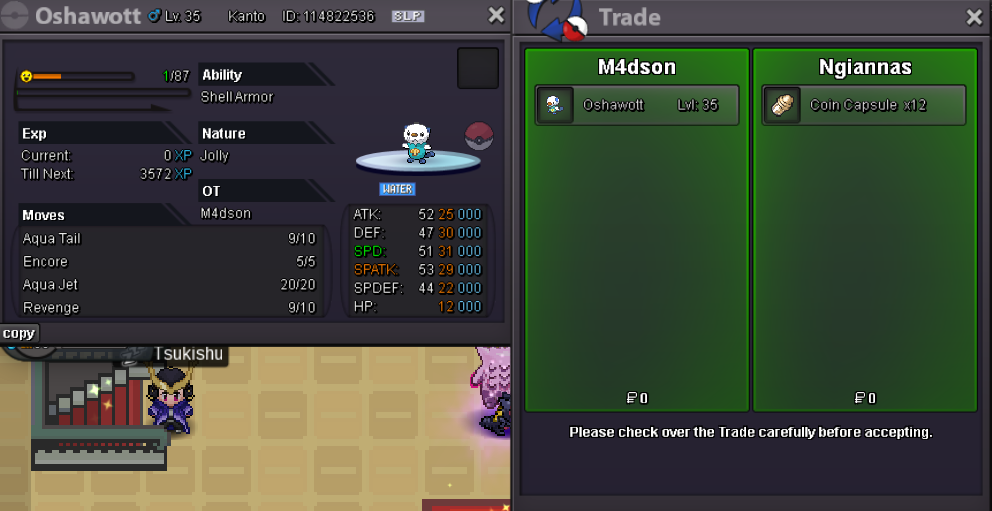
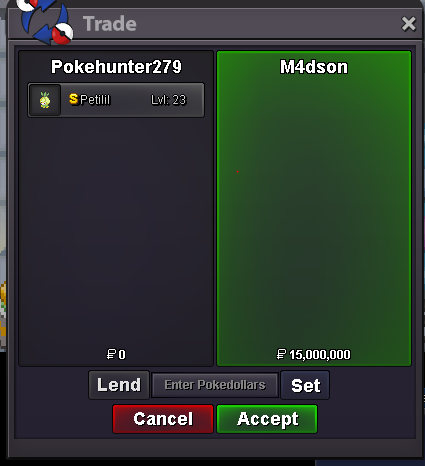
wtb jolly pvp tyranitar must be sand stream 29+speed 25+atk 15+def 20+spdef and hp Post pic with price if you have ty. If u are in gold kindly transfer to silver can't transfer for 1 poke.upI'm onl now, we can trade.3 milokay tell me when u come online to transfer to goldTime's up, congrats @M4dson for winning. I'll be onl in 40mins.Sent the reqI will be online in 2 hours,silver server777k900kwtb story serviceJinoz6 joined the communityIt is mentioned in details. End Time: Monday, 6 July 2026, 16:02 UTC Approximately 12 hours and 30 minutes left C.o 2.2M by Lor3hccTime left ?Start oshawottYes I manages to sort it out. When we quote a comment, it shows the exact timestamp for that comment. That's how I was able to determine the exact time. Thank you for your assistance and help, appreciate it 🙂Hello there @Daddyzard! I see that you've managed to sort your auction's endpoint, but just to both clarify it for you and provide you with the information you requested. Your end point is Monday the 6th of July at 17:02 GMT+1. Which is just shy of 13 hours from the writing of this message. Warmest regards, Auroraveil
.thumb.png.65ec3814f0dbaef639a5422a70380ad2.png)





















Account
Navigation
Search
Configure browser push notifications
Chrome (Android)
- Tap the lock icon next to the address bar.
- Tap Permissions → Notifications.
- Adjust your preference.
Chrome (Desktop)
- Click the padlock icon in the address bar.
- Select Site settings.
- Find Notifications and adjust your preference.
Safari (iOS 16.4+)
- Ensure the site is installed via Add to Home Screen.
- Open Settings App → Notifications.
- Find your app name and adjust your preference.
Safari (macOS)
- Go to Safari → Preferences.
- Click the Websites tab.
- Select Notifications in the sidebar.
- Find this website and adjust your preference.
Edge (Android)
- Tap the lock icon next to the address bar.
- Tap Permissions.
- Find Notifications and adjust your preference.
Edge (Desktop)
- Click the padlock icon in the address bar.
- Click Permissions for this site.
- Find Notifications and adjust your preference.
Firefox (Android)
- Go to Settings → Site permissions.
- Tap Notifications.
- Find this site in the list and adjust your preference.
Firefox (Desktop)
- Open Firefox Settings.
- Search for Notifications.
- Find this site in the list and adjust your preference.