




New Trade Zone
Trade Zone is now live
Use the new Trade Zone for auctions and instant-price trades so Pokemon and item offers are easy to find.

Wafflelover
Registered User
-
Joined
-
Last visited
Everything posted by Wafflelover
-
1. Age 16+ and above :- *Yes am above 16 years old* 2. Playtime hours at 100 or more :- * Yes a have about 102 hours* 3. Able to use Discord , Most Important :- https://discord.gg/RhbyGv7 *Yep, I can use discord* 4. Your previous Guild, why did you leave them (in case you were Kicked, then why?) :- *Well... I've never been in one :(* 5. Have you ever been banned in PRO, and why? :- *I have not been banned* 6. Other than having fun playing the game, what are your goals in PRO? :- *I want to become better at pvp and make a name for myself lol* 7. How old are you and other than English, what languages do you speak? *I am 18 years old and other than English, I can also speak Spanish.* 8. Provide a screenshot of your Trainer Card:-. Here you go
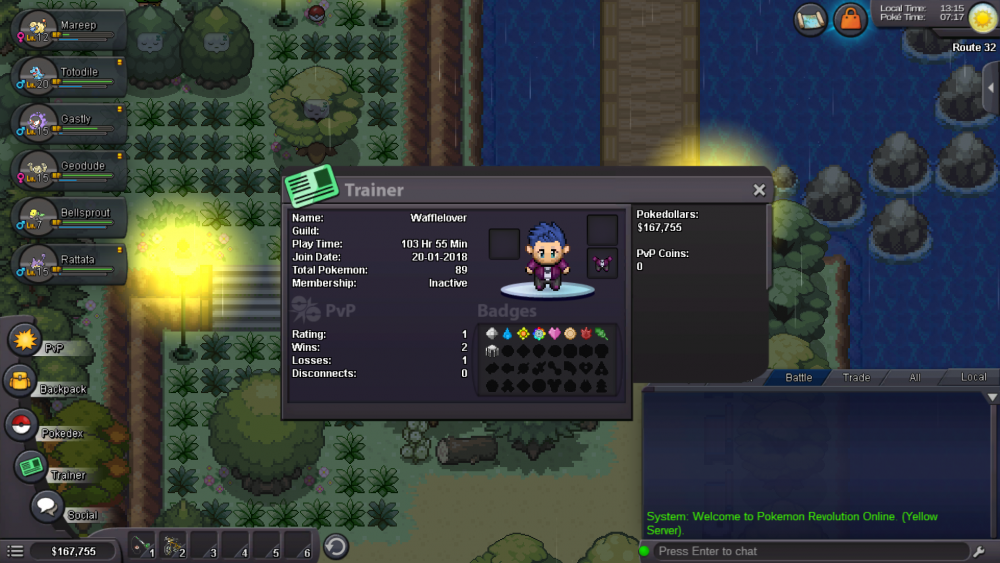
-
Discord Tag - [Wafflelover142#7742] How many hours on PRO? - Around 98 hours Progress so far? - Kanto Champion (I was waiting on a friend to catch up) What's your favorite Pokemon in PRO right now? - Dragonite because it helped me sweep the Kanto E4 What's your favorite part about PRO right now? - I really enjoy the interaction system and tell fact that you can meet so many new people. I also enjoy the fact that I can actually get pokemon like Gengar and Alakazam because trading is so easy in PRO :) I hope you will consider as a candidate for the guild! Looking forward to hearing from you! :)
