




New Trade Zone
Trade Zone is now live
Use the new Trade Zone for auctions and instant-price trades so Pokemon and item offers are easy to find.

Voidwarrior
Registered User
-
Joined
-
Last visited
Everything posted by Voidwarrior
-
I sendet you a message in forum pms
-
Alright i talk to you ingame
-
You can go online now?
-
Nervermind i wil insta instead 20m contact me ingame
-
Start
-
ok then nevermind i just insta it then 15m contact me ingame
-
Hi is the previous offer 10.5m or ot is 10m.5m + mqsterballs and ccs? Its not clear so can you verify
-
11m
-
12m
-
9m
-
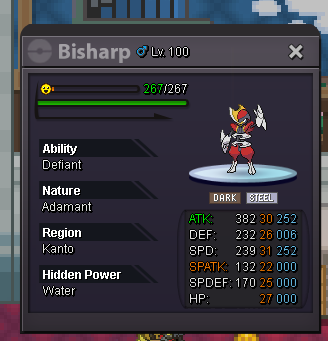
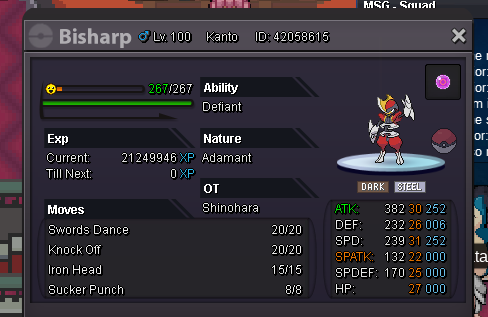
Hi my godly bisharp is now for sale the start bid = 15 m This is an old tradable pvp tournament reward bisharp. So dont miss your chance to get one of the few tradable tournament pokes 😉 C.o 16m vastik. Auction end 5 days after the auction Unrelated comments = deleted
-
ok no problem i wil go 30m then 😉
-
Looks like auction is over and edwinorogin won congratz
-
oke then lets go 25m
-
hi would you accept 5m as start bid?
-
I start it
-
Bump
-
bump
-
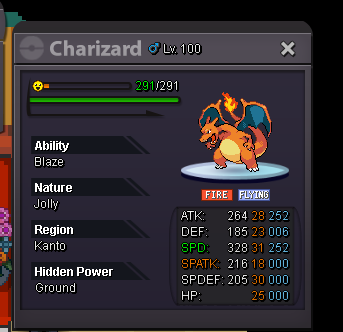
Hi this godly max speed zard is on sale 10m start bid unrelated comment wil be deleted. ends 72 h after first bid
-
10.5m
-
17m
-
Bump
-
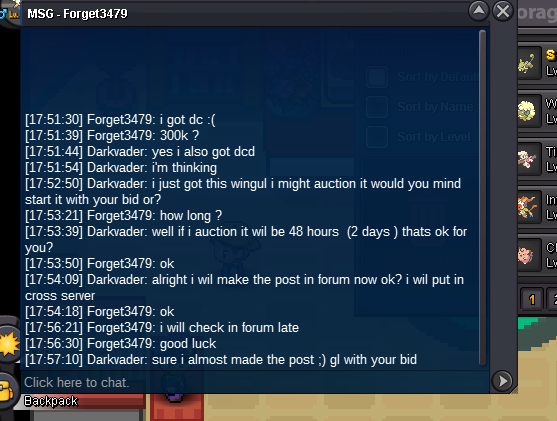
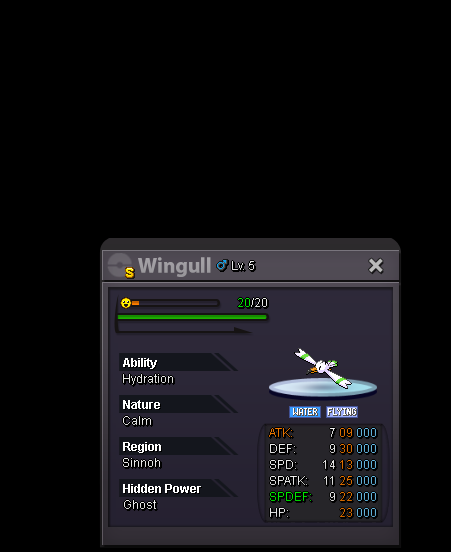
Hi this wingul shiny is on sale start bid /co is 300k ends 48 hours after this post The shiny is currently in gold but wil be transfered to winner his server CC accept as 420k
-
Hi this volca is on sale start bid is 7m ends 72 hours after first bid

-
Hi i can offer 4m for it if intressted you can contact me
