




New Trade Zone
Trade Zone is now live
Use the new Trade Zone for auctions and instant-price trades so Pokemon and item offers are easy to find.

Papposblues
Registered User
-
Joined
-
Last visited
Everything posted by Papposblues
-
Bump
-
3.5m 1.5m 2m 4m 800k
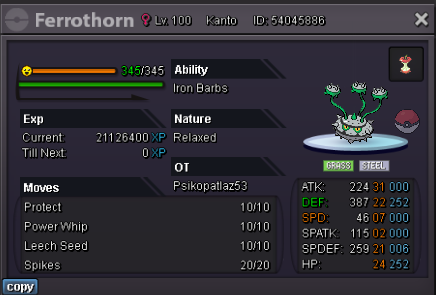
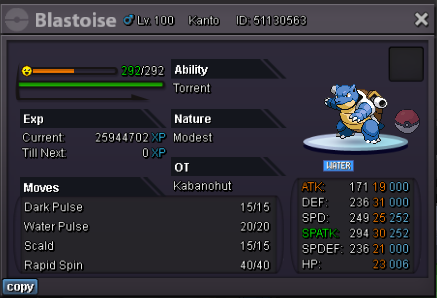
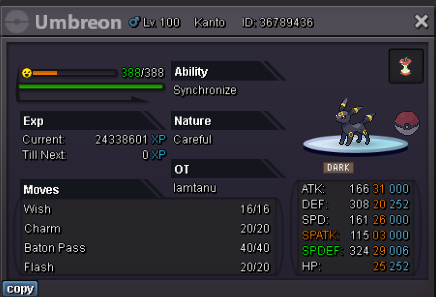
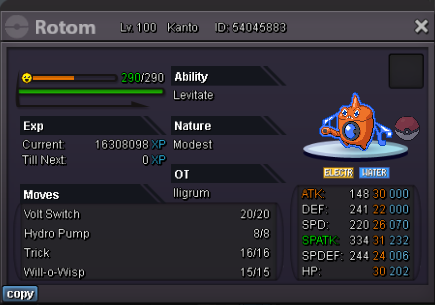

-
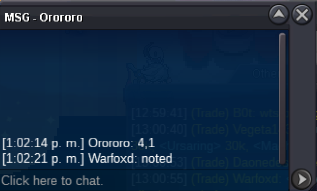
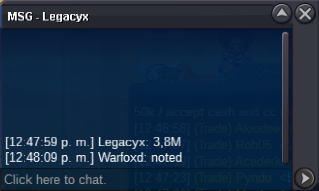
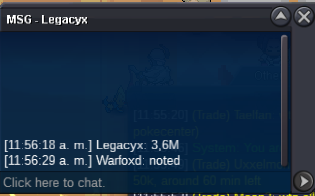
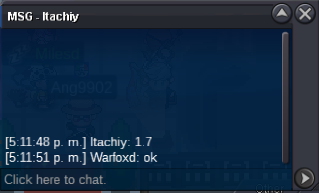
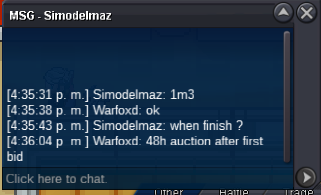
contact to me on discord to see the trade time. Noir#8411notedS.O: 700k No Insta min bid 100k 48h auction after first bid Accept payment: - Pokedollars only Auction here or ingame (pm WarFoxD)

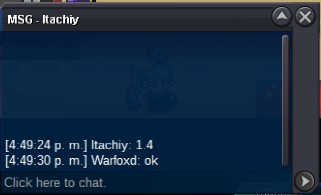
 Username: WarFoxD Server: Silver Country/Timezone: Chile / GMT -4.@EonExcuse me, could you help us with the issue?Any moderator to clarify my doubt if Bangjago bids on time?the auction is in 2m, not in 1.4m.What's your IGN? WarFoxd How old are you? 21 What is Your Discord ID? Noir#8411 What's your goal in PRO? improve in PvP What is your favorite aspect of PRO? pvp What was your highest rating achieved in the last 3 PvP seasons? 422 Why did you choose Predators? because it is an active guild and I can learn more about pvp Guild island is your main aim to join us ? no
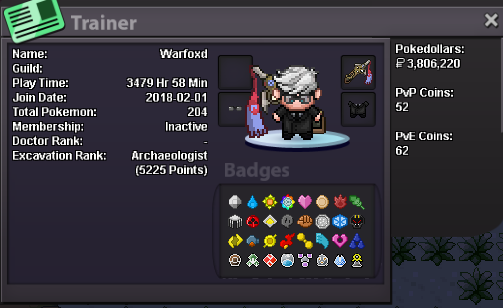 14 hours left!S.O: 1.2m No Insta min bid 100k 48h auction after first bid Accept payments: - Coin Capsule (400k) - IV Reroll (700k) - NRR (340k) Auction here or ingame (pm WarFoxD)
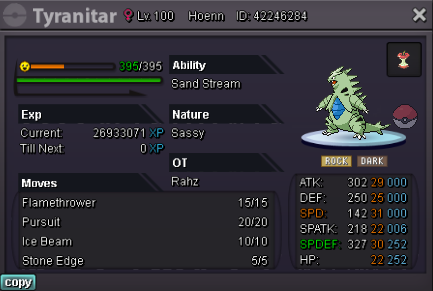 startName: Warfoxd Age: 21 Discord: Noir#8411 Rating: in the last 3 months my max was 422@lupo93 u won, contac in discord: Noir#8411 or in game : Warfoxd
Account
Navigation
Search
Configure browser push notifications
Chrome (Android)
- Tap the lock icon next to the address bar.
- Tap Permissions → Notifications.
- Adjust your preference.
Chrome (Desktop)
- Click the padlock icon in the address bar.
- Select Site settings.
- Find Notifications and adjust your preference.
Safari (iOS 16.4+)
- Ensure the site is installed via Add to Home Screen.
- Open Settings App → Notifications.
- Find your app name and adjust your preference.
Safari (macOS)
- Go to Safari → Preferences.
- Click the Websites tab.
- Select Notifications in the sidebar.
- Find this website and adjust your preference.
Edge (Android)
- Tap the lock icon next to the address bar.
- Tap Permissions.
- Find Notifications and adjust your preference.
Edge (Desktop)
- Click the padlock icon in the address bar.
- Click Permissions for this site.
- Find Notifications and adjust your preference.
Firefox (Android)
- Go to Settings → Site permissions.
- Tap Notifications.
- Find this site in the list and adjust your preference.
Firefox (Desktop)
- Open Firefox Settings.
- Search for Notifications.
- Find this site in the list and adjust your preference.