




New Trade Zone
Trade Zone is now live
Use the new Trade Zone for auctions and instant-price trades so Pokemon and item offers are easy to find.

Kishanb1112002
Registered User
-
Joined
-
Last visited
Everything posted by Kishanb1112002
-
You won pm me in game or on discord so we can finish this deal Ign: kishanb1112002 Discord: Kishan#8685NotedNotedBumpNoted1mS.o: 1.5m Min raise: 100k Insta: 8m Ends in 48 hrs from start Accept cc=380k/ iv rr= 680k Offer here or in game
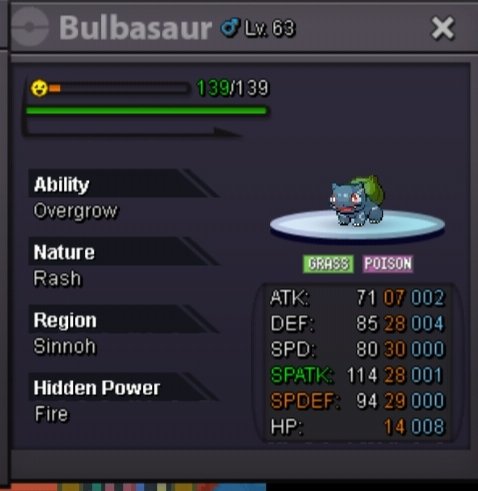 5kOk i think i get it now so thnx for the info have a good day@zanderguy123 u won lmk when u can pick it upNotedS.o: 250k Min raise: 50k Insta: 800k 24 hrs from start accept cc=380k/rr=680k
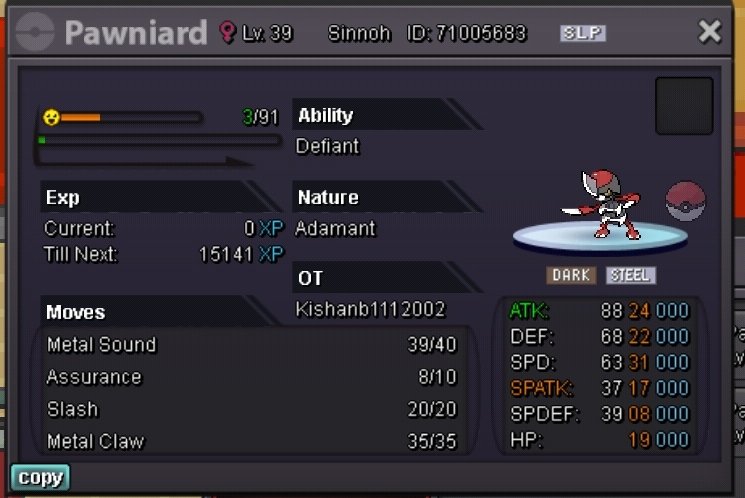 @Gatlingif u r interested lets talk about it on discord pm me Kishan#8685As you said about the seller's perspective, is the seller banned if reported against doing something wrong to the account? Or all the risk lies on buyer?Interested? If u r then give an offer. Ty
 Yeah its working nowCant see imageOk thnx for the help but could you further explain about the past point about proxy?One of my guildmate was offering me quest service so i am concerned if its okay to give my account id/password to him for this. I personally trust the friend but i am concerned about game rules which says one person can have 4 accounts at max. So if i use the quest service is my account bannable? Or is it allowed?BumpInstant :600k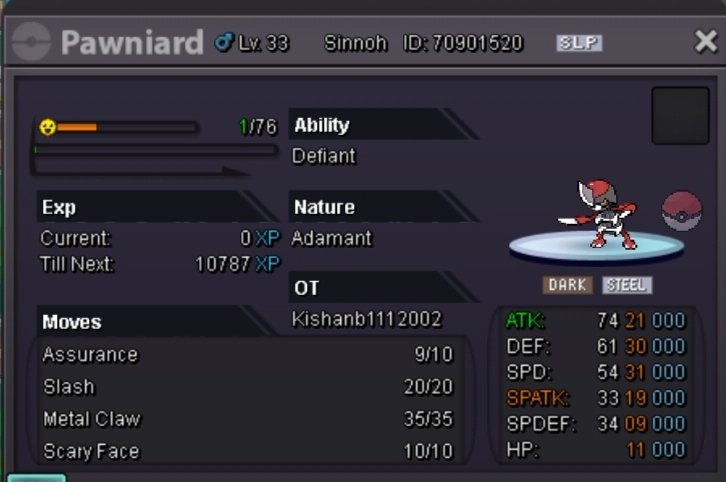




Account
Navigation
Search
Configure browser push notifications
Chrome (Android)
- Tap the lock icon next to the address bar.
- Tap Permissions → Notifications.
- Adjust your preference.
Chrome (Desktop)
- Click the padlock icon in the address bar.
- Select Site settings.
- Find Notifications and adjust your preference.
Safari (iOS 16.4+)
- Ensure the site is installed via Add to Home Screen.
- Open Settings App → Notifications.
- Find your app name and adjust your preference.
Safari (macOS)
- Go to Safari → Preferences.
- Click the Websites tab.
- Select Notifications in the sidebar.
- Find this website and adjust your preference.
Edge (Android)
- Tap the lock icon next to the address bar.
- Tap Permissions.
- Find Notifications and adjust your preference.
Edge (Desktop)
- Click the padlock icon in the address bar.
- Click Permissions for this site.
- Find Notifications and adjust your preference.
Firefox (Android)
- Go to Settings → Site permissions.
- Tap Notifications.
- Find this site in the list and adjust your preference.
Firefox (Desktop)
- Open Firefox Settings.
- Search for Notifications.
- Find this site in the list and adjust your preference.