




New Trade Zone
Trade Zone is now live
Use the new Trade Zone for auctions and instant-price trades so Pokemon and item offers are easy to find.


Xdzin
Suspended
-
Joined
-
Last visited
Everything posted by Xdzin
-
-
-
i buy Darumaka 125k, Torkoal 100k, mawile 100k, MAWILE 150k
-
Time's upnice, last 2min +15min now last 17min nowlast 10min
 Gliscor bought by @Veliox Scizor bought by @Jaggerwich Scizor bought by @JhonMarkSabawil Torkoal bought by @Shanerluv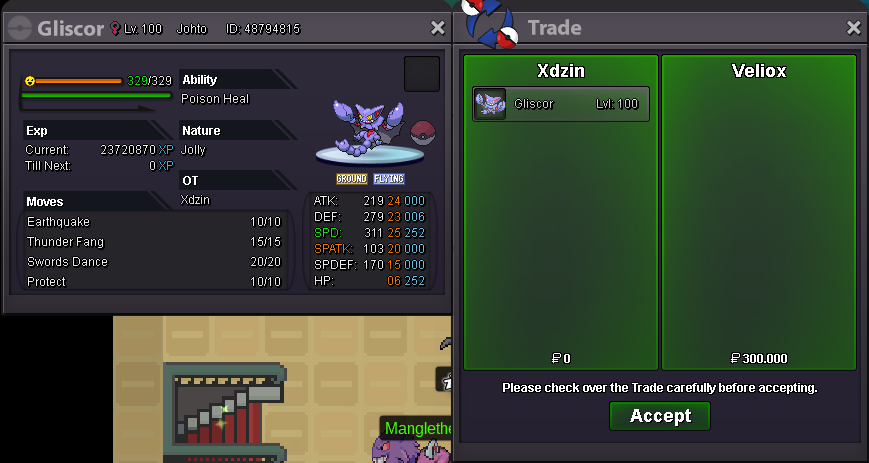
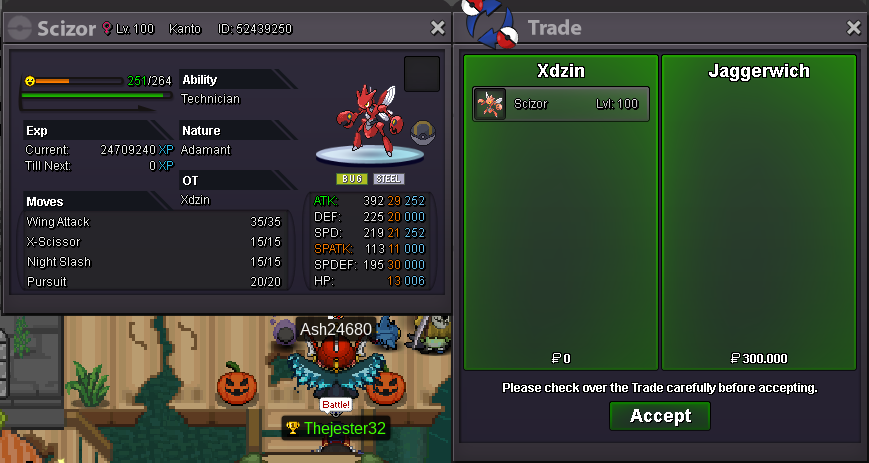
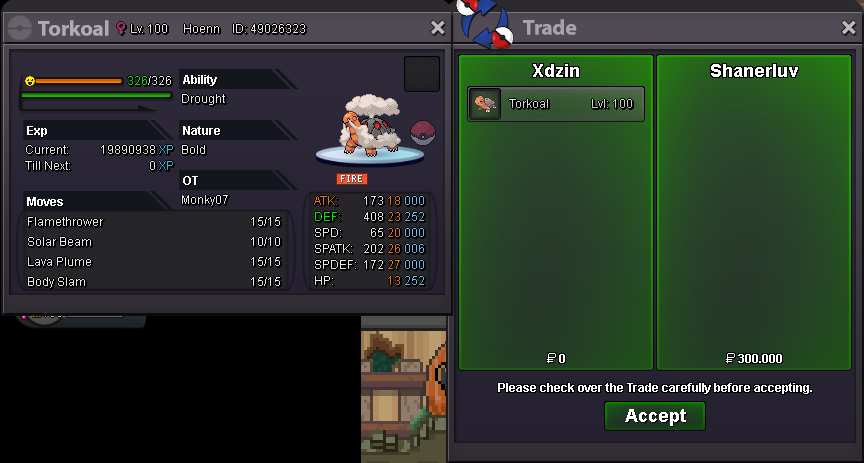
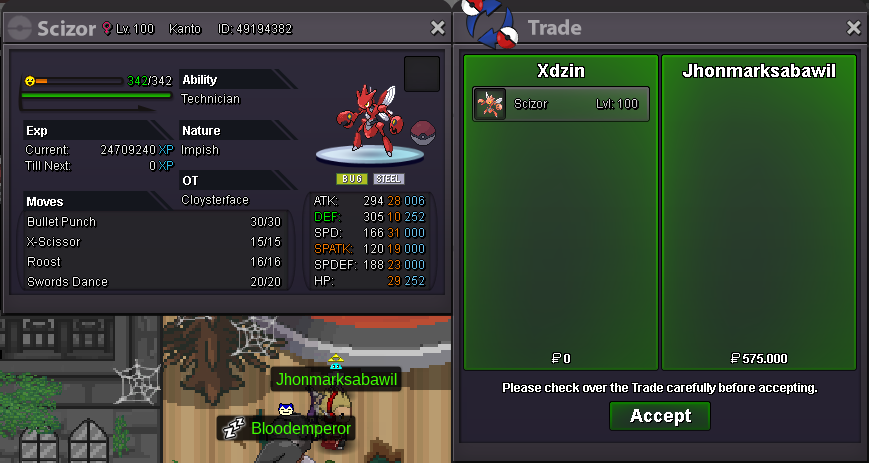 go online, or send me a message on discord XDZ-0303 # 0115
 700k by @Nubdelrei
 auction started, 1d 16h 50min from now https://countingdownto.com/?c=3299956
 started https://countingdownto.com/?c=3299866
 S.O: 1M MIN BID: 100K INSTA: 3M TIME: 20h AFTER STARTING Pokedollars Coin Capsules: 400k Reroll Tickets: 700k rare candy 6k Nature Reroll Tickets: 350k
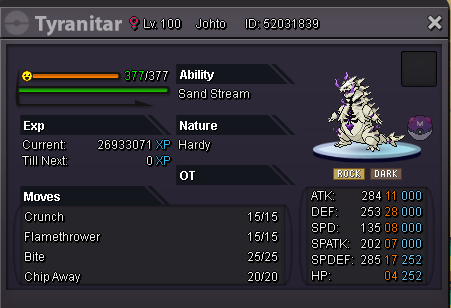 go online and send me something in the game, / pm xdzinyou win !so it must be something with me, because I tried to modify other images in other places and it hasn't changedright, I'll do it later, I only reported it because I think it could be an error in the entire forumhttps://pokemonrevolution.net/forum/topic/145672-xdzin-mega-shop/it is certainly possible to change the size of the image and then take it to the forum, but let's face it, that was not sosee what's going on: sizeee.mp4b.o 200k by @shika01 16min now
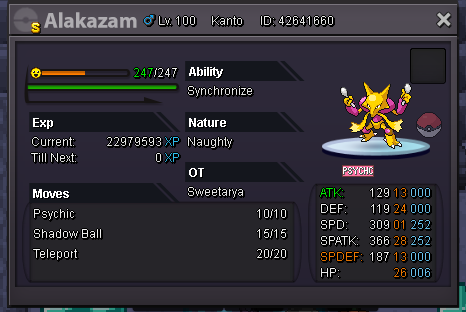

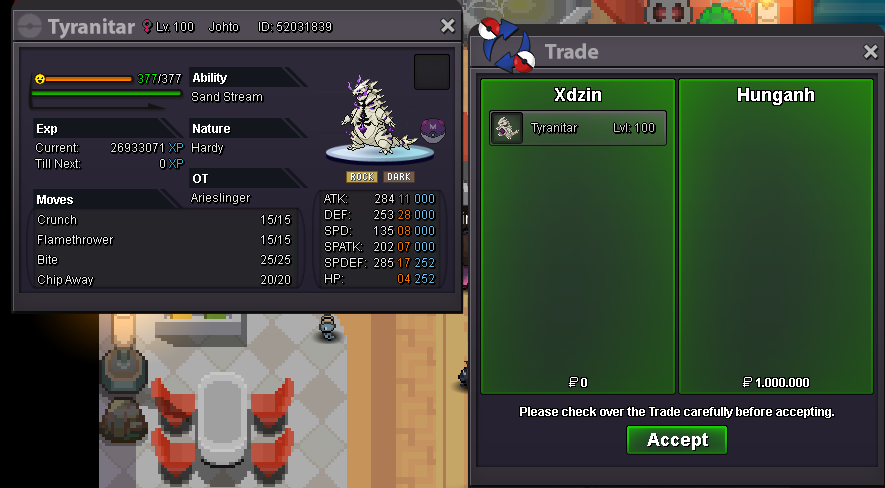

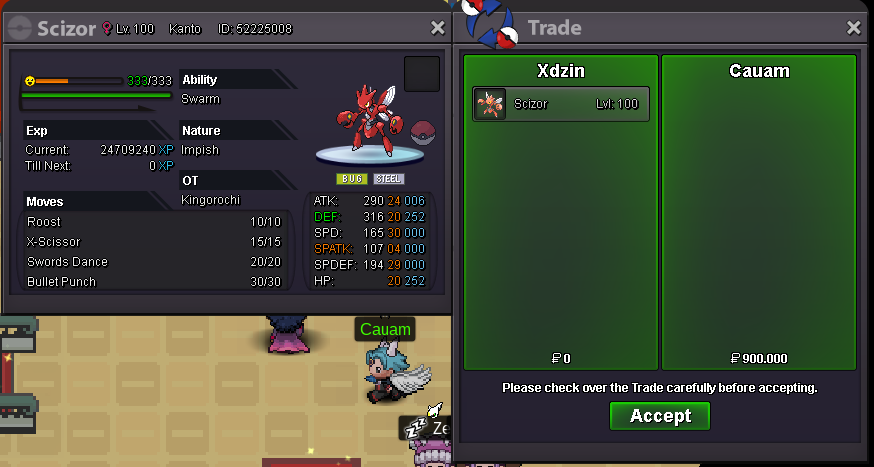

Account
Navigation
Search
Configure browser push notifications
Chrome (Android)
- Tap the lock icon next to the address bar.
- Tap Permissions → Notifications.
- Adjust your preference.
Chrome (Desktop)
- Click the padlock icon in the address bar.
- Select Site settings.
- Find Notifications and adjust your preference.
Safari (iOS 16.4+)
- Ensure the site is installed via Add to Home Screen.
- Open Settings App → Notifications.
- Find your app name and adjust your preference.
Safari (macOS)
- Go to Safari → Preferences.
- Click the Websites tab.
- Select Notifications in the sidebar.
- Find this website and adjust your preference.
Edge (Android)
- Tap the lock icon next to the address bar.
- Tap Permissions.
- Find Notifications and adjust your preference.
Edge (Desktop)
- Click the padlock icon in the address bar.
- Click Permissions for this site.
- Find Notifications and adjust your preference.
Firefox (Android)
- Go to Settings → Site permissions.
- Tap Notifications.
- Find this site in the list and adjust your preference.
Firefox (Desktop)
- Open Firefox Settings.
- Search for Notifications.
- Find this site in the list and adjust your preference.