




New Trade Zone
Trade Zone is now live
Use the new Trade Zone for auctions and instant-price trades so Pokemon and item offers are easy to find.

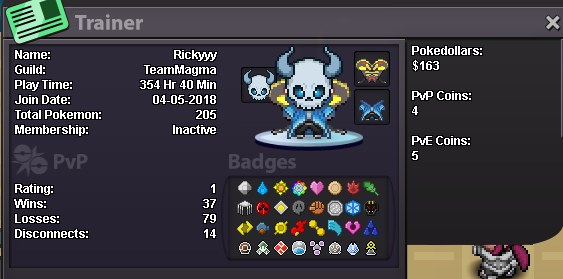
Rickyyy
Suspended
-
Joined
-
Last visited
-
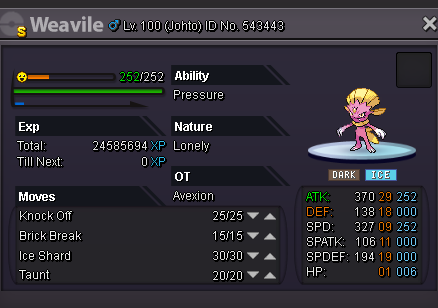
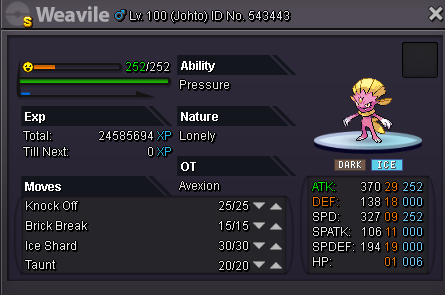
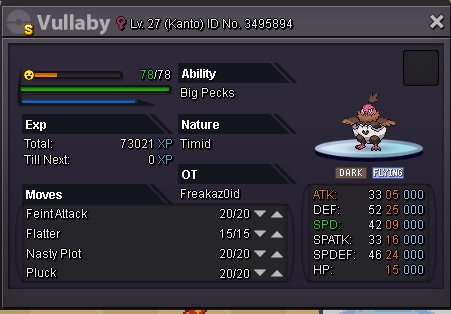
accept shiny weavile lonely atk 25 ? presureWhy do you want to join NoMercy? because I want to participate in an active guild is of good character. What can you contribute to NoMercy? donations of pokemons and experience with nature, abilityes etc ... Have you ever been banned in the PRO and why? no, never. In addition to having fun playing the game, what are your goals in PRO? be a great coach, help friends. How old are you, besides English, what languages do you speak? I'm 16 years old, I speak Portuguese, English and a little Spanish. What is your name of discord and ID number? Rickyyy # 0400; in PRO is Rickyyy
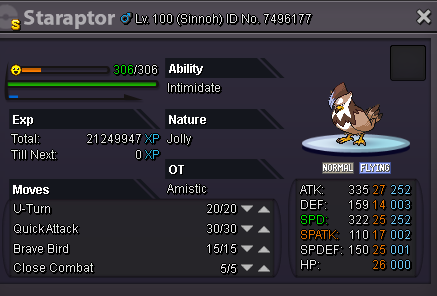
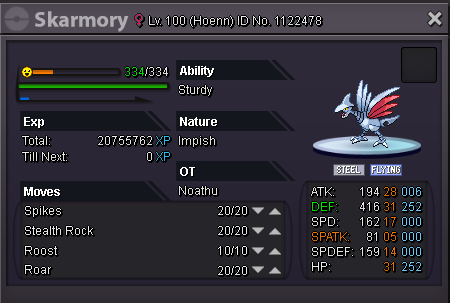
 thanks good game ^^ok 1.8m Aah nvm i change my mind ? and we meet and we change it it's great for pvp including move set this OP1.9m and what do you tell me?I just want to sell it .. but if I get some cool prices I do the auction ... at the moment I just want to sell it for a good price. thank you





Account
Navigation
Search
Configure browser push notifications
Chrome (Android)
- Tap the lock icon next to the address bar.
- Tap Permissions → Notifications.
- Adjust your preference.
Chrome (Desktop)
- Click the padlock icon in the address bar.
- Select Site settings.
- Find Notifications and adjust your preference.
Safari (iOS 16.4+)
- Ensure the site is installed via Add to Home Screen.
- Open Settings App → Notifications.
- Find your app name and adjust your preference.
Safari (macOS)
- Go to Safari → Preferences.
- Click the Websites tab.
- Select Notifications in the sidebar.
- Find this website and adjust your preference.
Edge (Android)
- Tap the lock icon next to the address bar.
- Tap Permissions.
- Find Notifications and adjust your preference.
Edge (Desktop)
- Click the padlock icon in the address bar.
- Click Permissions for this site.
- Find Notifications and adjust your preference.
Firefox (Android)
- Go to Settings → Site permissions.
- Tap Notifications.
- Find this site in the list and adjust your preference.
Firefox (Desktop)
- Open Firefox Settings.
- Search for Notifications.
- Find this site in the list and adjust your preference.