New Trade Zone
Trade Zone is now live
Use the new Trade Zone for auctions and instant-price trades so Pokemon and item offers are easy to find.

Outslugger
Registered User
-
Joined
-
Last visited
Everything posted by Outslugger
-
1. Outslugger 2. 890 3. Tyranitar 4. Hunting
-
Hello, I want to report the sinnoh underground path bugged. Since about 2 days, it is nearly impossible to win, since you are not getting NPCs wanting to battle. Because of this, you only get clues from NPCs wanting to get an item or shown a pokemon. One type of NPCs give away a useful hint, but the other ones don't. Then, you have to choose between about 8 different holes to drill (western or eastern side), which makes the whole quest a waste of time and resources. Thank you.
-
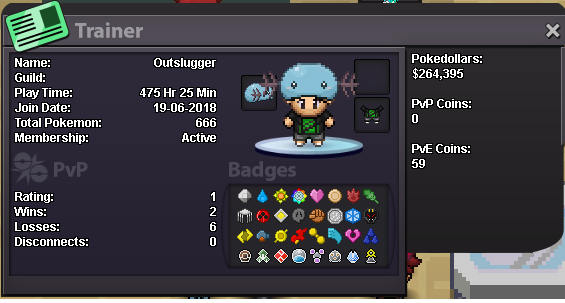
Hi guys, I'd like to apply for your guild. • Why do you feel you'd be a good fit for Toxicity?: I have been playing pokemon since the early 2000's, but recently found out about PRO. Just stopped playing League after 8+ years and I'm toxic af... just kidding. I like the general vibe this guild projects, and I would love to be part of the comunity. I like playing by myself but feel like having a foundation would help me transition to PRO PvP easier. I hope to meet great people and be helpful whenever I can. • Have you read our rules and eligibility, and can confirm you meet the criteria?: Yeah, can confirm. • What is your Discord Tag? (Ex: Name#0000): outslugger #6033 • Please attach your trainer card: (should I catch another pokemon or nah?)