




Skip to content
View in the app

A better way to browse. Learn more.

Pokemon Revolution Online

A full-screen app on your home screen with push notifications, badges and more.

To install this app on iOS and iPadOS
  1. Tap the Share icon in Safari
  2. Scroll the menu and tap Add to Home Screen.
  3. Tap Add in the top-right corner.
To install this app on Android
  1. Tap the 3-dot menu (⋮) in the top-right corner of the browser.
  2. Tap Add to Home screen or Install app.
  3. Confirm by tapping Install.

Unpelirrojo

Registered User
  • Joined

  • Last visited

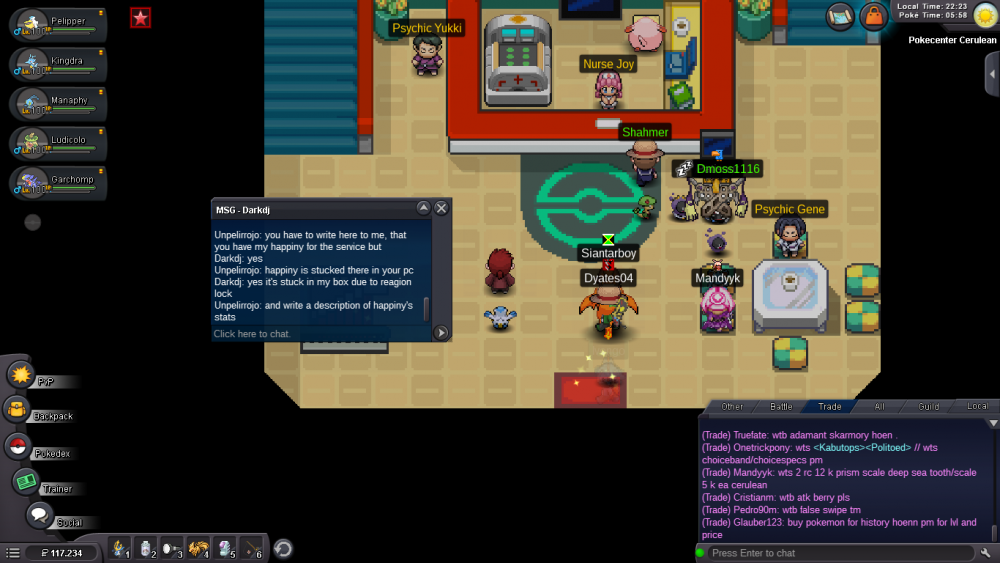
  1. Good evening, I've asked in trade chat for a level up service, and Darkdj accepted to do it. The trouble is that my happiny now is stucked in his pc, because he didn't see my happiny was from sinnoh, and i didn't told him it, because i thought he saw it. But i really need that happiny for my first pvp team, and i've hunt her for 9 days, I would feel really very bad if Happiny had to stay there until the boy finishes sinnoh ... I attached a pic where Darkdj comfirmed it too. Please. Thank you.
Account

Navigation

Search

Search

Configure browser push notifications

Chrome (Android)
  1. Tap the lock icon next to the address bar.
  2. Tap Permissions → Notifications.
  3. Adjust your preference.
Chrome (Desktop)
  1. Click the padlock icon in the address bar.
  2. Select Site settings.
  3. Find Notifications and adjust your preference.