New Trade Zone
Trade Zone is now live
Use the new Trade Zone for auctions and instant-price trades so Pokemon and item offers are easy to find.

Popped
Registered User
-
Joined
-
Last visited
-
● What's your Name/IGN?: My in-game name is Popped ● How old are you?: I'm 22 ● Are you active in Discord?: Yes ● Where are you from?: Belgium ● What's your playtime?/How often do you play PRO?: Currently i've played 203 hours & i play everyday ● What's your goal in PRO?: To be a pokemaster! HiHi! ● Why do you want to be part of Chaos?: Mainly for the bonus experience & to make new in-game friends ● What's your favorite Pokemon and why?: I don't have a favorite ● What's your favorite animal and why?: Dogs cuz they're the best
-
In-game name: Popped Server: Silver Timezone: Belgium - Europe (EU) I'd love to trade my haunter in order to evolve it into a gengar thanks in advance
-
In-game name: Popped Server: Silver Timezone: Belgium - Europe (EU) I'd love to trade my haunter to somebody reliable in order to evolve it into gengar thanks in advance
-
Thanks it seems i have missed something in the dialog apparantly i have already spoken to this Michael
-
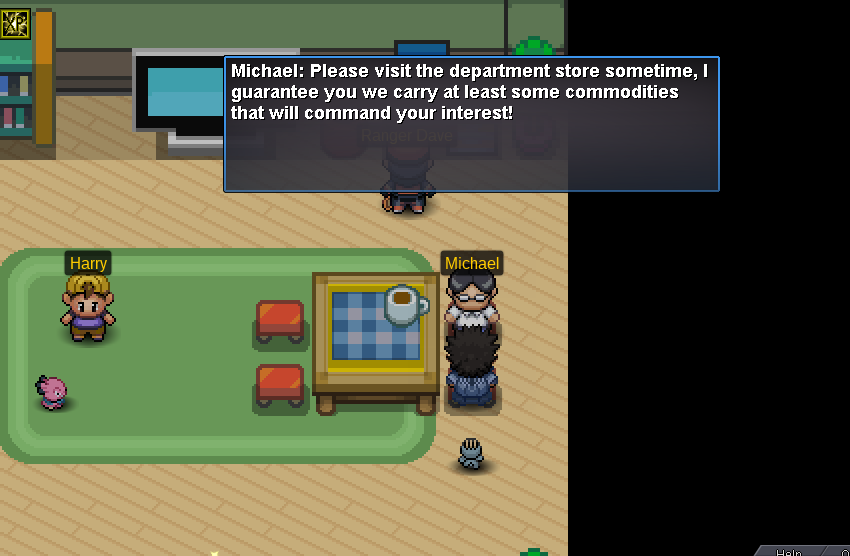
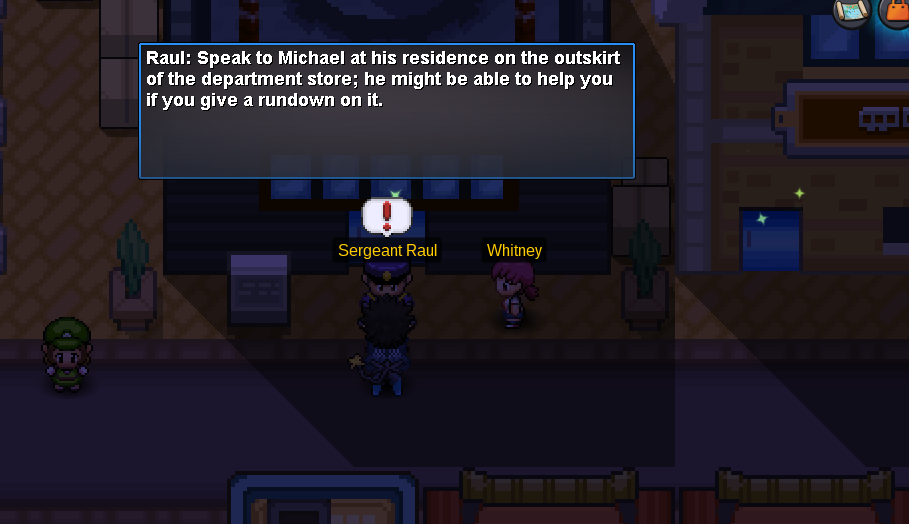
My problem is that i can't continue with the story because of an NPC called "Michael" after talking to the guard in front of the radio tower as you can see: I have to speak to a guy named "Michael" but when i talk to him he says this: - So now i'm confused on what to do since the guard still says to talk to Michael and michael doesn't help at all