




New Trade Zone
Trade Zone is now live
Use the new Trade Zone for auctions and instant-price trades so Pokemon and item offers are easy to find.

Sycan
Registered User
-
Joined
-
Last visited
Everything posted by Sycan
-
I agree ; It's too late for a new quest and this will be really injustice to all those who already brought it
-
It is not impossible, I managed to have both, steelixite and aggronite
-
I agree A lot of effort has been put into a Valentine's Day event and the games are unfortunately not pleasant It's frustrating for everyone, gamers, developers and moderators It could be healthier for everyone if the game came back without crashing
-
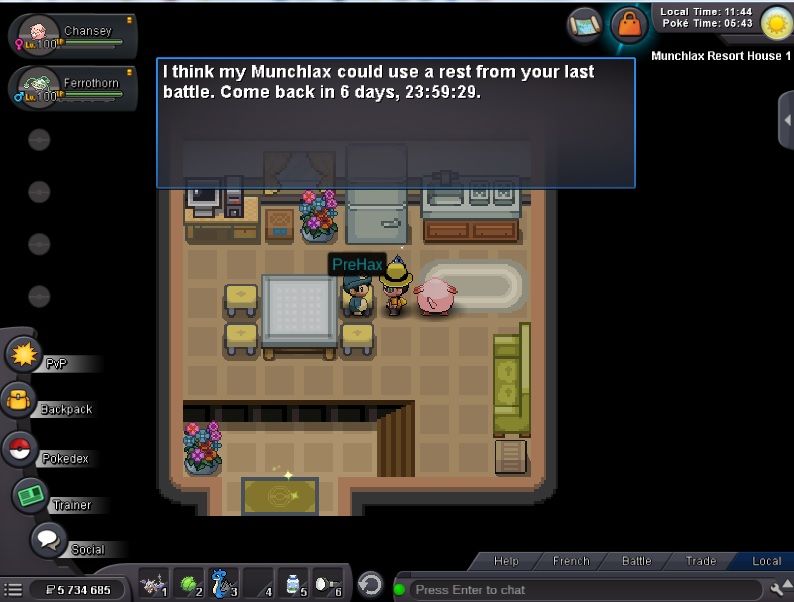
Hi The server crashed during a boss fight and the fight was considered lost And I also lost my consecutive wins Would it be possible to reset the counter for Prehax so that I can face it again without waiting Last time I couldn't catch the Valentine's Day special Celfable because of another crash Please help me this time Thank you Sycan Silver Server 10:44 UTC
-
Hello I was doing the Valentine's Event 2020 and the game is crash when I wanted to catch the Valentines Clefable. When I was able to login again the Valentines Clefable was no longer there, I couldn't catch it, would it be possible to get it back in the game so I can catch it if it Please. Thank you Cordially It was 18:30UTC 2021/02/27
-
