




New Trade Zone
Trade Zone is now live
Use the new Trade Zone for auctions and instant-price trades so Pokemon and item offers are easy to find.
.jpg.a7947d5c93143da2919c8b02cd72756c.jpg)

Xytreh
Registered User
-
Joined
-
Last visited
Everything posted by Xytreh
-
Hi, I'm in game. Contact me: Xytreh
-
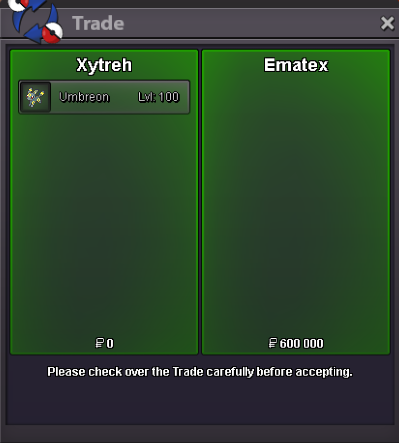
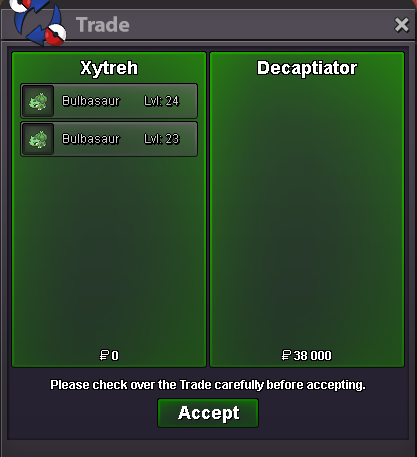
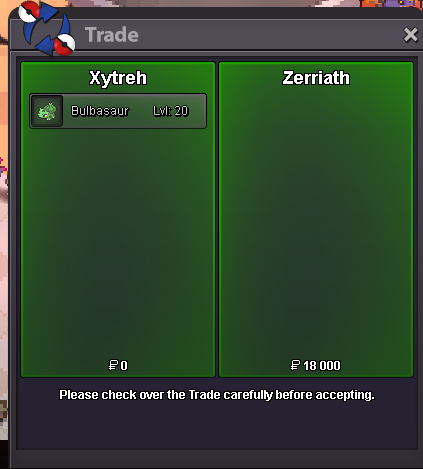
If you like it you should check my other idea! https://pokemonrevolution.net/forum/topic/169340-journal-with-some-additional-features/#comment-942750To add either on Discord or In-game. It'd show the progress of your quests. For example you started Legendary Birds quest and you took a break from the game. Instead of going back to Shamouti Island you could just check the progress in your logs. Same goes for other quests x/x trick room, x/x pvp battles etc.478k sold but forgot to take screenshot.Bumping a great idea for lazy people.It's sold. Gotta remove it from the shop sorry.@HawluchaaCan't contact the player.Refresh@HawluchaaCan't contact the playerRefreshRefreshBumpAlright, let's get back to itIt appears I just had to reenter the forest.Alright then, I'll do so and then eventually inform you.

Account
Navigation
Search
Configure browser push notifications
Chrome (Android)
- Tap the lock icon next to the address bar.
- Tap Permissions → Notifications.
- Adjust your preference.
Chrome (Desktop)
- Click the padlock icon in the address bar.
- Select Site settings.
- Find Notifications and adjust your preference.
Safari (iOS 16.4+)
- Ensure the site is installed via Add to Home Screen.
- Open Settings App → Notifications.
- Find your app name and adjust your preference.
Safari (macOS)
- Go to Safari → Preferences.
- Click the Websites tab.
- Select Notifications in the sidebar.
- Find this website and adjust your preference.
Edge (Android)
- Tap the lock icon next to the address bar.
- Tap Permissions.
- Find Notifications and adjust your preference.
Edge (Desktop)
- Click the padlock icon in the address bar.
- Click Permissions for this site.
- Find Notifications and adjust your preference.
Firefox (Android)
- Go to Settings → Site permissions.
- Tap Notifications.
- Find this site in the list and adjust your preference.
Firefox (Desktop)
- Open Firefox Settings.
- Search for Notifications.
- Find this site in the list and adjust your preference.