New Trade Zone
Trade Zone is now live
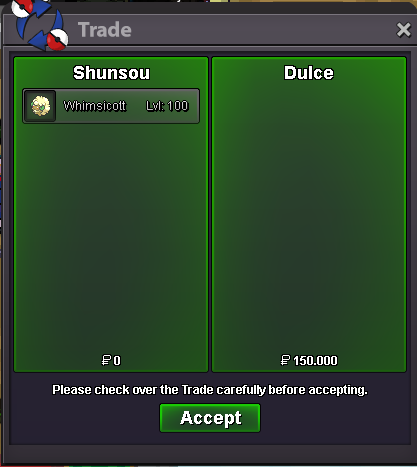
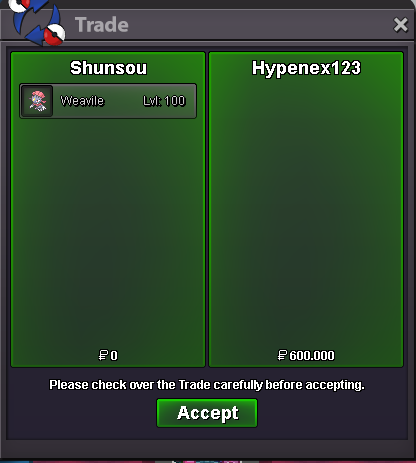
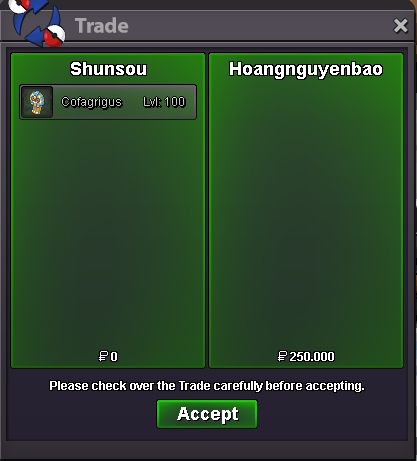
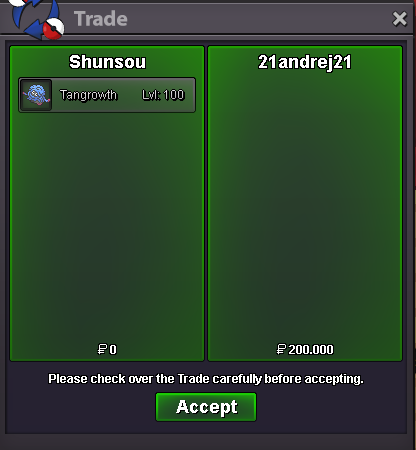
Use the new Trade Zone for auctions and instant-price trades so Pokemon and item offers are easy to find.

Shunsou
Registered User
-
Joined
-
Last visited
Everything posted by Shunsou
-
Start: 300k Insta: 1,2m Bid : 50k auction ended 24h after first bid based my local time accept cc: 400k IV/Nature reroll : 600/300k
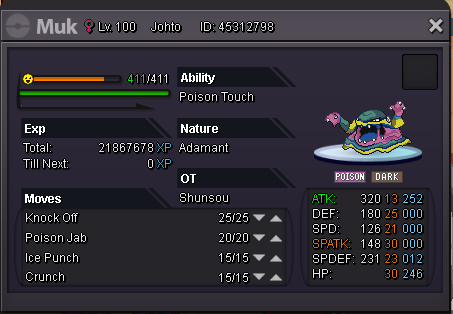
-
added some pokes
-
Start: 800k Insta: 1,6m bid : 50k auction ended 24h after 1st bid accept cc: 400k Iv/Nature reroll: 600k/300k
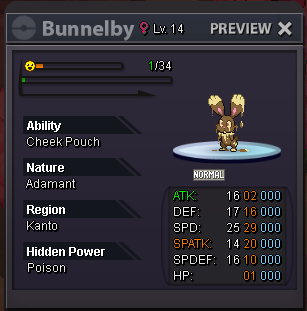 Thank you ^^Welcome To My Shop Price are fixed Also Accept Cc: 400k IV/Nature Reroll: 600k/300k Feel free to contact me in discord: shunsou#7835 [spoiler=TRAINED] 300k 500k 400k 400k 300k 150k 400k 350k 300k 300k Thanks for visiting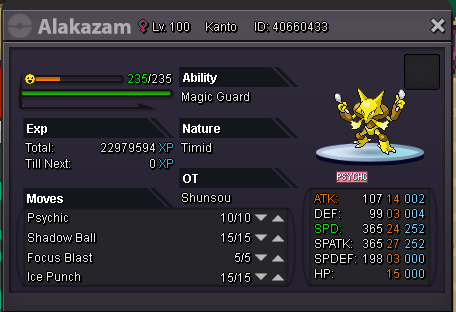

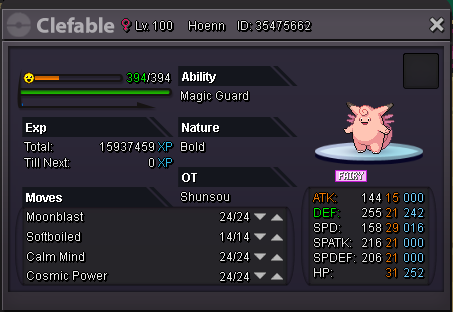


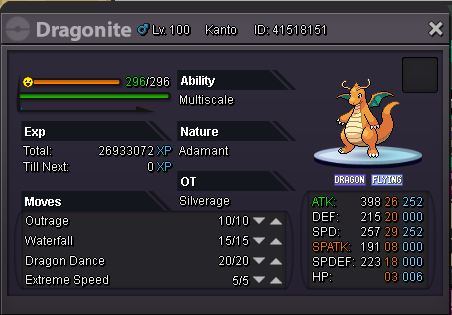

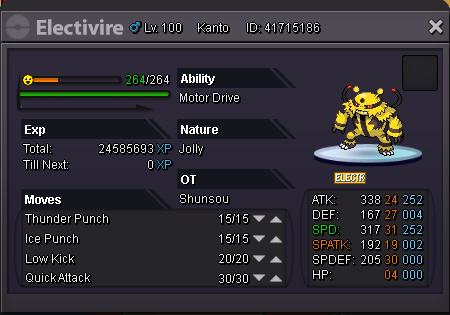
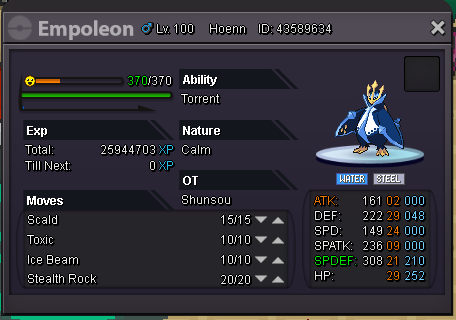

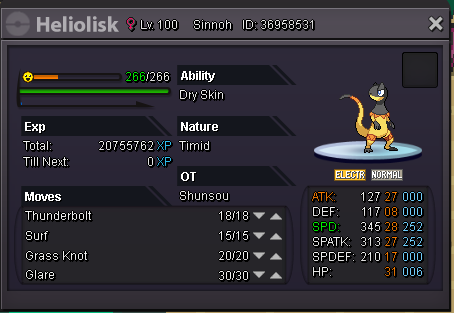

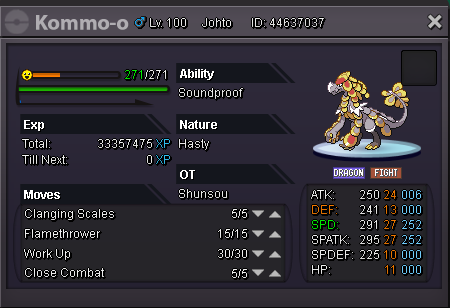
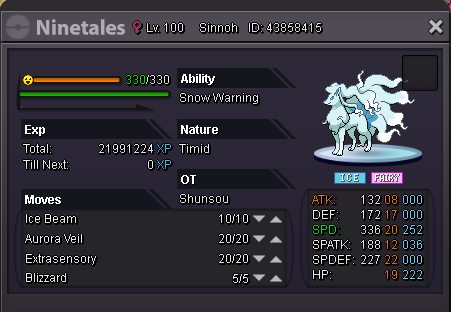
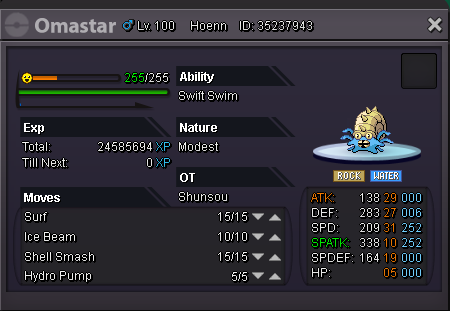
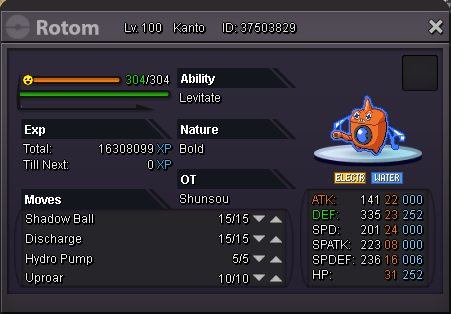


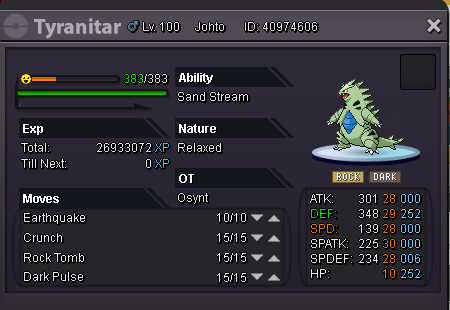


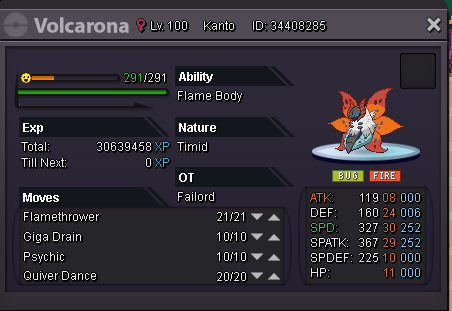
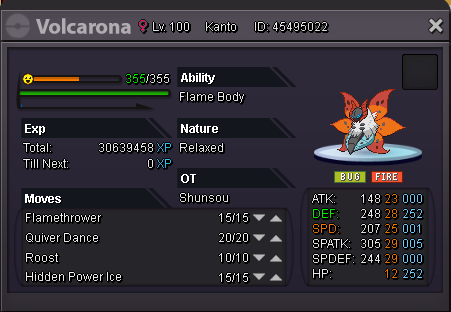

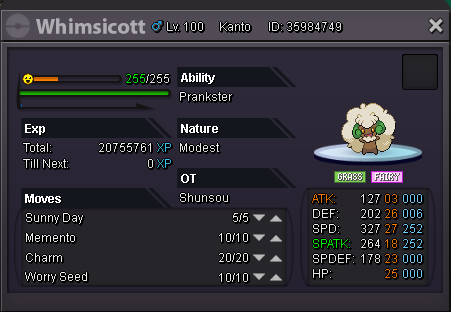
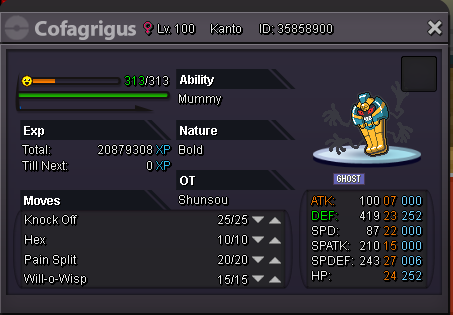


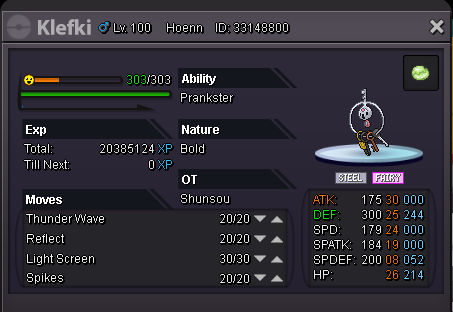
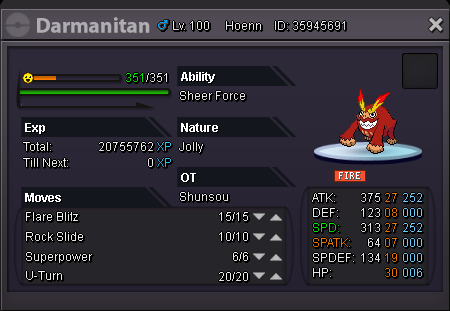
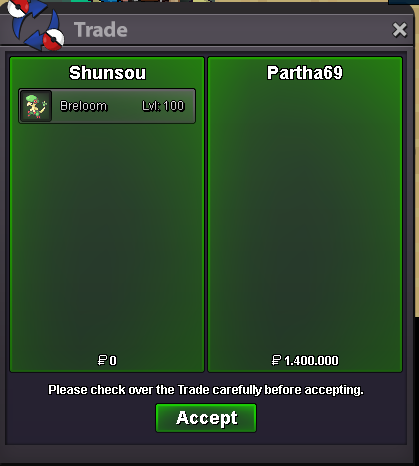
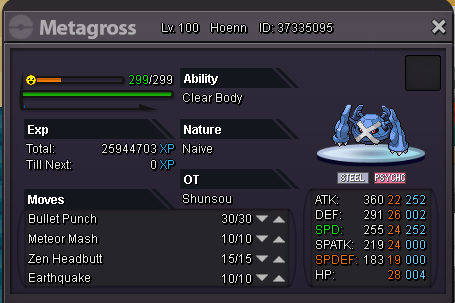 breloom sold insta
 breloom c.o 750k
 both already started by Blaggy1212both started ended 48 hours
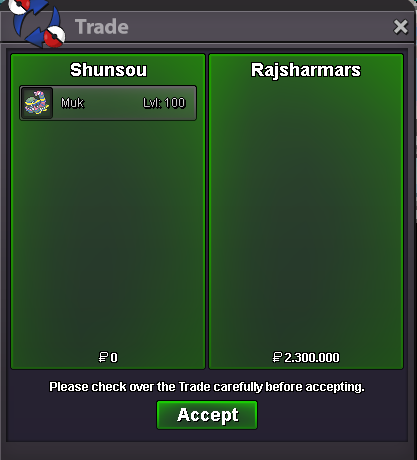
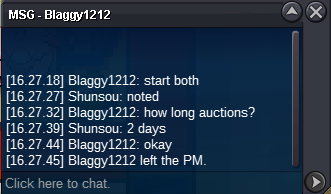 Start : 800k Insta : 2,3m bid : 100k Start : 600k Insta : 1,4m bid : 50k auction ended in 2 days after started Accept cc : 400k , reroll : 600k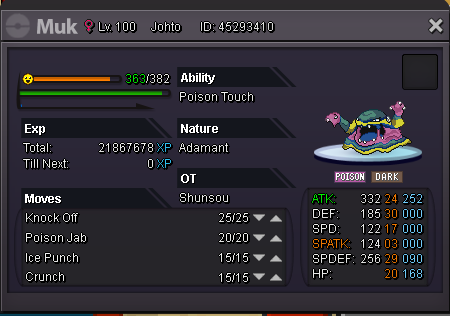
 IGN: shunsou Server: Silver Pokemon ID : 37224414 37163060 36412065 32773211 for a reason oftenly i bring pvp pokemon for hunting and the wild insta die. need to make difference between pvp and swiper pokemons. atleast delevel 1 or 2 lvl, thanks for helpnice shop. Good Luck buddy!time ended.sold to advaith
Account
Navigation
Search
Configure browser push notifications
Chrome (Android)
- Tap the lock icon next to the address bar.
- Tap Permissions → Notifications.
- Adjust your preference.
Chrome (Desktop)
- Click the padlock icon in the address bar.
- Select Site settings.
- Find Notifications and adjust your preference.
Safari (iOS 16.4+)
- Ensure the site is installed via Add to Home Screen.
- Open Settings App → Notifications.
- Find your app name and adjust your preference.
Safari (macOS)
- Go to Safari → Preferences.
- Click the Websites tab.
- Select Notifications in the sidebar.
- Find this website and adjust your preference.
Edge (Android)
- Tap the lock icon next to the address bar.
- Tap Permissions.
- Find Notifications and adjust your preference.
Edge (Desktop)
- Click the padlock icon in the address bar.
- Click Permissions for this site.
- Find Notifications and adjust your preference.
Firefox (Android)
- Go to Settings → Site permissions.
- Tap Notifications.
- Find this site in the list and adjust your preference.
Firefox (Desktop)
- Open Firefox Settings.
- Search for Notifications.
- Find this site in the list and adjust your preference.